
1. Product Overview
The ELECCTV w1 is a 2K QHD battery-powered wireless security camera designed for outdoor use. It features dual-band 2.4GHz and 5GHz WiFi connectivity, AI motion detection, color night vision, two-way audio, and is IP65 weatherproof. This manual provides instructions for setting up, operating, and maintaining your camera.

Image 1.1: ELECCTV w1 2K Dual-Band WiFi Security Camera.
2. Setup and Installation
2.1 Charging the Battery
Before initial use, fully charge the camera's built-in rechargeable battery. The camera can operate for 1-3 months on a full charge, depending on usage and power-saving settings configured in the app.
2.2 App Installation
Download and install the O-KAM Pro application on your smartphone (available for iOS and Android devices). This app is essential for camera setup, live viewing, and managing settings.
2.3 Connecting to Wi-Fi
The camera supports both 2.4GHz and 5GHz dual-band wireless connectivity. Follow the in-app instructions for a one-touch quick setup. Bluetooth can also be used for simplified initial pairing.

Image 2.1: The O-KAM Pro app interface showing Bluetooth setup for the camera.
2.4 Mounting the Camera
The ELECCTV w1 is 100% wire-free and IP65 waterproof, allowing flexible installation indoors or outdoors. Choose a location with good Wi-Fi signal and a clear view of the area you wish to monitor. Use the provided mounting hardware to secure the camera to a wall or under an eave.

Image 2.2: The camera shown in a rain-resistant outdoor environment, highlighting its IP65 waterproof rating.
3. Operation
3.1 Live View and Recording
Access the O-KAM Pro app to view live 2K QHD video streams. The camera features a 130° wide-angle lens for extensive coverage. Recordings are triggered by motion detection.
3.2 Night Vision
The camera offers Color Night Vision, providing clear, full-color images even in low-light conditions. It utilizes 2 PIR LEDs and 2 white lights. Infrared night vision is also available.

Image 3.1: Comparison of infrared night vision and color night vision, demonstrating the camera's capability.
3.3 Two-Way Audio
Utilize the built-in speaker and microphone for two-way communication through the app. This allows you to speak to individuals near the camera.

Image 3.2: A person speaking through the camera to a delivery person, illustrating the two-way audio feature.
3.4 Motion Detection and Alerts
The camera features AI motion detection to identify human movement and reduce false alarms. You can customize detection areas and sensitivity within the app. Upon detection, the camera can send real-time notifications to your phone, activate a spotlight, and sound a siren (with customizable alert sounds).
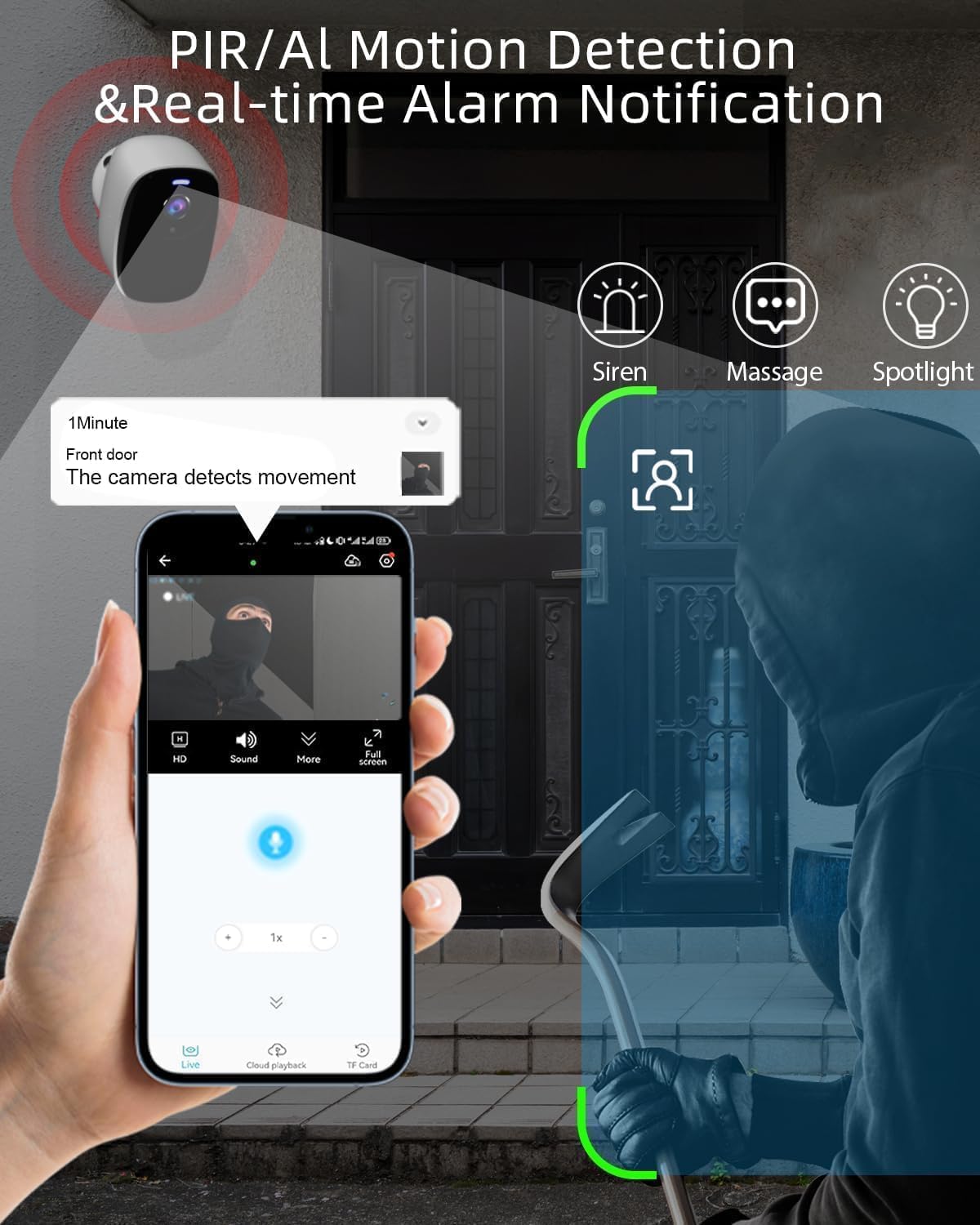
Image 3.3: An illustration of the camera detecting motion and sending an alert to a smartphone, with options for siren, message, and spotlight.
3.5 Storage Options
Recorded video footage can be stored in two ways:
- Cloud Storage: Free 1-day rolling cloud storage is provided for life without a subscription.
- Micro SD Card: The camera supports a Micro SD card (not included) up to 256GB for local storage.

Image 3.4: Visual representation of cloud storage and Micro SD card storage options for the camera.
3.6 Alexa Integration
The ELECCTV w1 camera is compatible with Amazon Alexa. You can integrate it with your smart home system for voice control and viewing live feeds on compatible Alexa devices.
4. Maintenance
4.1 Battery Management
Monitor the battery level through the O-KAM Pro app. Recharge the camera when the battery is low to ensure continuous operation. Adjust power-saving modes in the app to optimize battery life.
4.2 Cleaning
Periodically clean the camera lens and housing with a soft, damp cloth to remove dust and debris. Avoid using harsh chemicals or abrasive materials that could damage the camera's finish or lens.
5. Troubleshooting
5.1 Connectivity Issues
- Ensure your Wi-Fi network is active and the camera is within range.
- Verify that you have selected the correct 2.4GHz or 5GHz network during setup.
- Restart your router and the camera.
5.2 Battery Life Concerns
- Frequent motion detections, live view access, and siren activations can reduce battery life.
- Adjust motion detection sensitivity and recording duration in the app.
- Ensure the camera is fully charged before deployment.
5.3 Motion Detection Not Working
- Check the motion detection settings in the O-KAM Pro app.
- Ensure the detection area is correctly delineated and not too small.
- Verify that the camera lens is clean and unobstructed.
5.4 Other Issues
For any other issues not covered here, please refer to the in-app help section or contact ELECCTV customer support.
6. Product Specifications
| Feature | Detail |
|---|---|
| Model Name | w1 |
| Indoor/Outdoor Usage | Outdoor |
| Power Source | Battery Powered |
| Connectivity Protocol | Wi-Fi (2.4GHz & 5GHz) |
| Video Capture Resolution | 2K QHD (2304*1296) |
| Special Features | 2-Way Audio, Color Night Vision, Local Recording, Built-In Light, Motion Sensor, AI Detection |
| Water Resistance Level | IP65 |
| Battery Capacity | 5200 Milliamp Hours |
| Lens Angle | 130° Wide-Angle |
| Storage Options | Cloud (1-day free rolling), Micro SD (up to 256GB) |
| Compatible Devices | Smartphone, Amazon Alexa |
| Product Dimensions | 8 x 2 x 2.7 inches |
| Item Weight | 12.6 ounces |
7. Warranty and Support
7.1 Warranty Information
For specific warranty details regarding your ELECCTV w1 camera, please refer to the product packaging or contact ELECCTV customer service directly. Warranty terms typically cover manufacturing defects for a specified period from the date of purchase.
7.2 Customer Support
If you encounter any issues or have questions about your ELECCTV w1 camera, please utilize the support resources available through the O-KAM Pro app. You may also contact ELECCTV customer support for assistance. Contact information can usually be found on the manufacturer's official website or within the product packaging.
