
Ulefone us-arm x12p
Ulefone Armor X12 Pro Rugged Phone User Manual
Model: us-arm x12p
1. Introduction
The Ulefone Armor X12 Pro is a robust 4G rugged smartphone designed for durability and performance in challenging environments. It features IP68/IP69K and MIL-STD-810H certifications, ensuring resistance to dust, water, drops, and extreme temperatures. Powered by an octa-core MediaTek Helio G36 processor, it offers smooth operation with 8GB RAM (4GB physical + 4GB virtual) and 64GB internal storage, expandable up to 256GB. The device includes a 13MP SONY main camera, an 8MP selfie camera, and a 4860mAh battery for extended use. Running on Android 14, it provides a secure and private user experience with additional features like NFC, Glove Mode, and a custom key.
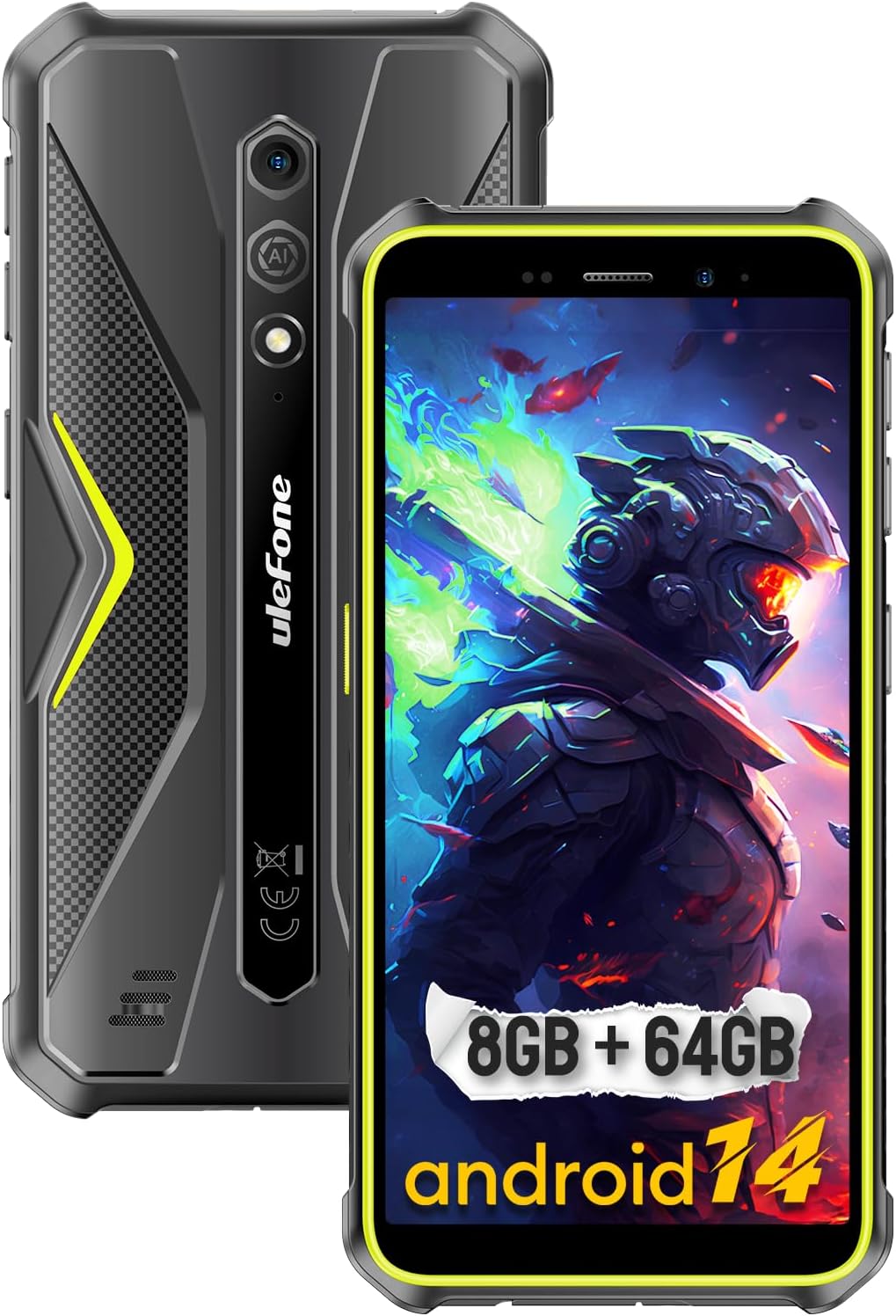
Figure 1: The Ulefone Armor X12 Pro, showcasing its rugged build and key specifications like 8GB RAM + 64GB storage and Android 14.
2. What's in the Box
Upon unboxing your Ulefone Armor X12 Pro, please verify that all the following items are included:
- Ulefone Armor X12 Pro Smartphone
- AC power charger (100~240V /US plug)
- Data cable (100cm)
- Protective Film (Pre-installed)
- Lanyard
- SIM pick
3. Setup Guide
3.1. SIM Card and MicroSD Card Installation
The Ulefone Armor X12 Pro supports a 3-card slot configuration, allowing for two Nano-SIM cards and one microSD card simultaneously. Ensure the phone is powered off before inserting or removing cards.
- Locate the SIM card tray on the side of the device.
- Use the provided SIM pick tool to gently eject the tray.
- Carefully place your Nano-SIM cards and/or microSD card into the designated slots on the tray. Ensure the gold contacts face downwards.
- Gently push the tray back into the slot until it is flush with the phone's body.

Figure 2: Illustration of the 3-card slot for SIM and microSD card installation.
3.2. Initial Power On and Android 14 Setup
After installing your cards, press and hold the power button until the Ulefone logo appears. Follow the on-screen prompts to complete the initial setup of Android 14, including language selection, Wi-Fi connection, Google account sign-in, and security settings. The new permission system in Android 14 enhances privacy and security.
4. Operating Your Device
4.1. Ruggedness and Durability
The Ulefone Armor X12 Pro is engineered to meet IP68, IP69K, and MIL-STD-810H standards, making it highly resistant to dust, water, and drops. It can withstand immersion in water up to 1.5 meters for 30 minutes and drops from 1.5 meters. This robust construction ensures reliable performance in demanding outdoor or industrial environments.

Figure 3: The Armor X12 Pro's certifications for extreme durability.
Video 1: Official product video demonstrating the rugged features and durability of the Ulefone Armor X12 Pro, including drop and water resistance tests.
4.2. Performance and Storage
The device is powered by a MediaTek Helio G36 octa-core chipset, offering clock speeds up to 2.2GHz for efficient performance. It comes with 8GB of RAM (4GB physical + 4GB virtual RAM) and 64GB of internal storage. For additional storage, a microSD card up to 256GB is supported.

Figure 4: Details on the MediaTek Helio G36 processor and memory configuration.
4.3. Camera Features
Capture clear photos and videos with the 13MP SONY IMX214 main camera and an 8MP front-facing selfie camera. The phone offers various camera modes to enhance your photography experience.

Figure 5: Overview of the phone's camera specifications and capabilities.
4.4. Battery Life
The Ulefone Armor X12 Pro is equipped with a 4860mAh battery, providing extended usage times. Expect up to 264 hours of standby time, 20 hours of talk time, and 8 hours of video playback on a single charge.

Figure 6: Information regarding the phone's battery capacity.
4.5. Display and User Interface
The phone features a compact 5.45-inch HD+ display, designed for comfortable one-handed use and portability. It also supports Glove Mode, allowing you to operate the touchscreen even while wearing gloves.

Figure 7: The phone's design and display size.
4.6. Additional Features
- NFC: Supports Near Field Communication for convenient mobile payments and data transfer.
- Custom Key: A programmable side button for quick access to frequently used functions or apps.
- Face Unlock: Securely unlock your phone using facial recognition.
- Outdoor Tools: Pre-installed applications useful for outdoor activities, such as a compass.
- GPS: Integrated GPS, Glonass, Galileo, and BeiDou for accurate navigation.
- Headset-free FM Radio: Enjoy FM radio without needing to connect headphones as an antenna.

Figure 8: Features like GPS and NFC for enhanced usability.
5. Maintenance
To ensure the longevity and optimal performance of your Ulefone Armor X12 Pro, follow these maintenance guidelines:
- Cleaning: Despite its ruggedness, regularly wipe the phone with a soft, damp cloth to remove dirt and grime. For stubborn dirt, you can rinse it under tap water, ensuring all ports are securely sealed.
- Port Care: Keep the charging port and headphone jack free of dust and debris. Use a soft, dry brush if necessary.
- Screen Protection: While the screen is durable, the pre-installed protective film offers an extra layer of defense against scratches. Consider replacing it if it becomes heavily scratched.
- Temperature: Avoid exposing the phone to extreme temperatures for prolonged periods, as this can affect battery life and internal components.
- Software Updates: Regularly check for and install system updates to ensure your device has the latest security patches and performance improvements.
6. Troubleshooting
This section addresses common issues you might encounter with your Ulefone Armor X12 Pro.
6.1. Network and Connectivity Issues
- No Data/Signal: The Ulefone Armor X12 Pro is not compatible with Cricket activations, new AT&T, or with CDMA Networks like Verizon, Sprint, and Boost Mobile. Please ensure your carrier is compatible (e.g., T-Mobile and its offshoots are generally usable). If you experience no data or signal with a compatible carrier, try restarting the phone, re-inserting the SIM card, or checking your APN settings.
- Wi-Fi/Bluetooth Connection Problems: Ensure Wi-Fi or Bluetooth is enabled. Try forgetting the network/device and reconnecting. Restarting the phone can often resolve minor connectivity glitches.
6.2. Performance and Responsiveness
- Slow Performance: Close unnecessary background applications. Clear cache from apps or perform a system cache clear. Ensure you have sufficient free storage space.
- App Crashes: Update the problematic app to its latest version. Clear the app's cache and data in settings. If the issue persists, reinstall the app.
6.3. Battery Life Concerns
- Rapid Battery Drain: Check battery usage in settings to identify power-hungry apps. Reduce screen brightness, disable unnecessary features like GPS or Bluetooth when not in use, and limit background app refresh.
For persistent issues not covered here, please contact Ulefone customer support at amazon@ulefone.com.
7. Specifications
| Feature | Detail |
|---|---|
| Model Name | Armor X12 Pro |
| Operating System | Android 14 |
| Processor | MediaTek Helio G36 Octa-core (Up to 2.2GHz) |
| RAM | 8GB (4GB physical + 4GB virtual) |
| Internal Storage | 64GB |
| Expandable Storage | Up to 256GB via microSD |
| Display Size | 5.45 inches HD+ |
| Resolution | 720 x 1440 |
| Rear Camera | 13MP SONY IMX214 |
| Front Camera | 8MP |
| Battery Capacity | 4860mAh |
| Durability Ratings | IP68, IP69K, MIL-STD-810H |
| Connectivity | 4G LTE, Wi-Fi, Bluetooth, NFC |
| Navigation | GPS, Glonass, Galileo, BeiDou |
| Audio Jack | 3.5 mm |
| Dimensions | 61.9 x 30.2 x 5.65 inches |
| Item Weight | 11.6 ounces (330 grams) |
8. Warranty and Support
For warranty information, please refer to the documentation included with your purchase or visit the official Ulefone website. If you encounter any issues or require technical assistance, you can contact Ulefone customer support directly via email at amazon@ulefone.com. Please provide your product model and a detailed description of the issue for efficient support.
Ask a question about this manual
Ask about setup, troubleshooting, compatibility, parts, safety, or missing instructions. Manuals+ will review the question and use this page’s manual context to help answer it.