
Introduction
Thank you for choosing the ELIVED EV6023 Ultrawide Monitor Wall Mount. This manual provides essential information for the safe and efficient installation, operation, and maintenance of your new monitor mount. Please read these instructions carefully before installation and retain them for future reference.
The ELIVED EV6023 is designed to provide an ergonomic and space-saving solution for mounting your monitor. Featuring a robust gas spring arm, it allows for flexible adjustments to achieve optimal viewing angles and comfort, supporting monitors up to 35 inches and 12 kg.
Safety Information
- Weight Capacity: Do not exceed the maximum weight capacity of 12 kg (26.4 lbs).
- Screen Size: Compatible with monitors up to 35 inches.
- Wall Type: This mount is designed for installation on solid concrete walls, concrete block walls, or wooden studs. It is NOT suitable for drywall or plasterboard walls. Ensure your wall structure can safely support the combined weight of the mount and your monitor.
- Installation: Follow all installation steps precisely. Improper installation can result in serious injury or damage to equipment. If you are unsure about the installation process, consult a qualified professional.
- Tools: Use appropriate tools for installation.
- Children: Keep small parts away from children.
Package Contents
Please verify that all components are present and undamaged before proceeding with installation. If any parts are missing or damaged, contact ELIVED customer support.
- ELIVED EV6023 Monitor Wall Mount Assembly
- Monitor mounting screws (various sizes)
- Necessary installation tools (e.g., Allen keys)
- Installation instructions (detailed guide)
Setup and Installation
Before beginning, ensure you have all necessary tools and have identified a suitable mounting location on a compatible wall type.
1. Wall Type Compatibility

Image: Compatible Wall Types. This diagram illustrates the wall types suitable for installation: concrete walls, concrete block walls, and wooden studs. Important: Do not install on drywall or plasterboard.
2. VESA Compatibility
Ensure your monitor has a compatible VESA mounting pattern. The EV6023 supports multiple VESA standards.
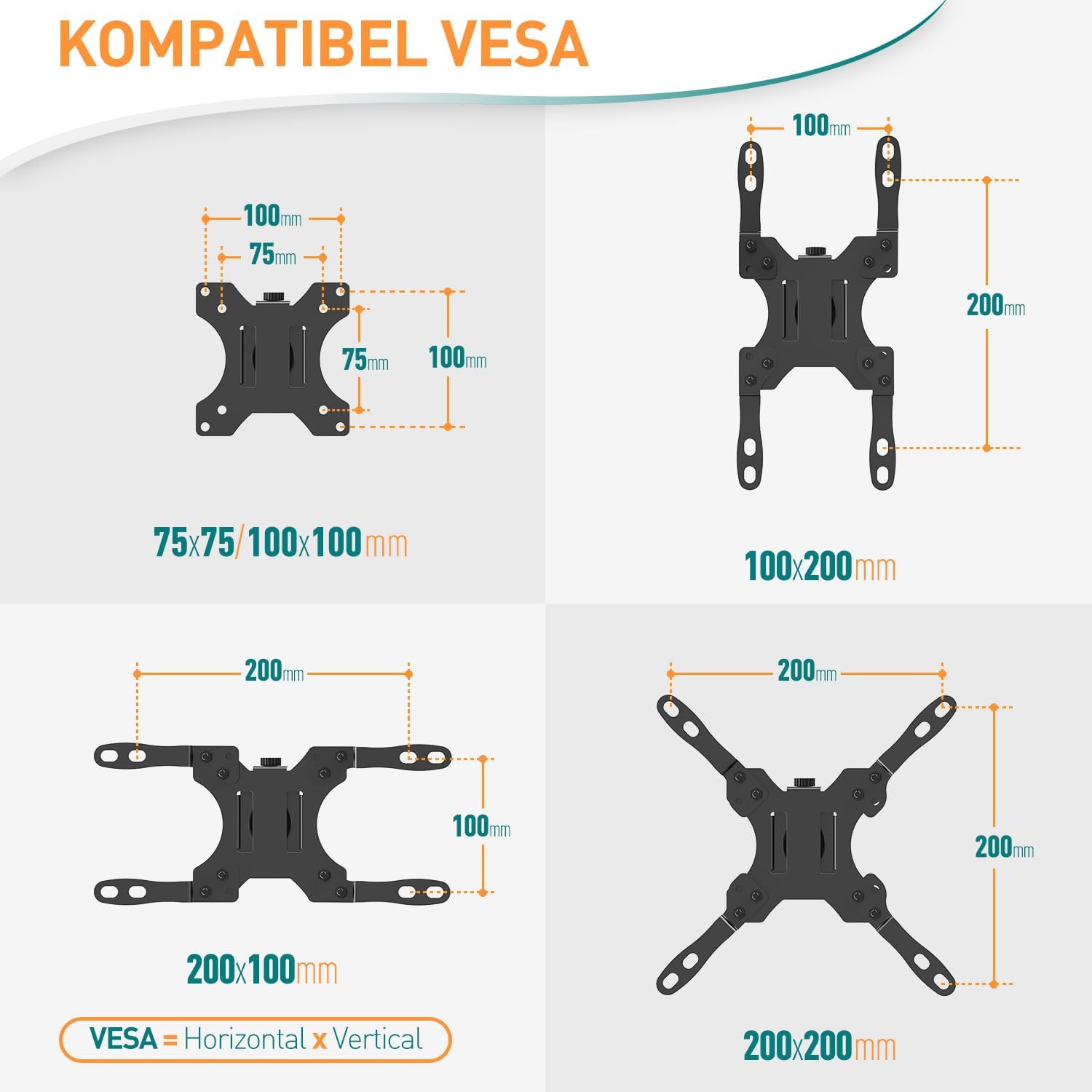
Image: VESA Compatibility. The mount supports VESA patterns including 75x75mm, 100x100mm, 100x200mm, 200x100mm, and 200x200mm.
3. General Installation Steps
Refer to the detailed installation guide included in your package for step-by-step instructions. A general overview includes:
- Marking and Drilling: Use the provided drilling template to mark the pilot holes on your wall. Drill holes according to the specified diameter and depth.
- Mounting the Wall Plate: Secure the wall plate to the wall using the appropriate anchors and screws for your wall type. Ensure it is level and firmly attached.
- Attaching the Arm: Connect the monitor arm to the wall plate.
- Attaching the VESA Plate to Monitor: Secure the VESA plate to the back of your monitor using the correct screws.
- Mounting the Monitor: Carefully attach the monitor (with VESA plate) to the arm's mounting head. The quick-release VESA plate simplifies this step.
- Adjusting Gas Spring Tension: Adjust the gas spring tension to match your monitor's weight for smooth movement.
Operation and Adjustments
The ELIVED EV6023 monitor mount offers extensive adjustability for an optimal viewing experience.

Image: ELIVED EV6023 Monitor Wall Mount in use. This image shows the mount supporting a curved ultrawide monitor, highlighting its key features like load capacity, screen compatibility, VESA support, full range of motion, and height adjustment.
1. Multi-functional Adjustments

Image: Multi-functional Adjustments. The mount allows for 360° screen rotation (landscape to portrait), ±90° tilt, 180° swivel at the VESA plate, and 270° swivel at the arm joint for versatile positioning.
2. Height Adjustment and Arm Extension

Image: Height Adjustment and Arm Extension. The gas spring allows for continuous height adjustment up to 310mm. The arm can extend up to 550mm from the wall and fold back to a compact 85mm when not in use.
3. Gas Spring Adjustment

Image: Integrated Gas Spring. The mount features an integrated premium gas spring for smooth and stable adjustments. Use the provided Allen key to adjust the tension according to your monitor's weight. Turn clockwise to decrease tension (for lighter monitors) and counter-clockwise to increase tension (for heavier monitors).
4. Ergonomic Positioning
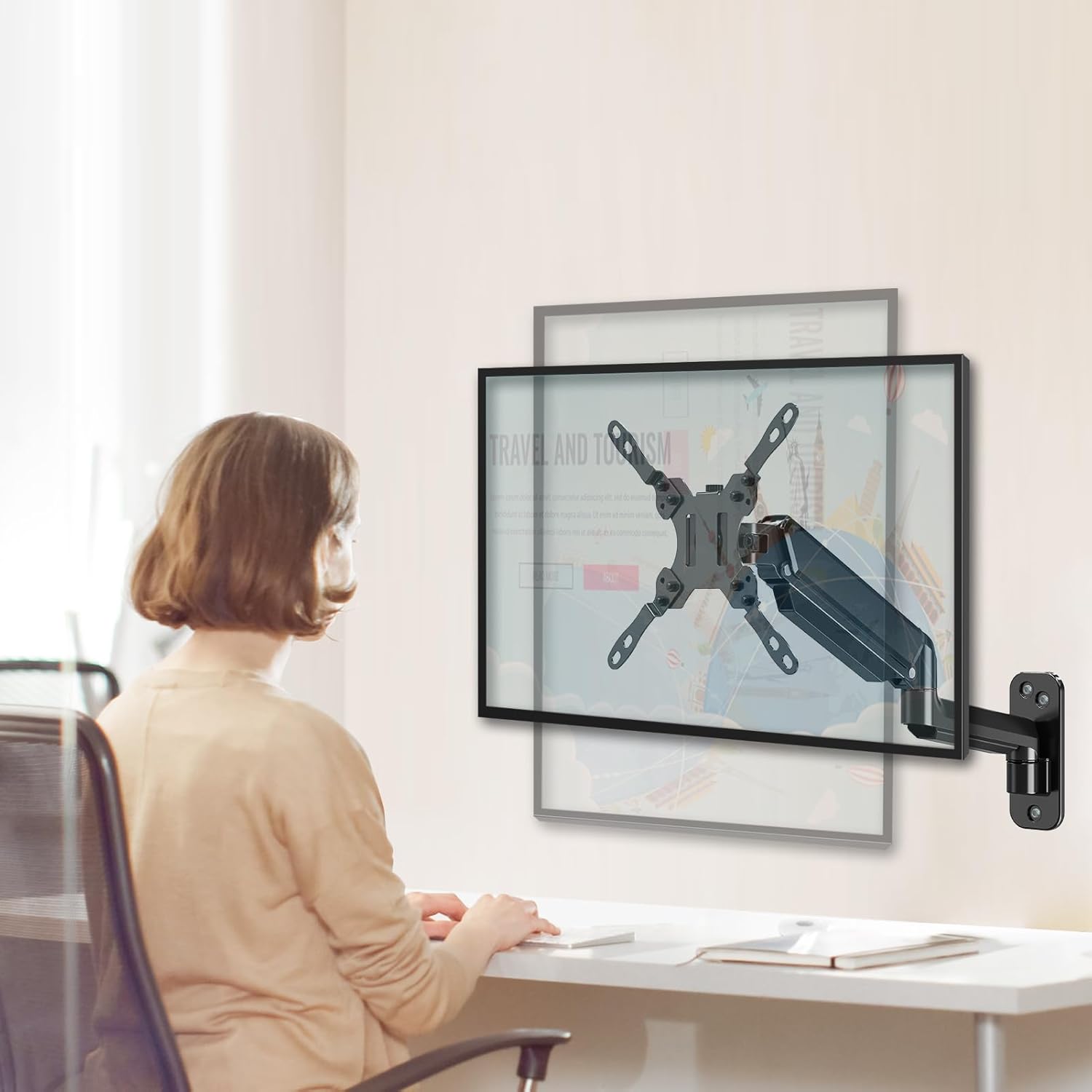
Image: Ergonomic Workspace. Adjust your monitor to an optimal ergonomic posture to reduce strain on your neck and shoulders, enhancing comfort and productivity.
Cable Management
The ELIVED EV6023 features an integrated cable management system to keep your workspace tidy and organized.

Image: Cable Management. Route your monitor cables through the designated channels on the arm to maintain a clean and clutter-free desk area.
Maintenance
- Cleaning: Wipe the mount with a soft, damp cloth. Avoid abrasive cleaners or solvents.
- Periodic Checks: Periodically check all screws and connections to ensure they remain tight and secure. Re-tighten if necessary.
- Gas Spring: The gas spring is designed for long-term use and generally requires no maintenance. If adjustments become difficult, re-check the tension setting.
Troubleshooting
- Monitor Sags or Won't Stay in Position: The gas spring tension may be too low for your monitor's weight. Use the provided Allen key to increase the gas spring tension (turn counter-clockwise).
- Monitor is Difficult to Move Up/Down: The gas spring tension may be too high. Use the provided Allen key to decrease the gas spring tension (turn clockwise).
- Monitor Tilts Forward/Backward Unexpectedly: Ensure the tilt adjustment screw on the VESA plate is sufficiently tightened.
- Mount Feels Unstable: Re-check all wall mounting screws and VESA plate screws to ensure they are securely fastened. Verify that the wall type is appropriate for the mount.
Specifications
| Attribute | Specification |
|---|---|
| Brand | ELIVED |
| Model Number | EV6023 |
| Color | Black |
| Material | Metal |
| Mounting Type | Wall Mount |
| Movement Type | Tilt, Swivel, Rotation |
| Max Screen Size | 35 inches |
| Weight Capacity | 3 kg - 12 kg (6.6 lbs - 26.4 lbs) |
| VESA Compatibility | 75x75mm, 100x100mm, 150x150mm, 200x100mm, 200x200mm |
| Tilt Angle | ±90 degrees |
| Swivel Angle | 180 degrees (at VESA plate), 270 degrees (at arm joint) |
| Rotation | 360 degrees (landscape to portrait) |
| Height Adjustment | Up to 310 mm (gas spring) |
| Arm Extension | Up to 550 mm |
| Wall Distance (folded) | 85 mm |
Warranty and Support
ELIVED products are manufactured to high-quality standards. For warranty information or technical support, please refer to the specific warranty card included with your product or contact ELIVED customer service through the retailer where you purchased the product. Please have your model number (EV6023) and purchase details ready when contacting support.

