
1. Introduction
The EBYTE E18-DTU (Z20-485) is a wireless data transceiver based on Zigbee3.0 technology. It supports transparent transmission and protocol transmission, serving as a reliable communication medium. This device is suitable for various applications where real-time and dependable data transmission of monitoring signals is required in private networks. Its advantages include low cost, ease of installation and maintenance, strong diffraction capability, flexible network structure, and extensive coverage. It is particularly effective in environments with numerous scattered points and complex geographical conditions. The E18-DTU (Z20-485) can interface with data terminals such as PLCs, RTUs, rain gauges, and liquid level meters.
Key features of the E18-DTU (Z20-485) include:
- Advanced functionalities and compact design.
- Multi-level transmit power options.
- Industrial-grade operating temperature range: -40℃ to +85℃.
- Durable aluminum alloy casing for efficient heat dissipation and easy installation.
- Robust shielding for excellent electromagnetic compatibility and anti-interference.
- Multiple protection features: power supply reverse connection, over-connection, and antenna overvoltage protection.
- Configurable parameters via software, including power, frequency, and address ID.
- Integrated watchdog for automatic module restart in case of deviation, ensuring continuous operation.
2. Product Overview
The E18-DTU (Z20-485) is designed for industrial applications, featuring a robust build and clear indicators. Below is an illustration of the device with its key components and dimensions.

Figure 2.1: E18-DTU (Z20-485) Data Transceiver with dimensions (66mm x 68mm) and pinout for VCC, GND, AGND, RS485-B, and RS485-A.
The device includes an RS485 interface for data communication, working indicator lights, a smart button, and an antenna interface for RF connectivity.

Figure 2.2: Industrial standard design highlighting the RS485 interface, working lights, smart button, and antenna interface.
3. Setup
3.1 Power Supply and Connections
Connect the power supply to the VCC and GND terminals as indicated on the device. Ensure correct polarity to prevent damage, as the device features reverse connection protection. Connect your data terminals (e.g., PLC, RTU) to the RS485-A and RS485-B terminals. Attach the antenna to the SMA connector labeled 'ANT'.
3.2 Initial Configuration
Upon initial power-up, the device will enter its default operating mode. For specific network configurations or parameter adjustments, refer to the software functions described in Section 4.2. The device is designed for easy installation due to its compact size and standard interfaces.
4. Operating Instructions
4.1 Zigbee3.0 Communication Standard
The E18-DTU (Z20-485) utilizes the Zigbee3.0 communication standard, which provides multi-level encryption within the Zigbee network. This significantly enhances device security and data integrity during transmission.

Figure 4.1: Zigbee3.0 security communication standard illustrating multi-level encryption.
4.2 Network Topologies
The E18-DTU (Z20-485) supports various network topologies, allowing for flexible deployment based on application requirements. These include peer-to-peer, star network, and MESH network configurations.

Figure 4.2: Supported network topologies: Peer-to-peer, Star Network, and MESH Network.
4.3 Software Functions
The device offers powerful software functions, allowing all operational parameters to be configured via programming. These functions enhance the adaptability and control over the transceiver's behavior.

Figure 4.3: Overview of practical software functions.
- Automatic Routing: Enables the device to automatically determine the most efficient data paths.
- Address Search: Facilitates discovery and identification of other devices within the network.
- Serial Port Configuration: Allows adjustment of serial communication parameters.
- Network PAN_ID Change: Provides flexibility in managing network identifiers.
- Module Reset: Resets the module to its default state or a predefined configuration.
- Air Configuration: Configures parameters related to wireless transmission.
- Reset: General reset function for the device.
- One-key Restore Baud Rate: Quickly restores the serial port baud rate to a default setting.
5. Maintenance
The E18-DTU (Z20-485) is designed for industrial environments, ensuring high reliability and minimal maintenance. All components undergo precise testing, and the device features an aluminum alloy shell for good heat dissipation and robust shielding.
5.1 Environmental Durability
The device is built to withstand harsh conditions, with an operating temperature range of -40℃ to +85℃. Its shell is coated with a conformal coating, and the manufacturing process adheres to eco-friendly standards, meeting global environmental certifications.
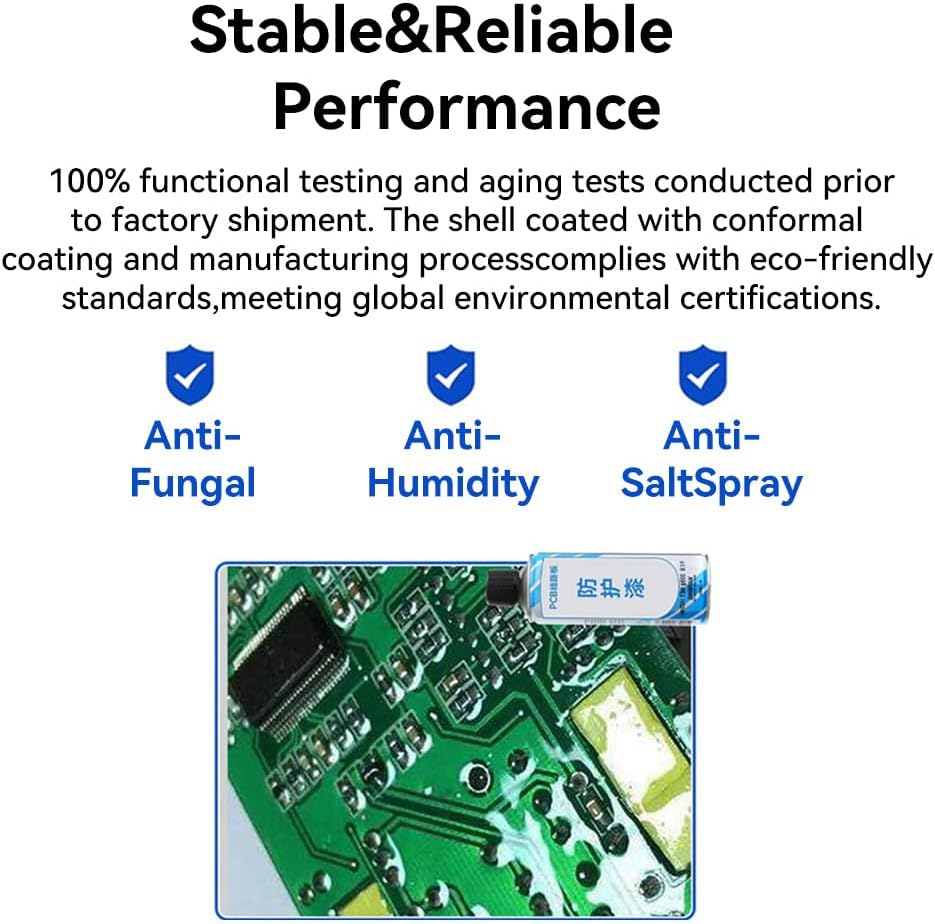
Figure 5.1: Stable and Reliable Performance features, including Anti-Fungal, Anti-Humidity, and Anti-SaltSpray properties.
5.2 Protection Features
To enhance reliability and longevity, the E18-DTU (Z20-485) incorporates multiple protection functions:
- Power Supply Reverse Connection Protection: Prevents damage from incorrect power polarity.
- Over-connection Protection: Safeguards against excessive current or voltage.
- Antenna Overvoltage Protection: Protects the RF circuit from voltage spikes.
6. Troubleshooting
The E18-DTU (Z20-485) includes a built-in watchdog timer. In the event of a system anomaly or deviation, the module is designed to automatically restart, ensuring continuous operation based on its last configured parameters. If issues persist, verify power connections, antenna attachment, and RS485 wiring. For advanced diagnostics, utilize the software configuration tools to check parameters such as power, frequency, and address ID.
7. Specifications
| Specification | Value |
|---|---|
| Brand | EBYTE |
| Manufacturer | EBYTE |
| Manufacturer Reference | E18-DTU(Z20-485) |
| Model | E18-DTU (Z20-485) |
| ASIN | B0CB5TDT3Y |
| Operating Temperature | -40℃ to +85℃ |
| First Available Date | July 5, 2023 |
| Guaranteed Software Updates Until | Unknown |
8. Application Scenarios
The E18-DTU (Z20-485) is versatile and suitable for a wide range of applications, leveraging its robust wireless data transmission capabilities.

Figure 8.1: Diverse application scenarios for the E18-DTU (Z20-485).
- Industrial Manufacturing: Ideal for replacing signal cables in short-distance industrial fields, reducing wiring complexity, and simplifying management.
- Smart Home: Provides physical layer technology solutions for home Internet of Things (IoT) applications.
- Smart Farm: Enables accurate monitoring of various parameters across an operation area.
- Hotel Management: Supports a large number of access points for efficient network management.
9. Warranty and Support
For warranty information and technical support, please contact the manufacturer, EBYTE. Refer to the product packaging or the official EBYTE website for the most current support contact details and warranty terms.


