
DOVIICO HK87
DOVIICO Military Smart Watch HK87 User Manual
Model: HK87
1. Introduction
Welcome to the user manual for your new DOVIICO Military Smart Watch HK87. This manual provides essential information for setting up, operating, and maintaining your device. Please read it thoroughly to ensure optimal performance and longevity of your smartwatch.
The DOVIICO HK87 is designed for durability and functionality, featuring IP68 waterproofing, shock resistance, and dust protection, making it suitable for various outdoor activities. It offers comprehensive health monitoring, multiple sports modes, and convenient communication features.
2. What's in the Box
Upon unboxing, please verify that all items listed below are present:
- 1 x DOVIICO Smart Watch HK87
- 1 x Magnetic Charging Cable
- 1 x User Manual (this document)
3. Product Overview
Familiarize yourself with the components of your DOVIICO Smart Watch HK87.
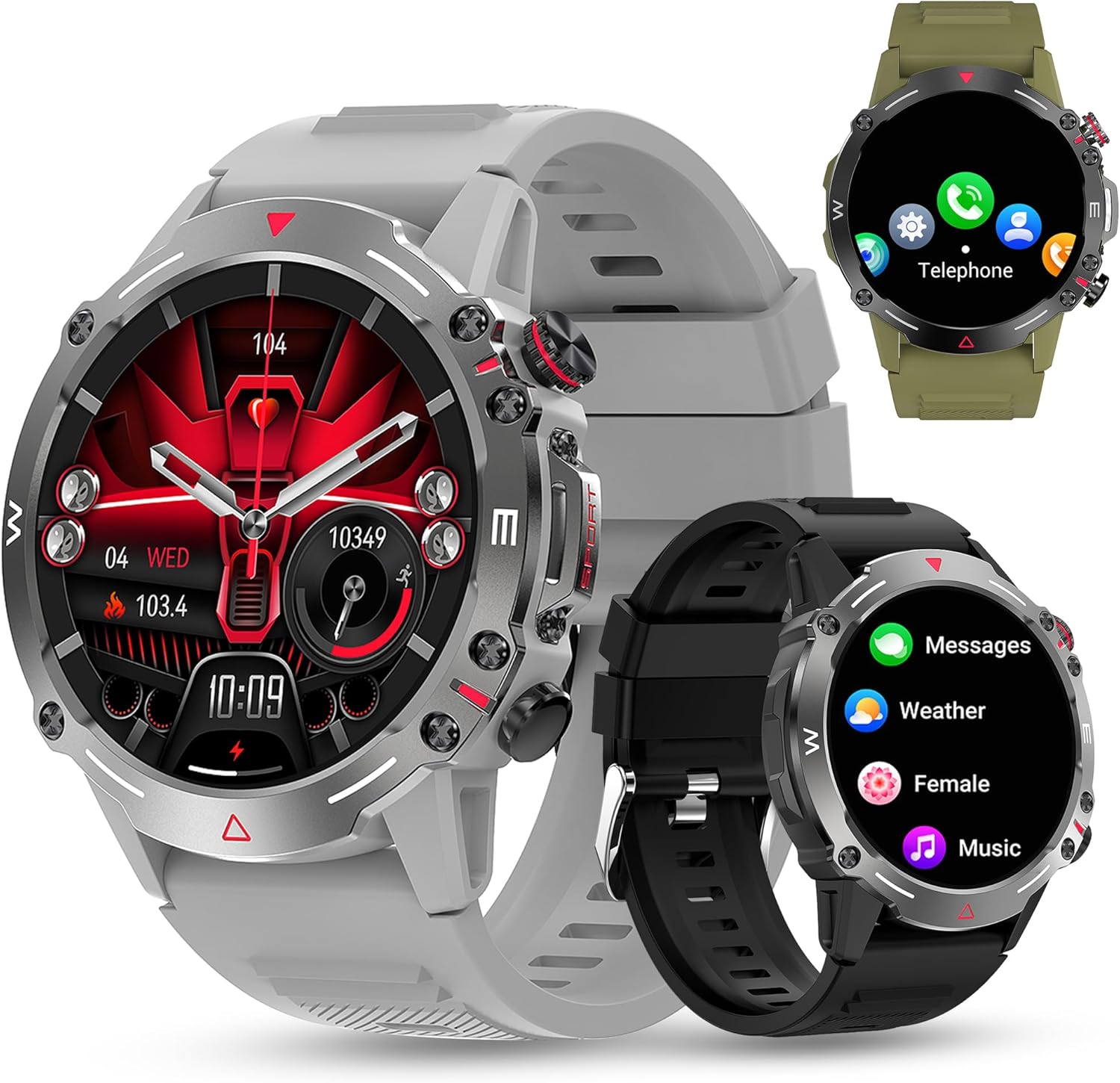
Figure 3.1: Front view of the DOVIICO Smart Watch HK87, illustrating its robust design and various display options.

Figure 3.2: Detailed view of the 1.43-inch AMOLED HD screen and the integrated heart rate sensor located on the watch's underside.
Key Components:
- 1.43" AMOLED HD Display: High-resolution touch screen for clear visuals and easy navigation.
- Side Buttons: For power, menu access, and quick functions.
- Heart Rate Sensor: Located on the back for continuous heart rate monitoring.
- Charging Contacts: Magnetic points on the back for connecting the charging cable.
- Speaker & Microphone: For Bluetooth calls and AI voice assistant.
4. Setup
4.1 Charging the Smart Watch
Before initial use, fully charge your smartwatch.
- Connect the USB end of the magnetic charging cable to a power adapter (not included) or a computer's USB port.
- Align the magnetic end of the charging cable with the charging contacts on the back of the watch. The magnets will snap it into place.
- The watch display will indicate charging status. A full charge typically takes approximately 2 hours.

Figure 4.1: The watch display showing the charging indicator and battery life expectations.
4.2 App Installation and Pairing
To unlock the full functionality of your smartwatch, you need to install the companion app on your smartphone and pair the devices. The watch is compatible with Android 4.4 and above, and iOS 8.4 and above.
- Download the App: Scan the QR code provided in the watch's quick start guide or search for the designated app (e.g., "FitCloudPro" or similar, check packaging for exact name) in your phone's app store (Google Play Store for Android, Apple App Store for iOS).
- Enable Bluetooth: Ensure Bluetooth is enabled on your smartphone.
- Open the App: Launch the installed app and follow the on-screen instructions to create an account or log in.
- Add Device: Within the app, navigate to the "Device" or "Add Device" section. The app will search for available smartwatches.
- Select Your Watch: Select "HK87" or the corresponding device name from the list. Confirm the pairing request on both your phone and the watch if prompted.
- Grant Permissions: Grant all necessary permissions requested by the app (e.g., location, notifications, contacts) to ensure full functionality.
Important: If you experience pairing issues, ensure the watch is sufficiently charged and not paired with another device. Restarting both the watch and your phone can often resolve connectivity problems.
5. Operating Instructions
5.1 Basic Navigation
- Power On/Off: Press and hold the side button to power on or off.
- Wake Screen: Raise your wrist or press the side button to wake the screen.
- Swipe Up/Down/Left/Right: Navigate through menus, notifications, and quick settings.
- Tap: Select an item or confirm an action.
5.2 Bluetooth Calls and Notifications
Once paired, your smartwatch can handle calls and display notifications.
- Answering/Dialing Calls: Use the watch's dial pad or contact list to make calls. When a call comes in, you can answer or reject it directly from the watch.
- Message Notifications: Receive alerts for SMS, WhatsApp, Instagram, Facebook, and other app messages. Swipe down from the main screen to view recent notifications.
5.3 Sports Modes
The watch offers over 100 sports modes to track your physical activity.

Figure 5.1: A visual representation of the diverse sports modes available on the smartwatch.
- Navigate to the "Sports" menu on your watch.
- Select your desired activity (e.g., Running, Cycling, Hiking).
- Tap to start tracking. The watch will record data such as steps, distance, calories burned, and heart rate.
- Tap again to pause or hold to end the activity.
5.4 Health Monitoring
The DOVIICO HK87 provides continuous monitoring of key health metrics.
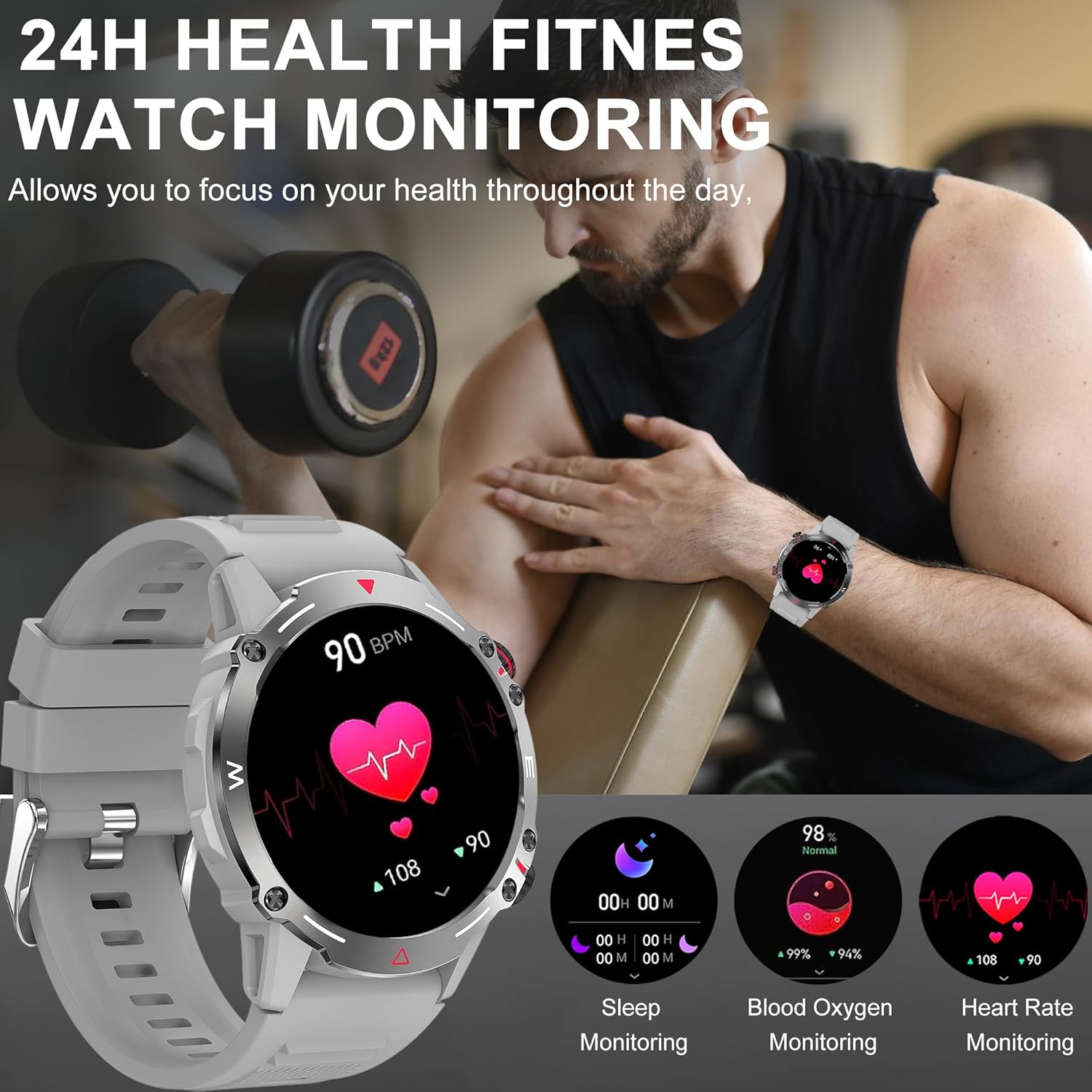
Figure 5.2: The watch interface showing real-time health data, including heart rate, blood oxygen, and sleep.
- Heart Rate Monitoring: The watch continuously tracks your heart rate. View current and historical data in the app.
- Blood Oxygen Monitoring: Measure your blood oxygen saturation levels.
- Sleep Monitoring: Automatically tracks your sleep patterns (deep sleep, light sleep, wake time). Review detailed sleep analysis in the app.
- Blood Pressure Monitoring: Provides an estimate of blood pressure. Note: This is not a medical device. Measurement data is for reference only and should not be used for medical diagnosis or treatment.

Figure 5.3: The sleep monitoring screen on the smartwatch, providing insights into sleep duration and quality.
5.5 Additional Features
- AI Voice Assistant: Activate the voice assistant for hands-free control.
- NFC: For compatible NFC functions (e.g., access control, check local availability and setup).
- Music Control: Control music playback on your smartphone (play, pause, skip tracks).
- Remote Camera: Use your watch as a remote shutter for your phone's camera.
- Weather Forecast: Get real-time weather updates (requires app synchronization).
- Alarms & Reminders: Set alarms, sedentary reminders, and drink water reminders through the app.
- Female Physiological Cycle: Track and monitor physiological cycles (requires setup in the app).
6. Customization
6.1 Changing Watch Faces
Personalize your watch with a variety of watch faces.
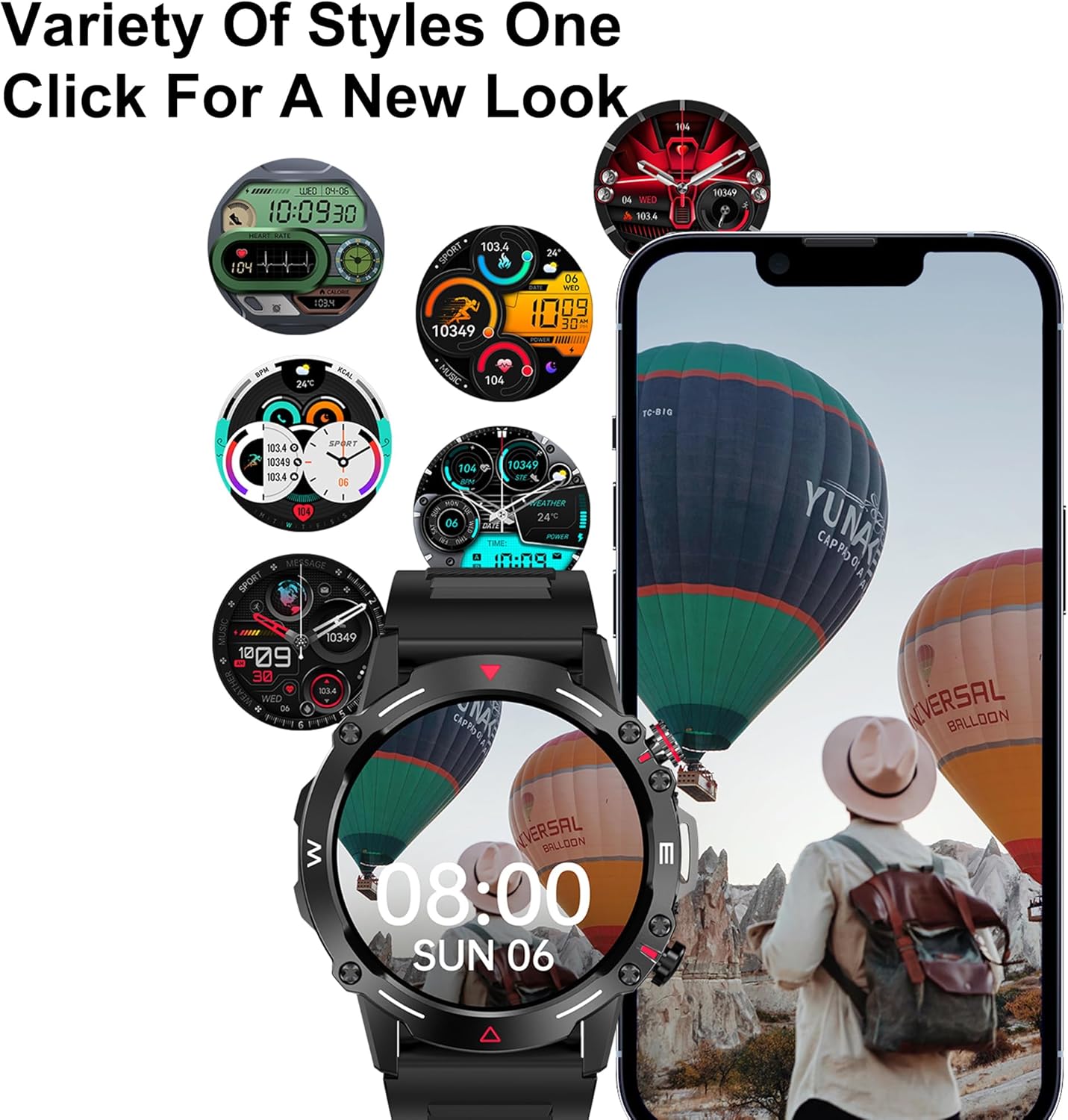
Figure 6.1: A selection of customizable watch faces available for the smartwatch.
- On the Watch: Press and hold the main screen, then swipe left or right to browse pre-installed watch faces. Tap to select.
- Via the App: Open the companion app, navigate to the "Dial Market" or "Watch Faces" section. You can download and apply additional watch faces, and even customize some with your own photos.
7. Battery and Charging
The DOVIICO HK87 is equipped with a 410mAh battery, offering extended usage.
- Battery Life: Expect 7-10 days of typical daily use and up to 45 days of standby time.
- Charging Time: Approximately 2 hours for a full charge.
- Charging Method: Use the provided magnetic charging cable. Ensure proper alignment of the charging contacts.
To maximize battery life, consider adjusting screen brightness, reducing notification frequency, and disabling features not actively in use.
8. Maintenance
8.1 Waterproofing (IP68)
The DOVIICO HK87 has an IP68 waterproof rating, meaning it is resistant to dust and can withstand immersion in water up to 1.5 meters for up to 30 minutes.
- It is suitable for daily use, such as hand washing, rain, and shallow swimming.
- Avoid hot water, saunas, or diving, as steam and high pressure can compromise the seal.
- Do not operate buttons underwater.
- After exposure to water, wipe the watch dry with a soft cloth.
8.2 Cleaning
- Regularly clean your watch and strap to prevent skin irritation and maintain appearance.
- Wipe the screen and body with a soft, damp, lint-free cloth.
- For the strap, use mild soap and water if necessary, then rinse thoroughly and dry completely before wearing.
- Avoid using harsh chemicals or abrasive materials.
9. Troubleshooting
| Problem | Possible Solution |
|---|---|
| Watch does not turn on. | Ensure the watch is fully charged. Connect to the charger for at least 10 minutes. |
| Cannot pair with smartphone. |
|
| Notifications are not received. |
|
| Inaccurate health data. |
|
| Short battery life. |
|
10. Specifications
Detailed technical specifications for the DOVIICO Military Smart Watch HK87.

Figure 10.1: Physical dimensions of the DOVIICO Smart Watch HK87.
| Feature | Detail |
|---|---|
| Model Number | HK87 |
| Display | 1.43-inch AMOLED HD Touch Screen, 466*466 Resolution |
| Dimensions | 1.93 x 1.93 x 0.47 inches (49mm diameter, 11.5mm thickness) |
| Item Weight | 5 ounces |
| Battery Capacity | 410mAh Lithium Ion |
| Battery Life | 7-10 days (typical use), 45 days (standby) |
| Charging Time | Approx. 2 hours |
| Connectivity | Bluetooth 5.0 |
| Waterproof Rating | IP68 |
| Compatibility | Android 4.4 and above, iOS 8.4 and above |
| Sensors | Heart Rate, Blood Oxygen, Sleep Monitor |
| Special Features | Bluetooth Call, AI Voice Control, NFC, Alipay offline payment, Custom Dials, 100+ Sports Modes, Weather Forecast, Music Control, Remote Camera, Female Physiological Cycle Tracking |
11. Safety Information
- Do not attempt to disassemble or modify the watch.
- Keep the watch away from extreme temperatures and direct sunlight.
- Avoid exposing the watch to strong magnetic fields.
- This device is not a medical instrument. Health data is for reference only and should not be used for medical diagnosis or treatment. Consult a medical professional for health concerns.
- Keep out of reach of children.
12. Warranty and Support
DOVIICO products are designed for quality and reliability. For warranty information, please refer to the warranty card included with your purchase or contact DOVIICO customer support.
If you encounter any issues or have questions regarding your DOVIICO Smart Watch HK87, please contact our customer support team.
- Customer Support: Refer to your product packaging or the DOVIICO official website for contact details.
- Online Resources: Visit the DOVIICO website for FAQs, updated manuals, and software downloads.
Related documentsHK87


Ask a question about this manual
Ask about setup, troubleshooting, compatibility, parts, safety, or missing instructions. Manuals+ will review the question and use this page’s manual context to help answer it.