
1. Product Overview
The VEGER 30000mAh Portable Charger is a high-capacity power bank designed for fast charging of multiple devices. It features versatile input and output options, an accurate LED display, and multiple safety protections.

2. Package Contents
Upon opening the package, please verify that all the following items are included:
- 1 x VEGER 30000mAh Universal Power Bank
- 1 x USB-A to USB-C Cable
- 1 x User Manual (this document)
- 1 x Mesh Pouch
- 1 x VEGER Certificate

3. Setup and Initial Use
3.1 Initial Charging of the Power Bank
Before first use, it is recommended to fully charge the power bank. Connect the provided USB-A to USB-C cable to the power bank's USB-C input port and a compatible USB wall charger (not included). The LED display will show the charging progress.
Note: If the power bank does not reach 100% charge initially (e.g., only 88%), fully discharge it and then recharge it completely to calibrate the battery and achieve full capacity.

4. Operating Instructions
4.1 Charging Your Devices
The VEGER power bank is equipped with 4 output ports: 3 USB-A ports and 1 USB-C port. You can charge up to 4 devices simultaneously.
- Connect your device's charging cable to one of the available output ports on the power bank.
- The power bank will automatically begin charging your device.
- The USB-C port supports Power Delivery (PD) 20W output for fast charging compatible devices. The USB-A ports support Quick Charge (QC) 3.0.


4.2 Recharging the Power Bank
The power bank can be recharged using either the Micro USB input or the USB-C input/output port.
- Connect a compatible charging cable to either the Micro USB or USB-C input port.
- Connect the other end of the cable to a USB wall charger or a computer's USB port.
- The LED display will show the battery percentage increasing as it recharges.
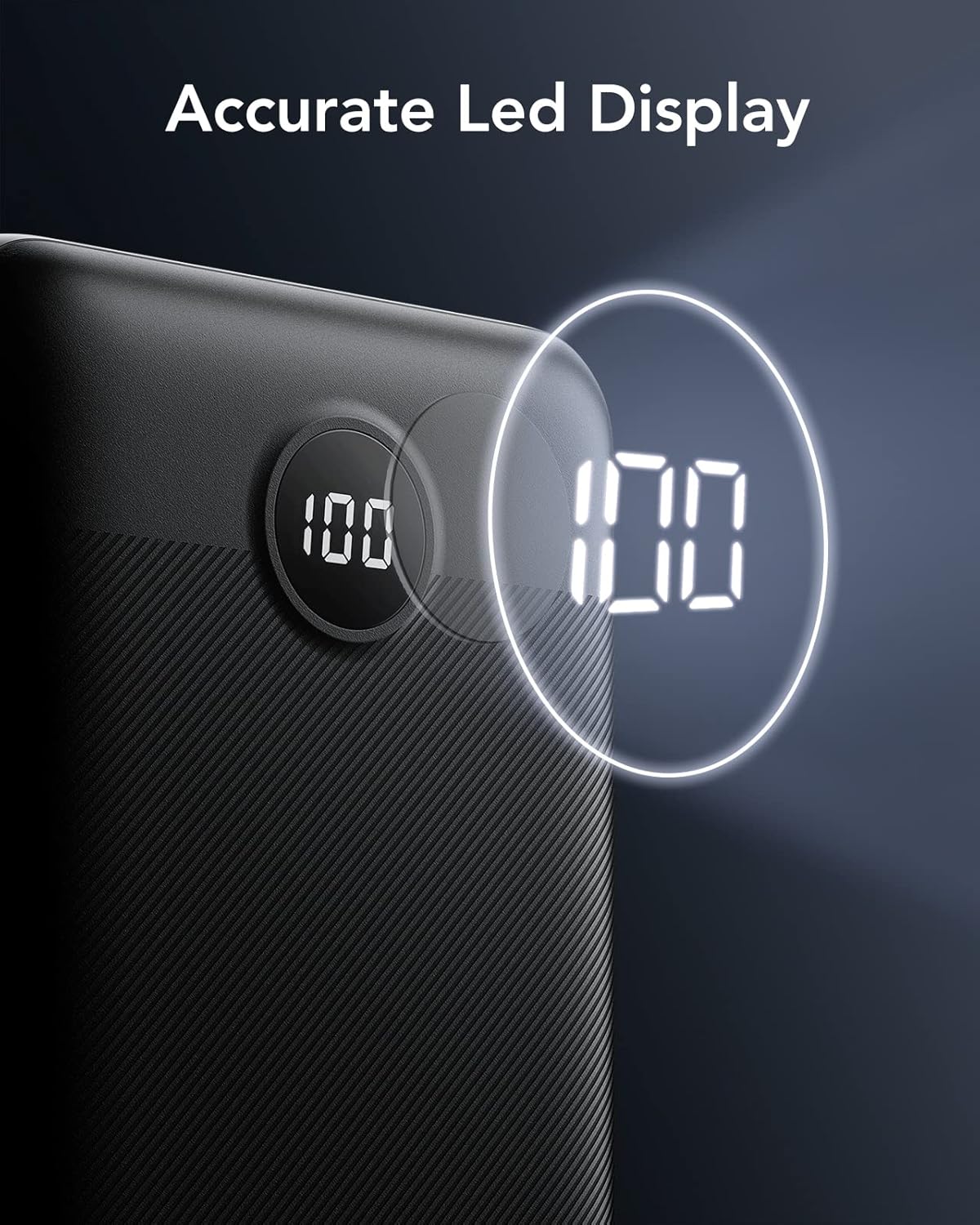
4.3 Understanding the LED Display
The integrated LED display provides real-time information on the remaining battery capacity and current charging status. This allows you to know precisely when to recharge the power bank, preventing unexpected power depletion.
5. Maintenance and Care
To ensure the longevity and optimal performance of your VEGER power bank, please follow these guidelines:
- Store the power bank in a cool, dry place away from direct sunlight and extreme temperatures.
- Avoid dropping or subjecting the power bank to strong impacts.
- Clean the surface with a soft, dry cloth. Do not use harsh chemicals or abrasive materials.
- For optimal battery health, fully charge the power bank at least once every three months if not in regular use.
6. Troubleshooting
6.1 Power Bank Not Charging Devices
- Ensure the power bank has sufficient charge. Check the LED display.
- Verify that the charging cable is securely connected to both the power bank and your device.
- Try a different charging cable or a different output port on the power bank.
- Confirm your device is compatible with the power bank's output specifications.
6.2 Power Bank Not Recharging
- Ensure the charging cable is securely connected to the power bank's input port and the wall charger.
- Try a different wall charger or USB port.
- Use a different charging cable.
- If the power bank consistently stops charging before reaching 100% (e.g., 88%), fully discharge the power bank and then recharge it completely. This can help recalibrate the battery management system.
7. Specifications
| Feature | Detail |
|---|---|
| Brand | VEGER |
| Model Number | B0CB497HTR |
| Battery Capacity | 30000 Milliamp Hours (mAh) |
| Product Dimensions | 16.9 x 7.9 x 3.1 cm |
| Weight | 508 g |
| Input Ports | Micro USB, USB Type-C |
| Output Ports | 3 x USB-A, 1 x USB Type-C |
| Fast Charging Output | 20W PD (USB-C), QC 3.0 (USB-A) |
| Special Features | Portable, Fast Charging, LED Display |
| Colour | Black |
| Country of Origin | China |
7.1 Safety Protections
The VEGER power bank incorporates multi-layer protection systems to ensure safe operation and protect your devices:
- Overcharge Protection
- Over Voltage Protection
- Over Current Protection
- Short Circuit Protection

8. Warranty and Support
VEGER products are manufactured to high quality standards. For any issues or inquiries regarding your power bank, please refer to the warranty information provided with your purchase or contact VEGER customer support through the official channels. Keep your purchase receipt for warranty claims.
For further assistance, please visit the official VEGER website or contact their customer service department.


