
AVUMDA G102
AVUMDA G102 Smart Watch User Manual
Model: G102 | Brand: AVUMDA
1. Introduction
The AVUMDA G102 Smart Watch is a rugged, military-grade smartwatch designed for active lifestyles. It features Bluetooth calling, comprehensive health monitoring, and a wide array of sports modes. This manual provides detailed instructions to help you get the most out of your device.
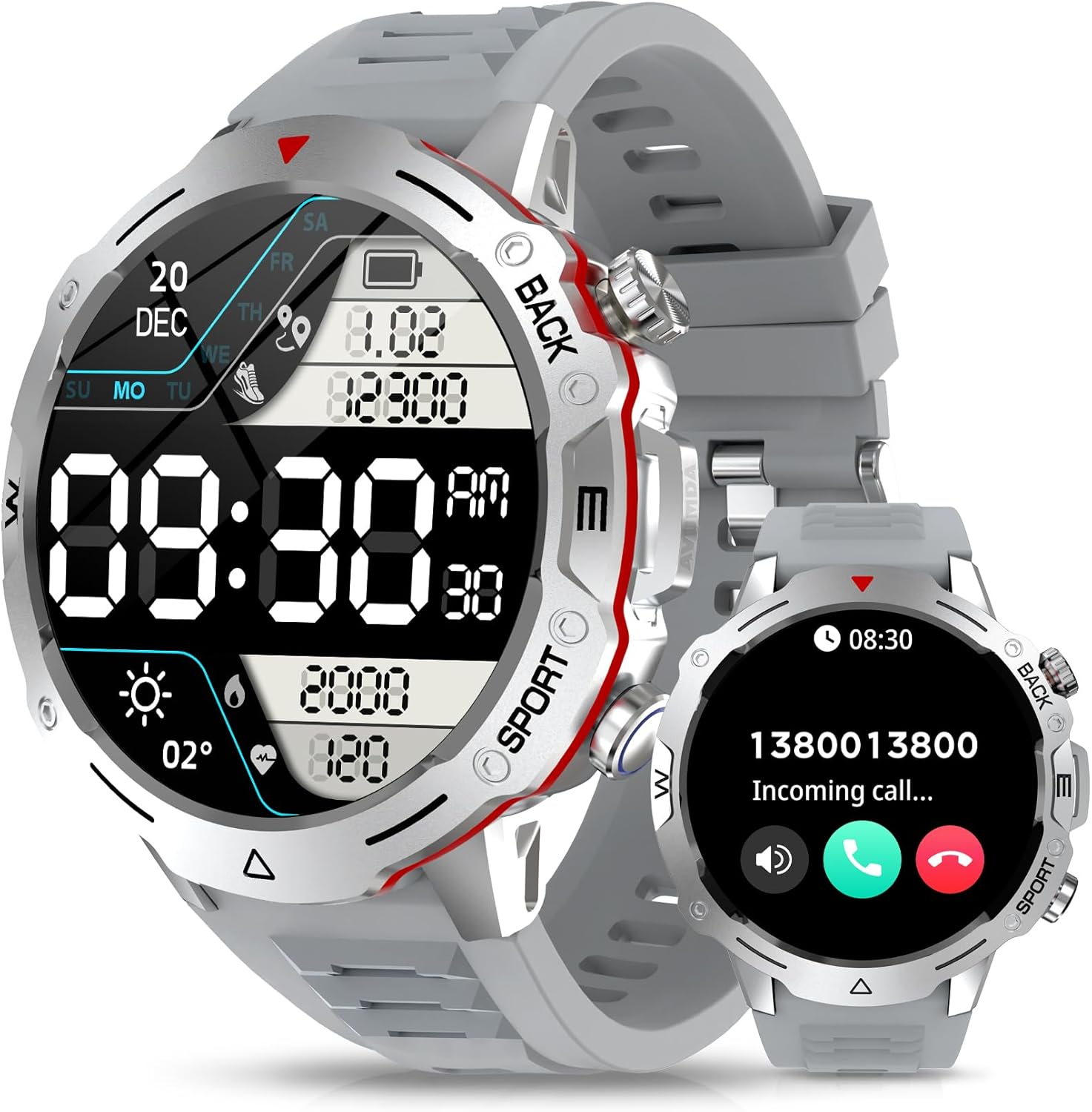
Image: The AVUMDA G102 Smart Watch, showcasing its robust design and clear display.
Key Features:
- Bluetooth Calling & Voice Assistant: Built-in speaker and microphone for hands-free calls and voice commands.
- 120+ Sports Modes: Tracks a wide range of activities with detailed performance insights.
- Health Monitoring: 24-hour heart rate, blood oxygen (SpO2), and blood pressure monitoring, plus sleep tracking.
- Smart Life Partner: Notifications, music control, camera remote, find phone, and various reminders.
- Rugged Design: 1.39" HD Sapphire Crystal screen with Titanium Unibody for military-grade toughness.
- Long Battery Life: Up to 7 days of normal use, 25 days on standby.
2. Getting Started
2.1 Initial Charging
Before first use, fully charge your G102 Smart Watch. Connect the magnetic charging cable to the charging points on the back of the watch and plug the USB end into a power adapter (not included) or a computer USB port. A full charge typically takes about 2 hours.

Image: Illustration showing the G102 Smart Watch connected to its magnetic charger, indicating battery life.
2.2 App Installation
To unlock the full potential of your G102 Smart Watch, download the DaFit app on your smartphone. Search for "DaFit" in the Apple App Store (for iOS) or Google Play Store (for Android), or scan the QR code provided in the watch's quick start guide.
2.3 Pairing with Your Smartphone
- Ensure Bluetooth is enabled on your smartphone.
- Open the DaFit app and follow the on-screen instructions to create an account or log in.
- In the app, navigate to the "Device" section and select "Add Device".
- The app will search for nearby devices. Select "G102" from the list to initiate pairing.
- Confirm the pairing request on both your watch and smartphone.
- Once paired, the watch will synchronize data with the app.
3. Operating Your Smartwatch
3.1 Basic Navigation
The G102 Smart Watch features a touch screen and a rotating digital crown for navigation.
- Touch Screen: Swipe left/right, up/down to navigate through menus and screens. Tap to select.
- Digital Crown: Rotate the crown to scroll through lists or adjust settings. Press the crown to return to the watch face or confirm selections. Note: The digital crown primarily scrolls details pages and does not switch watch faces to prevent accidental changes.

Image: Visual guide demonstrating the use of the digital crown for scrolling on the G102 Smart Watch.
3.2 Bluetooth Calling and Voice Assistant
Once paired, you can make and receive calls directly from your watch.
- Making Calls: Access the dial pad or contacts list on your watch to initiate a call.
- Answering Calls: When a call comes in, you can answer or reject it directly from the watch screen.
- Voice Assistant: Activate the voice assistant feature on your watch to perform tasks like making calls, checking weather, or setting alarms using voice commands.

Image: Depiction of the G102 Smart Watch handling an incoming call, showing the answer/decline options.
3.3 Health Monitoring
The G102 provides continuous monitoring of vital health metrics.
- Heart Rate: Monitors your heart rate 24/7. You can set custom upper limits for heart rate notifications in the DaFit app.
- Blood Oxygen (SpO2): Measures your blood oxygen saturation levels.
- Blood Pressure: Provides estimates of your blood pressure. Note: This feature is for reference only and should not be used for medical diagnosis.
- Sleep Tracking: Analyzes your sleep stages (deep, light, REM) to help you understand and improve your sleep habits.
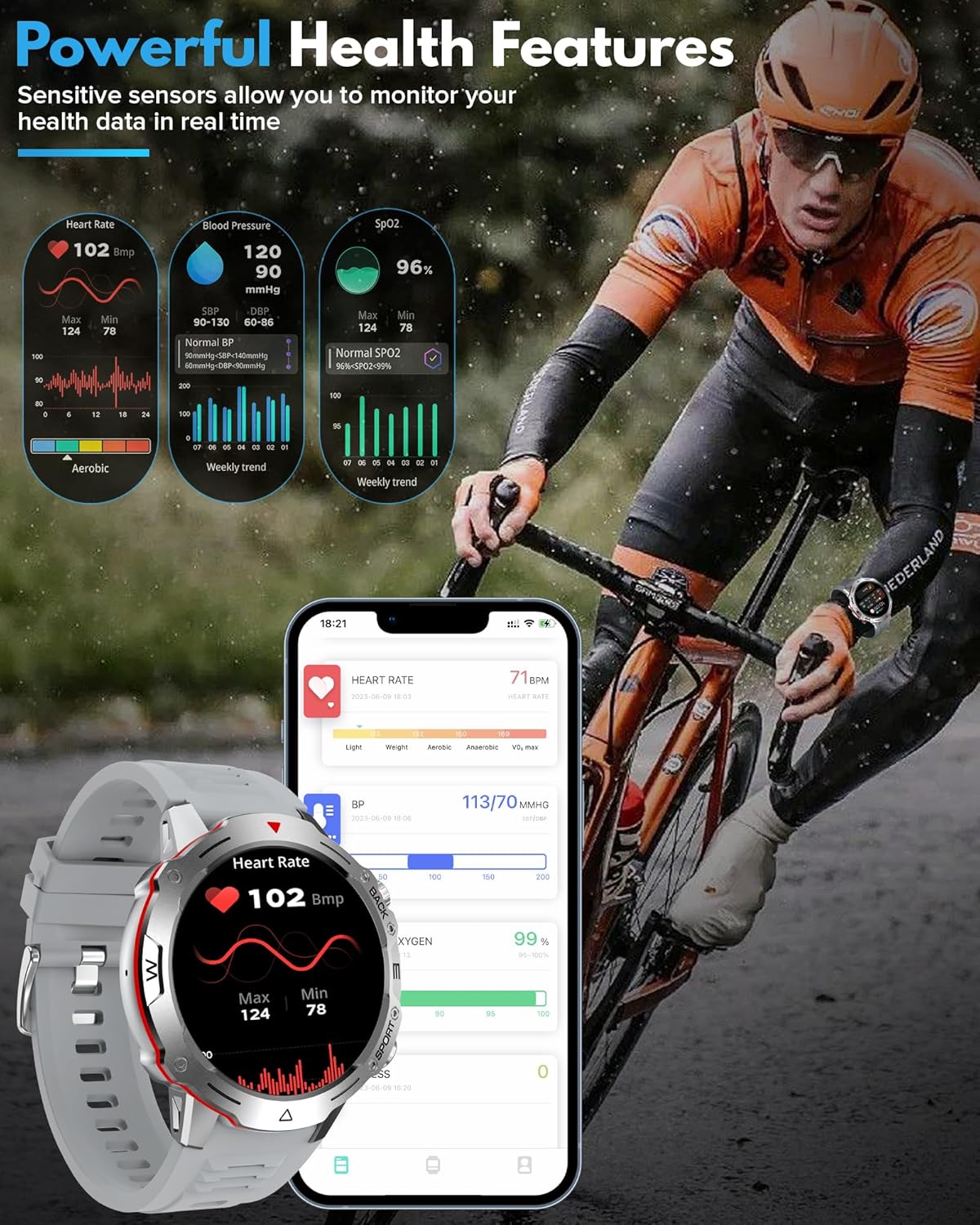
Image: Visual representation of the G102 Smart Watch displaying heart rate, blood pressure, and SpO2 data, with corresponding app interface.
3.4 Sports Modes
Track over 120 different sports and activities.
- Selecting a Mode: Navigate to the "Sport" section on your watch and choose your desired activity (e.g., running, cycling, football).
- Tracking: The watch will track duration, distance, calories burned, and other relevant metrics.
- Data Sync: Sync your workout data with the DaFit app for detailed analysis and progress tracking.

Image: Collage showing various sports activities being tracked by the G102 Smart Watch, highlighting its 120+ built-in sports modes.
3.5 Smart Features
The G102 enhances your daily life with various smart functions:
- Notifications: Receive alerts for calls, messages, and app notifications (Facebook, Twitter, WhatsApp, etc.).
- Music Control: Control music playback on your smartphone.
- Camera Remote: Use your watch as a remote shutter for your phone's camera.
- Find Phone: Locate your misplaced smartphone by making it ring.
- Reminders: Set reminders for drinking water, sedentary alerts, and more.
- Other Functions: Timer, stopwatch, alarm clock, calculator, 7-day weather forecast, flashlight, menstrual cycle tracking, stress test.
4. Care and Maintenance
4.1 Cleaning Your Watch
Regularly clean your watch to maintain its appearance and functionality.
- Wipe the screen and body with a soft, lint-free cloth.
- For stubborn dirt, dampen the cloth slightly with water. Avoid using harsh chemicals or abrasive materials.
- Clean the charging contacts periodically to ensure proper charging.
4.2 Water Resistance
The G102 Smart Watch is waterproof. It is designed to withstand daily activities such as hand washing, rain, and splashes. However, it is not recommended for hot water activities, diving, or prolonged submersion in deep water. Always dry the watch thoroughly after exposure to water.
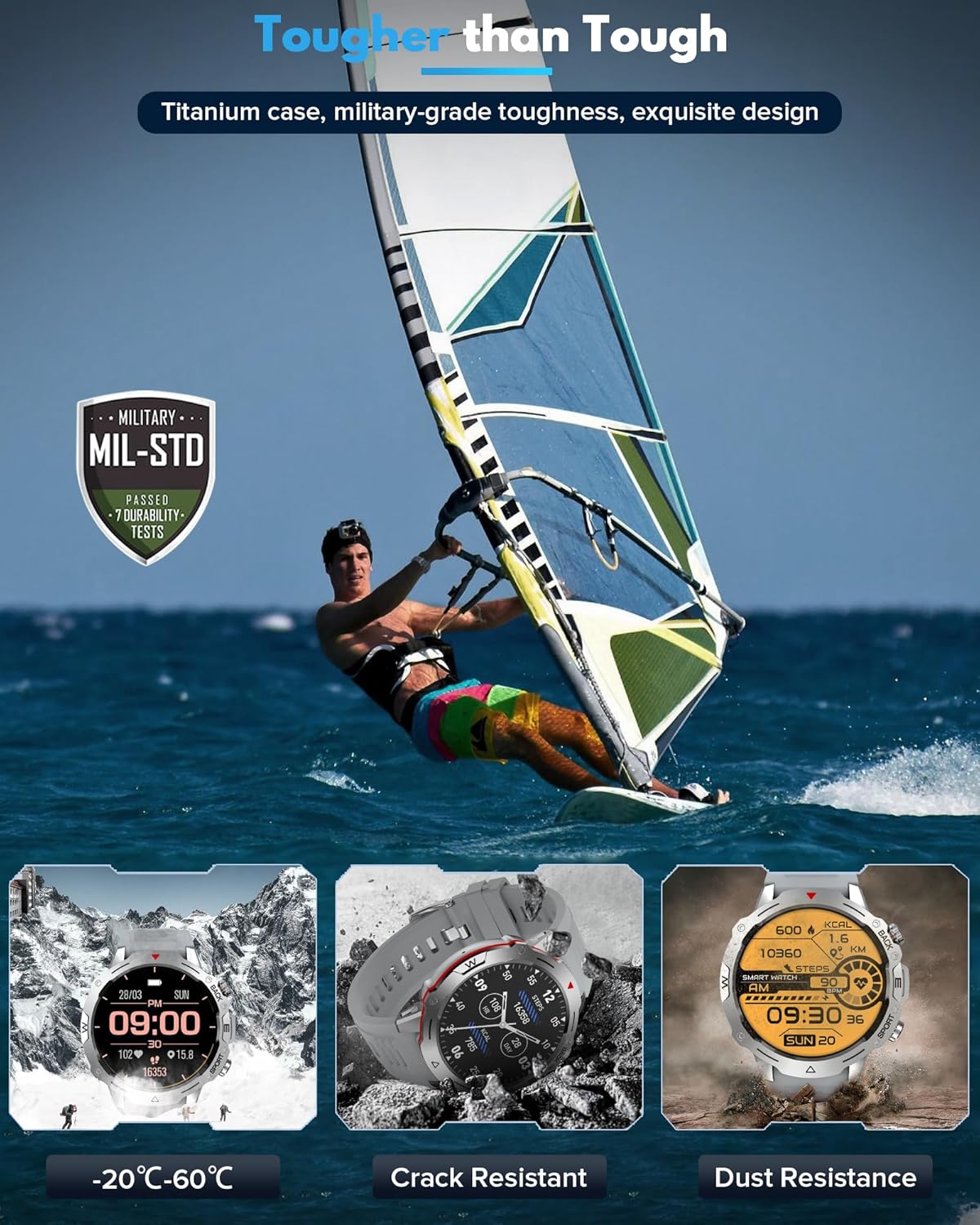
Image: Depiction of the G102 Smart Watch's military-grade toughness, including resistance to extreme temperatures, cracks, and dust.
4.3 Battery Care
- Avoid exposing the watch to extreme temperatures, which can degrade battery life.
- Charge the watch regularly, but avoid leaving it fully discharged for extended periods.
- Use only the provided charging cable.
5. Troubleshooting
5.1 Watch Not Turning On
- Ensure the watch is fully charged. Connect it to the charger for at least 30 minutes.
- Press and hold the power button for 10-15 seconds to force a restart.
5.2 Unable to Pair with Phone
- Make sure Bluetooth is enabled on your phone and the watch.
- Ensure the DaFit app is installed and running.
- Restart both your phone and the watch.
- Forget the device in your phone's Bluetooth settings and try pairing again through the DaFit app.
- Ensure the watch is not already paired with another device.
5.3 Inaccurate Health Readings
- Ensure the watch is worn snugly on your wrist, about one finger's width above the wrist bone.
- Keep the sensor clean and free from dirt or sweat.
- Avoid excessive movement during measurements.
5.4 Short Battery Life
- Reduce screen brightness.
- Disable continuous heart rate monitoring if not needed 24/7.
- Limit the number of app notifications.
- Ensure the watch is fully charged each time.
6. Specifications
| Feature | Specification |
|---|---|
| Model Number | G102 |
| Screen Size | 1.39 inches |
| Display Type | HD (Sapphire Crystal Glass) |
| Connectivity | Bluetooth 5.0 |
| Battery Type | Lithium Polymer (1 included) |
| Battery Life (Normal Use) | Up to 7 days |
| Battery Life (Standby) | Up to 25 days |
| Water Resistance | Waterproof (suitable for daily use, not for hot water/diving) |
| Compatible Devices | iOS, Android Smartphones |
| Item Weight | 6 ounces (0.17 Kilograms) |
| Package Dimensions | 6.54 x 3.74 x 0.98 inches |
| Special Features | Activity Tracker, Notifications, Phone Call, Voice Control, Weather Forecast |
7. Warranty and Support
7.1 Warranty Information
Your AVUMDA G102 Smart Watch comes with a standard manufacturer's warranty. Please refer to the warranty card included in your product packaging for specific terms and conditions. This warranty typically covers defects in materials and workmanship under normal use.
7.2 Customer Support
If you encounter any issues or have questions not covered in this manual, please contact AVUMDA customer support. You can often find contact information on the official AVUMDA brand store or through the retailer where you purchased the product.
Visit the AVUMDA Store on Amazon for more information and support resources.
Related documentsG102

Ask a question about this manual
Ask about setup, troubleshooting, compatibility, parts, safety, or missing instructions. Manuals+ will review the question and use this page’s manual context to help answer it.