1. Introduction
Thank you for choosing the Black Shark T6 Wireless Earbuds. These earbuds are designed to provide a high-quality audio experience with features tailored for both gaming and music, including ultra-low latency, environmental noise-cancelling microphones, and a comfortable, durable design. This manual provides detailed instructions for setup, operation, maintenance, and troubleshooting to ensure optimal performance and longevity of your device.
2. Package Contents
Please verify that all items are present in your package:
- Black Shark T6 Wireless Earbuds (1 pair)
- Charging Case (1 unit)
- USB Charging Cable (1 unit)
- Replacement Earplugs (2 pairs, various sizes)
- User Manual (this document)
- Maintenance Card

Image: Contents of the Black Shark T6 Earbuds package, including earbuds, charging case, USB cable, and extra ear tips.
3. Product Overview
The Black Shark T6 Wireless Earbuds feature advanced technology for an enhanced audio experience:
- Ultra-Low Latency: Experience a 35ms ultra-low latency in Gaming Mode for synchronized audio and video, crucial for competitive gaming.
- Dual Environmental Noise Cancelling (ENC) Microphones: Equipped with smart microphones that detect, identify, and reduce background noise for clear voice communication.
- High-Quality Audio: 10mm high-sensitivity diaphragm drivers deliver vibrant sound, detailed audio, and a wide sound field in Music Mode.
- Bluetooth 5.3 Connectivity: Utilizes an upgraded Bluetooth 5.3 chip for faster transmission, lower latency, and reduced power consumption, ensuring a stable connection up to 10 meters.
- Extended Battery Life: Up to 7 hours of listening time on a single charge, with the charging case providing an additional 21 hours, totaling 28 hours of playback.
- IPX5 Water Resistance: Designed to withstand sweat and light splashes, making them suitable for sports and outdoor activities.
- Comfortable Fit: Ergonomically designed for a secure in-ear fit, with multiple earplug sizes for personalized comfort and noise isolation.
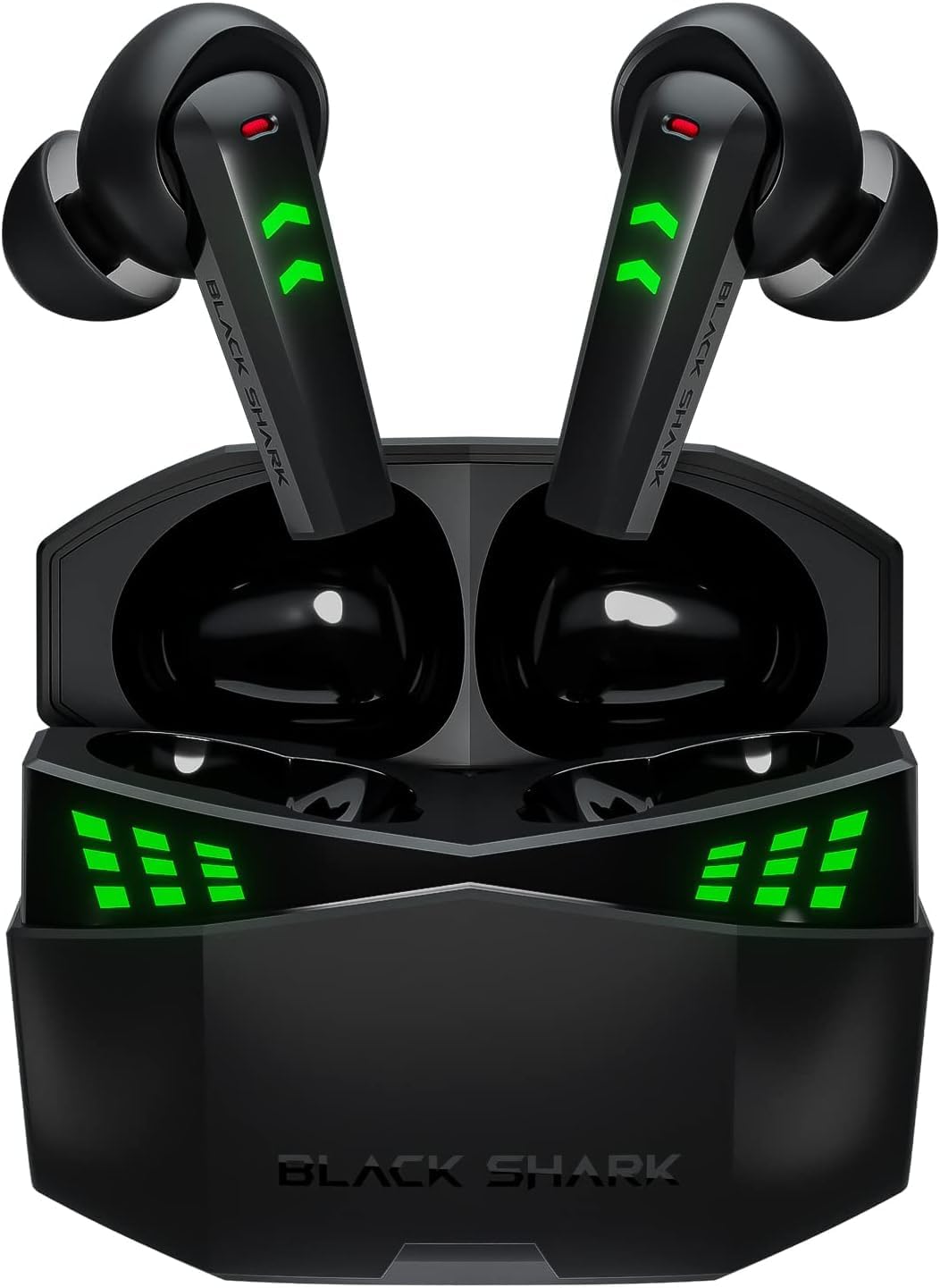
Image: The Black Shark T6 Wireless Earbuds resting in their open charging case, displaying green LED indicators.

Image: A woman wearing the Black Shark T6 Earbuds during a workout, illustrating their IPX5 sweatproof design.
4. Setup
4.1 Charging the Earbuds and Case
Before first use, fully charge the earbuds and the charging case. Connect the provided USB charging cable to the charging case and a power source. The LED indicators on the case will show the charging status. A full charge for the case takes approximately 1.5 hours.
- Earbuds Battery Life: Up to 6.5 hours (single charge)
- Total Playtime with Charging Case: Up to 26 hours
- Fast Charging: 1.5 hours for a full charge of the case.

Image: Graphic illustrating the battery life of the Black Shark T6 Earbuds: 6.5 hours for earbuds, 26 hours with charging case, and 1.5 hours for fast charging.
4.2 Pairing with a Device
The Black Shark T6 Earbuds feature simple one-touch pairing:
- Ensure the charging case is charged and the earbuds are inside.
- Open the lid of the charging case. The earbuds will automatically enter pairing mode, indicated by flashing LED lights.
- On your device (smartphone, tablet, computer), go to Bluetooth settings.
- Search for available devices and select "Black Shark T6" from the list.
- Once connected, the LED indicators on the earbuds will stop flashing.

Image: Illustration of the simple one-touch pairing process for Black Shark T6 Earbuds, showing the open charging case near various smart devices.
5. Operating Instructions
5.1 Touch Controls
The Black Shark T6 Earbuds utilize touch controls for various functions. Specific touch gestures may vary; refer to the quick start guide included in your package for detailed control mapping.
5.2 Switching Between Game Mode and Music Mode
The earbuds feature a dual-mode switch to optimize performance for either gaming or music listening.
- Game Mode: Activates ultra-low latency (35ms) for synchronized audio and video, providing a competitive edge in gaming. Positional clarity through gaming spatial audio helps identify in-game sounds.
- Music Mode: Enhances sound vibrancy, restores sound details, and provides a wide sound field for an immersive music experience.
To switch modes, typically a specific touch gesture on one of the earbuds is required. Consult your quick start guide for the exact command.

Image: Graphic highlighting the 35ms ultra-low latency feature and the seamless switch between Music Mode and Game Mode for the Black Shark T6 Earbuds.

Image: Visual representation of the Game/Music Dual Mode Switch feature, showing different scenarios for each mode.
6. Maintenance
6.1 Cleaning
Regular cleaning helps maintain sound quality and hygiene:
- Gently wipe the earbuds and charging case with a soft, dry, lint-free cloth.
- Remove ear tips and clean them with mild soap and water, then dry thoroughly before reattaching.
- Use a dry cotton swab to carefully clean the mesh and charging contacts, avoiding excessive pressure.
6.2 Water Resistance
The Black Shark T6 Earbuds are IPX5 water-resistant, meaning they are protected against low-pressure water jets from any direction. This makes them suitable for workouts and light rain. However, they are not designed for submersion in water. Avoid exposing them to strong water streams, swimming, or showering with the earbuds.
6.3 Storage
When not in use, store the earbuds in their charging case to protect them from dust, damage, and to keep them charged.
7. Troubleshooting
If you encounter issues with your Black Shark T6 Earbuds, refer to the following common solutions:
- Earbuds not pairing or only one earbud connecting:
- Ensure both earbuds are charged and placed correctly in the charging case.
- Close the case, wait a few seconds, then open it again to re-initiate pairing mode.
- On your device, forget or unpair the "Black Shark T6" from your Bluetooth settings.
- Restart your device and attempt the pairing process again.
- If the issue persists, try resetting the earbuds (refer to the quick start guide for specific reset instructions).
- No sound or low volume:
- Check the volume levels on both your earbuds and your connected device.
- Ensure the earbuds are properly seated in your ears.
- Clean any debris from the earbud mesh.
- Reconnect the earbuds to your device.
- Charging issues:
- Ensure the charging cable is securely connected to both the case and the power source.
- Verify that the charging contacts on the earbuds and inside the case are clean and free of obstruction.
- Try using a different USB charging cable or power adapter.
- Poor call quality:
- Ensure the microphones are not obstructed.
- Move to a quieter environment to reduce background noise interference.
- Ensure the earbuds are fully charged.
8. Specifications
| Feature | Specification |
|---|---|
| Model Name | Black Shark T6 |
| Connectivity Technology | Wireless (Bluetooth) |
| Wireless Communication Technology | Bluetooth 5.3 |
| Audio Latency | 35 Milliseconds (Game Mode) |
| Earbuds Battery Life | Up to 6.5 Hours |
| Total Playtime (with Charging Case) | Up to 26 Hours |
| Charging Case Battery Capacity | Provides 21 additional hours |
| Fast Charging | 1.5 Hours for full case charge |
| Water Resistance Rating | IPX5 |
| Control Method | Touch |
| Frequency Range | 20 Hz - 20,000 Hz |
| Driver Size | 10mm (high-sensitivity diaphragm) |
| Microphones | Dual Environmental Noise Cancelling (ENC) |
| Item Weight | 0.12 Kilograms (4.2 ounces) |
| Material | Acrylonitrile Butadiene Styrene (ABS) |
| Color | Black |
| Compatibility | Android, Windows, Mac iOS, Switch, etc. |
9. Warranty & Support
Black Shark products are manufactured to high-quality standards. For warranty information and customer support, please refer to the warranty card included in your package or visit the official Black Shark website. You can also contact the seller directly for assistance.
For additional information and product registration, visit the Black Shark Store on Amazon.


