
1. Introduction
Thank you for choosing the VEVOR Portable All-in-One 12V 5-8KW Diesel Air Heater. This device is designed to provide efficient and reliable heating for various applications, including vehicles, RVs, boats, and other indoor spaces. Its compact, all-in-one design ensures ease of use and portability. Please read this manual thoroughly before installation and operation to ensure safe and optimal performance.
2. Safety Information
Your safety is paramount. Adhere to all safety warnings and instructions to prevent injury or damage.
- Carbon Monoxide Hazard: Never operate the heater in an unventilated or poorly ventilated area. Ensure adequate fresh air supply to prevent carbon monoxide poisoning.
- Fire Hazard: Do not store or use flammable materials near the heater. Ensure proper clearance from combustible surfaces.
- Fuel Handling: Handle diesel fuel with care. Refuel only when the heater is off and cool. Avoid spilling fuel.
- Exhaust Fumes: Ensure the exhaust pipe is routed safely outside and away from any air intakes or windows to prevent exhaust fumes from entering enclosed spaces.
- Electrical Safety: Connect the heater to a stable 12V power source. Do not modify the electrical wiring.
- Overheating Protection: The heater is equipped with overheating protection. Do not block air inlets or outlets.
- Children and Pets: Keep children and pets away from the heater during operation.
- Altitude Operation: The heater features automatic altitude compensation for safe operation at high altitudes (up to 5500 meters).
3. Package Contents
Verify that all items listed below are included in your package:
- 1 x Diesel Heater
- 1 x Remote Control
- 1 x Silencer
- 1 x LCD Screen
- 1 x Inlet Pipe
- 1 x Outlet Pipe
- 1 x Exhaust Pipe
- 2 x Hose Clamps for Outlet Pipe
- 4 x Hose Clamps for Inlet and Exhaust Pipes
- 2 x Exhaust Pipe Mounting Brackets
- 1 x Air Filter
- 1 x Installation Kit
- 1 x User Manual

Figure 3.1: Package Contents Overview. This image displays the main heater unit along with all accessories, including pipes, clamps, remote control, and user manual.

Figure 3.2: Detailed view of the VEVOR diesel heater's package contents, showing the main unit and various installation accessories.
4. Specifications
| Feature | Specification |
|---|---|
| Model Number | XMZ-D2-12 |
| Operating Consumption | 12 V / 3 A |
| Heating Power | 5 kW |
| Fuel Consumption | 0.16-0.52 L/h |
| Fuel Tank Volume | 5 L / 1.3 Gallon |
| Control Method | LCD + Remote Control + Bluetooth App |
| Adjustable Temperature Range | 8-36 ℃ (46-96.8 ℉) |
| Working Temperature | -40 to 40 ℃ (-104 to 104 ℉) |
| Applicable Altitude | Below 5500 m (18045 ft) |
| Heating Coverage | 15-20 m² (161-215 ft²) |
| Net Weight | 8.3 kg (18.3 lbs) |
| Air Outlet Pipe Inner Diameter | 76.5 mm (3 in) |
| Product Dimensions | 380 × 150 × 410 mm (15 × 5.9 × 16.1 in) |
| UPC | 840349928104 |
5. Setup
The VEVOR Portable All-in-One Diesel Heater is designed for easy, no-installation setup, making it ideal for temporary heating needs. Follow these steps for initial setup:
5.1 Unpacking and Inspection
- Carefully remove all components from the packaging.
- Inspect the heater and all accessories for any signs of damage during transit. Contact customer support if any damage is found.
- Ensure all items listed in the "Package Contents" section are present.
5.2 Placement
- Place the heater on a stable, level, and non-combustible surface.
- Ensure adequate clearance around the heater for proper airflow and to prevent fire hazards. Maintain at least 30 cm (12 inches) from walls or other objects.
- Position the heater so that the hot air outlet is directed towards the area to be heated, and the exhaust pipe can be safely routed outside.
5.3 Fueling
- Ensure the heater is turned off and cool before adding fuel.
- Open the fuel tank cap and carefully pour diesel fuel into the 5L tank. Do not overfill.
- Securely close the fuel tank cap after fueling.
5.4 Exhaust and Air Connections
- Connect the exhaust pipe to the heater's exhaust port and route it safely outside the heated space. Use the provided clamps and brackets to secure it. Ensure exhaust fumes cannot re-enter the space.
- Connect the air inlet and outlet pipes as needed, ensuring they are not obstructed.
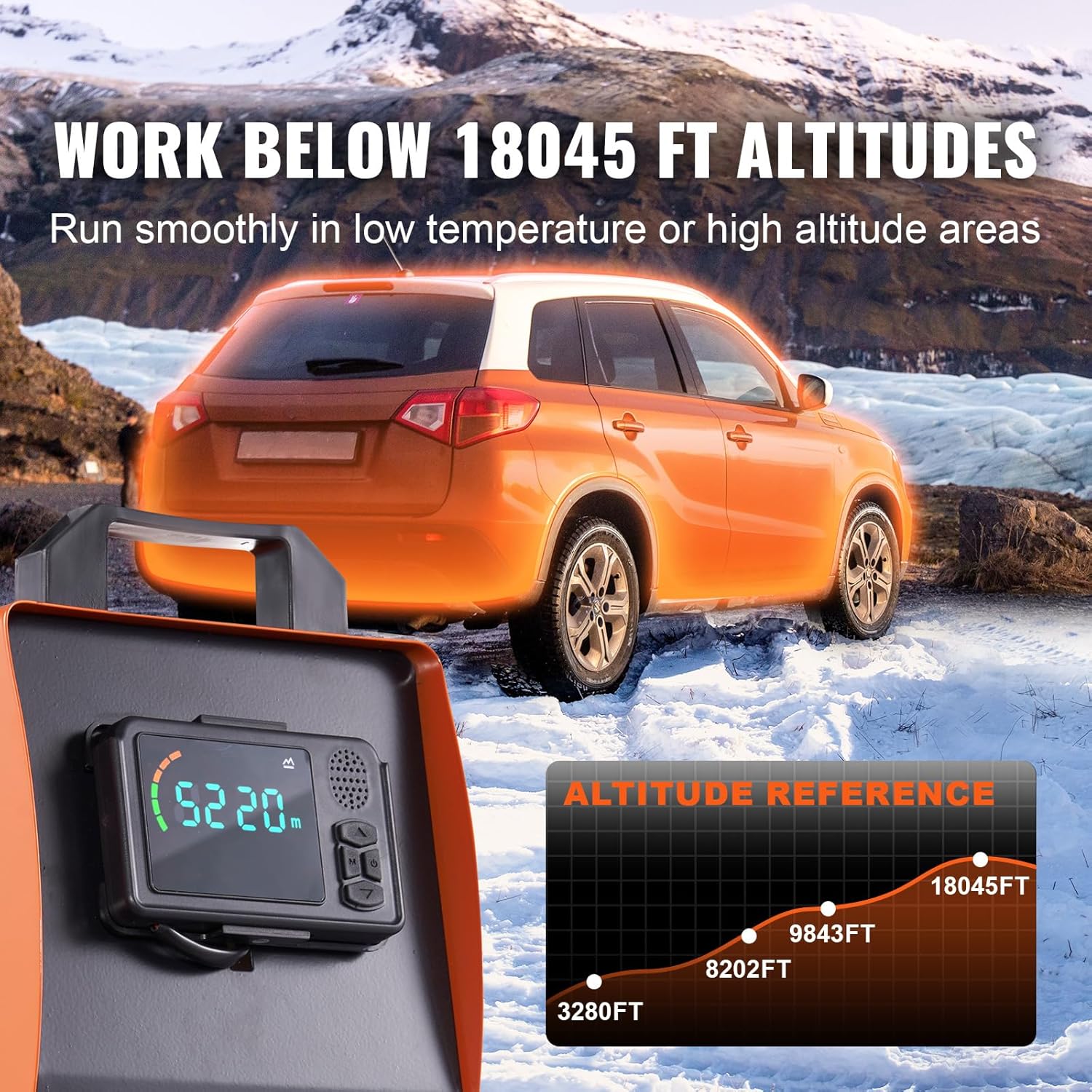
Figure 5.1: Heater with control panel and remote. This image illustrates the various control options available for the heater.
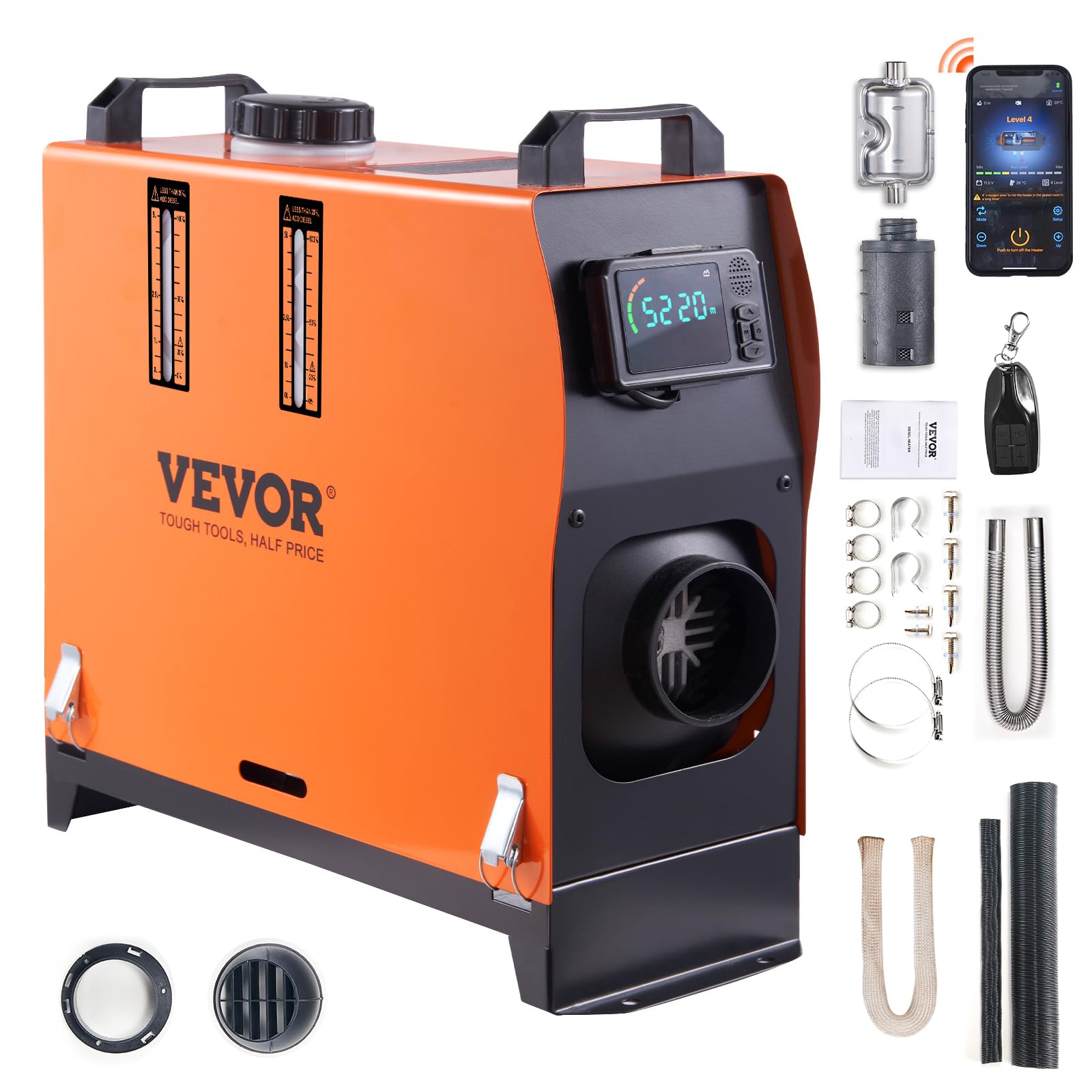
Figure 5.2: VEVOR Portable All-in-One Diesel Heater. This image highlights the compact and integrated design of the heater, ready for use.
6. Operating Instructions
The VEVOR diesel heater offers multiple control methods for convenience.
6.1 Powering On/Off
- To Power On: Press and hold the power button on the LCD control panel or the remote control. The heater will initiate a startup sequence.
- To Power Off: Press and hold the power button. The heater will enter a cool-down phase before completely shutting down. Do not disconnect power during the cool-down phase.
6.2 Temperature Adjustment
- Use the up/down arrows on the LCD panel or remote control to set your desired temperature between 8℃ and 36℃ (46℉ and 96.8℉).
- The heater will automatically adjust its output to maintain the set temperature.
6.3 Control Methods
- LCD Control Panel: The integrated LCD panel allows direct control over all functions, including power, temperature, and timer settings.
- Remote Control: Use the provided remote control for convenient operation from a distance of up to 10 meters (32 feet).
- Bluetooth App Control: Download the dedicated VEVOR app to control the heater via Bluetooth from up to 30 meters (98 feet). This allows for preheating and monitoring from your smartphone.
Figure 6.1: Multiple Control Methods. This image illustrates the LCD panel, remote control, and smartphone app for operating the heater.

Figure 6.2: High Altitude Operation. The heater automatically compensates for altitudes up to 5500 meters (18045 feet).
Video 6.1: VEVOR Diesel Heater Overview. This video demonstrates the heater's features, including its quick heating capability, multiple control options, and suitability for various cold weather conditions.
7. Maintenance
Regular maintenance ensures the longevity and efficient operation of your diesel heater.
7.1 Cleaning
- Exterior: Wipe the exterior of the heater with a soft, damp cloth. Do not use abrasive cleaners or solvents.
- Air Filter: Periodically check and clean the air filter. A clogged filter can reduce efficiency and lead to overheating. Replace if heavily soiled or damaged.
- Air Inlet/Outlet: Ensure the air inlet and outlet grilles are free from dust, debris, or obstructions.
7.2 Fuel System
- Fuel Filter: Inspect the fuel filter regularly and replace it if it appears dirty or clogged.
- Fuel Lines: Check fuel lines for any signs of leaks, cracks, or damage. Replace immediately if any issues are found.
7.3 Storage
- If storing the heater for an extended period, drain any remaining fuel from the tank.
- Store the heater in a dry, cool place, away from direct sunlight and extreme temperatures.
8. Troubleshooting
This section provides solutions to common issues you might encounter.
| Problem | Possible Cause | Solution |
|---|---|---|
| Heater does not start | No power supply; Low fuel level; Clogged fuel filter; Faulty ignition. | Check power connection; Refuel; Clean/replace fuel filter; Contact support. |
| No heat or insufficient heat | Low fuel; Air inlet/outlet blocked; Incorrect temperature setting; Exhaust obstruction. | Check fuel; Clear obstructions; Adjust temperature; Check exhaust pipe. |
| Excessive smoke | Poor fuel quality; Incorrect fuel-air mixture; Clogged exhaust; Carbon buildup. | Use high-quality diesel; Ensure proper ventilation; Clean exhaust; Contact support for inspection. |
| Unusual noise during operation | Loose components; Fan obstruction; Motor issue. | Check for loose parts; Clear fan area; Contact support for inspection. |
| Error code displayed on LCD | Specific system fault (refer to heater's internal error code list, if available). | Consult the specific error code in the full manual or contact VEVOR support with the code. |
9. Warranty and Support
Warranty Information: The product specifications indicate "Description de la garantie: Non." Please refer to your purchase documentation or contact your retailer for specific warranty terms and conditions, as these may vary by region and seller.
Customer Support: For technical assistance, troubleshooting beyond this manual, or inquiries regarding parts and service, please contact VEVOR customer support through their official website or the contact information provided with your purchase. When contacting support, please have your model number (XMZ-D2-12) and purchase details ready.


