
Motorola PMNN4106D
Motorola Solutions APX XE500 Remote Speaker Microphone User Manual
Model: PMMN4106D, PMMN4106
1. Introduction
The Motorola Solutions APX XE500 Remote Speaker Microphone (RSM) is engineered for use in extreme environments, providing reliable communication for professionals. This robust accessory integrates advanced audio technology and durable construction to ensure clear and consistent performance even in challenging conditions.
Key features include an asymmetrical design for easy handling with gloves, a large push-to-talk (PTT) button, an extra-large illuminated emergency button, and a dedicated channel knob (on some models). Its Adaptive Audio Engine, with five integrated microphones, automatically adjusts audio settings for optimal clarity. The XE500 RSM is built to withstand high temperatures and boasts an IP68 submersibility rating.
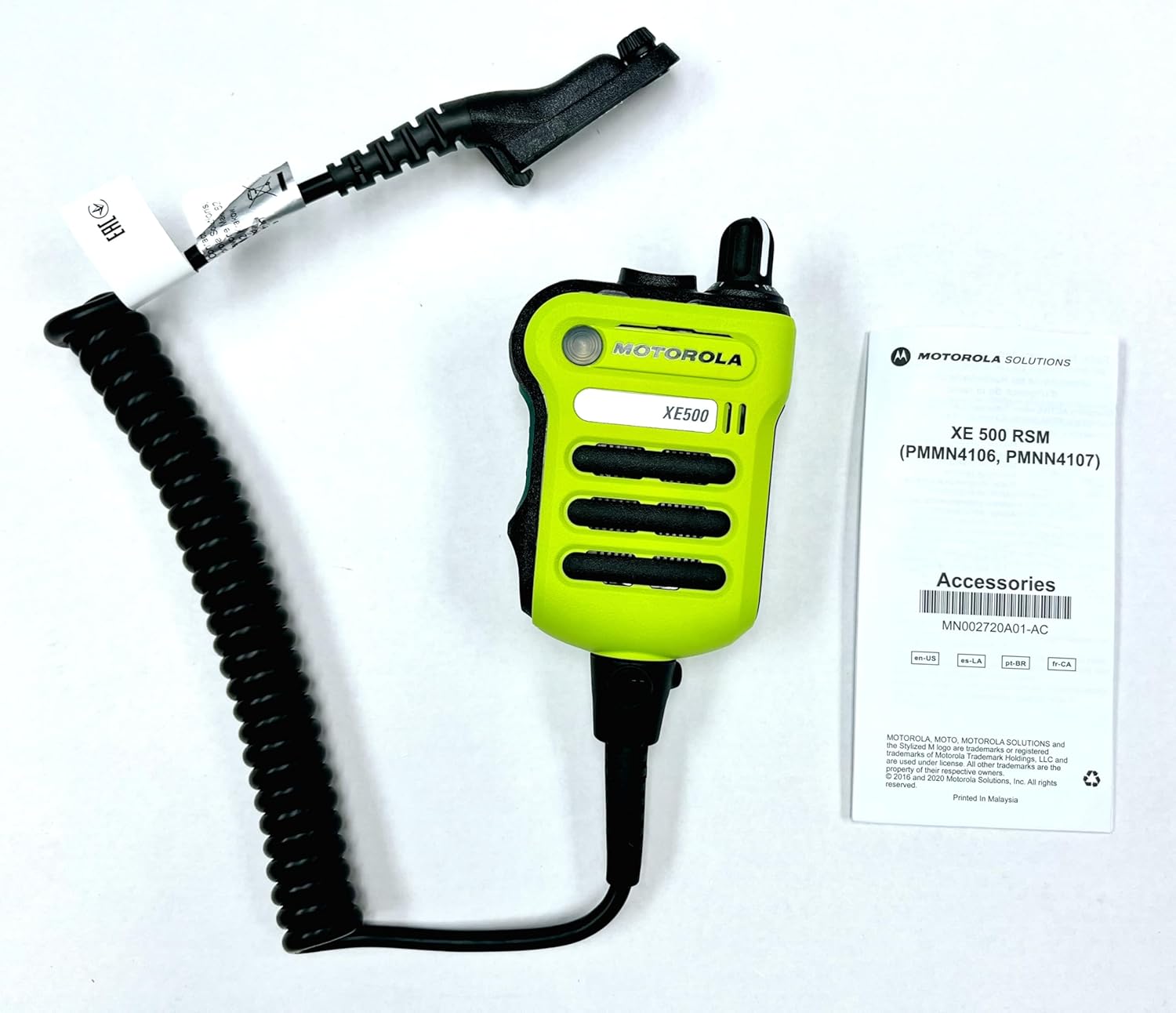
Figure 1: The Motorola APX XE500 Remote Speaker Microphone (RSM) shown with its coiled cable and a small instruction manual. The RSM is bright green with black accents and clearly labeled "XE500".
2. Setup and Installation
Before operating your APX XE500 RSM, ensure it is properly connected to a compatible Motorola APX series radio. The RSM connects via its integrated cable and radio interface adapter.
2.1 Package Contents
- APX XE Remote Speaker Microphone (RSM)
- Xtreme Temperature Cable (integrated)
- Belt clip (pre-attached or included)
2.2 Connecting the RSM to Your Radio
- Ensure your radio is powered off before connecting the RSM.
- Align the connector of the RSM cable with the accessory port on your compatible APX radio (e.g., APX 8000, APX 7000, APX 6000, SRX2200).
- Gently push the connector into the port until it clicks securely into place. Do not force the connection.
- Once connected, you may power on your radio.
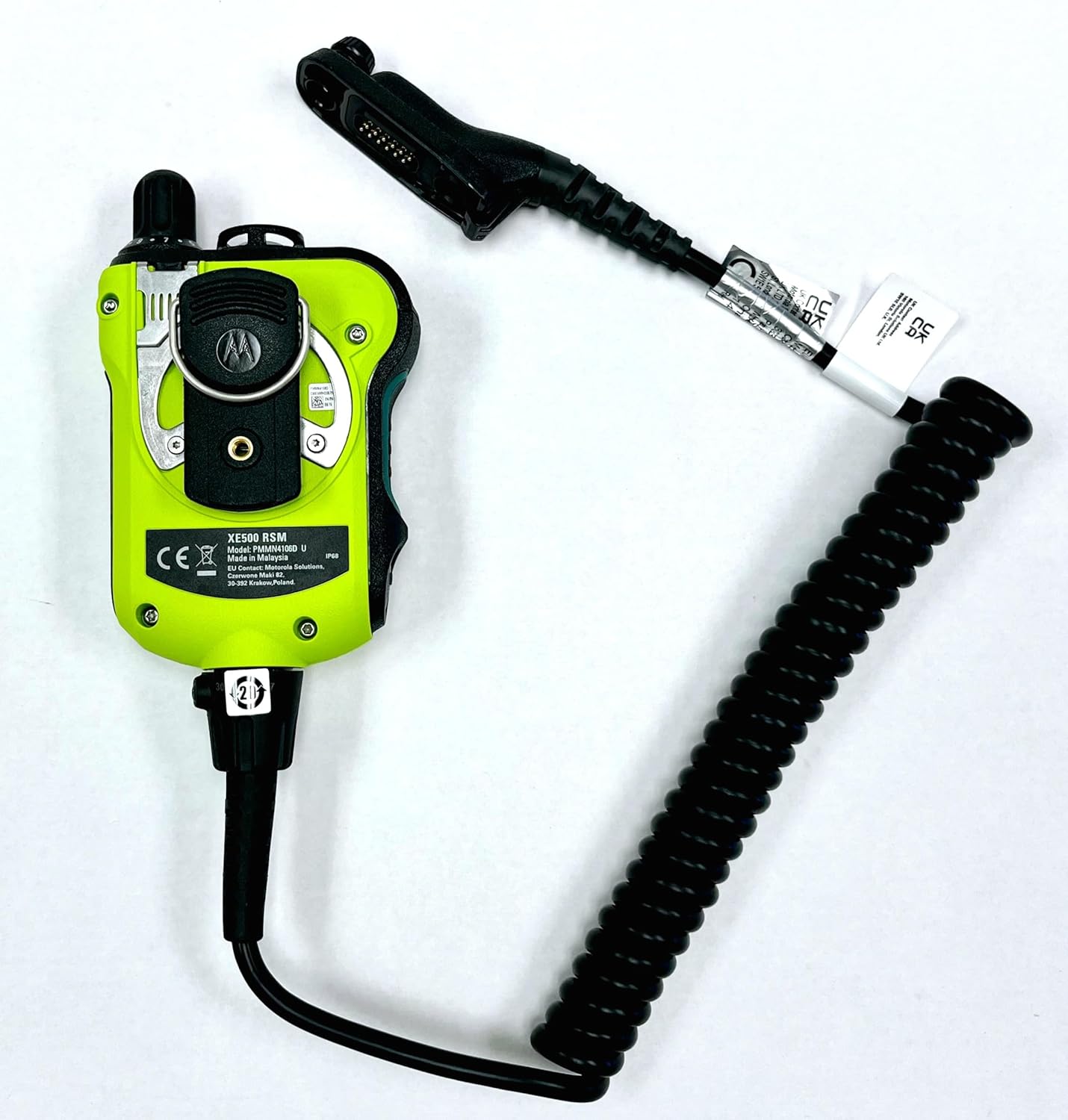
Figure 2: Rear view of the Motorola APX XE500 RSM, showing the integrated cable and the belt clip attachment point. The robust design is evident from this angle.

Figure 3: An illustration showing various Motorola APX series radios, including the APX XE500 Remote Speaker Microphone, demonstrating the ecosystem of compatible devices.
3. Operating Instructions
The APX XE500 RSM is designed for intuitive operation, even in high-stress environments or when wearing protective gear.
3.1 Push-to-Talk (PTT) Button
The large, easily accessible PTT button is located on the side of the RSM. Press and hold this button to transmit your voice, and release it to listen. Its size and tactile feedback are optimized for use with gloved hands.
3.2 Emergency Button
An extra-large emergency button is strategically placed to prevent accidental activation while remaining easy to locate. When activated, this button illuminates orange, signaling an emergency alert through your radio system. Consult your radio's specific programming for emergency feature details.
3.3 Channel Knob (if applicable)
For models equipped with a channel knob, it mimics the functionality of your radio's channel selector. Rotate the knob to change channels. This allows for channel selection directly from the RSM without needing to access the radio itself.
3.4 Adaptive Audio Engine
The XE500 RSM features five integrated microphones and an Adaptive Audio Engine. This system automatically adjusts noise suppression, microphone gain, Windporting, and speaker equalization to deliver clear and loud audio in various environments. This dynamic adjustment ensures optimal audio performance whether you are in a quiet setting or a noisy, windy, or high-stress situation.
3.5 Flexible Wear Options
The strategic placement of microphones and enhanced water drainage allow the RSM to be worn straight, upside down, or even sideways while maintaining clear audio transmission and reception.

Figure 4: A detailed view of the Motorola APX XE500 RSM, highlighting the large PTT button, emergency button, and the speaker grille. The robust construction is visible.
4. Maintenance and Care
Proper maintenance ensures the longevity and optimal performance of your APX XE500 RSM.
4.1 Cleaning
- Wipe the exterior of the RSM with a damp cloth. Use mild soap if necessary, but avoid harsh chemicals or abrasive cleaners.
- Ensure the speaker grille and microphone ports are free from debris. Use a soft brush if needed.
- Do not submerge the RSM in cleaning solutions.
- Allow the RSM to air dry completely before re-connecting to a radio or storing.
4.2 Durability Features
The APX XE500 RSM is built for extreme conditions:
- IP68 Rating: This rating signifies that the RSM is protected against dust ingress and can withstand submersion in up to 2 meters of water for 4 hours. This makes it suitable for use in wet environments.
- Extreme Heat Resistance: The RSM is designed to withstand heat exposure of up to 500°F (260°C) for up to five minutes, ensuring continued operation in high-temperature situations.
Despite these robust features, always handle the RSM with care and avoid unnecessary exposure to extreme conditions beyond its specified limits.
5. Troubleshooting
If you encounter issues with your APX XE500 RSM, refer to the following common troubleshooting steps:
| Problem | Possible Cause | Solution |
|---|---|---|
| No audio from RSM speaker. |
|
|
| Others cannot hear me (no transmission). |
|
|
| Audio is unclear or distorted. |
|
|
| Emergency button does not illuminate. |
|
|
If problems persist after attempting these solutions, contact Motorola Solutions customer support or your authorized dealer for further assistance.
6. Specifications
Detailed technical specifications for the Motorola Solutions APX XE500 Remote Speaker Microphone (PMMN4106D).
| Feature | Detail |
|---|---|
| Model Numbers | PMMN4106D (High-impact green, with channel knob), PMMN4106 (High-impact green, with channel knob), PMMN4107 (High-impact green, without channel knob), PMMN4107_BLK (Black, without channel knob) |
| Item Weight | 12 ounces (340 grams) |
| Product Dimensions (L x W x H) | 2.96 x 1.4 x 3.74 inches (7.52 x 3.56 x 9.5 cm) |
| Microphone Form Factor | Mini, Lavalier |
| Polar Pattern | Omnidirectional |
| Power Source | Radio (powered by connected radio) |
| Connectivity Technology | Radio Interface Adapter Cable |
| Compatible Devices | APX 8000, APX8000XE, APX 7000, APX7000XE, APX 6000, APX6000XE, SRX2200 |
| Color | High-impact green (PMMN4106D, PMMN4106, PMMN4107), Black (PMMN4106_BLK, PMMN4107_BLK) |
| Ingress Protection (IP) Rating | IP68 (2m, 4 hours submersibility) |
| Heat Resistance | Withstands 500°F (260°C) for up to five minutes |
| Manufacturer | Motorola Solutions |
| UPC | 748091006425 |
| Country of Origin | Malaysia |

Figure 5: The product box label for the APX XE500 RSM, showing the model number PMMN4106D, serial number, and UPC. This label confirms manufacturing details.
7. Warranty and Support
For specific warranty terms and conditions applicable to your Motorola Solutions APX XE500 Remote Speaker Microphone, please refer to the warranty documentation provided with your purchase or contact Motorola Solutions directly.
For technical support, service, or additional product information, please visit the official Motorola Solutions website or contact their customer service department.
Official Support Link: www.motorolasolutions.com/XE500
Related documentsPMNN4106D


Ask a question about this manual
Ask about setup, troubleshooting, compatibility, parts, safety, or missing instructions. Manuals+ will review the question and use this page’s manual context to help answer it.