
PowerLocus P19
PowerLocus P19 Wireless Bluetooth Headphones User Manual
Model: P19 | Brand: PowerLocus
Product Overview
Thank you for choosing the PowerLocus P19 Wireless Bluetooth Headphones. This manual provides detailed instructions to help you get the most out of your new headphones, ensuring a seamless audio experience.

Image: PowerLocus P19 Wireless Bluetooth Headphones in Asphalt Grey, accompanied by its protective hard shell carry case.
Key Features
- Immersive Hi-Fi Stereo Sound: Equipped with neodymium speakers for superior audio clarity and deep bass.
- 3 EQ Modes: Easily switch between Pop, Bass, and Vocal modes to optimize your listening experience for different music genres.
- Integrated Microphone: Built-in microphone for clear online classes, teleworking, and conference calls.
- On-Ear Controls: Convenient buttons on the earcups for volume adjustment, music playback (play/pause), and voice assistant activation.
- Bluetooth 5.3 Connectivity: Ensures stable and fast pairing with all Bluetooth-enabled devices (iOS, Android, Windows, Mac, MP3/MP4 players, TVs, etc.).
- Long Battery Life: Up to 60 hours of playtime on a single charge.
- USB-C Fast Charging: Quick and efficient charging via USB-C port.
- Wired Mode Option: Continue listening via the included 3.5mm audio cable even when the battery is depleted.
- Foldable Design: Compact and portable, ideal for travel, comes with a high-quality carry pouch.
- Comfortable Fit: Soft memory foam earmuffs and a fabric headband provide comfort for extended wear.

Image: Visual representation of the P19's core features, including sound quality, EQ modes, microphone, connectivity, portability, and battery life.
Getting Started
Charging the Headphones
Before first use, fully charge your PowerLocus P19 headphones. A full charge takes approximately 3 hours.
- Connect the included USB-C charging cable to the charging port on the headphones.
- Connect the other end of the USB-C cable to a compatible USB power source (e.g., wall adapter, computer USB port).
- The LED indicator on the headphones will show the charging status. It will typically turn off or change color once fully charged.
With over 60 hours of battery life, you can enjoy extended listening sessions. If the battery runs low, you can always switch to wired mode.

Image: Demonstrates the impressive battery life and convenient USB-C fast charging capabilities of the P19 headphones.
Bluetooth Pairing
To connect your headphones wirelessly:
- Ensure the headphones are charged and powered off.
- Press and hold the Power button on the headphones until the LED indicator flashes, indicating pairing mode.
- On your device (smartphone, tablet, laptop), enable Bluetooth and search for available devices.
- Select "PowerLocus P19" from the list of found devices.
- Once connected, the LED indicator will typically show a solid light or flash slowly.
Multi-Point Connection
The P19 headphones support multi-point connection, allowing you to connect to two devices simultaneously. For example, you can be connected to your laptop for music and your phone for calls. When a call comes in on your phone, the headphones will automatically switch to the phone, and switch back to the laptop audio once the call ends.
Wired Connection
For a wired connection or when the battery is low:
- Plug one end of the included 3.5mm audio cable into the audio jack on the headphones.
- Plug the other end into the 3.5mm audio output of your device.
- The headphones will automatically switch to wired mode.
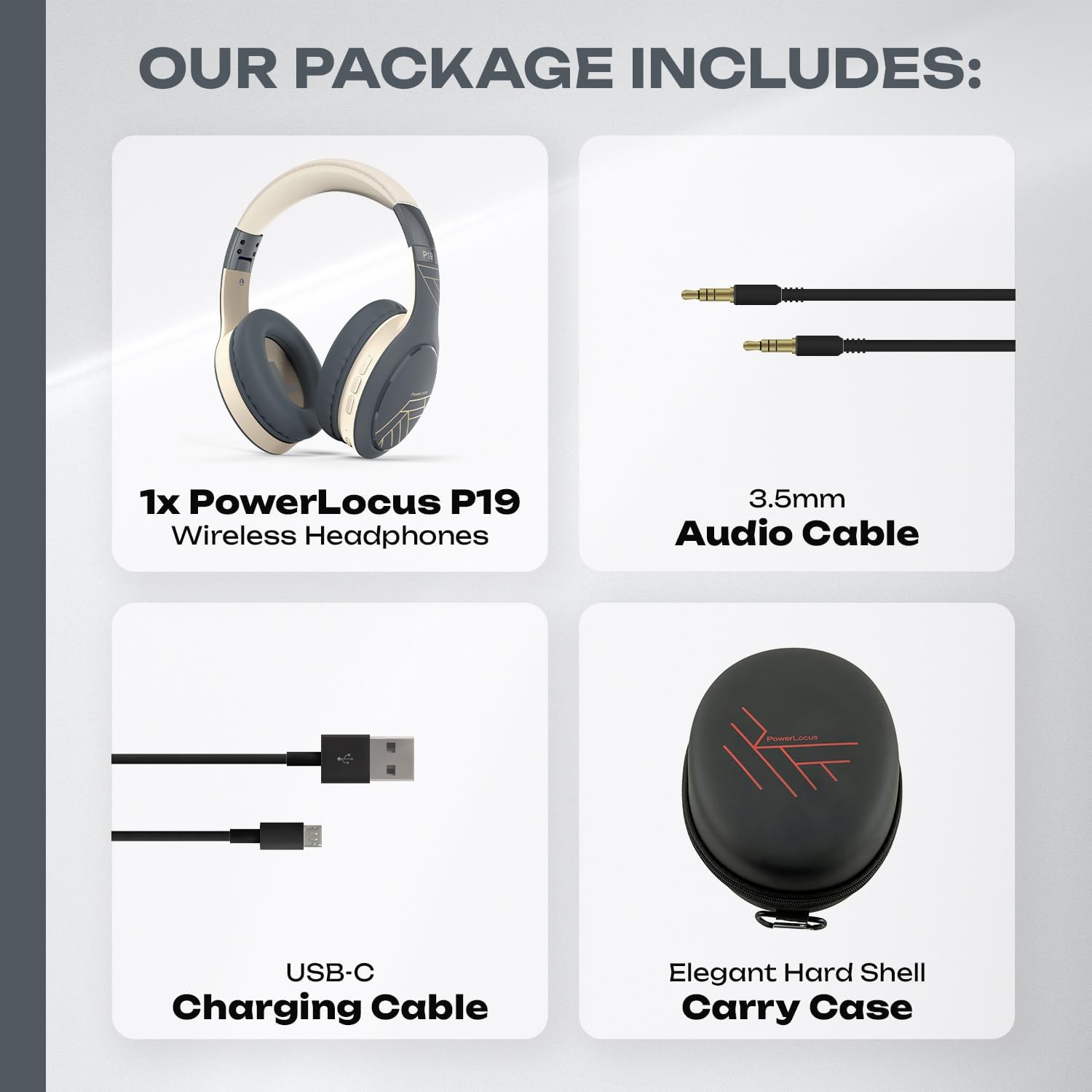
Image: The complete package contents, including the headphones, audio cable, charging cable, and carry case.
Operating Your Headphones
On-Ear Controls
The PowerLocus P19 headphones feature intuitive controls located on the earcups:
- Power Button: Press and hold to power on/off. Short press to play/pause music or answer/end calls.
- Volume Up/Next Track: Short press for volume up. Long press for next track.
- Volume Down/Previous Track: Short press for volume down. Long press for previous track.
- EQ Mode Button: Press to cycle through Pop, Bass, and Vocal EQ modes.
- Voice Assistant: Double-press the Power button to activate your device's voice assistant (Siri, Google Assistant, etc.).
EQ Modes
Enhance your audio experience with three distinct equalizer modes:
- Pop Mode: Optimized for popular music, providing balanced sound with clear vocals.
- Bass Mode: Boosts low frequencies for a powerful and deep bass experience, ideal for electronic music or hip-hop.
- Vocal Mode: Emphasizes vocal clarity, perfect for podcasts, audiobooks, or acoustic tracks.
Press the EQ button on the earcup to switch between these modes.

Image: Illustrates the three distinct EQ modes (Pop, Bass, Vocal) available on the P19 headphones for a customized listening experience.
Making and Receiving Calls
The integrated microphone allows for hands-free communication:
- Answer Call: Short press the Power button when a call comes in.
- End Call: Short press the Power button during a call.
- Reject Call: Long press the Power button when a call comes in.
- Redial Last Number: Double-press the Power button when not on a call.
Comfort and Portability
The PowerLocus P19 headphones are designed for comfort during long listening sessions and easy portability.
Ergonomic Design
- Soft Memory Foam Earmuffs: The over-ear design with protein foam and premium faux leather cushions completely covers your ears, providing comfort and passive noise reduction.
- Fabric Headband: The headband is padded with a soft fabric for a snug and comfortable fit on your head.
- Adjustable Earcups: The earcups are adjustable to fit various head sizes, ensuring a personalized and secure fit.

Image: Detailed view of the comfortable earcups and headband, highlighting the materials and adjustable features.
Foldable Design
The P19 headphones feature a foldable design, making them easy to store and transport. They come with a premium hard shell carry case for added protection.
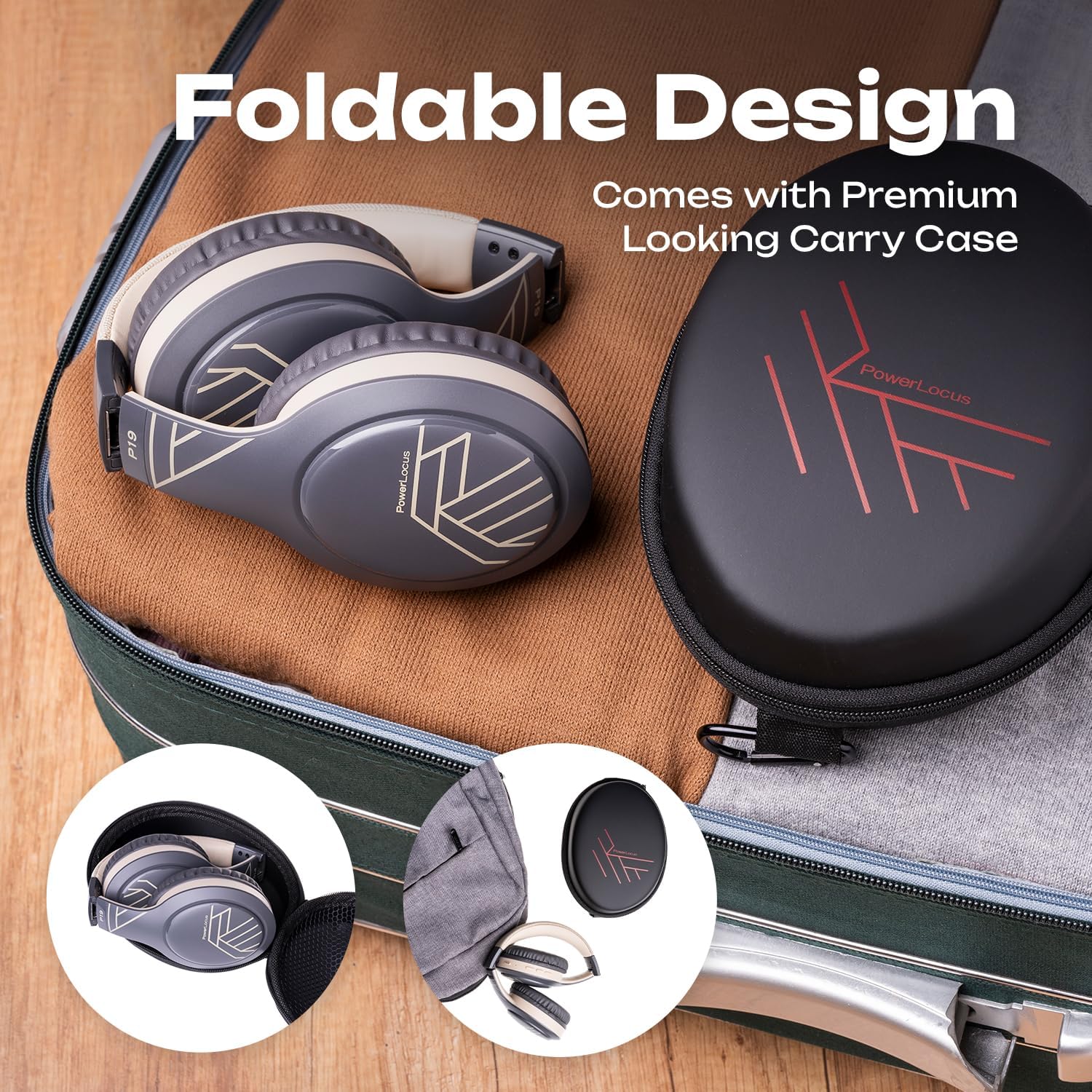
Image: The headphones neatly folded and stored in their included carry case, ready for travel.

Image: Various usage scenarios demonstrating the versatility of the P19 headphones for travel, communication, and active lifestyles.
Care and Maintenance
To ensure the longevity and optimal performance of your PowerLocus P19 headphones, follow these care guidelines:
- Cleaning: Use a soft, dry cloth to wipe the headphones. For earcups, gently wipe with a slightly damp cloth and allow to air dry completely before use. Do not use harsh chemicals or abrasive cleaners.
- Storage: When not in use, store the headphones in their included hard shell carry case to protect them from dust, scratches, and impacts.
- Temperature: Avoid exposing the headphones to extreme temperatures (hot or cold) or high humidity.
- Water Resistance: These headphones are not waterproof. Avoid contact with water or other liquids.
- Charging: Only use the provided USB-C cable for charging. Do not attempt to charge with damaged cables or chargers.
Troubleshooting
If you encounter any issues with your PowerLocus P19 headphones, refer to the table below for common problems and solutions.
| Problem | Possible Cause | Solution |
|---|---|---|
| Headphones do not power on. | Low battery. | Charge the headphones fully using the USB-C cable. |
| Cannot pair with device. | Headphones not in pairing mode; Bluetooth disabled on device; Device too far. | Ensure headphones are in pairing mode (flashing LED). Enable Bluetooth on your device. Move headphones closer to the device (within 10 meters). Try restarting both devices. |
| No sound or low volume. | Volume too low; Incorrect audio source; Headphones not connected. | Increase volume on both headphones and connected device. Ensure headphones are properly paired/connected. Check if the correct audio output is selected on your device. |
| Sound distortion. | Device too far; Interference; Audio file quality. | Move closer to the connected device. Avoid strong electromagnetic interference. Try playing a different audio file. |
| Microphone not working. | Microphone muted; Incorrect input device selected. | Ensure microphone is not muted on your device. Check audio settings on your device to ensure PowerLocus P19 is selected as the input device. |
Technical Specifications
| Feature | Specification |
|---|---|
| Model Name | P19 |
| Connectivity Technology | Wireless (Bluetooth 5.3) |
| Headphone Jack | 3.5 mm Jack |
| Frequency Response | 2.4Hz - 2.48kHz |
| Soundproofing | Passive Noise Reduction |
| Impedance | 32 ohms |
| Form Factor | Circum-Aural (Over-Ear) |
| Ear Placement | Over-Ear |
| Material | EVA |
| Charging Time | Approx. 3 hours |
| Playtime | Up to 60 hours |
| Special Features | Volume Control, Lightweight, Integrated Microphone, Wireless/Wired Mode |
| Water Resistance Level | Not Waterproof |
| Compatible Devices | iPhone, Samsung, Android, Laptop, TV, PC, Xiaomi, Oppo, LG, Sony, Desktop Computers |
Warranty and Customer Support
Your PowerLocus P19 headphones come with a comprehensive warranty and dedicated customer support to ensure your satisfaction.
- 2-Year Warranty: Enjoy peace of mind with a 24-month warranty covering manufacturing defects.
- 45-Day Refund Policy: If you are not completely satisfied, you can request a refund within 45 days of purchase.
- France-Based Customer Support: Our friendly and quality customer support team is available 12 hours a day, 7 days a week, to assist you with any queries or issues.
For assistance, please refer to the contact information provided with your product packaging or visit the official PowerLocus brand store on Amazon: PowerLocus Brand Store.
Related documentsP19


Ask a question about this manual
Ask about setup, troubleshooting, compatibility, parts, safety, or missing instructions. Manuals+ will review the question and use this page’s manual context to help answer it.