
1. What's in the Box
Your INIU USB C Charger Block package includes the following items:
- 100W USB C Charger (Model: A11-E1)
- User Manual
- USB C to USB C Cable (100W compatible)

Figure 1: INIU 100W USB C Charger Block and included USB-C cable.
2. Product Features
- 100W Power Trio: Capable of delivering up to 100W of power, allowing simultaneous fast charging for laptops and other high-power devices.
- Swift Charging: High-power output ensures rapid charging for compatible devices. Designed to fast-charge two devices concurrently.
- 3-in-1 Sleek Charging Station: Compact design integrates the functionality of a power strip and three individual chargers, reducing clutter.
- Compact Powerhouse: Utilizes GaN (Gallium Nitride) technology for a smaller, lighter, yet more powerful design, enhancing portability.
- Universal Compatibility: Supports PD 2.0 and PD 3.0 protocols, ensuring broad compatibility with a wide range of USB-C and USB-A devices.
- Temp°Guard Protection: Features advanced temperature monitoring to protect battery health and prevent overheating.

Figure 2: Super-fast charging for laptops and other devices.

Figure 3: Integrated Temp°Guard for battery protection.
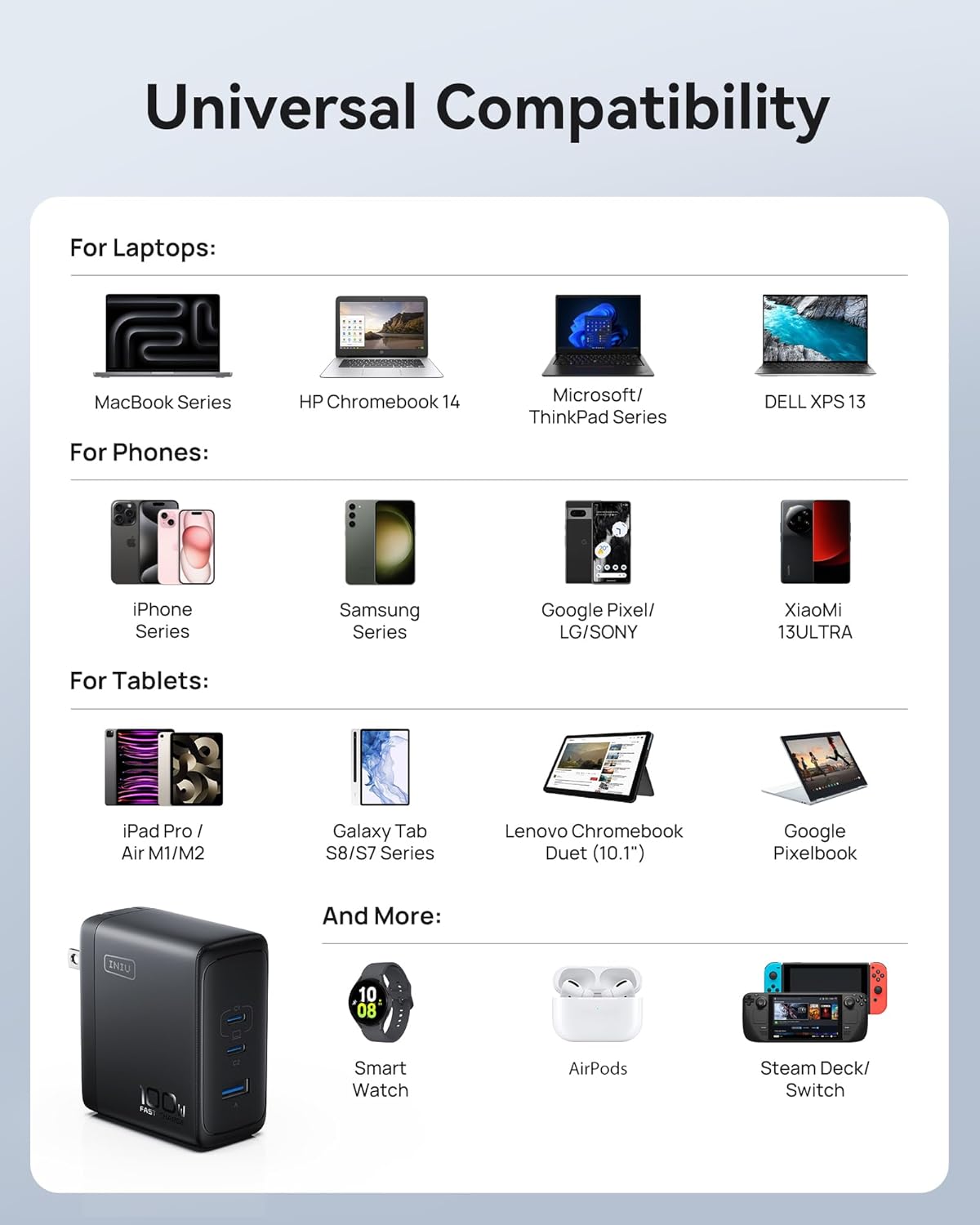
Figure 4: Compact design due to GaN technology.
3. Setup
The INIU USB C Charger Block features a convenient foldable plug for easy storage and portability.
- Unfold the Plug: Gently pull out the foldable prongs from the charger body until they click into place.
- Connect to Power Outlet: Insert the unfolded plug into a standard wall power outlet (100-240V, 50/60Hz).
- Prepare Devices: Ensure your devices are compatible with USB-C or USB-A charging and have the appropriate cables.
Figure 5: The foldable plug design for portability.
4. Operating Instructions
The INIU 100W Charger features two USB-C ports (C1, C2) and one USB-A port (A). The intelligent GaN chip dynamically distributes power based on connected devices to optimize charging speed.
Single Port Usage:
- USB-C1 or USB-C2 Only: Provides up to 100W max output. Ideal for fast-charging laptops (e.g., MacBook Pro/Air, Dell XPS).
- USB-A Only: Provides up to 22.5W max output. Suitable for smartphones, tablets, and other USB-A compatible devices.

Figure 6: Individual port power output.
Multiple Port Usage:
- USB-C1 + USB-C2: C1 provides 70W, C2 provides 30W (100W total max).
- USB-C1 + USB-A: C1 provides 70W, A provides 22.5W (92.5W total max).
- USB-C2 + USB-A: C2 provides 70W, A provides 22.5W (92.5W total max).
- USB-C1 + USB-C2 + USB-A: C1 provides 45W, C2 provides 30W, A provides 22.5W (97.5W total max).

Figure 7: Combined port power output.
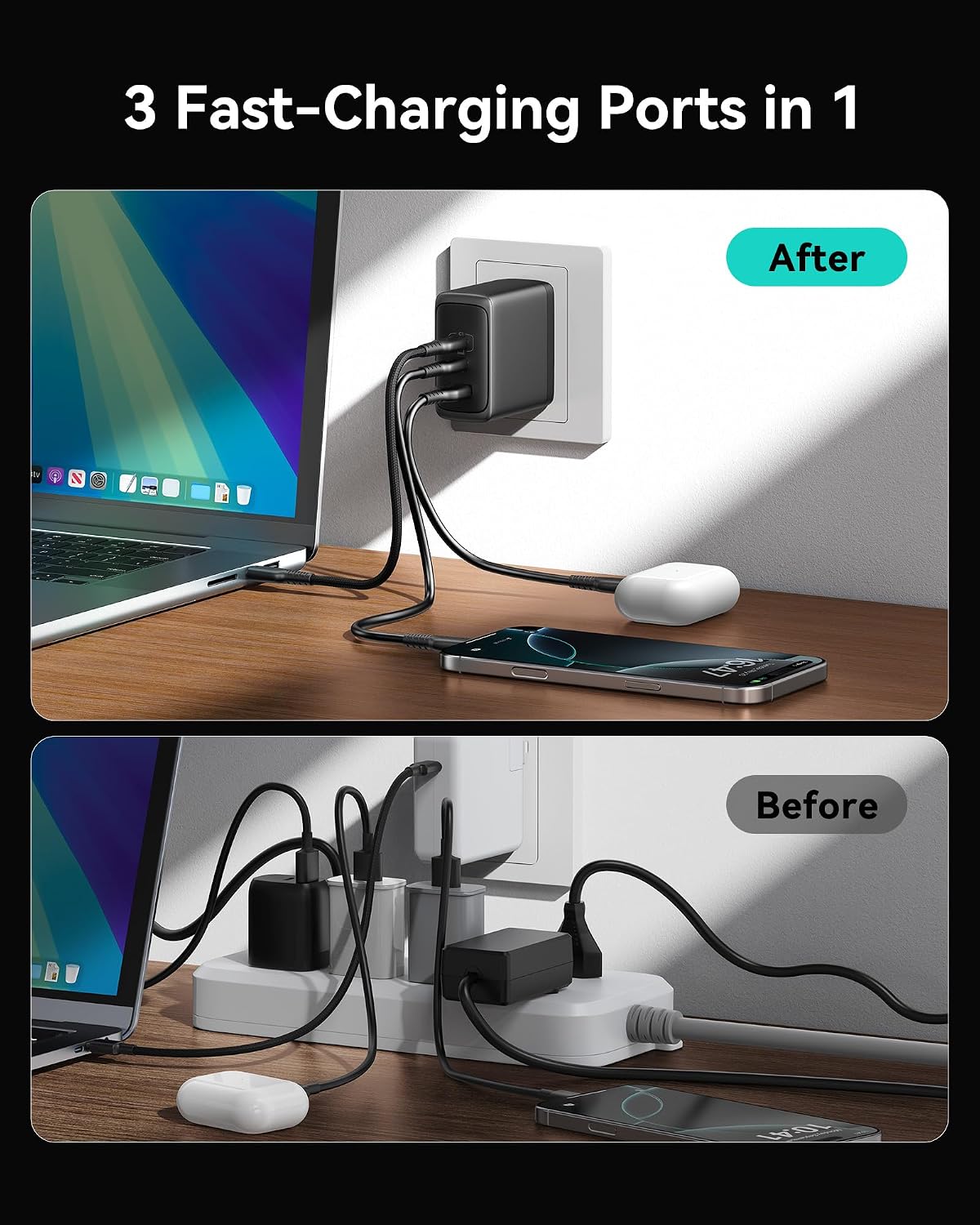
Figure 8: Charging multiple devices simultaneously.
5. Maintenance
- Cleaning: Clean the charger only with a dry, soft cloth or brush. Do not use liquid cleaners.
- Liquid Exposure: Do not expose the charger to liquids.
- Disassembly: Do not attempt to disassemble the charger. This will void the warranty and may cause damage.
- Temperature: Keep the charger away from extreme temperatures (both hot and cold).
- Cable Care: Use the provided cable tie to keep the USB-C cable neatly organized when not in use to prevent tangling and damage.
6. Troubleshooting
- Device not charging:
- Ensure the charger is securely plugged into a working power outlet.
- Verify that the charging cable is properly connected to both the charger and your device.
- Try using a different cable or a different port on the charger to rule out cable or port issues.
- Confirm your device is compatible with the charger's output specifications.
- Slow charging:
- Check the power distribution table in Section 4. If multiple devices are connected, the power output per port will be adjusted.
- Ensure you are using a high-quality, fast-charging compatible cable (such as the included INIU cable).
- Some devices may limit charging speed when the battery is nearly full or due to temperature.
- Charger overheating:
- While some warmth is normal during high-power charging, excessive heat may indicate an issue. Disconnect devices and allow the charger to cool.
- Ensure the charger is used in a well-ventilated area and not covered.
- If overheating persists, discontinue use and contact customer support.
7. Specifications
| Attribute | Detail |
|---|---|
| Model Number | A11-E1 |
| Input Voltage | 100-240V, 50/60Hz, 1.8A (max) |
| Output (USB-C1/C2) | 5V=3A, 9V=3A, 12V=3A, 15V=3A, 20V=5A (100W Max) |
| Output (USB-A) | 5V=3A, 9V=2A, 10V=2.25A, 12V=1.5A (22.5W Max) |
| Combined Output (USB-C1 + USB-C2) | 70W + 30W (100W Max) |
| Combined Output (USB-C1 + USB-A) | 70W + 22.5W (92.5W Max) |
| Combined Output (USB-C2 + USB-A) | 70W + 22.5W (92.5W Max) |
| Combined Output (USB-C1 + USB-C2 + USB-A) | 45W + 30W + 22.5W (97.5W Max) |
| Fast-Charge Protocol | PD3.0, QC3.0, QC2.0, AFC, FCP |
| Dimensions | 2.7" x 1.3" x 2.3" (Charger Body) |
| Item Weight | 9.6 ounces |
| Color | Black |
| Mounting Type | Wall Mount |
8. Warranty & Support
INIU stands behind the quality of its products. The INIU USB C Charger Block (Model A11-E1) comes with a 3-Year INIU Care Warranty.
For any product inquiries, technical support, or warranty claims, please contact INIU customer support:
- Email: support@iniu.shop
- Website: www.iniushop.com
Please retain your proof of purchase for warranty purposes.


