
1. Product Overview
The Redodo 1000W Pure Sine Wave Inverter is designed to convert 12V DC power from batteries into 110V AC power, suitable for various electrical appliances. It provides 1000W of continuous power and a 2000W peak surge capacity, ensuring stable and efficient power delivery. This inverter is ideal for off-grid solar power systems, recreational vehicles (RVs), and home backup power solutions.
Key features include a digital LCD screen for real-time status monitoring, comprehensive safety protections, and a pure sine wave output that is safe for sensitive electronics.

Package Contents:
- REDODO 1000W Pure Sine Wave Inverter
- 1.97FT Battery to Inverter cable (2 pieces)
- Mounting Screws (4 pieces)
- Plastic Anchors (4 pieces)
- User Manual (1 piece)
2. Safety Precautions
Read all instructions carefully before installation and operation. Failure to follow these instructions may result in electric shock, fire, or serious injury.
- Ventilation: Ensure the inverter is installed in a well-ventilated area to prevent overheating. Do not block the cooling fans.
- Dry Environment: Avoid exposing the inverter to water, rain, or excessive humidity.
- Correct Polarity: Do not reverse the positive and negative connections from the battery to the inverter. Incorrect polarity will cause severe damage to the unit and may pose a fire hazard.
- Grounding: Properly ground the inverter according to local electrical codes.
- Load Matching: Do not exceed the inverter's continuous power rating (1000W) or peak surge power (2000W). Ensure the total wattage of connected appliances is within the inverter's capacity.
- Children and Pets: Keep the inverter out of reach of children and pets.
- Maintenance: Disconnect all power sources before performing any maintenance or cleaning.

3. Product Components and Dimensions
Familiarize yourself with the physical layout and connections of your Redodo inverter.

Component Identification:
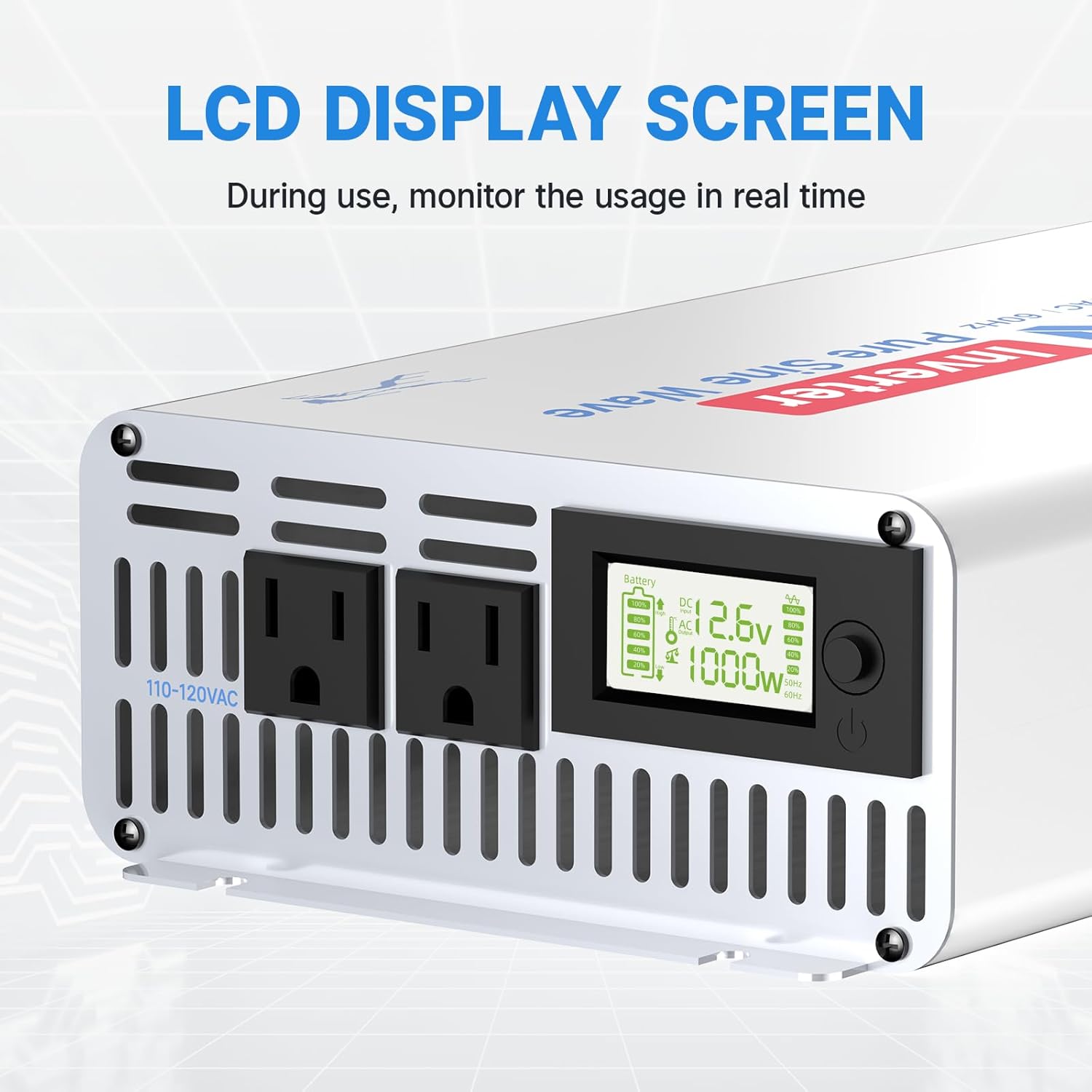
- AC Outlets: Two standard 110-120VAC outlets for connecting appliances.
- Monitoring Screen: Digital LCD display showing real-time operational status.
- ON/OFF Switch: Controls the power to the AC outlets.
- Positive Terminal (+): Red terminal for connecting the positive battery cable.
- Negative Terminal (-): Black terminal for connecting the negative battery cable.
- Cooling Fans: Automatically activate to dissipate heat during operation.
Dimensions:
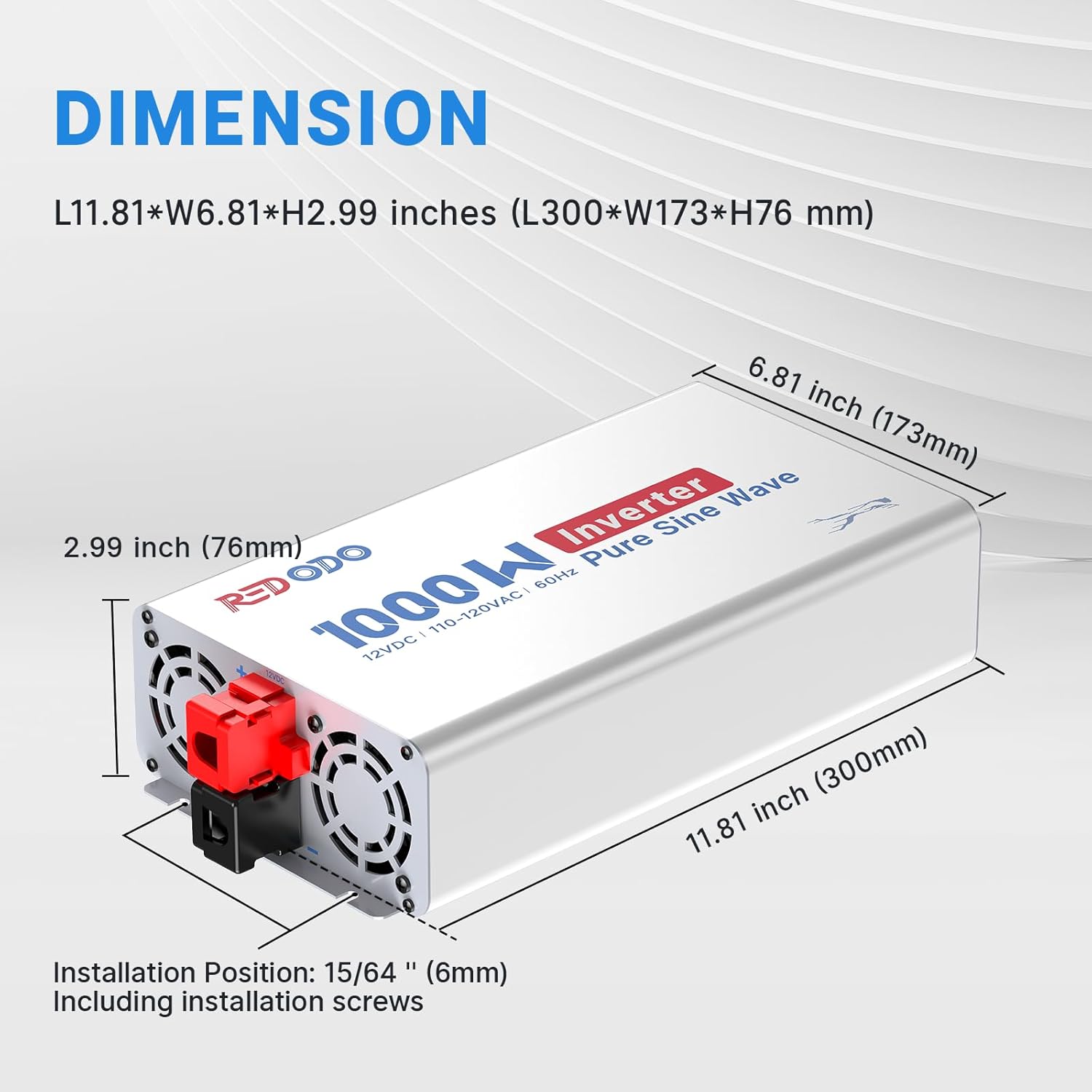
The inverter measures approximately 11.81 inches (300 mm) in length, 6.81 inches (173 mm) in width, and 2.99 inches (76 mm) in height. It weighs 6.25 pounds (2.83 kg).
4. Setup Instructions
Follow these steps for proper installation and connection of your inverter.
4.1 Mounting the Inverter
Choose a dry, well-ventilated location away from direct sunlight, heat sources, and flammable materials. Ensure there is sufficient space around the inverter for airflow, especially around the cooling fans.

Use the provided mounting screws and plastic anchors to secure the inverter to a stable surface. Horizontal mounting is generally recommended for better heat dissipation.
4.2 Connecting to a 12V DC Battery
- Ensure the inverter's ON/OFF switch is in the 'OFF' position.
- Connect the red battery cable to the positive (+) terminal of your 12V battery.
- Connect the other end of the red battery cable to the positive (+) terminal on the inverter.
- Connect the black battery cable to the negative (-) terminal of your 12V battery.
- Connect the other end of the black battery cable to the negative (-) terminal on the inverter.
- Double-check all connections to ensure they are secure and that polarity is correct. Incorrect polarity will damage the inverter.

4.3 Connecting AC Loads
Once the inverter is connected to the battery, you can connect your AC appliances.
- Ensure the inverter is turned OFF.
- Plug your 110V AC appliances into the AC outlets on the inverter.
- Ensure the total wattage of all connected appliances does not exceed 1000W continuous power.
5. Operating Instructions
Follow these steps to operate your Redodo inverter safely and efficiently.
5.1 Powering On/Off
- After all connections are secure, press the ON/OFF switch on the inverter to turn it on.
- The LCD screen will illuminate, displaying operational information.
- To turn off the inverter, press the ON/OFF switch again.
5.2 Understanding the LCD Display
The digital LCD screen provides real-time monitoring of the inverter's status, allowing you to track performance and identify potential issues.

5.3 Smart Cooling Fans
The inverter is equipped with smart cooling fans that operate automatically to maintain optimal internal temperature. These fans activate when the inverter reaches a certain temperature or when a significant load is applied, ensuring stable performance and extending the lifespan of the unit.

5.4 Application Compatibility
The Redodo 1000W Pure Sine Wave Inverter is compatible with a wide range of daily electrical appliances that consume less than 1000W. This includes devices such as mobile phones, tablets, small electric drills, coffee machines, ovens, kettles, and fans.

6. Maintenance
Regular maintenance helps ensure the longevity and reliable operation of your inverter.
- Cleaning: Periodically clean the exterior of the inverter with a dry, soft cloth. Ensure the cooling vents and fans are free from dust and debris. Do not use liquid cleaners.
- Connection Checks: Regularly inspect all DC and AC connections for tightness. Loose connections can cause overheating and power loss.
- Environment: Ensure the installation environment remains dry, cool, and well-ventilated.
- Battery Health: Monitor the health of your 12V battery system, as a healthy battery is crucial for inverter performance.
7. Troubleshooting
This section addresses common issues you might encounter with your inverter.
Common Issues and Solutions:
- No Power Output: Check if the inverter is turned ON. Verify battery connections are secure and correct. Ensure the battery voltage is within the operating range (10.0V-15.5V DC). Check for blown fuses in the battery circuit (if applicable).
- Overload Protection Triggered: The inverter will shut down if the connected load exceeds its capacity. Reduce the total wattage of connected appliances.
- Low Voltage Protection: If the battery voltage drops too low, the inverter will shut down to protect the battery. Recharge or replace the battery.
- Overheat Protection: If the inverter becomes too hot, it will shut down. Ensure proper ventilation, clear any obstructions from the cooling fans, and reduce the load.
- Output Short Circuit Protection: The inverter will shut down if a short circuit is detected in the AC output. Disconnect all AC loads and check for faulty appliances or wiring.
Frequently Asked Questions:

- Can I use the 1000W inverter with a 36V system? No. This inverter is designed to work only with a 12V battery system.
- Does this 1000W inverter have a remote switch? Our 1000W inverter does not include a remote switch.
- What power of loads are suitable for inverters? It is suitable for all kinds of daily electrical appliances below 1000W.
8. Specifications
Detailed technical specifications for the Redodo 1000W Pure Sine Wave Inverter.

| Parameter | Value |
|---|---|
| Continuous Power | 1000W |
| Peak of Surge Power | 2000W |
| Input Voltage Range (VDC) | 10.0V-15.5V DC |
| Output Voltage | 110V AC ±10% |
| Frequency | 60Hz |
| Efficiency | ≥90% |
| Low Voltage Protection | 10.0 ± 0.5V DC |
| Over Voltage Protection | 15.5 ± 0.5V DC |
| Operating Temperature | -4°F to 104°F / -20°C to 40°C |
| Dimensions (L×W×H) | 11.81" × 6.81" × 2.99" / 300 × 173 × 76 mm |
| Weight | 6.25 pounds / 2.83 kg |
| Model Number | R12V2KW-Y |
9. Warranty and Support
Redodo is committed to providing excellent customer service and technical support.
- Customer Service: Timely and technical online customer service is available, with solutions typically provided within 12 hours.
- Warranty Information: For detailed warranty terms and conditions, please refer to the official Redodo website or contact customer support directly.