
ANENG 621A
ANENG 621A Digital Multimeter User Manual
Model: 621A | Brand: ANENG
1. Introduction
The ANENG 621A is a versatile and intelligent digital multimeter designed for accurate and wide-ranging electrical measurements. It features a smart mode for automatic recognition of measurement content, a large color LCD touch screen, and a rechargeable battery. This device is essential for both industrial and household electrical testing, capable of measuring AC/DC current, AC/DC voltage, resistance, frequency, duty cycle, capacitance, continuity, diode, temperature, and live/zero wire detection.

Figure 1.1: The ANENG 621A Smart Touch Screen Rechargeable Multimeter, highlighting its advanced features and capabilities.
2. Safety Information
Please read and understand all safety information before operating the ANENG 621A multimeter. Failure to follow these instructions may result in electric shock, fire, or damage to the device.
- Always ensure the multimeter is in the correct measurement mode before connecting test leads to a circuit.
- Do not exceed the maximum input values specified for each measurement range.
- Exercise extreme caution when working with voltages above 30V AC RMS, 42V peak, or 60V DC. These voltages pose a shock hazard.
- Inspect test leads for damage before each use. Do not use if insulation is damaged or bare metal is exposed.
- The device features double fuses to prevent overheating and protect against overload, enhancing safety and reliability.
- The high-impact resistant ABS housing with soft over-molded rubber provides additional drop protection.
- Keep the device dry and clean. Do not operate in wet or damp conditions.
- Do not attempt to repair or modify the multimeter. Refer all servicing to qualified personnel.
3. Package Contents
The ANENG 621A Digital Multimeter package includes the following items:
- 1 x ANENG 621A Digital Multimeter
- 1 x Set of Combination Test Leads (4 continuous sockets, 2 PVC cables, 2 copper needles, 2 U-shaped inserts, 2 meter pens, 2 alligator clips, 2 puncture probes)
- 1 x Multimeter Test Lead
- 1 x Temperature Probe
- 1 x Charging Cable (USB Type-C)
- 1 x User Manual
- 1 x Storage Bag
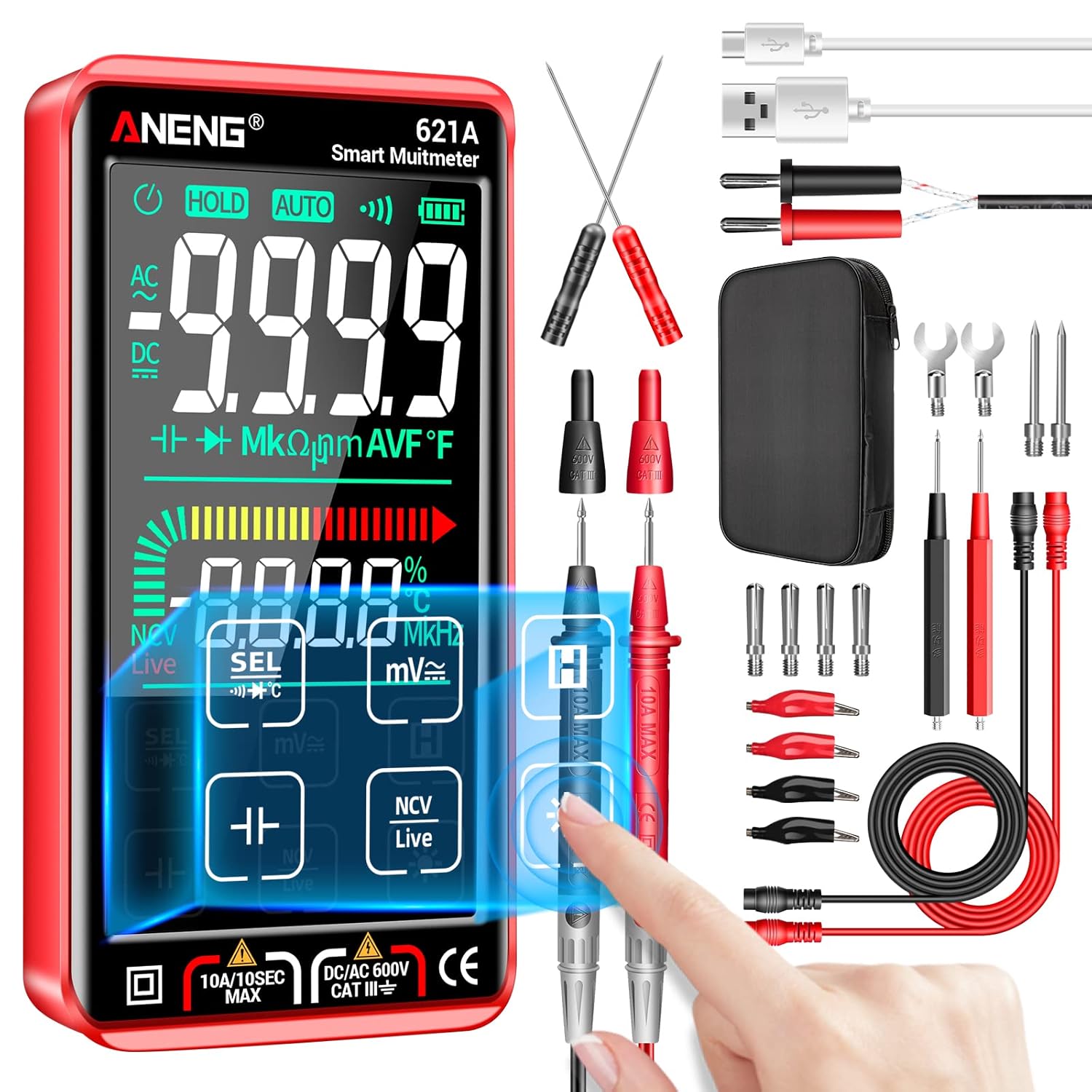
Figure 3.1: ANENG 621A Digital Multimeter with all included accessories, including test leads, temperature probe, charging cable, and storage bag.
4. Product Overview
The ANENG 621A features a compact design with a large, clear display and intuitive controls.
4.1 Key Features
- Smart Mode: Automatically identifies measurement content and selects the optimal resolution range.
- 9999 Count Display: High-resolution display for precise readings.
- Large Color LCD Touch Screen: Provides clear visibility and easy navigation.
- Rechargeable Battery: Built-in lithium battery, charged via USB Type-C.
- Flashlight: Integrated flashlight for working in dimly lit areas.
- NCV (Non-Contact Voltage) Detection: Safely detects AC voltage without direct contact.
- Live Wire Detection: Identifies live wires.
- Data Hold: Freezes the displayed reading.
- Auto Power Off: Conserves battery life when not in use.
4.2 Components

Figure 4.1: The ANENG 621A features a sensitive touch screen for easy operation.

Figure 4.2: The multimeter's bright backlit screen and integrated flashlight ensure readability in various lighting conditions.
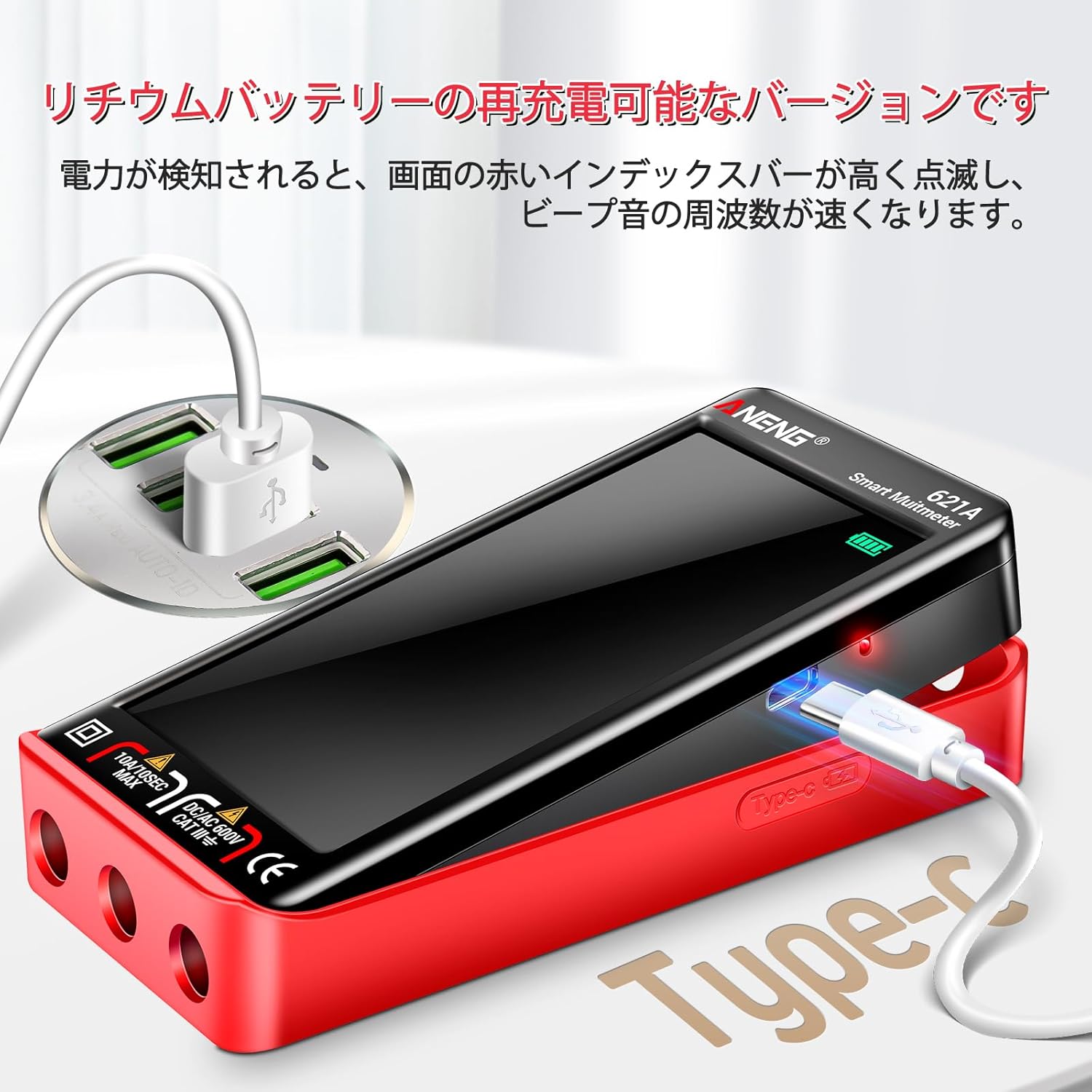
Figure 4.3: The compact and portable design of the ANENG 621A, similar in size to a smartphone, makes it convenient for on-the-go use.
5. Setup
5.1 Initial Charging
Before first use, fully charge the multimeter's built-in lithium battery. Connect the provided USB Type-C charging cable to the multimeter's charging port and to a 5V USB power adapter (e.g., a smartphone charger).

Figure 5.1: The ANENG 621A is rechargeable via a standard USB Type-C cable, making it convenient to power up.
5.2 Connecting Test Leads
Insert the red test lead into the "VΩmA" input jack and the black test lead into the "COM" input jack for most voltage, resistance, and current measurements. For high current measurements (10A), insert the red test lead into the "10A" input jack.
6. Operating Instructions
6.1 Power On/Off
Press the power button to turn the multimeter on. The device will default to Smart Mode. To turn off, press and hold the power button.
6.2 Smart Mode (Auto-Ranging)
In Smart Mode, the multimeter automatically identifies the type of measurement (AC/DC voltage, resistance, continuity) and selects the appropriate range. No manual range selection is needed, simplifying operation.
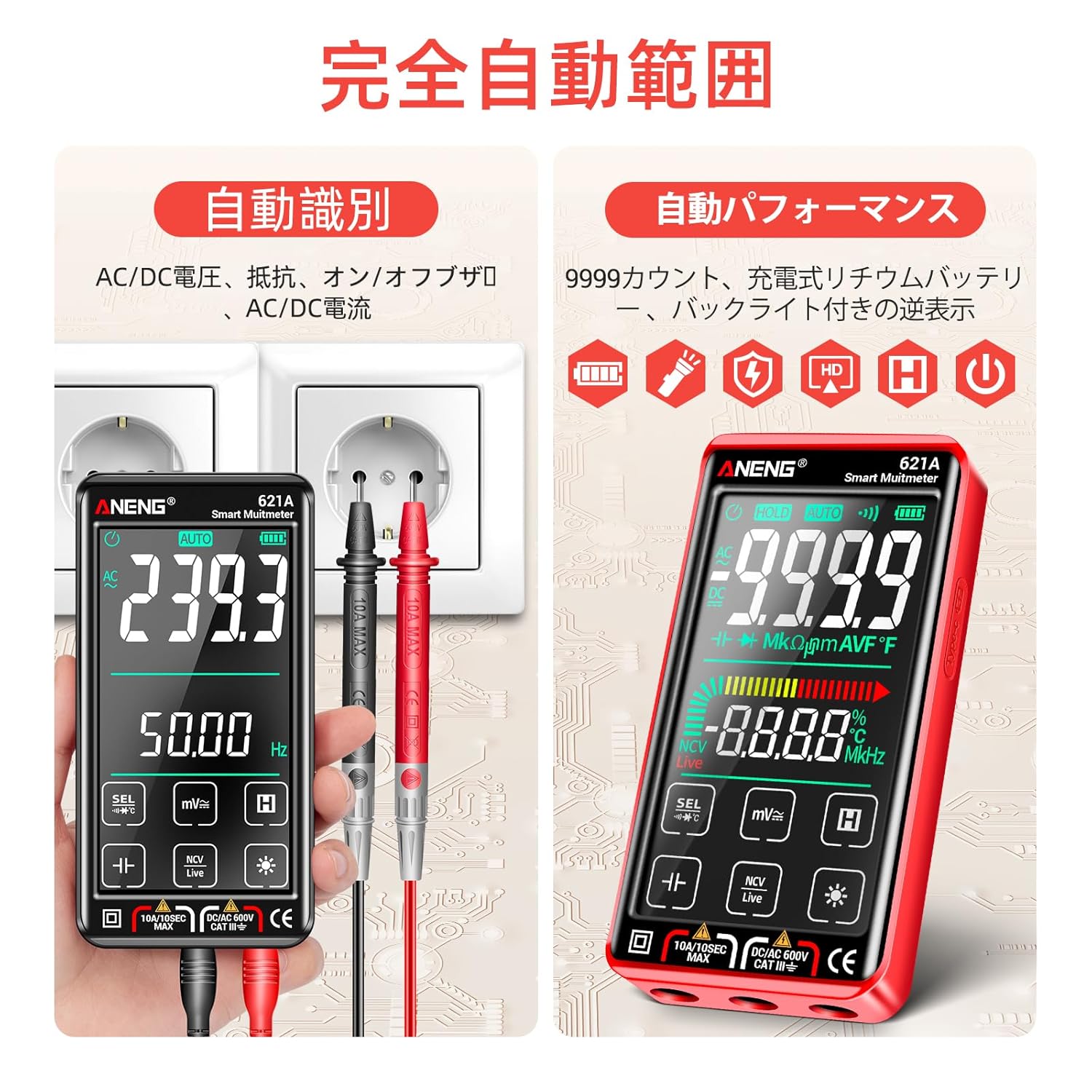
Figure 6.1: The multimeter's full auto-ranging capability simplifies measurements by automatically detecting the type and range of the input.
6.3 Manual Mode Selection
While in Smart Mode, you can tap the "SEL" button on the touch screen to cycle through different measurement functions (e.g., Voltage, Resistance, Capacitance, Frequency, Diode, Continuity, Temperature). The display will indicate the selected function.
6.4 Specific Measurements
- Voltage (AC/DC): Connect test leads in parallel to the circuit. The multimeter will automatically detect AC or DC voltage.
- Current (AC/DC): Connect the multimeter in series with the circuit. Ensure the correct input jack (mA or 10A) is used.
- Resistance: Connect test leads across the component.
- Continuity: Touch test leads to the points to be tested. A buzzer will sound if continuity exists.
- Capacitance: Connect test leads across the capacitor.
- Frequency/Duty Cycle: Connect test leads to the signal source.
- Diode Test: Connect test leads across the diode.
- Temperature: Connect the temperature probe to the multimeter and place the probe on the object to be measured.
- NCV (Non-Contact Voltage) Detection: Hold the top of the multimeter near an AC voltage source. The display will show "EF" and the red index bar will flash with increasing frequency as voltage is detected.
- Live/Zero Wire Detection: Use the Live function to distinguish between live and neutral wires.

Figure 6.2: The NCV function allows for safe, non-contact detection of live AC voltage, indicated by a flashing bar and audible beeps.

Figure 6.3: Examples of various measurements including DC voltage, AC voltage, fuse check, AC current, live wire detection, resistance, continuity, diode, DC current, and zero line detection.
6.5 Additional Functions
- Data Hold: Tap the "HOLD" button to freeze the current reading on the display. Tap again to release.
- Flashlight: Tap the flashlight icon on the touch screen to turn the integrated flashlight on or off.

Figure 6.4: The built-in flashlight illuminates dark work areas, enhancing visibility during measurements.
7. Maintenance
7.1 Cleaning
Wipe the multimeter's casing with a damp cloth and mild detergent. Do not use abrasives or solvents. Ensure the device is completely dry before storage or next use.
7.2 Storage
When not in use for extended periods, store the multimeter in its provided storage bag in a cool, dry place, away from direct sunlight and extreme temperatures. Ensure the battery is partially charged (around 50%) before long-term storage to preserve battery life.
7.3 Battery Care
The multimeter uses a rechargeable lithium battery. If the low battery warning appears, recharge the device promptly. Avoid fully discharging the battery frequently to prolong its lifespan.
8. Troubleshooting
| Problem | Possible Cause | Solution |
|---|---|---|
| Multimeter does not power on. | Battery is fully discharged. | Connect the multimeter to a 5V USB charger using the provided Type-C cable and allow it to charge. |
| Inaccurate readings. | Incorrect mode selected; damaged test leads; environmental interference. | Ensure Smart Mode is active or the correct manual mode is selected. Check test leads for damage. Perform measurements away from strong electromagnetic fields. |
| Display shows "OL" (Overload). | Measurement exceeds the selected range or maximum input. | Switch to a higher range (if in manual mode) or ensure the input value is within the device's specifications. Disconnect immediately if exceeding maximum input. |
| Continuity buzzer not working. | Not in continuity mode; open circuit. | Ensure the multimeter is in continuity mode. Verify the circuit is closed. |
9. Specifications
| Parameter | Value |
|---|---|
| Model | 621A |
| Display Count | 9999 Counts |
| Measurement Accuracy | 1.0% ± 5 digits |
| Power Source | Rechargeable Lithium Battery |
| Battery Type | Lithium Ion |
| Watt-hours | 1.8 Watt-hours |
| Product Dimensions | 10 x 10 x 2 cm (approx.) |
| Product Weight | 0.6 g (approx.) |
| Color | Black / Red |
| Features | Smart Mode, TRMS, Large Color Touch Screen, Backlight, Flashlight, NCV, Live Wire, Data Hold, Auto Power Off |
10. Warranty and Support
ANENG provides lifetime service and technical support for the ANENG 621A Digital Multimeter. If you encounter any issues or have questions regarding the product, please contact ANENG customer support through your purchase platform or the official ANENG website for assistance.
For more information, visit the ANENG Store on Amazon.
Related documents621A


Ask a question about this manual
Ask about setup, troubleshooting, compatibility, parts, safety, or missing instructions. Manuals+ will review the question and use this page’s manual context to help answer it.