1. Introduction
This manual provides essential information for the proper setup, operation, and maintenance of your Re-Flix Superior Light 4-in-1 Universal Remote Control. This remote is specifically pre-programmed for use with the HI-FI ELTA 2487 device, ensuring immediate functionality upon battery insertion without the need for complex code entry.
The Re-Flix Superior Light remote is designed for ease of use and reliable control of your compatible audio equipment. Please read these instructions carefully to ensure optimal performance and longevity of your remote control.
2. Setup
2.1 Battery Installation
The remote control requires two (2) 1.5V AAA batteries (not included). Follow these steps to install the batteries:
- Locate the battery compartment on the back of the remote control.
- Press down on the latch and slide the battery cover downwards to open it.
- Insert two AAA batteries, ensuring the positive (+) and negative (-) terminals align correctly with the markings inside the compartment.
- Slide the battery cover back into place until it clicks securely.

Image: Back view of the remote control, highlighting the battery compartment. The compartment is located at the bottom rear of the remote, designed to slide open for battery insertion.
2.2 Initial Use
Your Re-Flix Superior Light remote control is pre-programmed for the HI-FI ELTA 2487 device. Once batteries are correctly installed, the remote is ready for immediate use. No additional programming or code entry is required for this specific device.
Important: Ensure that the model name of your device or original remote control matches the HI-FI ELTA 2487 model specified for compatibility.
2.3 Programming Other Devices (Optional)
This remote is a 4-in-1 universal remote. If you wish to program it for other devices beyond the pre-programmed HI-FI ELTA 2487, a separate USB programming device is required. This USB programming device is not included with the remote control.
3. Operating Instructions
The Re-Flix Superior Light remote control operates using infrared (IR) technology. Ensure a clear line of sight between the remote control and the HI-FI ELTA 2487 device's IR receiver for optimal performance. The maximum operating range is approximately 10 meters (33 feet).
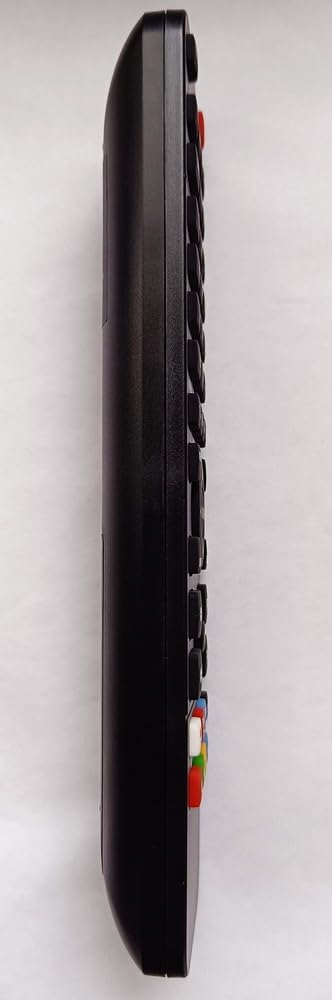
Image: Side view of the remote control. This image displays the slim profile and the arrangement of buttons along the top surface, indicating a standard button control type.
3.1 Basic Functions
The remote features standard buttons for controlling your HI-FI ELTA 2487. While specific button functions may vary slightly based on the original device's capabilities, common controls include:
- Power Button: Turns the device on or off.
- Volume Up/Down: Adjusts the audio volume.
- Mute Button: Silences the audio output.
- Input/Source: Selects different audio inputs.
- Playback Controls: Play, Pause, Stop, Fast Forward, Rewind (if applicable to your HI-FI system).
- Numeric Keypad: For direct track selection or other numerical inputs.
Point the remote directly at your HI-FI ELTA 2487 device when pressing buttons to ensure commands are received.
4. Maintenance
4.1 Cleaning
To clean the remote control, use a soft, dry cloth. For stubborn dirt, slightly dampen the cloth with water or a mild, non-abrasive cleaner. Avoid using harsh chemicals, solvents, or abrasive materials, as these can damage the remote's surface or internal components.
4.2 Battery Replacement
Replace batteries when the remote's performance degrades or if the device stops responding. Always replace both batteries at the same time with new 1.5V AAA batteries. Do not mix old and new batteries, or different types of batteries. Remove batteries if the remote will not be used for an extended period to prevent leakage.
4.3 Storage
Store the remote control in a cool, dry place away from direct sunlight, extreme temperatures, and high humidity. Avoid dropping the remote or exposing it to strong impacts.
5. Troubleshooting
If you experience issues with your Re-Flix Superior Light remote control, refer to the following troubleshooting steps:
- Remote not responding:
- Check if the batteries are correctly inserted with the correct polarity.
- Replace old batteries with new ones.
- Ensure there is a clear line of sight between the remote and the device's IR receiver. Remove any obstructions.
- Make sure you are within the operating range (approx. 10 meters).
- Device not responding to specific buttons:
- Verify that the remote is indeed compatible with your specific HI-FI ELTA 2487 model.
- Some functions may not be supported by all devices, even if the remote is generally compatible.
- No data loss without battery: The remote is designed to retain its programming even when batteries are removed or depleted.
6. Specifications
- Brand: Re-Flix
- Model: 747516
- Connectivity Technology: Infrared (IR)
- Controller Type: Button Control
- Maximum Supported Devices: 1 (pre-programmed for HI-FI ELTA 2487)
- Maximum Range: 10 Meters
- Batteries: 2 x 1.5V AAA (not included)
- Weight: 89 g
- Dimensions: 21.0 x 4.7 x 2.0 cm
7. Warranty and Support
For warranty information or technical support, please refer to the documentation provided at the time of purchase or contact your retailer. Keep your purchase receipt as proof of purchase.


