Introduction
Thank you for choosing the Re-Flix Superior Light 4-in-1 Universal Remote Control. This remote is designed to provide convenient control for your audio/video equipment. This specific unit is pre-programmed for the LUXMAN RA-373 HI-FI system, ensuring immediate functionality upon battery installation. This manual will guide you through the setup, operation, and maintenance of your new remote control.
Safety Information
- Keep batteries out of reach of children.
- Do not mix old and new batteries, or different types of batteries.
- Remove batteries if the remote control will not be used for an extended period.
- Avoid exposing the remote control to direct sunlight, heat sources, or moisture.
- Do not attempt to disassemble or modify the remote control.
Package Contents
Please check that your package contains the following items:
- 1 x Re-Flix Superior Light 4-in-1 Universal Remote Control (Model 747516)
- 1 x User Manual (this document)
Note: 2 x AAA 1.5V batteries are required and are not included in the package.
Setup
1. Battery Installation
- Locate the battery compartment on the back of the remote control.
- Slide the battery compartment cover downwards to open it.
- Insert two (2) AAA 1.5V batteries, ensuring the correct polarity (+ and -) as indicated inside the compartment.
- Slide the battery compartment cover back into place until it clicks securely.

Image: Back view of the remote control, showing the battery compartment. Insert two AAA batteries according to the polarity markings.
2. Initial Use (Pre-programmed)
Your Re-Flix Superior Light remote control is pre-programmed for the LUXMAN RA-373 HI-FI system. Once batteries are installed, it is ready for immediate use. No code entry or additional setup is required for this specific device.
Important: Please ensure that the model designation of your device (LUXMAN RA-373) matches the model for which this remote was pre-programmed.
3. Programming for Other Devices (Optional)
This remote control is a 4-in-1 universal remote. If you wish to program it for other devices beyond the pre-programmed LUXMAN RA-373, you will need a separate USB programmer. This programmer is not included with the remote control.
Operating Instructions
Point the remote control directly at the infrared receiver of your LUXMAN RA-373 HI-FI system. Ensure there are no obstructions between the remote and the device.
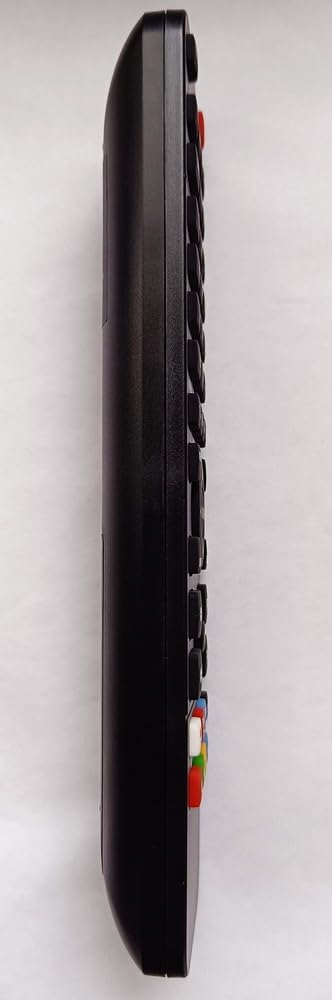
Image: Front view of the remote control, displaying its button layout.
The buttons on the remote control correspond to standard functions found on most HI-FI systems. Common functions include:
- Power Button: Turns the device on or off.
- Volume Up/Down: Adjusts the audio volume.
- Mute Button: Silences the audio output.
- Input/Source Button: Selects different audio inputs (e.g., CD, Tuner, Aux).
- Playback Controls: Play, Pause, Stop, Fast Forward, Rewind, Skip Track (for compatible media players).
- Numeric Keypad: For direct track selection or radio station tuning.
Refer to your LUXMAN RA-373 HI-FI system's original manual for specific functions and their corresponding remote control buttons if you encounter any discrepancies.
Maintenance
- Cleaning: Wipe the remote control with a soft, dry cloth. Do not use abrasive cleaners or solvents.
- Battery Replacement: Replace batteries when the remote's response becomes sluggish or stops working. Always replace both batteries at the same time.
- Storage: Store the remote in a cool, dry place away from direct sunlight and extreme temperatures.
Troubleshooting
| Problem | Possible Cause | Solution |
|---|---|---|
| Remote control is not working. |
|
|
| Remote functions are incorrect or unresponsive. |
|
|
Specifications
- Brand: Re-Flix
- Model Number: 747516
- Connectivity Technology: Infrared
- Compatible Devices: LUXMAN RA-373 HI-FI System (pre-programmed), other devices with optional USB programmer
- Number of Supported Devices: 1 (pre-programmed), up to 4 with additional programming
- Battery Type: 2 x AAA 1.5V (not included)
- Weight: 89 g
- Dimensions: 21 x 4.7 x 2 cm (approximately 8.3 x 1.85 x 0.8 inches)
- Maximum Range: 10 meters
Warranty and Support
Re-Flix products are designed for reliability and performance. For information regarding warranty coverage, please refer to the documentation provided at the time of purchase or contact your retailer. For technical support or inquiries, please visit the manufacturer's website or contact their customer service department.
Manufacturer: Re-Flix
Website: www.superior-electronics.com (as indicated on product image)


