1. Introduction
The Re-Flix Superior Light is a 4-in-1 universal remote control designed for ease of use and broad compatibility. This remote is pre-programmed for the device indicated in its listing, specifically compatible with TV CIE 29PROGRAMMI, ensuring immediate functionality upon battery insertion. It eliminates the need for complex code entry and retains its programming even when batteries are depleted.
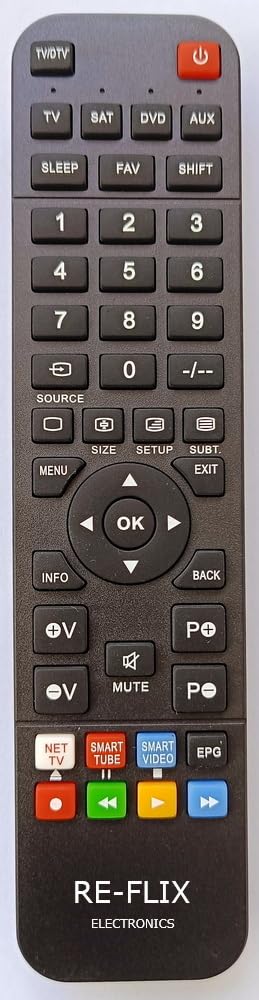
Figure 1: Front view of the Re-Flix Superior Light remote control.
2. Setup
2.1 Battery Installation
- Locate the battery compartment on the back of the remote control.
- Press down on the tab and slide the battery cover downwards to open.
- Insert two (2) 1.5V AAA batteries (not supplied), ensuring correct polarity (+ and -) as indicated inside the compartment.
- Slide the battery cover back into place until it clicks securely.
The remote control is ready for immediate use after inserting the batteries. No additional programming or code entry is required for the specified device.

Figure 2: Back view of the remote control with the battery compartment.
2.2 Programming for Other Devices (Optional)
This remote control is pre-programmed for a specific device. If you wish to program it for other devices, a separate USB programmer is required. This USB programmer is not included with the remote control.
3. Operating Instructions
Once batteries are installed, the Re-Flix Superior Light remote control functions like your original remote for the compatible TV CIE 29PROGRAMMI. Point the remote control directly at your television and press the desired function buttons.
- Power Button: Turns the TV on or off.
- Channel Buttons: Changes channels up or down.
- Volume Buttons: Adjusts the volume up or down.
- Number Pad: Directly enters channel numbers.
- Menu/Navigation Buttons: Accesses and navigates the TV's on-screen menu.
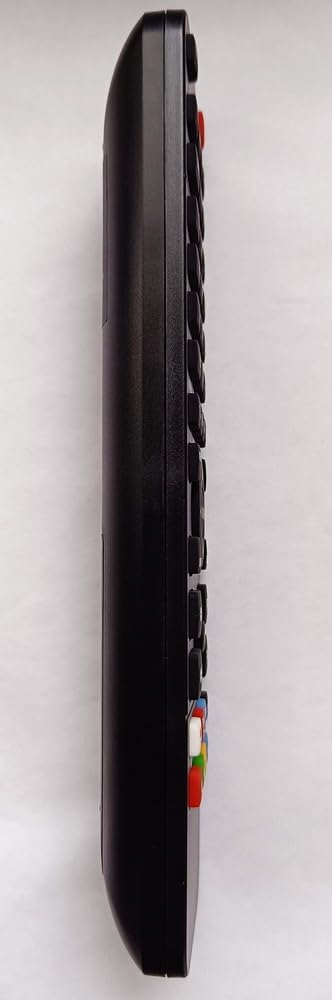
Figure 3: Side view of the remote control.
4. Maintenance
4.1 Cleaning
To clean the remote control, use a soft, dry cloth. For stubborn dirt, slightly dampen the cloth with water. Do not use abrasive cleaners, solvents, or alcohol, as these can damage the surface and buttons.
4.2 Battery Replacement
Replace batteries when the remote control's response becomes sluggish or stops working. Always replace both AAA batteries at the same time with new ones. Dispose of used batteries responsibly according to local regulations.
5. Troubleshooting
- Remote not responding:
- Check if the batteries are inserted correctly with the correct polarity.
- Replace old batteries with new ones.
- Ensure there are no obstructions between the remote control and the TV's infrared receiver.
- Confirm that the remote is pointed directly at the TV.
- Remote functions are incorrect:
- Important: Please ensure that the model designation of your device (TV) or the original remote control matches the model designation for which this Re-Flix remote was intended (TV CIE 29PROGRAMMI). Incorrect model matching can lead to incompatible functions.
- No data loss: The remote control is designed to retain its programming even when batteries are removed or depleted, so you will not lose settings during battery changes.
6. Specifications
| Brand | Re-Flix |
| Model Number | 747516 |
| ASIN | B0C9S39V94 |
| Weight | 89 g |
| Dimensions (L x W x H) | 21 x 4.7 x 2 cm |
| Batteries Required | 2 x 1.5V AAA (not supplied) |
7. Warranty and Support
Information regarding specific warranty terms or direct customer support contacts is not available in the provided product details. Please refer to your purchase documentation or contact your retailer for warranty claims and support inquiries.


