
1. Product Overview
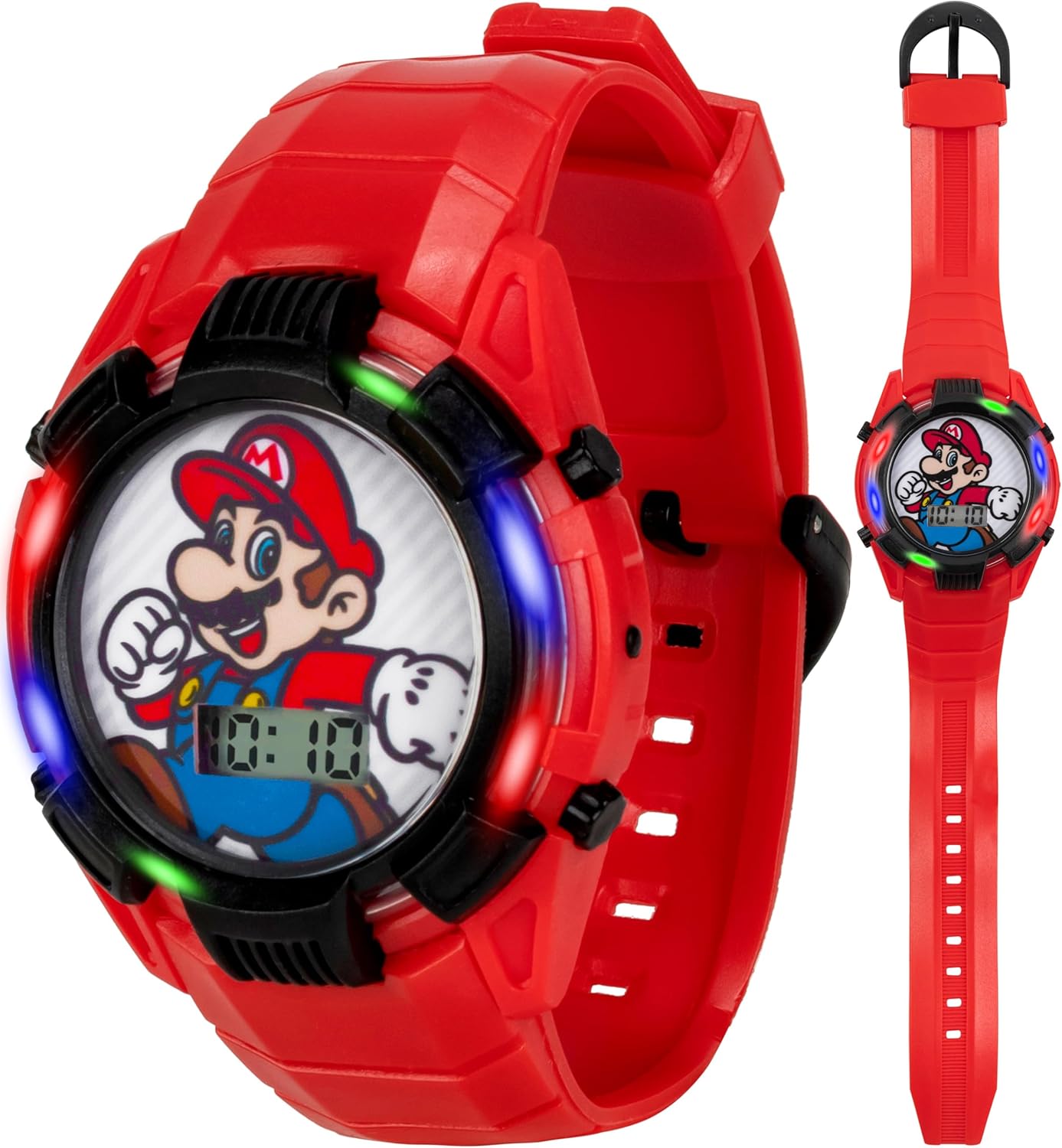
This manual provides instructions for the Accutime Super Mario Kids Digital Light-Up Watch, Model GMA4038AZ. This digital timepiece features a Super Mario character dial, a light-up display, and an adjustable plastic strap. It is designed for children and provides a clear digital time display.
2. Package Contents
- Accutime Super Mario Kids Digital Light-Up Watch
- Instruction Manual (this document)
3. Watch Components
Familiarize yourself with the main components of your watch:
- Display: Shows the digital time.
- Light Button: Activates the multi-colored light-up feature.
- Mode Button: Cycles through time display modes (e.g., time, date).
- Set Button: Used to adjust time and date settings.
- Strap: Adjustable plastic strap with buckle closure.


4. Initial Setup
4.1 Battery Information
The watch requires two LR754 (1.5V) batteries. These are typically pre-installed. If the display is dim or not functioning, battery replacement may be necessary. Battery replacement should be performed by an adult using a small screwdriver to open the back case.
4.2 Setting the Time
- Press the Mode Button repeatedly until the time display (hours and minutes) begins to flash.
- Press the Set Button to adjust the hours. Each press will advance the hour by one.
- Once the correct hour is set, press the Mode Button again to move to the minutes. The minutes display will begin to flash.
- Press the Set Button to adjust the minutes. Each press will advance the minute by one.
- After setting the minutes, press the Mode Button one more time to confirm the settings and return to the normal time display.
5. Operating Instructions
5.1 Displaying Time and Date
In normal display mode, the watch shows the current time (hours and minutes). Press the Mode Button once to cycle to the date display (month and day), and press it again to return to the time display.
5.2 Activating the Light-Up Feature
To activate the multi-colored light-up feature, press the Light Button located on the side of the watch. The lights will illuminate the watch face for a few seconds before automatically turning off.

6. Care and Maintenance
- Cleaning: Wipe the watch with a soft, dry cloth. For stubborn dirt, a slightly damp cloth can be used, followed by immediate drying.
- Water Resistance: This watch is designed for everyday wear and is splash-resistant. It is not suitable for swimming, showering, or submersion in water. Avoid exposing the watch to excessive moisture.
- Temperature: Avoid exposing the watch to extreme temperatures, both hot and cold, as this can affect battery life and display functionality.
- Impact: While durable, avoid dropping the watch or subjecting it to strong impacts to prevent damage to the internal components or casing.
7. Troubleshooting
| Problem | Possible Cause | Solution |
|---|---|---|
| Display is blank or dim. | Low or dead battery. | Replace batteries (2 x LR754 1.5V). |
| Light-up feature does not work. | Low battery or button malfunction. | Replace batteries. If problem persists, contact support. |
| Time is incorrect. | Time needs to be reset. | Follow instructions in Section 4.2 to set the time. |
8. Specifications
- Model Number: GMA4038AZ
- Power Source: 2 x LR754 (1.5V) batteries
- Display Type: Digital LCD
- Case Material: Plastic
- Strap Material: Molded Plastic
- Adjustable Fit: Wrist sizes from 5.5" to 8"
- Manufacturer: Accutime Watch Corp.
9. Warranty and Support
This product is covered by a manufacturer's warranty. For specific warranty details, please refer to the documentation included with your purchase or visit the Accutime website. For technical support or service inquiries, please contact Accutime customer service directly.
Manufacturer: Accutime Watch Corp.
Please retain your proof of purchase for warranty claims.