
1. Getting Started: What's in the Box
Your MISIRUN Smart Watch Ultra package includes the following items:
- 1x Smart Watch Ultra GT88
- 2x Charging Cables (USB, without wall plug)
- 1x User Manual
- 1x Screen Protector

Image: MISIRUN Smart Watch Ultra GT88, showing the watch, charging cables, and included documentation within its packaging.
2. Setup Guide
2.1 Initial Charging
Before first use, fully charge your Smart Watch. Connect one of the provided magnetic charging cables to the back of the watch and plug the USB end into a compatible USB power source (e.g., computer, USB wall adapter). A full charge typically takes approximately 2 hours.
2.2 Pairing with the DaFit App
- Download DaFit App: Search for "DaFit" in your phone's app store (iOS or Android) and install it.
- Enable Bluetooth: On your phone, go to settings and ensure Bluetooth is turned ON. Do not connect directly via Bluetooth from your phone's settings.
- Open DaFit App: Launch the DaFit app on your phone.
- Add Device: In the app, navigate to the "Add a device" section.
- Search for GT88: The app will search for nearby devices. Select "GT88" from the list to connect.
- Allow Notifications: When prompted, allow GT88 to receive your phone's notifications. This enables message alerts and call notifications on your watch.
3. Operating Instructions
3.1 Basic Navigation
The Smart Watch Ultra GT88 features a full touchscreen for intuitive navigation. Swipe left/right or up/down to access different functions and menus. The digital crown on the side can also be used for navigation and selection.
3.2 Phone Calls & Music Playback
The watch features a built-in speaker and microphone, allowing you to make and receive calls directly from your wrist when connected to your mobile phone. You can also listen to music through the smartwatch.
- Enable Call Function: Swipe down on the watch home page, click "settings", and turn on "Audio Bluetooth" and "Phone calls" icon.
- Make/Receive Calls: Once enabled, you can dial numbers or answer incoming calls directly on the watch.
- Music Player: Access the music player function on the watch to control playback from your connected phone.

Image: A man using the MISIRUN Smart Watch Ultra GT88 to make a phone call, demonstrating the call interface on the watch screen.

Image: A man using the MISIRUN Smart Watch Ultra GT88 to control music playback, showing the music player interface on the watch screen.
3.3 Health Monitoring & Sports Modes
The watch is equipped with powerful motion sensors for comprehensive health and fitness tracking.
- Heart Rate & Blood Oxygen: Swipe through the watch faces to find dedicated screens for heart rate, blood pressure, and SpO2 (blood oxygen) monitoring.
- Sleep Tracking: The watch precisely records your sleep status and analyzes sleep quality, providing insights into your rest patterns.
- 120+ Sports Modes: Choose from a wide variety of sports modes including cycling, tennis, running, swimming, and more to track steps, distance, and calorie burn.
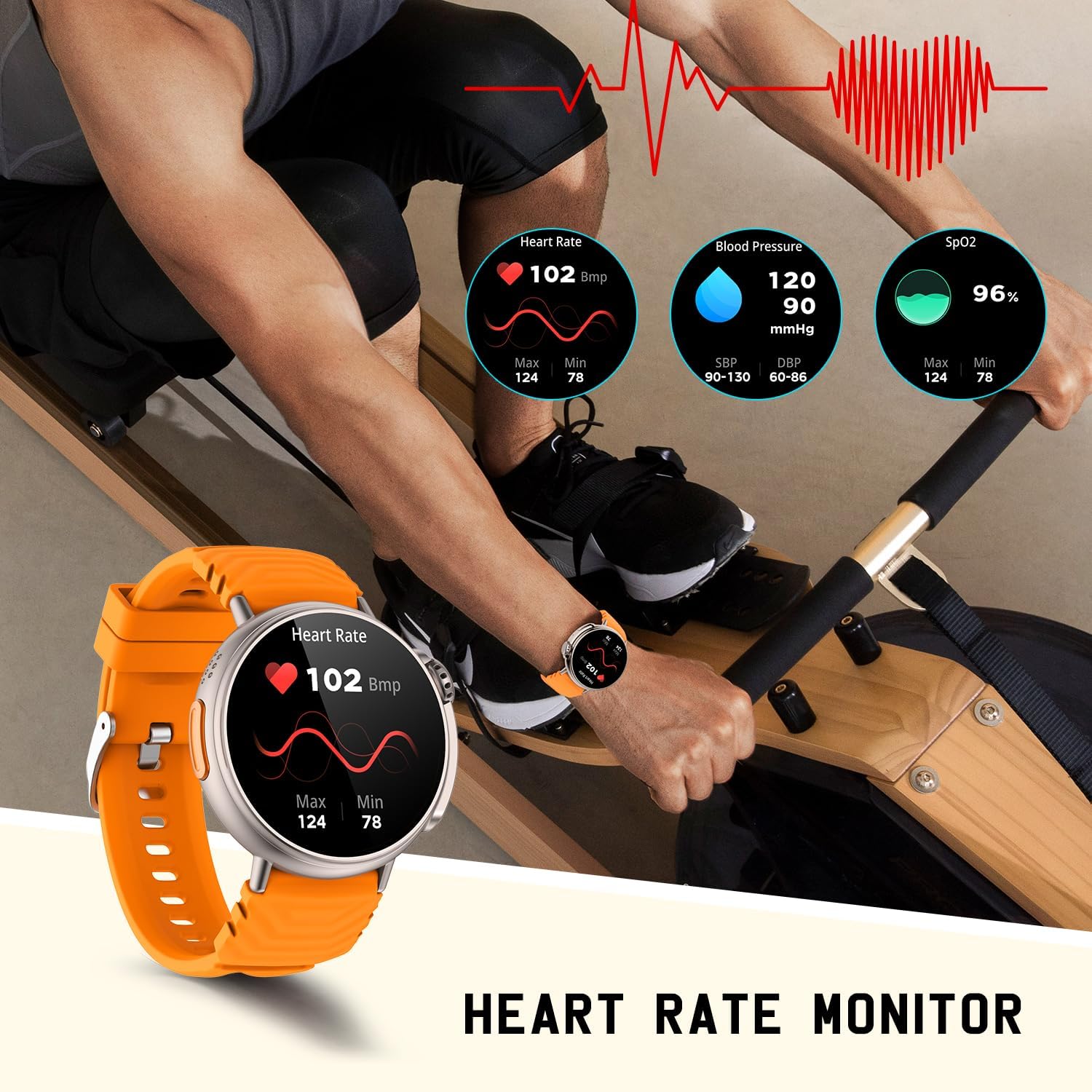
Image: A man using the MISIRUN Smart Watch Ultra GT88 to monitor his heart rate and other vital signs during a workout.

Image: A man tracking his cycling activity using the multi-sport mode on the MISIRUN Smart Watch Ultra GT88.

Image: A man sleeping while wearing the MISIRUN Smart Watch Ultra GT88, illustrating its sleep tracking capability.
3.4 Notifications & AI Voice Assistant
- Message Notifications: Receive message pushes from various apps directly on your watch screen.
- AI Voice Assistant: Long press on the watch to activate the AI voice assistant. You can use voice commands for calls, weather information, music control, and more.

Image: A man receiving message notifications from various social media apps on his MISIRUN Smart Watch Ultra GT88.
Image: A man interacting with the AI Voice Assistant on his MISIRUN Smart Watch Ultra GT88, showing the voice command interface.
4. Maintenance
4.1 Cleaning and Care
Regularly clean your smartwatch and strap to prevent skin irritation and maintain device longevity. Use a soft, damp cloth to wipe the screen and strap. Avoid harsh chemicals or abrasive materials.
4.2 Water Resistance (IP67)
The MISIRUN Smart Watch Ultra GT88 is IP67 waterproof, meaning it is resistant to dust and can withstand immersion in water up to 1 meter for up to 30 minutes. It is suitable for daily use, hand washing, and light rain. Avoid prolonged immersion, hot water, or steam.

Image: The MISIRUN Smart Watch Ultra GT88 with water droplets, illustrating its IP67 waterproof rating.
5. Troubleshooting
- Watch not turning on: Ensure the watch is fully charged. Connect it to the charging cable and a power source for at least 30 minutes.
- Cannot pair with phone:
- Ensure Bluetooth is enabled on your phone and the watch is within range.
- Make sure you are pairing through the DaFit app, not directly from your phone's Bluetooth settings.
- Restart both your phone and the watch, then try pairing again.
- Notifications not appearing: Check the "Notifications" settings within the DaFit app to ensure all desired app notifications are toggled ON. Also, verify that the watch is properly connected to the app.
- Inaccurate health data: Ensure the watch is worn snugly on your wrist, but not too tight. Clean the sensors on the back of the watch regularly.
- Short battery life: While the watch boasts long battery life, heavy usage of call functions, music playback, or continuous health monitoring can reduce battery duration. Try adjusting screen brightness or turning off unnecessary features.
6. Specifications
| Feature | Detail |
|---|---|
| Model Name | watch ultra (GT88) |
| Brand | MISIRUN |
| Screen Size | 1.52 inches |
| Display Type | Round HD Display |
| Connectivity | Bluetooth |
| Water Resistance | IP67 |
| Battery Type | Lithium Polymer |
| Item Weight | 2.79 ounces (79 Grams) |
| Product Dimensions | 2.05 x 1.95 x 0.47 inches |
| Special Features | Sleep Monitor, Activity Tracker, Alarm Clock, Phone Call, Notifications, AI Voice, Music Player, 120+ Sports Modes |
7. Warranty and Support
For warranty information and further support, please refer to the official MISIRUN website or contact their customer service directly. The included user manual also contains detailed contact information.
You can also access the digital Instructions for Use (IFU) PDF here.


