
1. Product Overview
The DEPSTECH RTD36AC rotary tool is a versatile electric tool designed for a wide range of applications including woodworking, carving, drilling, grinding, cutting, polishing, and cleaning. It features a powerful 180W motor and adjustable speeds up to 40,000 RPM, making it suitable for various materials and tasks. The tool comes with a comprehensive set of 128 accessories, a flexible shaft, and a shield attachment for enhanced functionality and safety.

Figure 1: DEPSTECH RTD36AC Rotary Tool and Included Accessories
2. Safety Information
Always observe basic safety precautions to reduce the risk of fire, electric shock, and personal injury when using this tool.
- Wear appropriate personal protective equipment (PPE) such as safety glasses, gloves, and a dust mask.
- Ensure the workpiece is securely clamped before operation.
- Keep the work area clean and well-lit.
- Avoid operating the tool in explosive atmospheres, such as in the presence of flammable liquids, gases, or dust.
- Do not force the tool; let the tool do the work at the appropriate speed.
- Disconnect the tool from the power source before changing accessories or performing maintenance.
- Do not overreach. Keep proper footing and balance at all times.
- Ensure the collet nut is securely tightened with a wrench before use.
3. Product Components
The DEPSTECH RTD36AC rotary tool comes with the main unit and a comprehensive set of accessories for various applications. Key components include:
- Rotary Tool Main Unit: The core device with a 180W motor and 6-speed control.
- Universal Keyless Chuck: Allows for quick and easy accessory changes without a wrench, compatible with shanks from 0.4mm to 3.2mm.
- Flexible Shaft: Provides enhanced flexibility and precision for detailed work like fine grinding and carving.
- Shield Attachment: Offers protection from sparks and debris during cutting and grinding operations.
- 128 Accessories: A wide variety of bits for sanding, grinding, cutting, drilling, carving, polishing, and cleaning.
- Storage Case: A durable case for convenient storage and portability of the tool and its accessories.

Figure 2: Detailed view of the 128 included accessories.
4. Setup Instructions
4.1 Attaching/Changing Accessories
- Ensure the rotary tool is unplugged from the power source.
- Press and hold the spindle lock button.
- Loosen the collet nut by turning it counter-clockwise.
- Insert the desired accessory shank into the collet. Ensure the shank is fully seated.
- Tighten the collet nut by turning it clockwise while holding the spindle lock button. Use the provided wrench for final tightening to ensure the accessory is secure.
- Release the spindle lock button.

Figure 3: Visual guide for attaching accessories.
4.2 Attaching the Flexible Shaft
- Unplug the rotary tool.
- Remove the collet nut and collet from the main unit.
- Insert the inner drive cable of the flexible shaft into the collet of the main unit.
- Securely screw the flexible shaft housing onto the rotary tool's threaded collar.
- Insert the desired accessory into the flexible shaft's chuck and tighten it.
4.3 Attaching the Shield Attachment
- Unplug the rotary tool.
- Thread the shield attachment onto the threaded collar of the rotary tool until it is secure.
- Adjust the shield's position to provide optimal protection for your specific task.
5. Operating Instructions
5.1 Powering On and Speed Adjustment
Plug the tool into a suitable power outlet. Use the speed adjustment dial to select one of the 6 available speeds, ranging from 10,000 to 40,000 RPM. Start with a lower speed for delicate tasks and gradually increase as needed for harder materials or more aggressive removal.
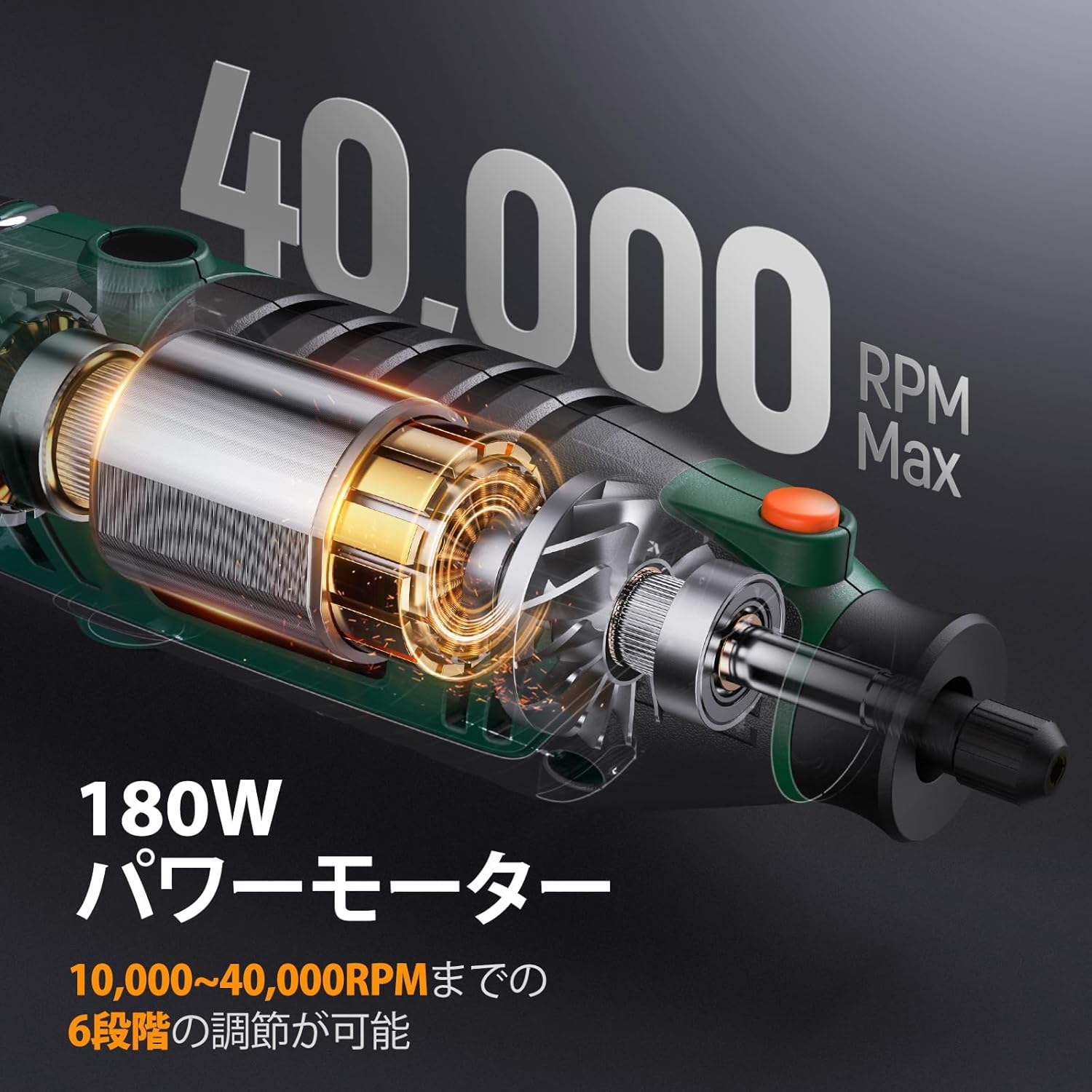
Figure 4: Illustrates the 180W motor and 40,000 RPM maximum speed.
5.2 General Operation Tips
- Apply light pressure. Excessive force can damage the tool or workpiece.
- Keep the tool moving to prevent burning or gouging the material.
- For detailed work, utilize the flexible shaft for improved control and reduced hand fatigue.

Figure 5: Using the flexible shaft for intricate carving.
5.3 Applications
The DEPSTECH rotary tool is suitable for a variety of tasks:
- Carving: Use carving bits for intricate designs on wood, plastic, or soft metals.
- Drilling: Small drill bits can be used for precision holes in various materials.
- Grinding/Sanding: Abrasive bits and sanding bands are effective for shaping, smoothing, and removing material.
- Cutting: Cutting wheels can be used for precise cuts on thin materials like metal, plastic, or ceramic tiles. Always use the shield attachment for cutting.
- Polishing: Felt wheels and polishing compounds can restore shine to metal, plastic, or jewelry.

Figure 6: Examples of the rotary tool's diverse applications.
5.4 Instructional Videos
The following videos demonstrate various uses and features of DEPSTECH rotary tools. Please note that some videos may feature different models, but the operational principles and applications are similar.
Video 1: Demonstrates various applications like carving, cutting, drilling, and speed adjustment using a DEPSTECH Cordless Mini-Router DC08 (similar functionality to RTD36AC).
Video 2: Showcases applications such as cutting, drilling, carving, sanding, and rust removal with a DEPSTECH 8V Mini-Router A1L (similar functionality to RTD36AC).
6. Maintenance
Regular maintenance ensures optimal performance and extends the lifespan of your rotary tool.
- Cleaning: After each use, unplug the tool and clean any dust or debris from the ventilation openings and chuck area using a soft brush or compressed air.
- Accessory Storage: Store accessories in the provided case to prevent damage and loss.
- Cord Inspection: Periodically inspect the power cord for any signs of damage. Do not use the tool if the cord is damaged.
- Carbon Brushes: Check carbon brushes periodically (refer to specific model instructions for frequency). Replace worn brushes to maintain motor efficiency.
7. Troubleshooting
If you encounter issues with your DEPSTECH rotary tool, refer to the following common troubleshooting steps:
| Problem | Possible Cause | Solution |
|---|---|---|
| Tool does not start | No power supply; Damaged power cord; Faulty switch | Check power connection; Inspect power cord; Contact support if switch is faulty |
| Reduced power/speed | Worn carbon brushes; Overload; Incorrect speed setting | Replace carbon brushes; Reduce load; Adjust speed dial |
| Excessive vibration | Bent accessory shank; Loose collet nut; Damaged accessory | Replace bent accessory; Tighten collet nut; Replace damaged accessory |
| Overheating | Blocked ventilation; Prolonged heavy use | Clean ventilation openings; Allow tool to cool down; Reduce load |
If the problem persists after trying these steps, please contact customer support.
8. Specifications
| Feature | Specification |
|---|---|
| Brand | DEPSTECH |
| Model Number | RTD36AC |
| Package Dimensions | 28.9 x 23.7 x 8.3 cm |
| Item Weight | 1.91 Kilograms |
| Color | Green |
| Power Source | Corded Electric |
| Max Rotational Speed | 40000 RPM |
| Special Features | 128 Accessories, Flexible Shaft, Universal Keyless Chuck, Powerful 180W Motor, Max 40000RPM High-Speed Rotation |
| Included Components | 127 Accessories / Main Unit |
| Batteries Included | No |
| Recommended Uses | Cutting, Carving, Cleaning, Grinding, Polishing, Drilling, Chamfering |
9. Warranty and Support
This DEPSTECH rotary tool comes with a 12-month warranty from the date of purchase. Please retain your proof of purchase for warranty claims.
For technical support, troubleshooting assistance, or warranty inquiries, please contact DEPSTECH customer service through the retailer where the product was purchased or visit the official DEPSTECH website for contact information.


