
Product Overview
The DSD TECH SH-B50L is a Lora communication product designed for long-distance point-to-point data transmission without the need for an additional gateway. It facilitates the transfer of RS232 or RS485 interface data using Lora technology.
This module operates in the 850.125~930.125MHz frequency band and utilizes LoRa spread spectrum technology, making it suitable for long-distance and complex environment communication. It features a built-in Semtech LLCC68 Lora chip and supports a power supply voltage of 5V, with a DC input range of 5V to 24V.
The SH-B50L is compatible with other DSD TECH Lora products like the SH-L1A for communication, but it is not designed to communicate with third-party Lora products.
Key Features
- Lora to RS485/RS232: Enables Lora communication for RS232 or RS485 interface data transfer.
- Long-Range Communication: Receiving sensitivity of -129dbm, operating in the 850.125~930.125MHz band. Transmission distance of 0.5KM - 1.5KM (depending on antenna).
- Industrial Grade: Built-in Semtech LLCC68 Lora chip. Supports 5V-24V DC input.
- Free Configuration Software: DSD TECH provides free software for configuring serial port and Lora parameters.
- Compatibility: Communicates with other DSD TECH Lora products (e.g., SH-L1A).
Specifications
| Feature | Value |
|---|---|
| Model | SH-B50L |
| Chip | LLCC68 |
| Power Supply Voltage | 5V |
| Supported Protocols | RS232/485 communication protocol |
| Transmit Power | 22dBm |
| Carrier Frequency | 850.125~930.125MHz |
| Transmission Distance | 0.5KM - 1.5KM (depending on antenna) |
| Receiving Sensitivity | -129dbm |
| Air Rate | 2.4k~62.5kbps |
| Transmitting Current | 110mA |
| DC Input | 5V to 24V |
| Operating Temperature | -40~+85℃ |
| Item Weight | 7 ounces |
| Package Dimensions | 4.92 x 4.8 x 1.26 inches |
Package Contents
- 1 × SH-B50L RS485/232 to Lora Adapter
- 1 × USB DC Power Cable
- 1 × Glue stick antenna
- 1 × User manual (this document)
Physical Overview and Connections
The SH-B50L module features various ports and indicators for easy integration and operation.

- RS232 Female: Standard DB9 connector for RS232 serial communication.
- RS485 (A+, B-): Screw terminals for RS485 differential serial communication.
- Lora Antenna Interface: SMA connector for attaching the included glue stick antenna.
- DC Power Input (5V-36V): Barrel jack for power supply.
- Config/RUN Switch: A slide switch to toggle between configuration mode (for software setup) and run mode (for normal operation).
- PWR LED: Power indicator.
- AUX LED: Auxiliary indicator, often used for data transmission/reception status.
Setup and Configuration
1. Hardware Connection
- Attach Antenna: Screw the provided glue stick antenna onto the Lora Antenna Interface. Ensure it is securely fastened.
- Power Supply: Connect the USB DC Power Cable to the DC Power Input port. Connect the other end to a 5V-24V power source. The PWR LED should light up.
- Serial Connection: Connect your device (e.g., computer, microcontroller) to the SH-B50L using either the RS232 or RS485 interface as required by your application.
2. Software Configuration
The SH-B50L requires initial configuration using DSD TECH's free configuration software. This software allows you to set parameters for both serial communication and Lora operation.
- Download Software: Obtain the latest configuration software from the DSD TECH official website.
- Enter Configuration Mode: Before connecting to your computer for configuration, ensure the Config/RUN switch on the SH-B50L module is set to the "Config" position.
- Connect to PC: Connect the SH-B50L module to your computer via a USB-to-serial converter (if using RS232/485 directly) or through the USB DC power cable if it supports data passthrough.
- Launch Software: Open the DSD TECH Lora configuration software on your computer.
- Set Parameters: Within the software, you can configure various parameters including:
- Baud Rate (e.g., 9600bps)
- Transmission Mode (e.g., Normal)
- Channel (e.g., 23)
- Air Rate (e.g., 2.4kbps)
- Transmit Power (e.g., 22dBm)
- Work Mode (e.g., Normal)
- Packet Size (e.g., 200 Bytes)
- Parity, Address, Key, etc.
- Apply Settings: After adjusting parameters, click "Set Param" to apply them to the module. You can click "Get Param" to verify the changes.
- Exit Configuration Mode: Once configured, switch the Config/RUN switch back to the "RUN" position for normal operation.

Operating the Lora Module
Once configured, the SH-B50L module can be used for wireless data transmission between compatible Lora devices.
Point-to-Point Communication
The SH-B50L can establish a direct Lora network connection with another compatible DSD TECH Lora module (e.g., SH-L1A) to transmit data from one serial device to another.
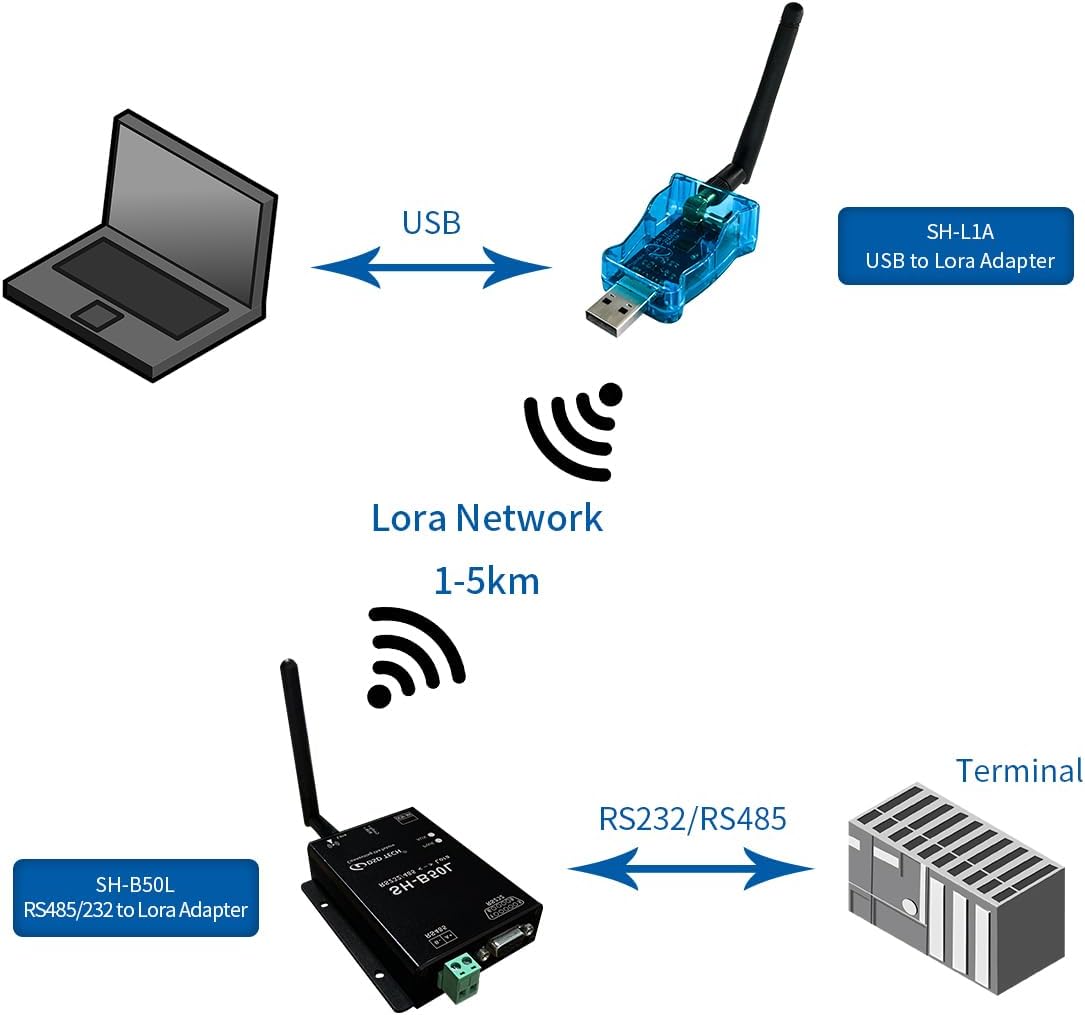
- Ensure both transmitting and receiving Lora modules are powered on and in "RUN" mode.
- Verify that both modules are configured with matching Lora parameters (e.g., frequency, channel, spreading factor).
- Data sent through the serial port of one module will be transmitted wirelessly via Lora and received by the serial port of the other module.

Lora Network Capabilities
The Lora technology employed by the SH-B50L supports features beneficial for robust wireless communication:
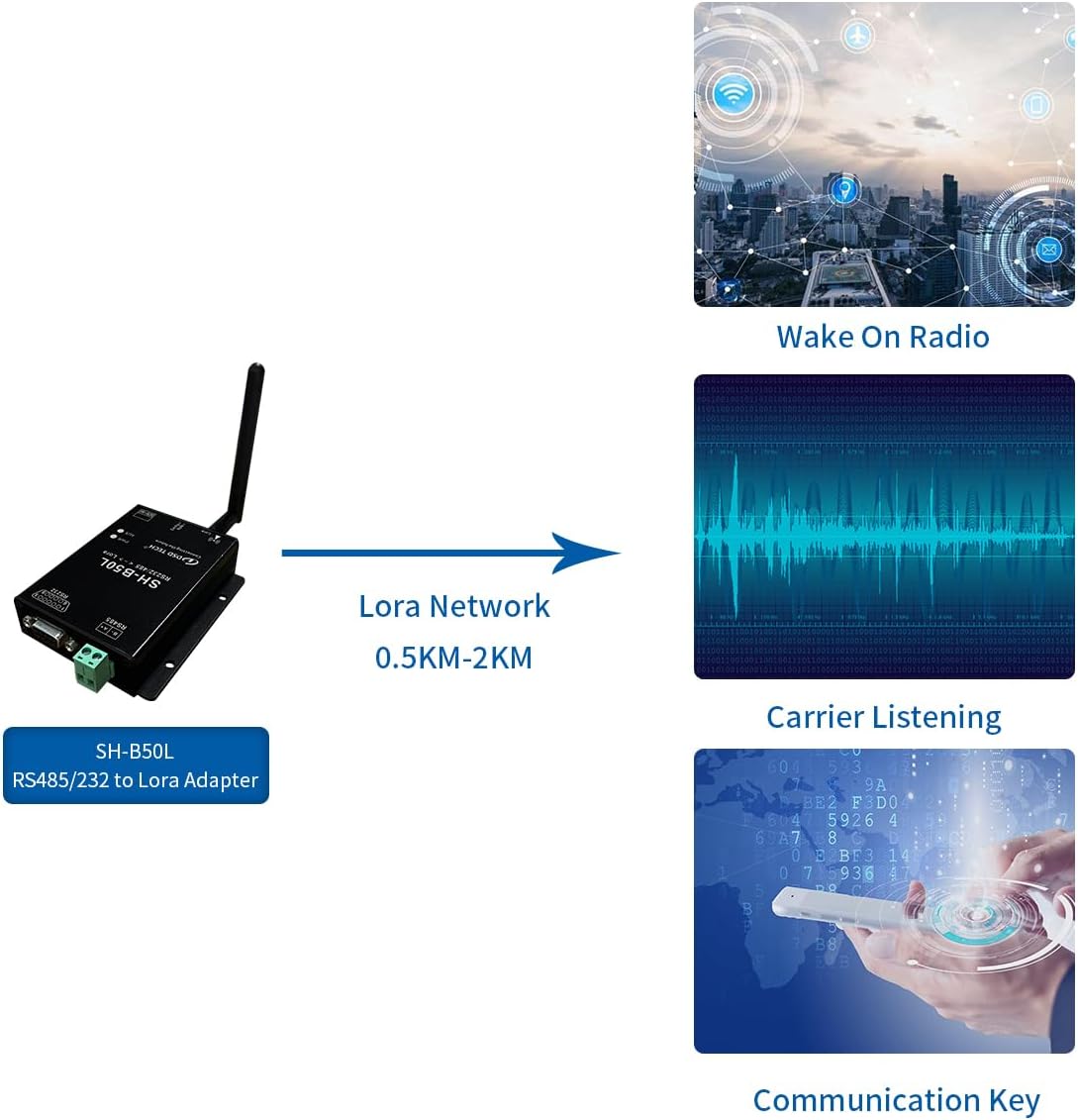
- Wake On Radio: Allows the module to enter a low-power sleep state and wake up upon receiving a radio signal, conserving energy.
- Carrier Listening: Enables the module to detect if the channel is busy before transmitting, reducing collisions and improving network efficiency.
- Communication Key: Provides a security layer for data transmission, ensuring only authorized devices can communicate.
Maintenance
- Keep the module in a dry environment to prevent moisture damage.
- Ensure proper ventilation to avoid overheating, especially during continuous operation.
- Regularly check antenna connections for tightness to maintain optimal signal strength.
- Update configuration software from the official DSD TECH website as new versions become available.
Troubleshooting
- No Power (PWR LED off):
- Check power cable connection.
- Verify power source is supplying 5V-24V DC.
- Ensure the power adapter is functional.
- No Communication:
- Confirm both modules are powered on and in "RUN" mode.
- Verify that Lora parameters (frequency, channel, spreading factor, etc.) are identical on both modules using the configuration software.
- Check serial port connections (RS232/RS485) and ensure correct wiring.
- Ensure antennas are securely attached and not obstructed.
- Confirm modules are within transmission range.
- Remember that SH-B50L only communicates with other DSD TECH Lora products.
- Configuration Software Issues:
- Ensure the Config/RUN switch is in the "Config" position before connecting to the software.
- Verify correct USB-to-serial driver installation on your PC.
- Try a different USB port or cable.
Warranty and Support
DSD TECH offers a 1-year warranty and lifetime technical support for the SH-B50L RS232/485 to Lora Adapter. For any questions or issues, please contact DSD TECH customer support. Issues will typically be addressed within 24 hours.
DSD TECH focuses on the development of communication connection devices such as USB/Serial/Wireless and has served over 100,000 customers globally.
Related Products and Usage Scenarios
The DSD TECH SH-B50L is part of a Lora series designed for various long-range wireless communication needs. It can be paired with other DSD TECH Lora adapters for comprehensive solutions.

The SH-B50L is ideal for applications requiring reliable long-distance data transfer where traditional wireless technologies like Wi-Fi or Bluetooth fall short. This includes industrial monitoring, remote sensor networks, and other scenarios needing robust, low-power wide-area communication.
Product Dimensions

Official Product Videos
Why I Bought This Wireless Lora to RS232 from DSD Tech
Video Description: This video provides a user's perspective on why they purchased the DSD TECH Wireless Lora to RS232 module. It highlights the benefits and potential applications from a practical user standpoint.