
1. Introduction
Thank you for choosing the AICase Biometric Fingerprint Padlock E0527-P. This keyless padlock offers enhanced security and convenience, utilizing advanced fingerprint recognition technology. It is designed for various applications, including luggage, lockers, backpacks, and more. This manual provides essential information for the proper setup, operation, and maintenance of your new padlock.
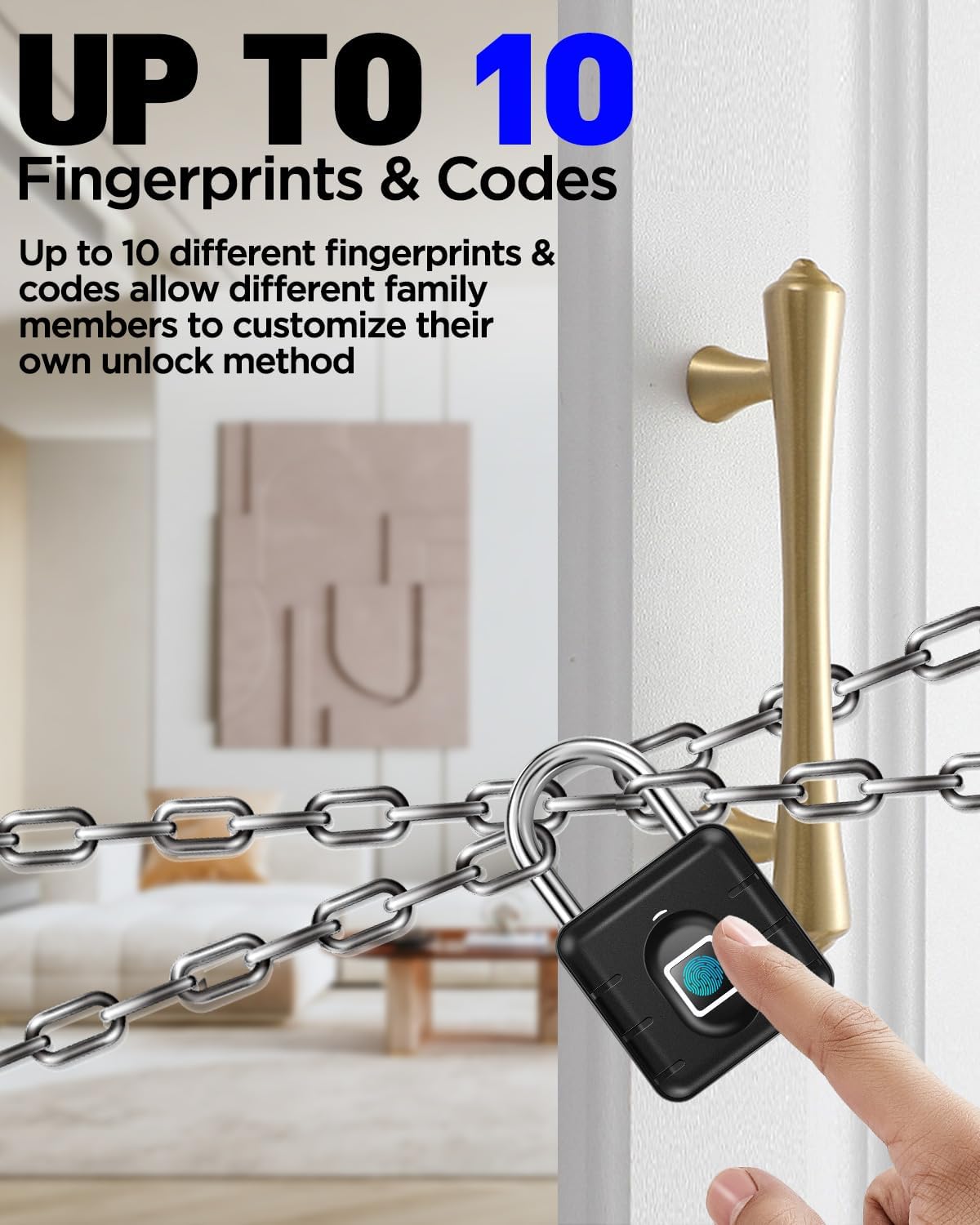
Image 1.1: The AICase Biometric Fingerprint Padlock E0527-P, showcasing its compact design and fingerprint sensor.
2. Product Features
- Keyless Fingerprint Access: Unlock with a simple touch of your finger. No keys or combinations needed.
- Up to 10 Fingerprints: Supports storage for up to 10 unique fingerprints, with the first two registered as administrator fingerprints.
- Fast Recognition: Identifies fingerprints in approximately 0.3 seconds for quick unlocking.
- IP67 Waterproof Rating: Designed to withstand dust and water immersion, suitable for both indoor and outdoor use.
- Durable Construction: Features an aluminum alloy body and a stainless steel shackle for enhanced tamper resistance and rust protection.
- Long Battery Life: Built-in 420mAh lithium battery provides extended standby time, up to 12 months on a single charge.
- Wide Operating Temperature: Functions reliably in temperatures ranging from -22°F to 158°F (-30°C to 70°C).

Image 2.1: Visual representation of the padlock's robust features, including its anti-cut shackle, resistance to cracking, anti-theft design, and IP67 waterproof rating.

Image 2.2: The padlock's ability to function reliably in a wide range of temperatures, from extreme cold (-22°F) to high heat (158°F), highlighting its IP67 weatherproof design.
3. Package Contents
- 1 x AICase Biometric Fingerprint Padlock E0527-P
4. Specifications
| Feature | Detail |
|---|---|
| Model Number | E0527-P |
| Lock Type | Biometric Fingerprint |
| Fingerprint Capacity | Up to 10 (First 2 are administrators) |
| Unlock Speed | Approximately 0.3 seconds |
| Waterproof Rating | IP67 |
| Material | Aluminum Alloy (Body), Stainless Steel (Shackle) |
| Battery | Built-in 420mAh Lithium Battery |
| Standby Time | Up to 12 months |
| Operating Temperature | -22°F to 158°F (-30°C to 70°C) |
| Dimensions (L x W x H) | 0.39 x 0.39 x 0.39 inches (10 x 10 x 10 mm) |
| Item Weight | 4.2 ounces (119 grams) |
5. Getting Started
5.1 Initial Setup and Factory Mode
Upon first use, the padlock is in factory mode. In this mode, any skin contact with the fingerprint sensor will unlock the padlock. It is crucial to register your administrator fingerprint immediately to secure the device.
5.2 Charging the Padlock
Before initial use, ensure the padlock is fully charged. Connect the padlock to a USB power source using a standard Micro-USB cable (not included). The indicator light will show charging status. A full charge can provide up to 12 months of standby time.
5.3 Adding Administrator Fingerprints (First Two Fingerprints)
The first two fingerprints registered will automatically be designated as administrator fingerprints. Administrators have the authority to add or delete other user fingerprints.
- Ensure the padlock is unlocked (in factory mode, any touch unlocks it).
- Press and hold your finger on the fingerprint sensor for approximately 5 seconds. The blue indicator light will turn on. Release your finger.
- Tap your finger on the sensor repeatedly (about 5-10 times) from different angles until the blue light turns off and the registration process stops. This indicates successful registration.
- Repeat steps 1-3 for a second administrator fingerprint, if desired.

Image 5.1: A three-step visual guide demonstrating how to register a fingerprint: 1. Unlock the door with your fingerprint. 2. Press and hold for 5 seconds until the blue light turns on. 3. Tap repeatedly until the light turns off.
5.4 Adding User Fingerprints (Fingerprints 3-10)
After registering administrator fingerprints, you can add up to 8 additional user fingerprints.
- Unlock the padlock using an already registered administrator fingerprint.
- While the padlock is unlocked, press and hold an administrator's finger on the sensor for approximately 5 seconds until the blue indicator light turns on. Release the administrator's finger.
- Have the new user tap their finger on the sensor repeatedly (about 5-10 times) from different angles until the blue light turns off and the registration process stops.
- Repeat for other user fingerprints as needed, up to a total of 10 fingerprints (2 administrators + 8 users).
6. Operating Instructions
6.1 Unlocking the Padlock
To unlock the padlock, simply place a registered finger on the fingerprint sensor. The padlock will unlock in approximately 0.3 seconds, and the indicator light will briefly turn green.

Image 6.1: A hand demonstrating the quick 0.3-second fingerprint unlocking process on the AICase padlock, shown in a gym environment.
6.2 Deleting All Fingerprints
To remove all registered fingerprints from the padlock, follow these steps:
- Unlock the padlock using an administrator fingerprint.
- While the padlock is unlocked, press and hold an administrator's finger on the sensor for approximately 10 seconds. The indicator light will cycle from blue to white, then to red.
- Release your finger when the red light is on. All fingerprint data will be deleted, and the padlock will return to factory mode (any skin contact will unlock it).

Image 6.2: A visual guide illustrating the process of deleting all registered fingerprints: 1. Unlock with a registered fingerprint. 2. Press and hold until the light cycles from blue to white to red. 3. Release when red light is on to confirm deletion.
7. Maintenance
7.1 Battery Management
The padlock is equipped with a built-in 420mAh lithium battery. When the battery is low, the indicator light will flash red during operation. Recharge the padlock using a Micro-USB cable connected to a 5V USB power source. While the battery is designed for long life, if it eventually requires replacement, please contact customer support for assistance.

Image 7.1: The padlock displaying a flashing red light, indicating a low battery status and the need for recharging.
7.2 Cleaning and Storage
To maintain optimal performance, regularly wipe the padlock body and fingerprint sensor with a soft, dry cloth. Avoid using abrasive cleaners or solvents. Store the padlock in a cool, dry place when not in use for extended periods.
8. Troubleshooting
- Padlock does not unlock:
- Ensure your finger is clean and dry, and covers the sensor completely.
- Verify that your fingerprint is registered. If not, register it as an administrator or user.
- Check the battery level. If the red light flashes, recharge the padlock.
- Fingerprint not recognized consistently:
- Try re-registering your fingerprint, ensuring you capture multiple angles during the process.
- Ensure the sensor is clean and free of dirt or moisture.
- Padlock unlocks with any touch (Factory Mode):
- This indicates the padlock is in factory mode. You must register at least one administrator fingerprint to secure the device. Refer to Section 5.3.
- Padlock is unresponsive:
- The battery may be completely depleted. Charge the padlock for at least 30 minutes before attempting to use it again.
9. Safety Information
- Do not attempt to disassemble or modify the padlock. This may damage the device and void the warranty.
- Keep the padlock away from extreme heat sources or open flames.
- Avoid dropping the padlock or subjecting it to severe impacts.
- Ensure the fingerprint sensor is clean and dry for optimal performance.
- This padlock is designed for general security purposes and should not be used for securing high-value items where maximum security is required.
10. Contact and Support
For technical support, warranty information, or any questions regarding your AICase Biometric Fingerprint Padlock E0527-P, please contact AICase customer service through the retailer where you purchased the product or visit the official AICase website.