
1. Introduction
This manual provides essential information for the safe and effective use of your BAOFENG UV-5R 3800mAh USB-C Extended Battery. This high-capacity Lithium-Ion battery is designed to provide extended operating time for compatible BAOFENG ham radios and features convenient USB-C charging capabilities.
2. Compatibility
The BAOFENG UV-5R 3800mAh USB-C Extended Battery is compatible with the following BAOFENG radio models:
- BAOFENG UV-5R
- BAOFENG BF-8HP
- BAOFENG UV-5RX3
- BAOFENG RD-5R
- BAOFENG UV-5RTP
- BAOFENG UV-5R MK2
- BAOFENG UV-5R MK3X
- BAOFENG UV-5R MK5 PLUS Series Radios
Note: This battery is not compatible with the following models:
- 5RM series (UV-5RM, AR-5RM, UV-5RH)
- UV-5G Plus
- GM-5RH
- K5PLUS

Figure 2.1: Visual guide to compatible and incompatible radio models.
3. Installation
To install the extended battery onto your compatible BAOFENG radio:
- Ensure the radio is powered off.
- Align the battery with the battery compartment on the back of the radio.
- Slide the battery upwards until it clicks securely into place. Ensure the battery release latch is engaged.
- To remove, press the battery release latch and slide the battery downwards.
Video 3.1: Demonstration of battery installation and removal on a BAOFENG UV-5R radio.
4. Charging
The BAOFENG UV-5R 3800mAh USB-C Extended Battery offers versatile charging options:
4.1. USB-C Charging
The battery features a built-in USB-C port for direct charging. This allows for convenient charging from various power sources:
- Power bank
- Personal computer (PC)
- Car charger
- Wall adapter (USB power supply)
- Laptop
To charge via USB-C:
- Connect the provided Type-C charging cable to the USB-C port on the battery.
- Connect the other end of the cable to a compatible USB power source.
- Observe the charging indicator light on the battery.

Figure 4.1: USB-C charging in a vehicle.
4.2. Charging Indicator
The battery is equipped with an LED indicator to show charging status:
- Red Light: Indicates the battery is currently charging.
- Green Light: Indicates the battery is fully charged.
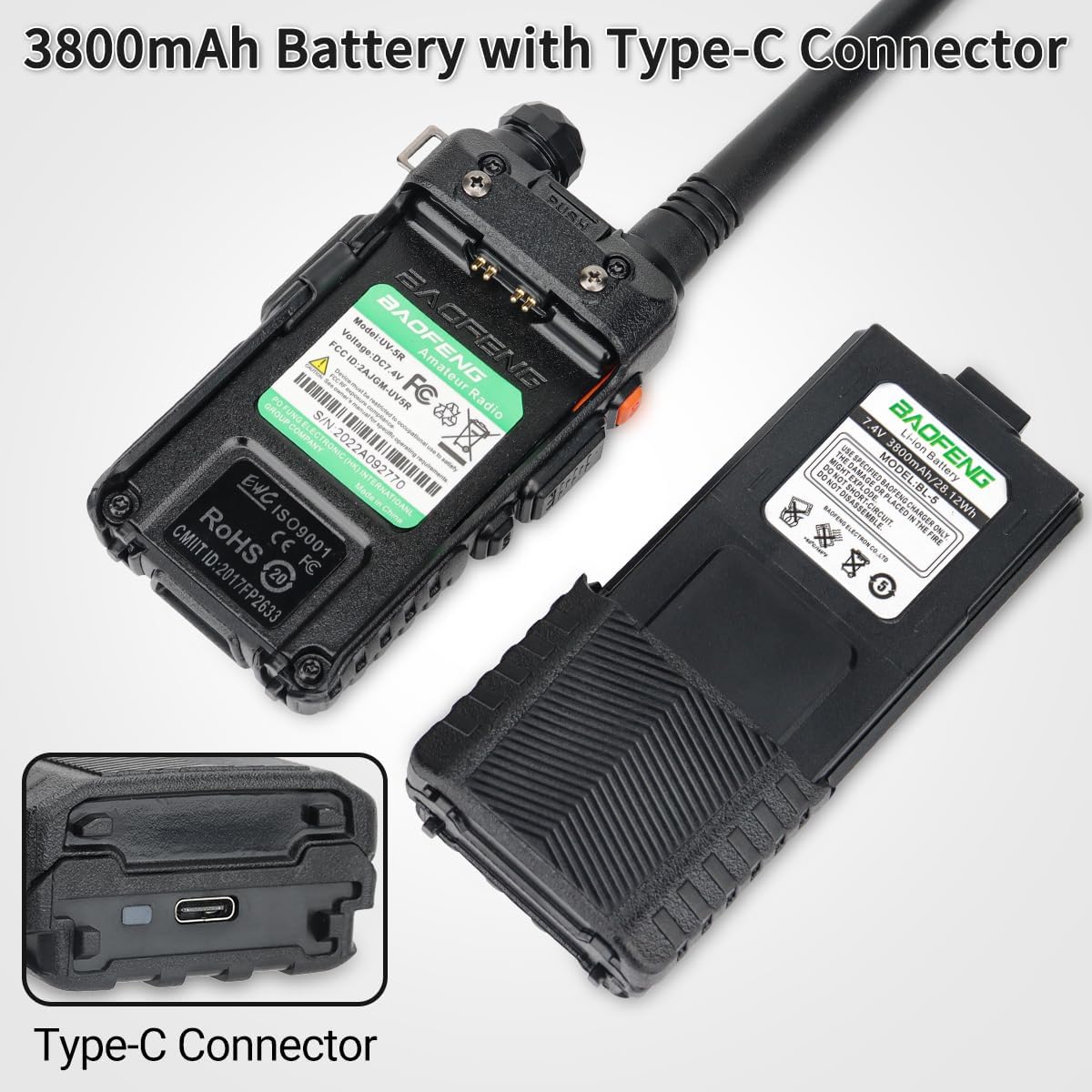
Figure 4.2: Battery charging status indicators.
4.3. Two-Way Charging Support
In addition to USB-C direct charging, the battery also supports charging using the original BAOFENG desktop charger base.

Figure 4.3: Two-way charging options for the battery.
5. Safety Guidelines
This battery has undergone high pressure and high temperature testing to ensure safety and includes protection against:
- Over-charge
- Over-heat
- Over-discharge
To maintain battery longevity and ensure safe operation:
- Use only specified BAOFENG chargers or the provided Type-C charging cable.
- Do not disassemble the battery.
- Do not place the battery in fire or expose it to extreme temperatures.
- Avoid short-circuiting the battery terminals.
- The high-impact housing is designed for ruggedness, but avoid severe mechanical shock.
6. Product Specifications
| Feature | Specification |
|---|---|
| Model Number | UV-5R Battery |
| Battery Cell Composition | Lithium Ion |
| Battery Capacity | 3800 Milliamp Hours (mAh) |
| Voltage | 7.4 Volts |
| Reusability | Rechargeable |
| Battery Weight | 100 Grams |
| Item Weight (per battery) | 0.32 Kilograms (approx. 0.7 lbs for 2-pack) |
| Charging Interface | USB-C, also compatible with original BAOFENG desktop charger |

Figure 6.1: Physical dimensions of the extended battery.
7. Warranty and Support
According to product information, there is no specific warranty description provided for this product. For any product-related inquiries or technical support, please refer to the contact information provided by your retailer or the BAOFENG official website.


