
Introduction
Thank you for choosing the Mollie Countertop Ice Maker. This compact and elegant device is designed to provide you with fresh ice quickly and efficiently. It features a user-friendly interface, automatic shut-off when the ice basket is full, and a self-cleaning function. This manual provides essential information for the safe and effective operation, maintenance, and troubleshooting of your ice maker.
Important Safety Instructions
Please read all instructions carefully before using the appliance. Keep this manual for future reference.
- Ensure the power outlet voltage matches the appliance's requirements.
- Do not immerse the appliance, power cord, or plug in water or other liquids.
- Unplug the ice maker from the outlet when not in use, before cleaning, or during maintenance.
- Do not operate any appliance with a damaged cord or plug, or after the appliance malfunctions or has been damaged in any manner.
- Keep the appliance away from heat sources and direct sunlight.
- Ensure proper ventilation around the unit. Do not block ventilation openings.
- Use only potable water in the ice maker.
- This appliance is for household use only.
Product Components
Familiarize yourself with the main parts of your Mollie Ice Maker:
- Ice Maker Unit
- Removable Ice Basket
- Ice Scoop
- Water Reservoir (internal)
- Control Panel with LCD Display

Image: The Mollie ice maker showing the removable ice basket and ice scoop, highlighting key components.

Image: An internal view of the ice maker, detailing the ice shelf where ice collects and the watering zone for water circulation.
Setup
- Unpacking: Carefully remove all packaging materials. Inspect the ice maker for any damage.
- Placement: Place the ice maker on a stable, level surface, away from direct sunlight and heat sources. Ensure there is at least 4 inches (10 cm) of space around the unit for proper ventilation.
- Initial Cleaning: Before first use, clean the interior of the ice maker. Refer to the "Maintenance" section for detailed cleaning instructions.
- Add Water: Open the lid and fill the water reservoir with potable water up to the MAX fill line. Do not overfill.

Image: A hand pouring water into the ice maker's reservoir, illustrating the first step of adding water.
Operating Instructions
Control Panel Overview

Image: A detailed illustration of the ice maker's control panel, labeling the power button, SET button, SELECT button, LCD display, and various indicator icons for ice size, ice full, add water, and timer functions.
- Power Button: Turns the unit ON/OFF.
- SET Button: Used for setting the timer.
- SELECT Button: Used to choose ice cube size (S, M, L).
- LCD Display: Shows current time, ice size, and status indicators.
- Up/Down Arrows: Adjust timer settings or other parameters.
Making Ice
- Ensure the water reservoir is filled with potable water.
- Plug the ice maker into a grounded electrical outlet.
- Press the Power Button to turn on the appliance.
- Press the SELECT Button to choose your desired ice cube size: Small (S), Medium (M), or Large (L). The selected size will be indicated on the LCD display.
- The ice maker will begin the ice-making cycle. The first batch of ice typically takes about 10 minutes.
- When the ice basket is full, the "Ice Full" indicator will illuminate, and the ice maker will automatically stop production.
- When the water level is low, the "Add Water" indicator will illuminate, and the ice maker will stop production. Refill the reservoir to resume.

Image: An illustration showing the rapid ice production process, with 9 bullet-shaped ice cubes being formed in approximately 10 minutes.
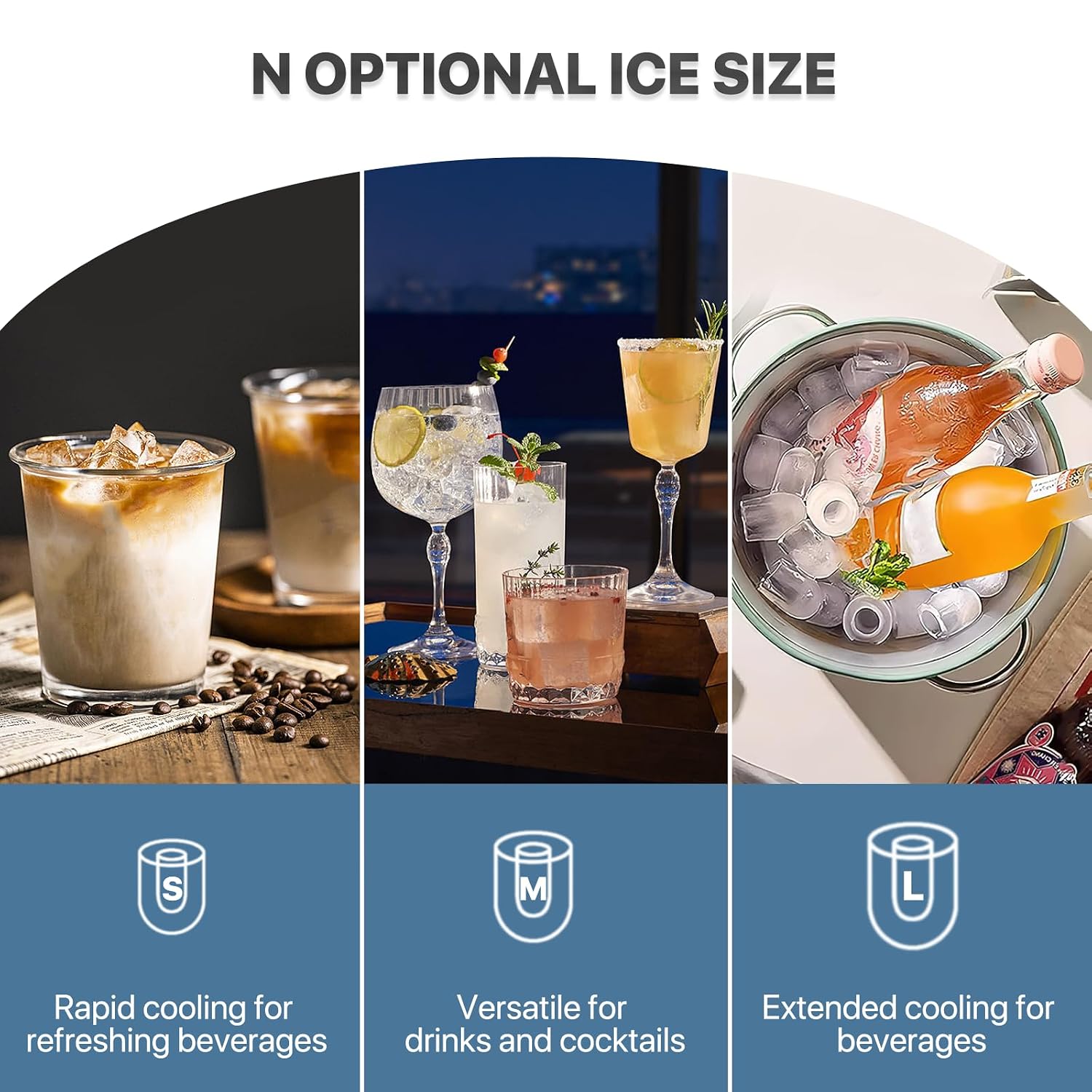
Image: A visual representation of the three available ice cube sizes (Small, Medium, Large) and their recommended uses for different beverages.
Collecting Ice
Use the provided ice scoop to remove ice from the basket. The removable ice basket allows for easy transfer of ice to other containers.

Image: The ice maker with its lid open, revealing a full basket of bullet ice cubes, accompanied by the ice scoop.
Maintenance
Self-Cleaning Function
The ice maker features a self-cleaning function to maintain hygiene. To activate:
- Ensure the water reservoir is filled with clean water.
- Press and hold the Power Button for 5 seconds. The self-cleaning cycle will begin.
- The cycle will run for a few minutes, circulating water to clean internal components.
- Once the cycle is complete, drain the water from the unit.

Image: An illustration demonstrating how to activate the self-cleaning function by pressing and holding the ice making button for 3 seconds, showing water circulating within the unit.
Draining Water
To drain water from the unit:
- Unplug the ice maker from the power outlet.
- Locate the drain plug at the bottom of the unit.
- Place a container under the drain plug and remove the plug to allow water to flow out.
- Once all water has drained, replace the drain plug securely.

Image: A close-up view of the bottom water outlet on the ice maker, showing water being drained, providing a convenient drainage point.
General Cleaning
- Wipe the exterior with a soft, damp cloth.
- Clean the ice basket and scoop with mild detergent and rinse thoroughly.
- For internal cleaning beyond the self-cleaning function, a solution of water and vinegar can be used, followed by thorough rinsing with clean water.
- Ensure all parts are dry before reassembling and storing.
Troubleshooting
If you encounter issues with your ice maker, refer to the following common problems and solutions:
| Problem | Possible Cause | Solution |
|---|---|---|
| Ice maker not producing ice. | No water in reservoir. Unit not plugged in. Ambient temperature too high. | Fill reservoir with water. Ensure unit is properly plugged in. Move unit to a cooler location. |
| "Add Water" indicator is on. | Water level is low. | Refill the water reservoir with potable water. |
| "Ice Full" indicator is on, but basket is not full. | Ice sensor is obstructed or dirty. | Clean the ice sensor (located near the ice basket) with a soft cloth. Ensure no ice cubes are blocking the sensor. |
| Ice cubes are too small or clumpy. | Water temperature too high. Ambient temperature too high. | Use colder water. Move unit to a cooler location. |
| Unusual noise during operation. | Unit not level. Internal components vibrating. | Ensure the unit is on a stable, level surface. If noise persists, contact customer support. |
Specifications
| Feature | Detail |
|---|---|
| Model Number | A54-IM-002-1800ML-BK-SL |
| Brand | Mollie |
| Color | Black/Silver |
| Material | Stainless Steel |
| Voltage | 110 Volts |
| Wattage | 120 Watts |
| Installation Method | Countertop |
| Water Tank Capacity | 1.8 Liters |
| Ice Production (per cycle) | 9 cubes in 10 minutes |
| Daily Ice Production | Approximately 26 lbs (11.8 kg) |
| Ice Cube Sizes | Small, Medium, Large (bullet-shaped) |
| Noise Level | Less than 35 dB |
| Product Dimensions (L x W x H) | 16 x 12 x 15 inches (40.64 x 30.48 x 38.1 cm) |
| Product Weight | 16.53 lbs (7.5 kg) |
| Included Components | Ice Maker, Ice Basket, Ice Scoop |
Warranty and Support
For warranty information or technical support, please refer to the contact details provided with your purchase or visit the official Mollie website. Keep your purchase receipt as proof of purchase for warranty claims.