
ALONEFIRE X30
ALONEFIRE X30 Mini LED Flashlight User Manual
Model: X30 | Brand: ALONEFIRE
Product Overview
The ALONEFIRE X30 Mini LED Flashlight is a compact, powerful, and versatile lighting tool designed for various outdoor activities, everyday carry (EDC), and automotive use. It features multiple lighting modes, a long-lasting rechargeable battery, and a durable, waterproof aluminum housing. Its integrated tail magnet and metal holding clip enhance its utility, allowing for hands-free operation and convenient portability.
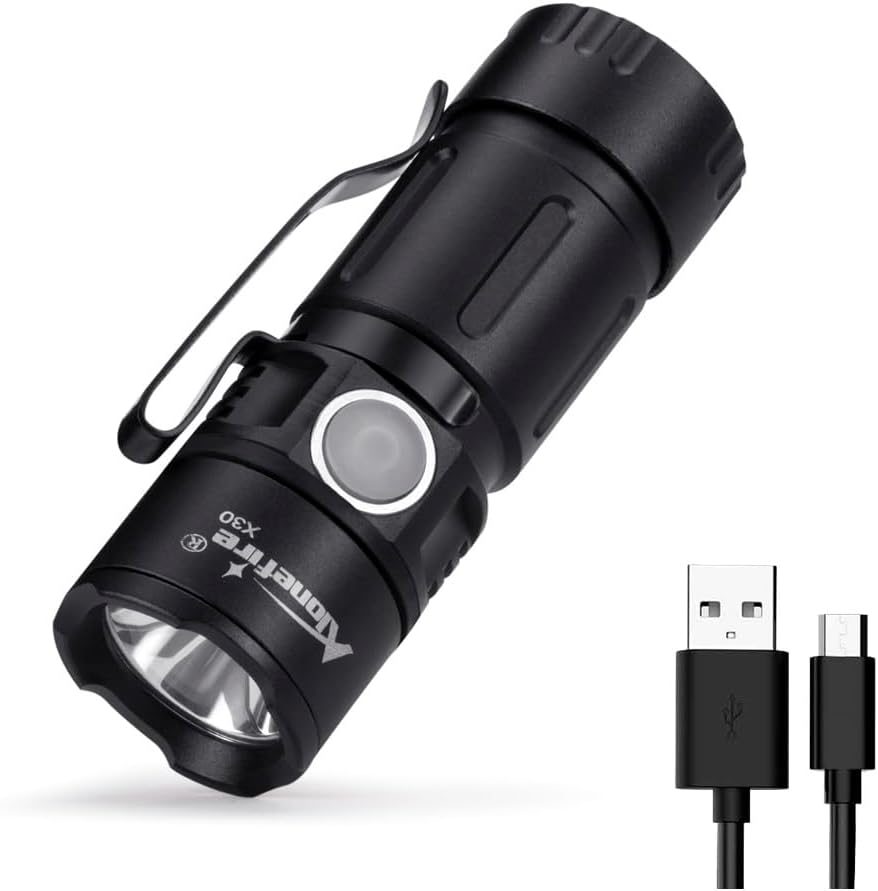
Figure 1: ALONEFIRE X30 Mini LED Flashlight and included USB charging cable.
Package Contents
- ALONEFIRE X30 Mini LED Flashlight
- 1 Lithium Metal Battery (pre-installed)
- USB Charging Cable

Figure 2: The flashlight and its USB charging cable, as typically found in the package.
Setup and Initial Use
Battery Installation
The ALONEFIRE X30 comes with a pre-installed lithium metal battery. Before first use, ensure the battery is properly seated and the tail cap is securely tightened.
- Unscrew the tail cap of the flashlight by turning it counter-clockwise.
- Verify that the 16340 lithium-ion battery is inserted with the positive (+) end facing towards the flashlight head.
- Screw the tail cap back on clockwise until it is finger-tight.
Charging the Battery
The flashlight features a USB charging port for convenient recharging. A full charge provides up to 1.5 hours of illumination in high mode.
- Locate the USB charging port on the flashlight body. It is typically covered by a rubber flap for water resistance.
- Gently lift the rubber flap to expose the micro-USB port.
- Connect the provided USB charging cable to the flashlight's port and the other end to a compatible USB power source (e.g., computer, power bank, wall adapter).
- The indicator light will show red during charging and turn green when fully charged.
- Once charging is complete, disconnect the cable and firmly press the rubber flap back into place to maintain water resistance.

Figure 3: The flashlight connected for USB charging, illustrating the red (charging) and green (full charge) indicator lights.
Operating Instructions
Power On/Off and Mode Selection
The ALONEFIRE X30 features five lighting modes: High, Medium, Low, Strobe, and SOS.
- To turn the flashlight ON, press the side button once.
- To cycle through the modes (High > Medium > Low > Strobe > SOS), press the side button repeatedly while the flashlight is on.
- To turn the flashlight OFF, press and hold the side button for approximately 1-2 seconds.

Figure 4: A close-up view of the flashlight's LED light source.
Practical Features
- Metal Holding Clip: The integrated pocket clip allows for easy attachment to hats, clothing, or other gear for convenient hands-free use or everyday carry.
- Strong Tail Magnet: The powerful magnet located in the tail cap enables the flashlight to be securely attached to metal surfaces, providing versatile lighting options and freeing your hands for other tasks.

Figure 5: The flashlight's tail magnet securely holding it to a metal surface for hands-free illumination.
Video 1: Official product video showcasing the features and operation of the ALONEFIRE X30 flashlight, including its compact size, brightness, and magnetic tail cap.
Maintenance
- Cleaning: Wipe the flashlight body with a soft, damp cloth. Do not use abrasive cleaners or solvents.
- Battery Care: For optimal battery life, charge the flashlight regularly. Avoid fully discharging the battery frequently. If storing for an extended period, charge the battery to approximately 50% and recharge every 3-6 months.
- Water Resistance: The flashlight has an IPX65 waterproof rating, meaning it is protected against low-pressure water jets from any direction. It is suitable for use in rainy weather but should not be immersed in water. Ensure the USB port's rubber flap is securely closed to maintain water resistance.
Troubleshooting
| Problem | Possible Cause | Solution |
|---|---|---|
| Flashlight does not turn on. | Battery is low or depleted. Battery is incorrectly installed. Tail cap is loose. | Charge the battery. Ensure battery is inserted with correct polarity (+ end towards head). Tighten the tail cap securely. |
| Light output is dim. | Battery is low. Lens is dirty. | Recharge the battery. Clean the lens with a soft cloth. |
| Flashlight does not charge. | USB cable is faulty. Power source is not working. Charging port is obstructed. | Try a different USB cable. Try a different USB power source. Check for debris in the charging port. |
Specifications
- Model: X30
- Light Source: LED
- Power Source: Battery Powered
- Battery Type: 1 Lithium Metal battery (included), 3.7V Lithium Ion, 800mAh
- Runtime: Up to 1.5 hours (High mode)
- Material: Aluminum
- Water Resistance: IPX65 (Waterproof, not submersible)
- Special Features: Portable, Adjustable Light Modes (High, Medium, Low, Strobe, SOS), USB Rechargeable, Tail Magnet, Metal Holding Clip
- Product Dimensions: Approximately 2"D x 3"W x 1"H (66mm length, 23mm diameter)
- Item Weight: 2.46 ounces
- Manufacturer: Alonefire
- Country of Origin: China
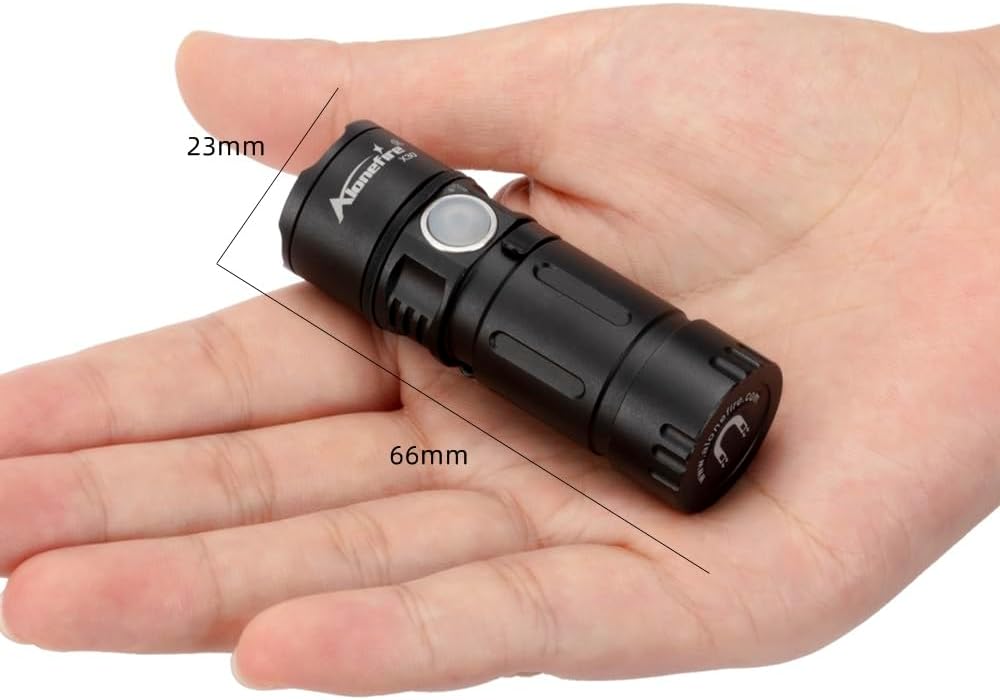
Figure 6: The compact dimensions of the ALONEFIRE X30 flashlight, shown in hand.
Warranty and Support
For warranty information or technical support, please contact ALONEFIRE customer service through their official website or the retailer from whom the product was purchased. Please retain your proof of purchase for warranty claims.
Official Brand Store: ALONEFIRE Store on Amazon
Ask a question about this manual
Ask about setup, troubleshooting, compatibility, parts, safety, or missing instructions. Manuals+ will review the question and use this page’s manual context to help answer it.