
Introduction
Welcome to the user manual for your SPYPOINT FORCE-PRO-S Solar Trail Camera. This document provides comprehensive instructions to help you set up, operate, and maintain your camera effectively. The FORCE-PRO-S is designed to capture high-quality images and videos of wildlife with its 30-megapixel sensor and 4K video capabilities, enhanced by an integrated solar panel for extended battery life.
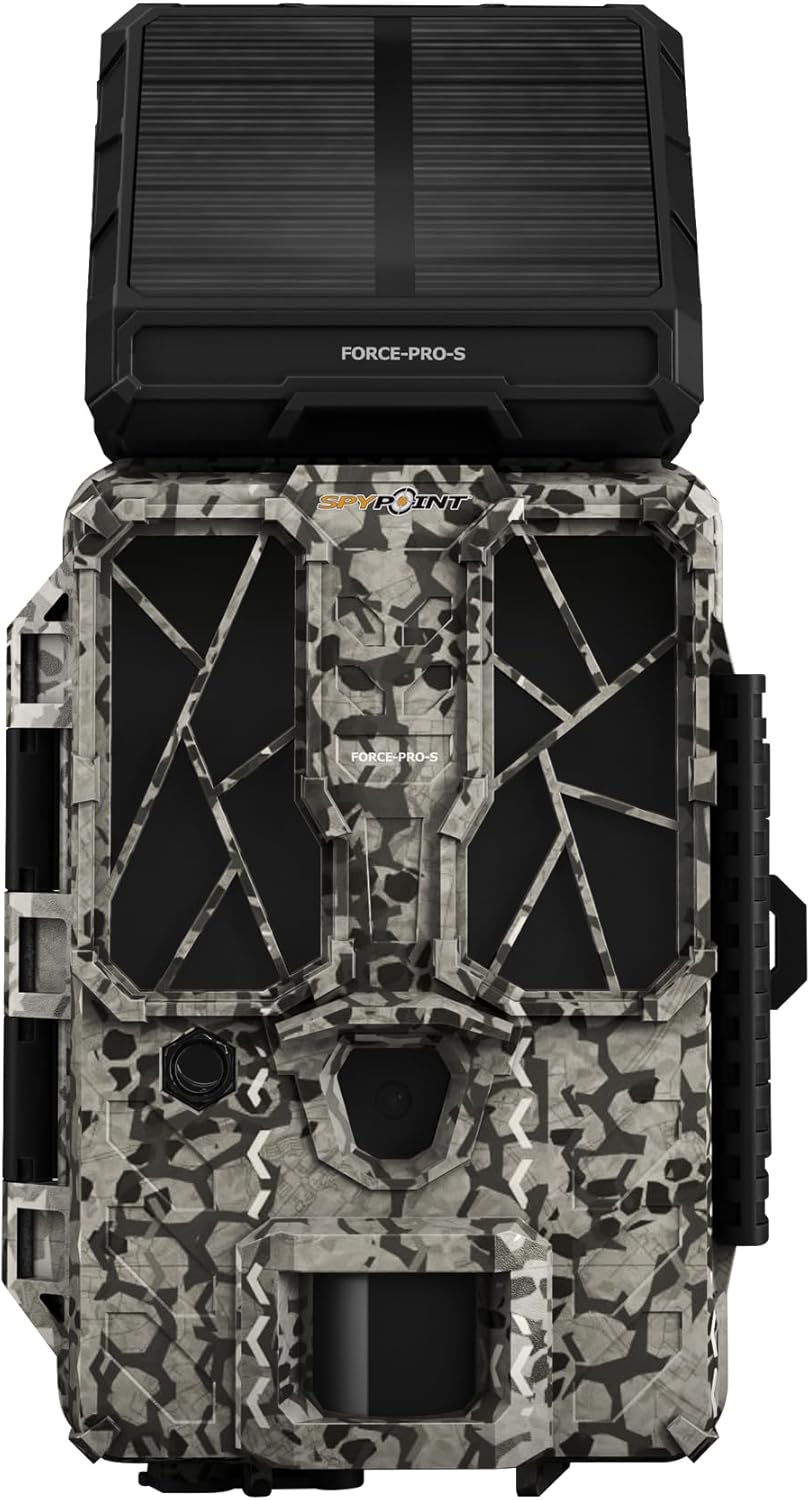
Figure 1: Front view of the SPYPOINT FORCE-PRO-S Solar Trail Camera, showcasing its integrated solar panel and camouflage design.

Figure 2: Overview of key features including 30 Megapixels, Solar Panel for Extended Battery Life, 0.2s Trigger Speed, and 4K Video with Sound.
Setup
1. Battery Installation and Charging
The FORCE-PRO-S comes with an integrated lithium battery, which is continuously charged by the built-in solar panel. For additional power security, you can install eight AA batteries (not included) as a backup. These AA batteries will take over if the internal lithium battery is depleted, extending the camera's operational time.
- Ensure the solar panel is exposed to direct sunlight for optimal charging of the internal battery.
- Open the battery compartment and insert eight AA batteries, observing the correct polarity (+/-).
2. SD Card Insertion
Your FORCE-PRO-S camera includes a 16 GB SPYPOINT Class 10 SD card. This ensures reliable performance and sufficient storage for your photos and videos.
- Locate the SD card slot on the camera.
- Insert the provided 16 GB SD card into the slot until it clicks into place.
- To remove, push the card in gently until it springs out.
3. Initial Configuration
The camera features a simple and intuitive menu for quick parameter adjustments.
- Move the power switch to the SETUP position to access the operating menu and view available settings.
- Navigate through the menu using the control buttons (refer to the camera's display for specific button functions).
- Adjust settings such as photo resolution (up to 30 MP), video resolution (4K/2K/1080p), trigger delay, and detection sensitivity according to your needs.
- Once all desired settings are configured, move the power switch to the ON position to begin operation.

Figure 3: A person adjusting the settings on the SPYPOINT FORCE-PRO-S camera in an outdoor environment.
4. Mounting the Camera
The FORCE-PRO-S is designed for easy mounting, typically using an included tree mount strap.
- Select a suitable location, ensuring the solar panel has clear access to sunlight.
- Securely attach the camera to a tree or post using the provided mounting strap.
- Adjust the camera's angle to cover the desired detection area.
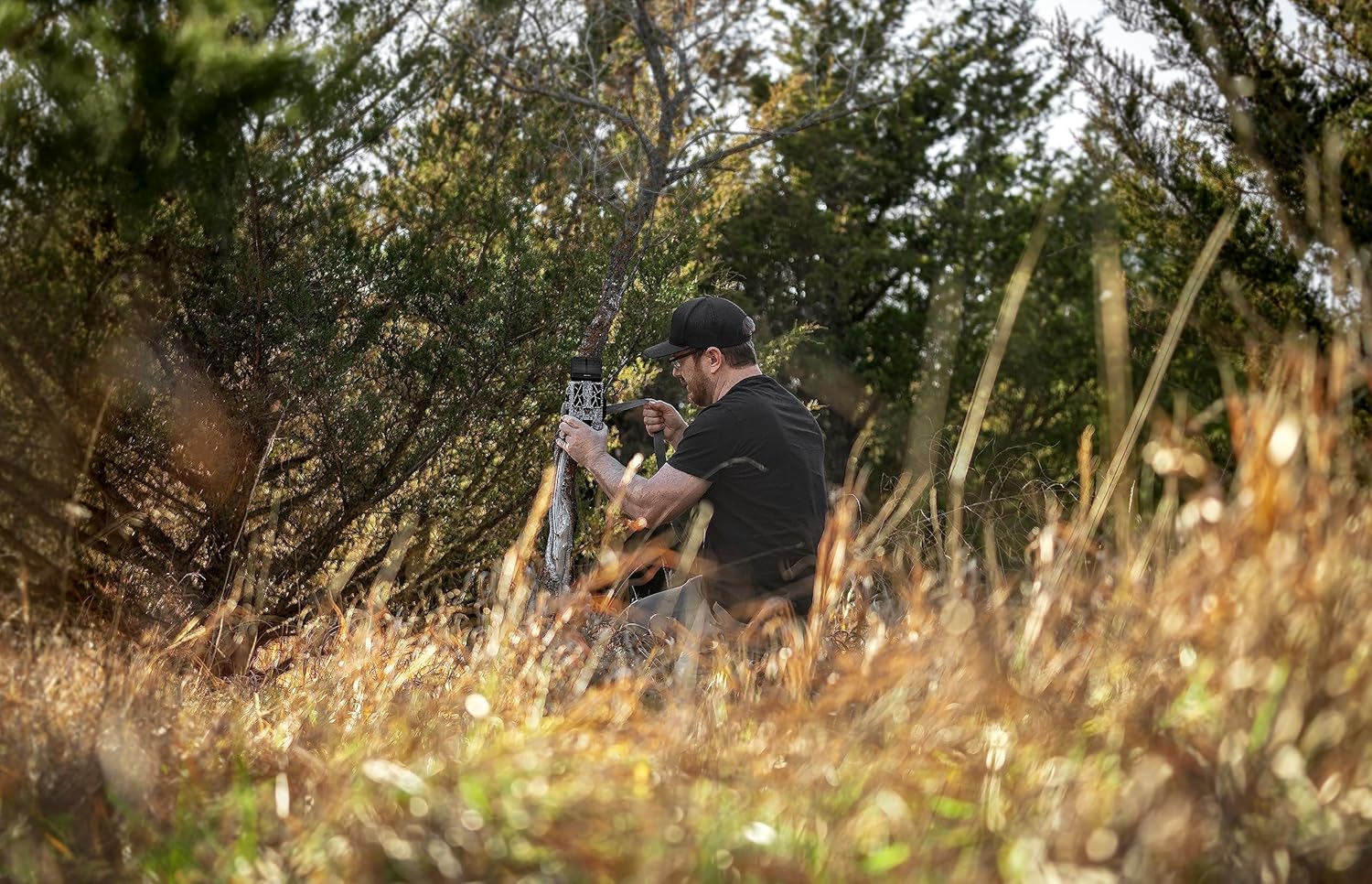
Figure 4: The SPYPOINT FORCE-PRO-S camera securely mounted on a tree, ready for operation.
Operating Instructions
Once the camera is set up and powered on, it will automatically begin monitoring the area.
Photo Capture
The FORCE-PRO-S captures images at an impressive 30-megapixel resolution, providing clear and detailed photos.
- Resolution: Up to 30 MP for high-detail images.
- Trigger Speed: A rapid 0.2-second trigger speed minimizes missed shots.
- Flash Range: The flash has a range of 27.4 meters (90 feet) for effective night photography.
- Detection Range: The camera can detect movement up to 33.5 meters (110 feet).

Figure 5: An example of a high-resolution 30MP photo captured by the camera, showing a deer in a field.
Video Recording
Record high-definition videos to observe wildlife behavior in detail.
- Video Resolution: Supports 4K, 2K, and 1080p video modes.
- Audio: Videos are recorded with sound.
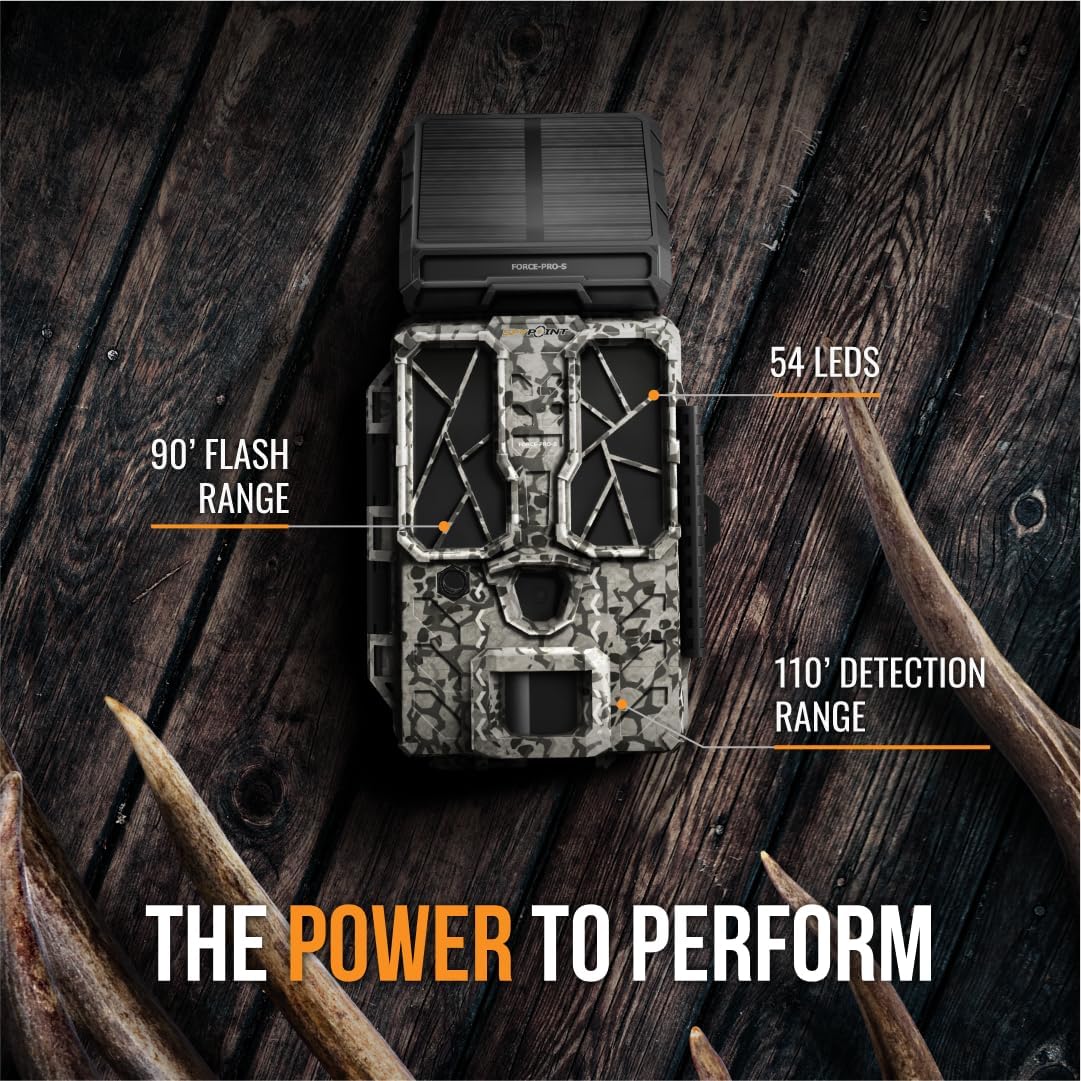
Figure 6: Illustration of the camera's performance capabilities, highlighting 90' Flash Range, 54 LEDs, and 110' Detection Range.
Maintenance
Proper maintenance ensures the longevity and optimal performance of your SPYPOINT FORCE-PRO-S camera.
- Solar Panel Cleaning: Regularly clean the solar panel surface to ensure maximum sunlight absorption for battery charging. Use a soft, damp cloth to wipe away dirt, dust, or debris.
- Lens Cleaning: Keep the camera lens and motion sensor clear of obstructions. Use a lens cleaning cloth to gently wipe the lens if it becomes dirty.
- Battery Check: Periodically check the status of your AA backup batteries, especially if the camera is deployed for extended periods in low-light conditions.
- SD Card Management: Format the SD card regularly to prevent data corruption and ensure optimal recording performance. Back up important files before formatting.
Troubleshooting
This section addresses common issues you might encounter with your FORCE-PRO-S camera.
- Camera Not Powering On:
- Ensure the internal lithium battery is charged (expose the solar panel to sunlight).
- Check if the optional AA batteries are correctly installed and have sufficient charge.
- Verify the power switch is in the SETUP or ON position.
- No Photos/Videos Captured:
- Confirm the SD card is inserted correctly and has available storage space.
- Check camera settings for trigger delay and detection sensitivity.
- Ensure the detection area is clear of obstructions and within the camera's detection range.
- Verify the camera is in ON mode, not SETUP.
- Poor Image/Video Quality:
- Clean the camera lens and ensure it is free from dirt or condensation.
- Check the selected resolution settings (e.g., 30 MP for photos, 4K for videos).
- Ensure adequate lighting for daytime shots and that the flash is enabled for night shots if needed.
- Solar Panel Not Charging:
- Ensure the solar panel is clean and free from debris.
- Position the camera in an area with direct sunlight exposure for several hours daily.
Specifications
| Feature | Detail |
|---|---|
| Brand | SPYPOINT |
| Model Number | FORCE-PRO-S |
| Image Resolution | Up to 30 Megapixels |
| Video Resolution | 4K/2K/1080p |
| Trigger Speed | 0.2 seconds |
| Flash Range | 27.4 meters (90 feet) |
| Detection Range | 33.5 meters (110 feet) |
| Power Source | Integrated Lithium-polymer battery (solar charged), Optional 8x AA batteries |
| Included Components | 16 GB SPYPOINT Class 10 SD card |
| Connectivity Technology | Wireless (LTE) |
| Mounting Type | Tree Mount |
| Product Dimensions (L x W x H) | 10.16 x 15.24 x 25.4 cm (4 x 6 x 10 inches) |
| Item Weight | 539.77 grams (1.19 pounds) |
| Recommended Uses | Hunting, Outdoor Surveillance |
Warranty and Support
For warranty information and technical support, please refer to the official SPYPOINT website or contact their customer service directly. Keep your purchase receipt as proof of purchase for any warranty claims.
- Online Support: Visit the SPYPOINT official website for FAQs, troubleshooting guides, and contact information.
- Customer Service: Contact SPYPOINT customer support for assistance with product issues or warranty inquiries.


