Introduction
This manual provides instructions for the ALLIMITY replacement remote control, designed for various Dyon Enter series television models. Please read this manual carefully before using the remote control to ensure proper operation and to familiarize yourself with its features.
Compatible Models
This remote control is compatible with the following Dyon Enter TV models:
- Enter 20 Pro
- Enter 32 Pro
- Enter 32 Pro V2
- Enter 32 Pro X2
- Enter 32 Pro X
- Enter 39 Pro
- Enter 40 Pro
- Enter 42 Pro
- Enter 42 PRO-X2
- Enter 43 Pro
- Enter 48 Pro
- Enter 48 Pro X
Setup
Battery Installation
- Locate the battery compartment on the back of the remote control.
- Slide the battery cover downwards or press the latch and lift to open.
- Insert two AAA alkaline batteries (not included), ensuring the positive (+) and negative (-) terminals match the diagrams inside the compartment.
- Close the battery cover by sliding it back into place until it clicks securely.
Note: No programming is required. Once batteries are installed, the remote control is ready for immediate use with compatible Dyon Enter TV models.
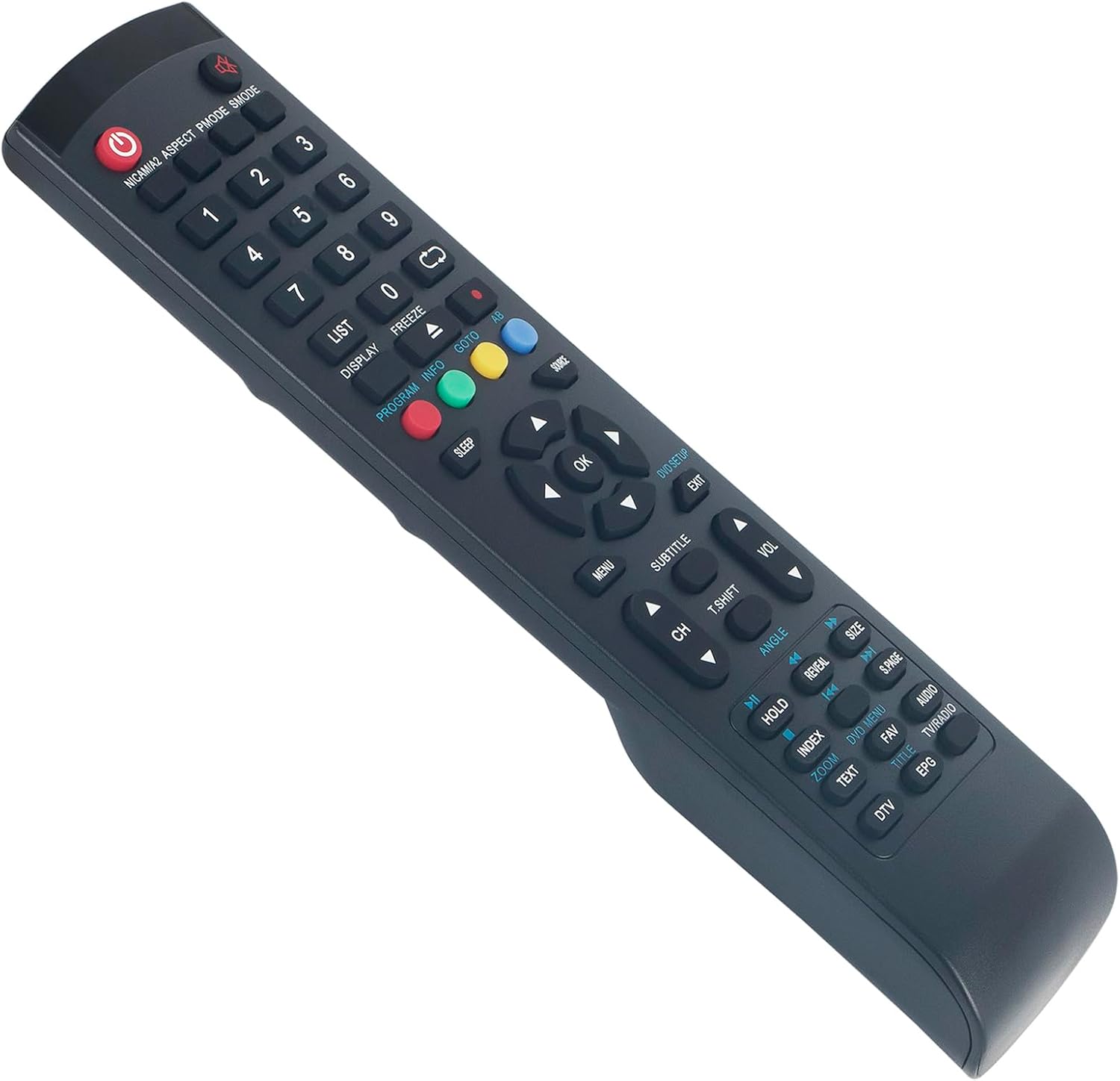
Image 1: Top-down view of the ALLIMITY replacement remote control, displaying all functional buttons and their labels.
Operating Instructions
The remote control functions are designed to replicate the original Dyon remote. Point the remote control directly at the TV's infrared receiver for optimal performance.
Key Functions Overview
- Power Button (Red): Turns the TV on or off.
- Number Buttons (0-9): Direct channel selection.
- CH +/-: Changes channels sequentially.
- VOL +/-: Adjusts the volume level.
- MUTE: Mutes or unmutes the TV sound.
- MENU: Accesses the TV's main menu.
- OK / Navigation Arrows: Confirms selections and navigates through menus.
- EXIT: Exits the current menu or function.
- SOURCE / INPUT: Selects input sources (HDMI, AV, etc.).
- INFO: Displays program information.
- SLEEP: Sets the sleep timer.
- Color Buttons (Red, Green, Yellow, Blue): Access specific functions within menus or teletext, as indicated on the TV screen.

Image 2: Angled view of the ALLIMITY replacement remote control, highlighting the ergonomic design and button arrangement.
Maintenance
Cleaning
To clean the remote control, use a soft, dry cloth. Do not use liquid cleaners or abrasive materials, as these may damage the surface or internal components.
Battery Replacement
Replace batteries when the remote control's response becomes sluggish or stops working. Always replace both batteries at the same time with new alkaline batteries of the same type (AAA). Do not mix old and new batteries or different types of batteries.
Storage
If the remote control will not be used for an extended period, remove the batteries to prevent leakage and potential damage.
Troubleshooting
- Remote not responding:
- Check if the batteries are inserted correctly with the correct polarity.
- Replace old batteries with new ones.
- Ensure there are no obstructions between the remote control and the TV's infrared sensor.
- Confirm the remote control is pointed directly at the TV.
- Some buttons not working:
- This remote is designed to cover all functions of the original remote. If a specific button does not work, ensure your TV model is listed in the compatible models section.
- Clean the remote control surface, especially around the non-working buttons, to remove any debris.
- TV responds intermittently:
- Weak batteries may cause intermittent response. Replace them.
- Ensure no strong light sources (like direct sunlight or bright fluorescent lights) are interfering with the TV's IR receiver.
Specifications
- Brand: ALLIMITY
- Model Number: QYSY-32ProV2-QYSY
- Color: Black
- Connectivity Technology: Infrared
- Compatible Devices: Dyon Enter 20 Pro, 32 Pro, 32 Pro V2, 32 Pro X2, 32 Pro X, 39 Pro, 40 Pro, 42 Pro, 42 PRO-X2, 43 Pro, 48 Pro, 48 Pro X
- Maximum Range: 10 Meters
- Battery Type: AAA Alkaline (2 required)
Warranty and Support
For warranty information or technical support, please refer to the retailer where the product was purchased or contact ALLIMITY customer service through their official channels. Keep your purchase receipt as proof of purchase.
