
Sigma ROX 12.1 EVO Sensor Set
SIGMA Sport ROX 12.1 EVO GPS Bike Computer User Manual
Model: ROX 12.1 EVO Sensor Set
Introduction
The SIGMA Sport ROX 12.1 EVO is an advanced GPS bike computer designed to enhance your cycling experience with comprehensive navigation, professional training features, and smart connectivity. This manual provides detailed instructions for setting up, operating, and maintaining your device to ensure optimal performance.

The SIGMA Sport ROX 12.1 EVO GPS Bike Computer, showcasing its display and compact design.
Key Features
- Innovative Map Navigation: Pre-installed bike-specific OSM maps, versatile routing options, and turn-by-turn directions. Intelligent re-routing if you deviate from the planned route.
- Professional Training System: Six predefined and 22 additional sport profiles, customizable training views, and integration with Strava Live segments.
- Made Entirely in Germany: Designed and produced in Germany, ensuring precision, craftsmanship, and durability.
- Advanced Features & Inclusions: Flexible map display, route synchronization, and a comprehensive sensor set including GPS Mount, Long-Butler GPS, USB-C Cable, Ant+/Bluetooth Heartrate Transmitter, Comfortex + Elastic Strap, Duo Magnetless Cadence, and Duo Magnetless Speed.
- Smart Connectivity: E-bike compatibility (battery status, support level, range), connection with SIGMA RIDE app, external sensors, and third-party apps. Integrated crash alarm and smart notifications.
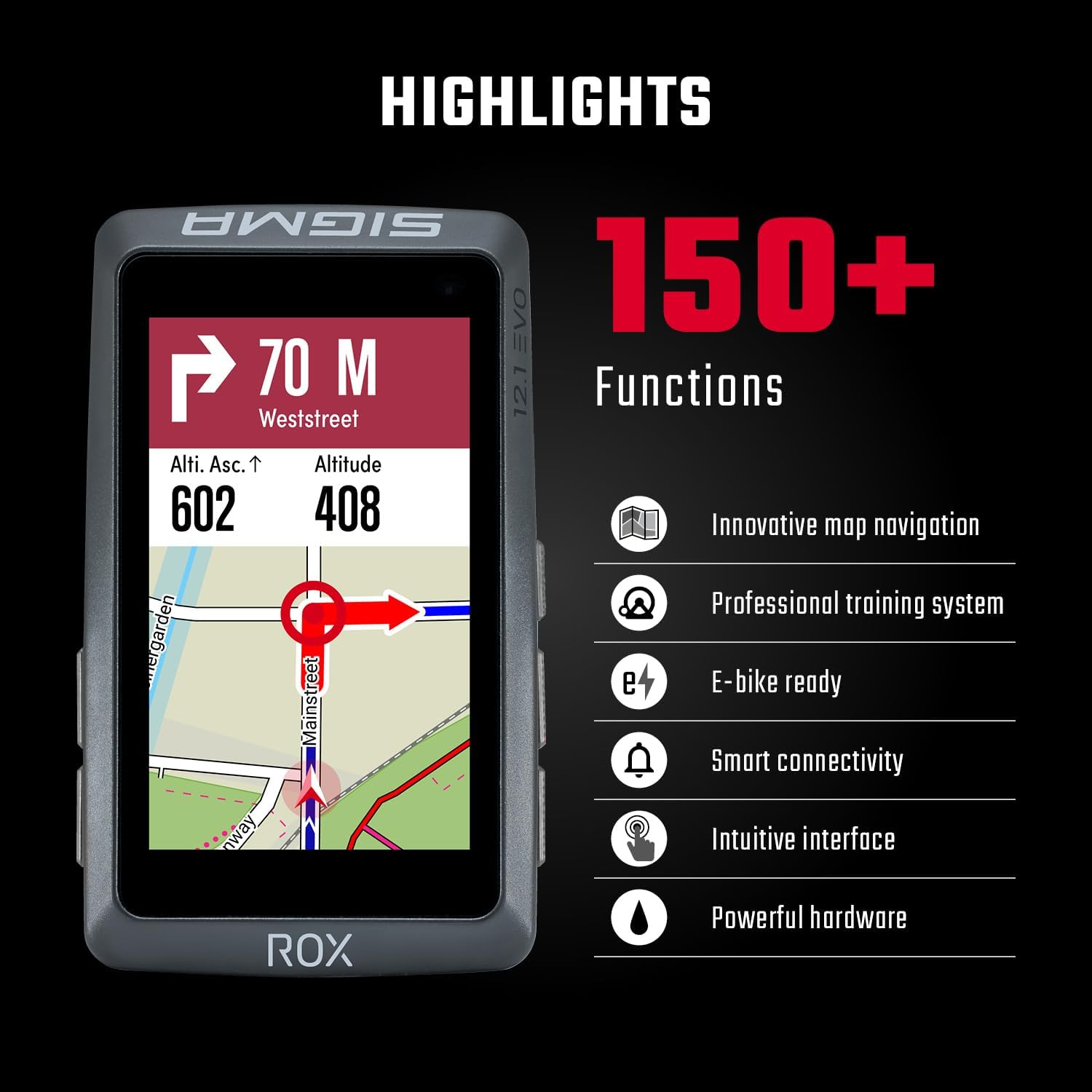
Visual representation of the key features and functions of the ROX 12.1 EVO.
Setup
1. Mounting the Device
The ROX 12.1 EVO comes with a GPS Mount and a Long-Butler GPS mount. Choose the mount that best suits your bicycle and riding style. Securely attach the chosen mount to your handlebars or stem according to the included mount-specific instructions. Ensure the mount is stable and the device clicks firmly into place.
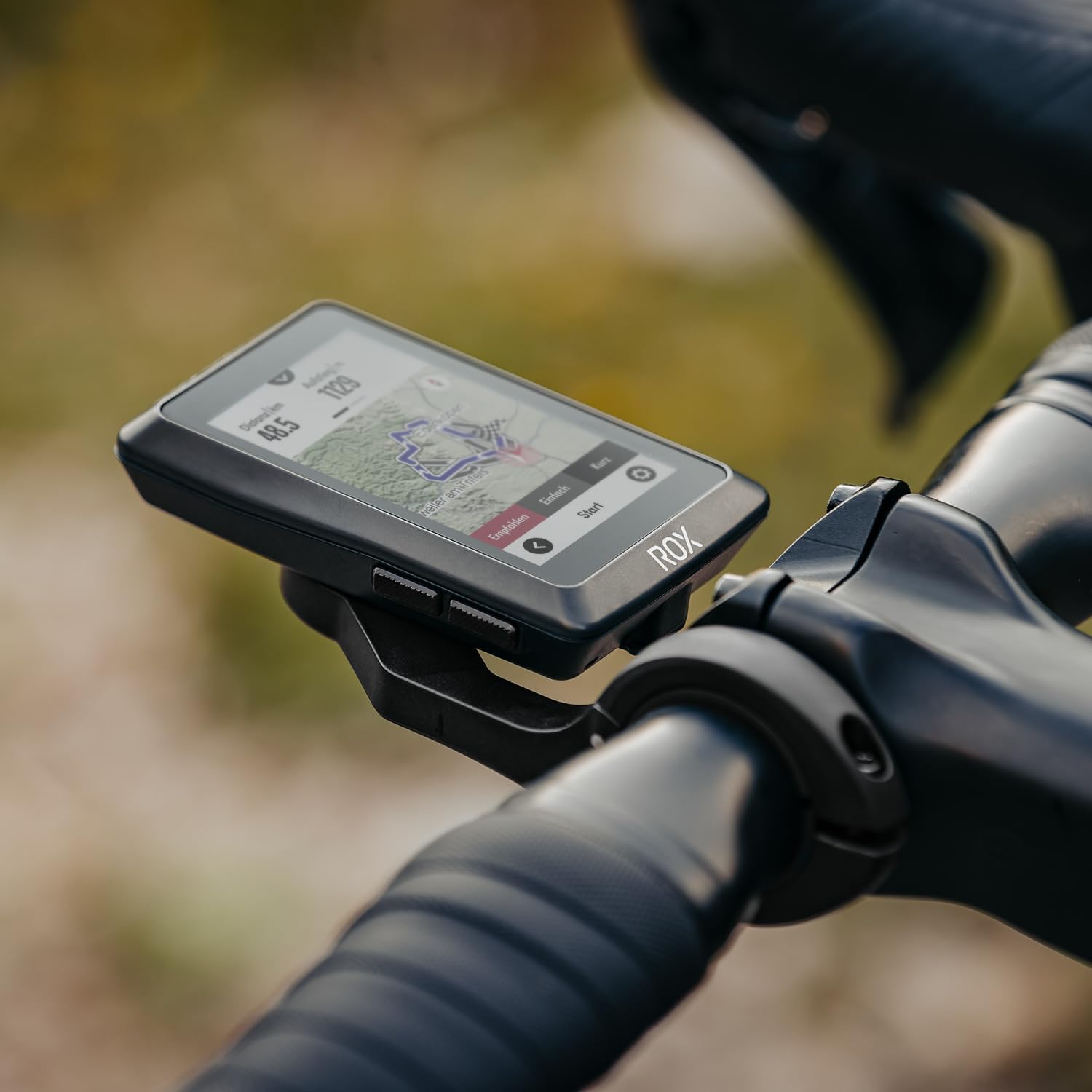
The ROX 12.1 EVO securely mounted on a bicycle handlebar, ready for use.
2. Sensor Installation
If you have the Sensor Set, install the Ant+/Bluetooth Heartrate Transmitter, Duo Magnetless Cadence, and Duo Magnetless Speed sensors. Follow the individual sensor instructions for proper placement and pairing. Ensure batteries are correctly inserted before installation.
3. Initial Power On and Configuration
Press and hold the power button to turn on the device. Follow the on-screen prompts to select your language, units of measurement, and initial settings. You can customize sport profiles and data fields directly on the device or via the SIGMA RIDE app.
4. Connecting to SIGMA RIDE App
Download the SIGMA RIDE app from your smartphone's app store. Enable Bluetooth on your phone and the ROX 12.1 EVO. Open the app and follow the instructions to pair your device. The app allows for easy data management, route planning, and device customization.

Cyclists reviewing their ride data on the SIGMA RIDE app, demonstrating smart connectivity.
Operating the Device
1. Navigation
The ROX 12.1 EVO offers advanced navigation capabilities. You can select routes from pre-installed OSM maps, import GPX tracks, or create routes directly on the device. Turn-by-turn directions and an intelligent re-routing function ensure you stay on track. The map can be displayed flexibly with various zoom levels.

The navigation interface of the ROX 12.1 EVO, showing route options and map details.
2. Training Features
Utilize the various sport profiles to tailor your training experience. Customize data fields to display metrics such as speed, distance, altitude, heart rate, and cadence. The device supports Strava Live segments, allowing you to compete against your personal bests or other riders in real-time.
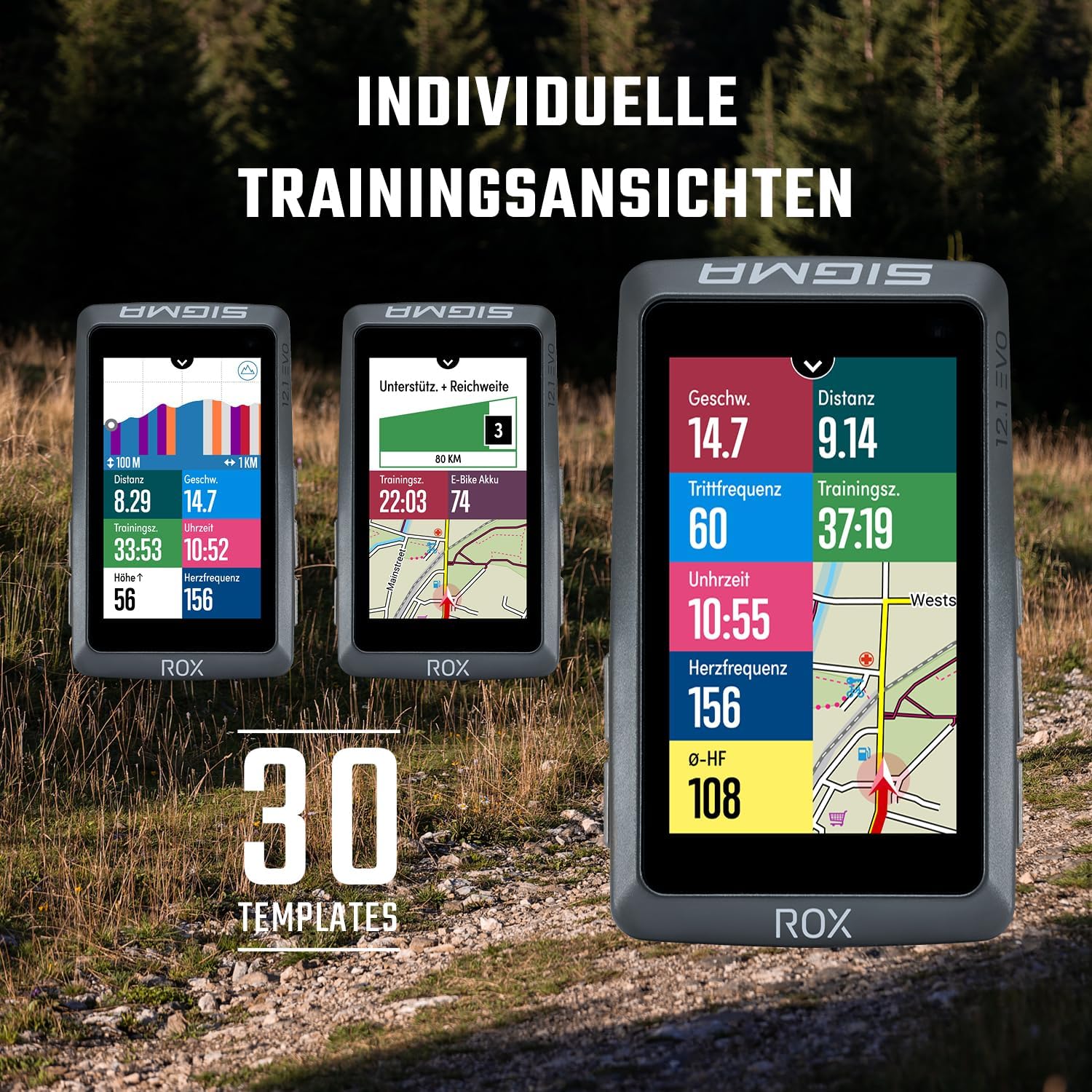
Examples of customizable training views on the ROX 12.1 EVO display.
3. E-Bike Connectivity
For e-bike riders, the ROX 12.1 EVO connects to compatible e-bike systems to display crucial information such as battery status, current support level, and estimated range directly on the screen. This integration provides a seamless riding experience.
4. Smart Notifications and Safety
Receive smart notifications for incoming calls and messages from your smartphone directly on the ROX 12.1 EVO display. The integrated crash alarm feature can detect a fall and automatically notify pre-selected emergency contacts, enhancing your safety during rides.
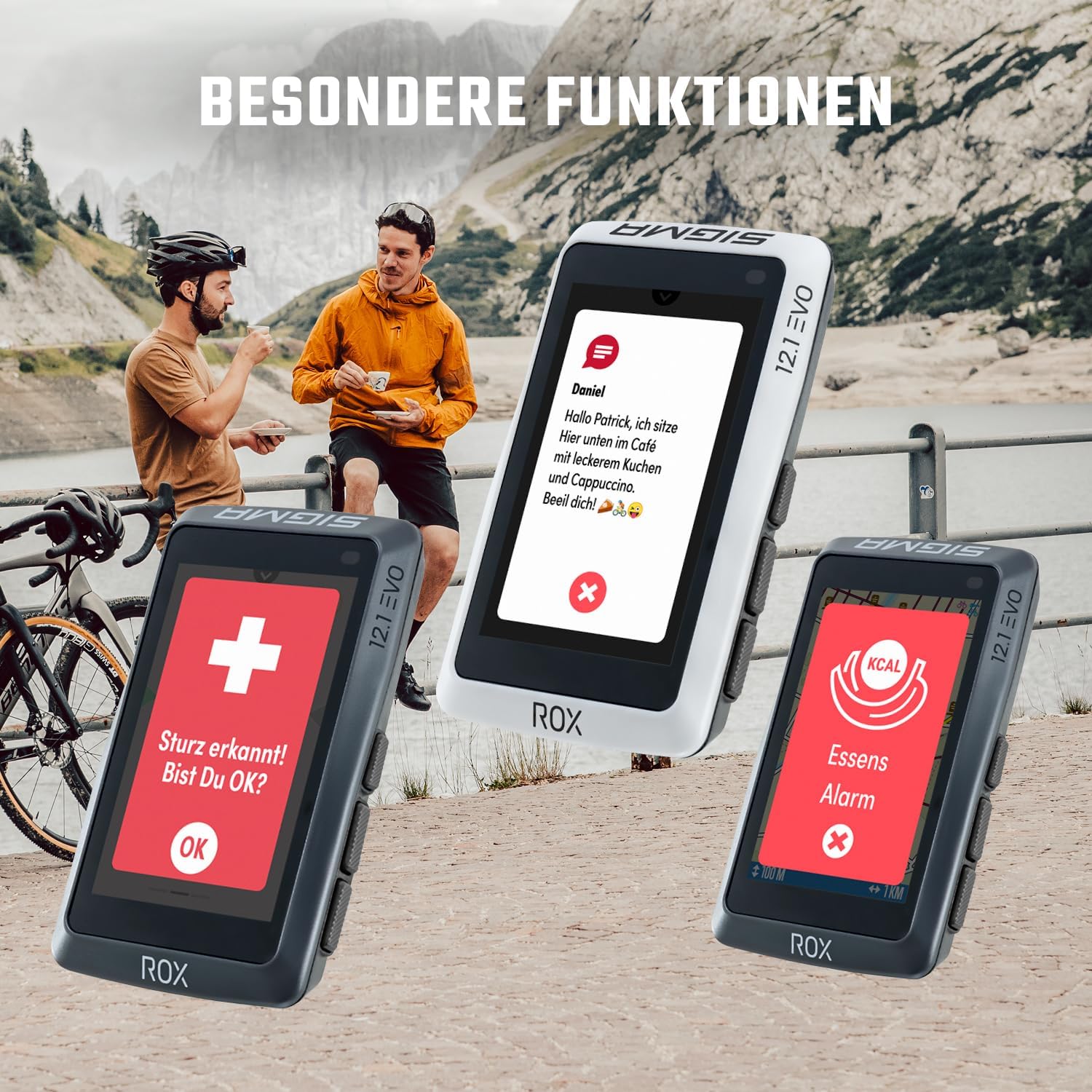
Illustrations of smart notifications and the crash alarm feature on the ROX 12.1 EVO.
5. Official Product Video
This video provides a comprehensive overview of the SIGMA Sport ROX 12.1 EVO, demonstrating its key features, navigation capabilities, and user interface in various cycling scenarios.
Maintenance
- Cleaning: Wipe the device regularly with a soft, damp cloth. Avoid abrasive cleaners or solvents.
- Battery Care: Charge the device using the provided USB-C cable. Avoid extreme temperatures during charging and storage to prolong battery life.
- Software Updates: Periodically check for software updates via the SIGMA RIDE app or SIGMA DATA CENTER software to ensure optimal performance and access to new features.
Troubleshooting
Common Issues and Solutions:
- Device not turning on: Ensure the battery is charged. If not, connect to a power source using the USB-C cable.
- GPS signal not found: Ensure you are in an open area with a clear view of the sky. Allow a few minutes for the device to acquire satellites.
- Sensor not connecting: Check sensor batteries and ensure they are properly installed. Re-pair the sensor through the device settings or SIGMA RIDE app.
- Screen unresponsiveness: Try restarting the device. If the issue persists, perform a factory reset (refer to the full manual for instructions, as this will erase data).
- Data synchronization issues: Ensure Bluetooth is enabled on both the device and your smartphone. Check your internet connection and the SIGMA RIDE app version.
For more detailed troubleshooting or persistent issues, please refer to the comprehensive online manual available on the Sigma Sport website or contact Sigma Sport customer support.
Specifications
| Feature | Specification |
|---|---|
| Item Package Dimensions L x W x H | 6.22 x 4.57 x 2.56 inches |
| Package Weight | 0.34 Kilograms |
| Item Dimensions LxWxH | 3.74 x 2.24 x 0.83 inches |
| Item Weight | 109 Grams |
| Brand Name | Sigma |
| Model Name | ROX 12.1 EVO Sensor Set |
| Color | Night Grey |
| Suggested Users | unisex-adult |
| Manufacturer | Sigma |
| Part Number | 1042 |
| Model Year | 2023 |
| Style | Sensor Set |
| Included Components | GPS Mount, Long-Butler GPS, USB-C Cable, Ant+/Bluetooth Heart Rate Transmitter, Comfortex + Elastic Strap, Duo Magnetless Cadence, Duo Magnetless Speed |
| Sport Type | Cycling, Training |
| Date First Available | June 22, 2023 |
| Vehicle Service Type | Bicycle |
| Screen Size | 3 Inches |
| Special Feature | Bluetooth |
| Connectivity Technology | Bluetooth, USB |
| Map Type | Worldwide |
| Audio Output Mode | Digital |
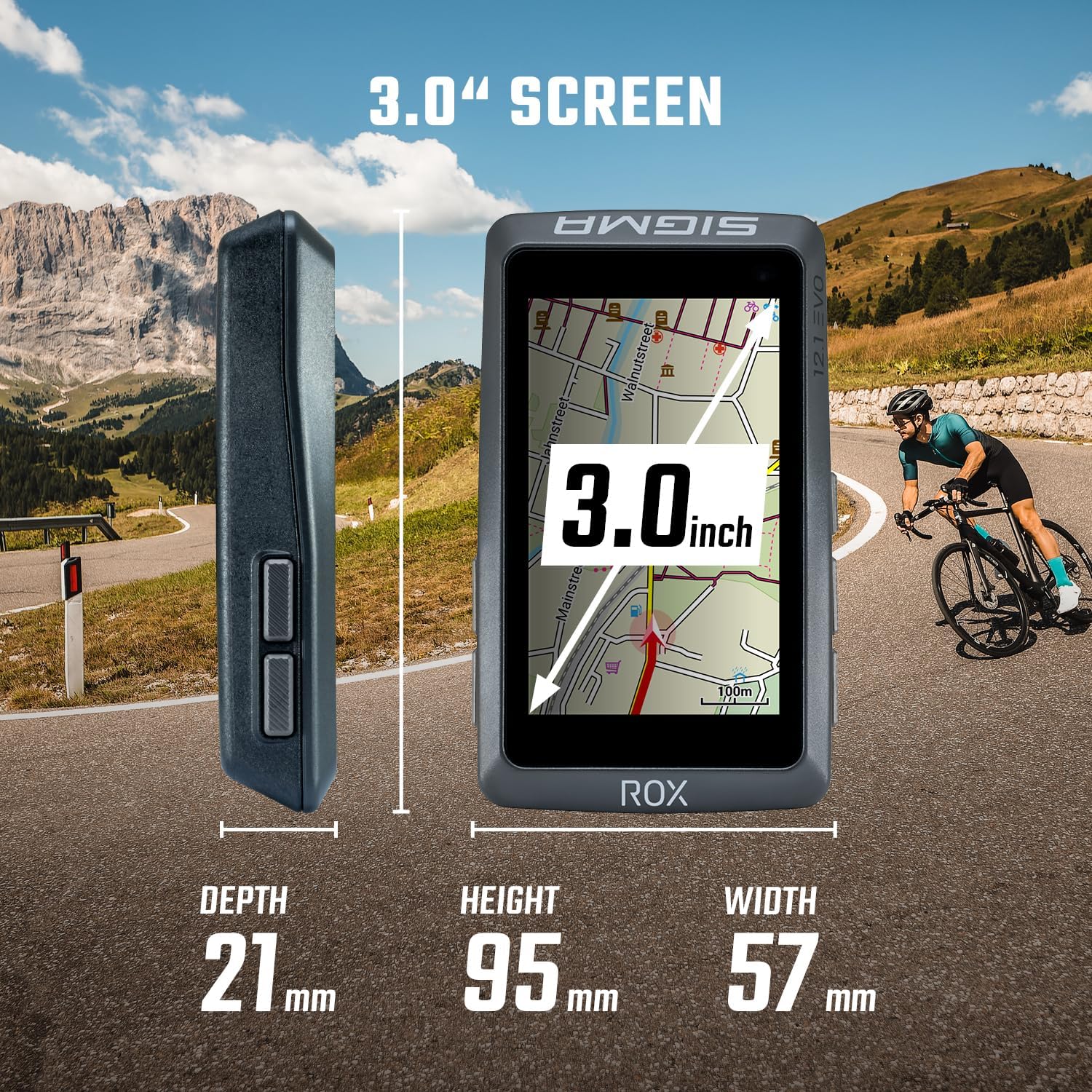
Detailed dimensions of the ROX 12.1 EVO device.
Warranty and Support
For information regarding the product warranty, please refer to the official Sigma Sport website or the warranty card included with your purchase. For technical support, FAQs, and additional resources, visit the Sigma Sport support page or contact their customer service directly.
Online resources can be found at: www.sigma-sport.com
Related documentsROX 12.1 EVO Sensor Set


Ask a question about this manual
Ask about setup, troubleshooting, compatibility, parts, safety, or missing instructions. Manuals+ will review the question and use this page’s manual context to help answer it.