
Introduction
Thank you for choosing the ZIYOU LANG V600 Gaming Keyboard. This manual provides essential information for setting up, operating, and maintaining your keyboard. Please read these instructions carefully to ensure proper use and to maximize your gaming and typing experience.
Setup
Connecting the Keyboard
- Unpack the ZIYOU LANG V600 Gaming Keyboard from its packaging.
- Locate an available USB port on your computer.
- Plug the USB connector of the keyboard into the USB port.
- Your computer should automatically detect and install the necessary drivers. No additional software installation is typically required for basic functionality.
Operating Instructions
Key Features
- Floating Keycaps: The keyboard features floating keycaps, which provide a distinct tactile feel and facilitate easier cleaning.
- 96-Key RGB Lighting: Enjoy dynamic RGB backlighting with various effects to enhance your gaming setup.
- Full-Key Conflict-Free Design (Anti-Ghosting): All 96 keys are designed to be conflict-free, ensuring that every keystroke is registered accurately, even during rapid, simultaneous presses. This model supports 26-key anti-ghosting.
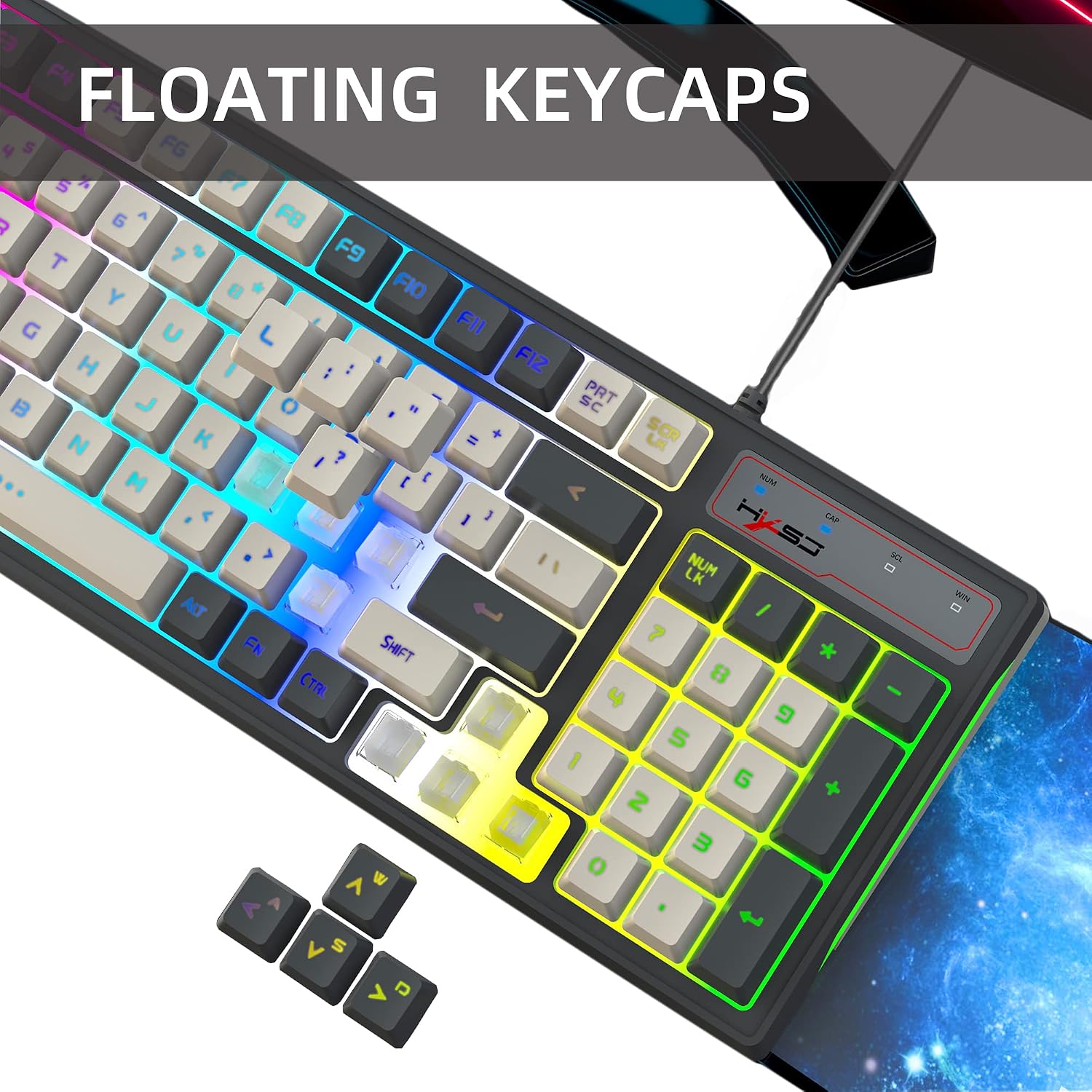
Image: The ZIYOU LANG V600 keyboard showcasing its floating keycap design, which allows for easier cleaning and a distinct typing feel.

Image: The ZIYOU LANG V600 keyboard illuminated with its 96-key RGB lighting, highlighting the customizable backlighting effects.

Image: A user interacting with the ZIYOU LANG V600 keyboard, illustrating the full-key conflict-free design for accurate keystroke registration during intense use.
Multimedia FN Shortcuts
The keyboard includes a range of multimedia function (FN) shortcuts to enhance productivity and control media playback. Press and hold the FN key, then press the corresponding function key:
- FN + F1: Open Multimedia Player
- FN + F2: Decrease Volume
- FN + F3: Increase Volume
- FN + F4: Mute Audio
- FN + F5: Previous Track
- FN + F6: Next Track
- FN + F7: Play/Pause Media
- FN + F8: Stop Media Playback
- FN + F9: Open Home Page
- FN + F10: Open Mail Application
- FN + F11: Open My Computer
- FN + F12: Open Favorites
- FN + W: Toggle W/A/S/D keys with Arrow keys (Default: W/A/S/D active)

Image: A detailed view of the ZIYOU LANG V600 keyboard, illustrating the various FN key combinations for multimedia and system functions.

Image: The ZIYOU LANG V600 keyboard highlighting the FN+W function, which allows users to swap the functionality of the W/A/S/D keys with the arrow keys.
Backlight Control
The keyboard features customizable RGB backlighting. While specific modes are not detailed, the keyboard typically allows for cycling through various lighting effects and adjusting brightness. Look for a dedicated backlight key or an FN combination (often with Scroll Lock or a specific F-key) to control the lighting.
Maintenance
Cleaning the Keyboard
- Disconnect the keyboard from your computer before cleaning.
- Use a soft, dry cloth to wipe down the keycaps and keyboard surface.
- For stubborn dirt, a slightly damp cloth with a mild cleaning solution can be used, ensuring no liquid enters the keyboard.
- Use compressed air to remove dust and debris from between the keys. The floating keycap design makes this process easier.
- Avoid using harsh chemicals or abrasive materials, as these can damage the keyboard's finish.
Troubleshooting
Keyboard Not Responding
- Ensure the USB cable is securely plugged into both the keyboard and the computer.
- Try plugging the keyboard into a different USB port on your computer.
- Restart your computer.
- Test the keyboard on another computer to determine if the issue is with the keyboard or your system.
Specific Keys Not Working
- Check for any physical obstructions or debris under the affected keycap.
- Gently remove the keycap (if removable) and clean the switch area with compressed air.
- If the issue persists, it may indicate a hardware malfunction.
Backlight Issues
- Ensure the backlight is not turned off using the dedicated backlight key or FN combination.
- Try cycling through different lighting modes to see if the issue is with a specific mode.
- If only certain keys are not lighting up, it might indicate a localized LED failure.
Specifications
| Model | V600 |
| Key Count | 96 Keys |
| Anti-Ghosting | 26-Key Anti-Ghosting |
| Cable Length | 1.8 meters |
| Dimensions (L x W x H) | 388.5mm x 138mm x 38mm |
| Design Features | Floating Keycaps, RGB Backlighting, Anti-Slip Design |

Image: The ZIYOU LANG V600 keyboard, illustrating its 1.8-meter cable length for flexible connectivity.

Image: The underside of the ZIYOU LANG V600 keyboard, showcasing its anti-slip design for stability during use, along with the product label indicating the V600 model.

Image: A diagram illustrating the physical dimensions of the ZIYOU LANG V600 keyboard: 388.5mm length, 138mm width, and 38mm height.
Warranty and Support
Specific warranty information for the ZIYOU LANG V600 Gaming Keyboard is not provided in this manual. Please refer to the retailer or manufacturer's official website for details regarding warranty coverage and customer support. For technical assistance, contact ZIYOU LANG customer service through their official channels.