
1. Introduction
This manual provides detailed instructions for the installation, operation, and maintenance of your Kewig Motorcycle Phone Mount. Designed for secure and stable phone placement on various vehicles, this mount features a vibration dampener and an anti-theft mechanism. Please read this manual thoroughly before use to ensure proper functionality and safety.
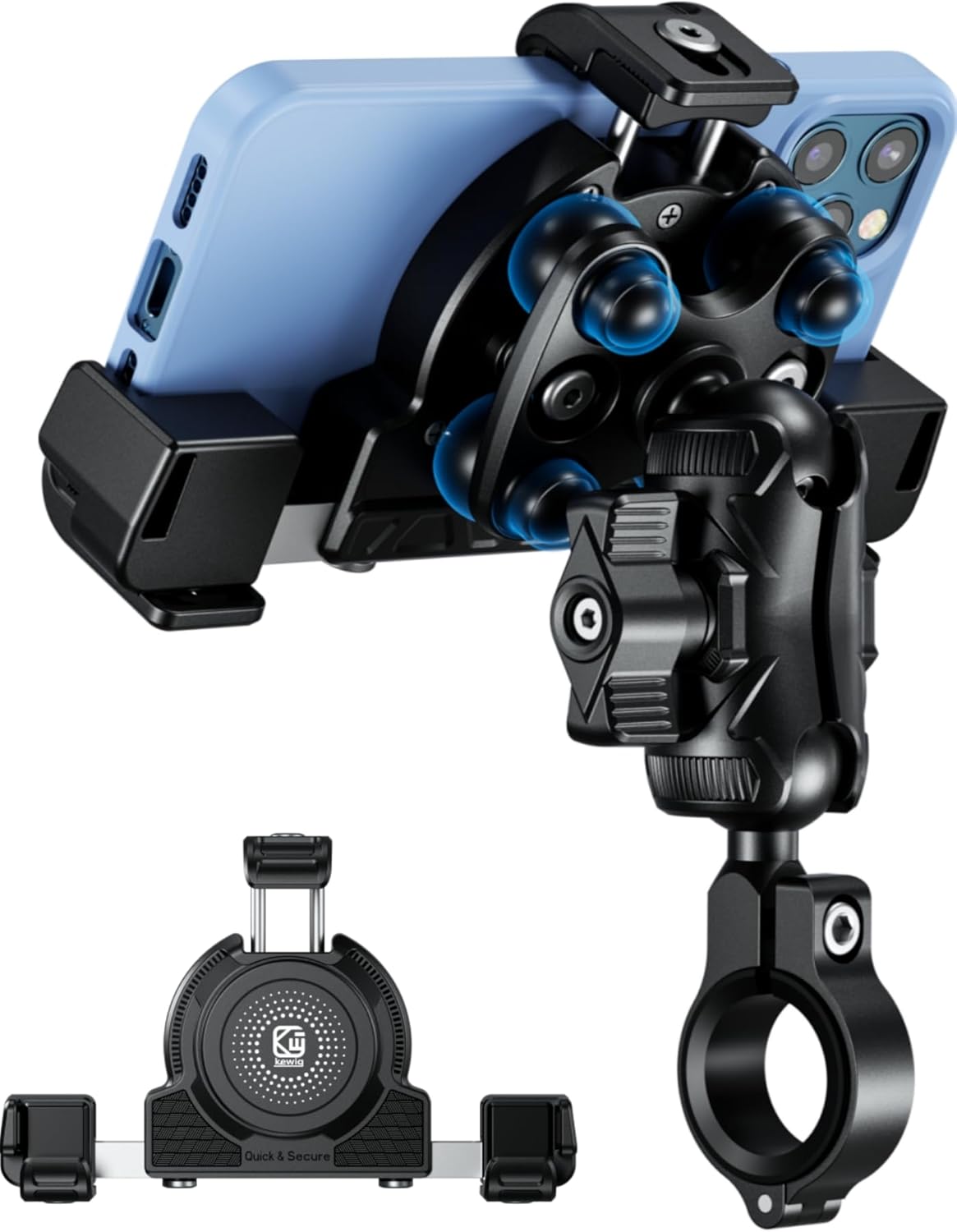
Figure 1.1: The Kewig Motorcycle Phone Mount with a smartphone securely held in place.
2. Safety Information
- Always ensure the phone mount is securely attached to the handlebar before riding.
- Verify that your phone is firmly seated in the holder and the high-speed secure knob is tightened.
- Do not attempt to adjust the mount or phone while operating a vehicle. Pull over to a safe location if adjustments are needed.
- Regularly inspect the mount for any signs of wear or damage. Replace components if necessary.
- Ensure the mount does not obstruct your view, vehicle controls, or mirrors.
3. Package Contents
Please check the package for the following components:
- Kewig Phone Mount Body with Vibration Dampener
- Handlebar Mounting Base
- Double Socket Arm
- Handlebar Sizing Spacers (various sizes)
- Special Wrench for Anti-Theft Screws
- Standard Installation Tools (if applicable, not specified in input but implied by 'comes with a special wrench')
4. Setup and Installation
4.1. Attaching the Mount to the Handlebar
- Select Handlebar Location: Choose a secure and accessible location on your handlebar that does not interfere with vehicle operation.
- Assemble Components: Insert both ball ends into the double socket arm.
- Secure to Handlebar: Place the handlebar mounting base around the chosen handlebar section. Use the appropriate sizing spacers to ensure a snug fit. Tighten the double socket arm with the provided wrench.
- Final Tightening: Use the special wrench to tighten the safety screws on the double socket arm and handlebar mounting base. This prevents easy removal and enhances security.
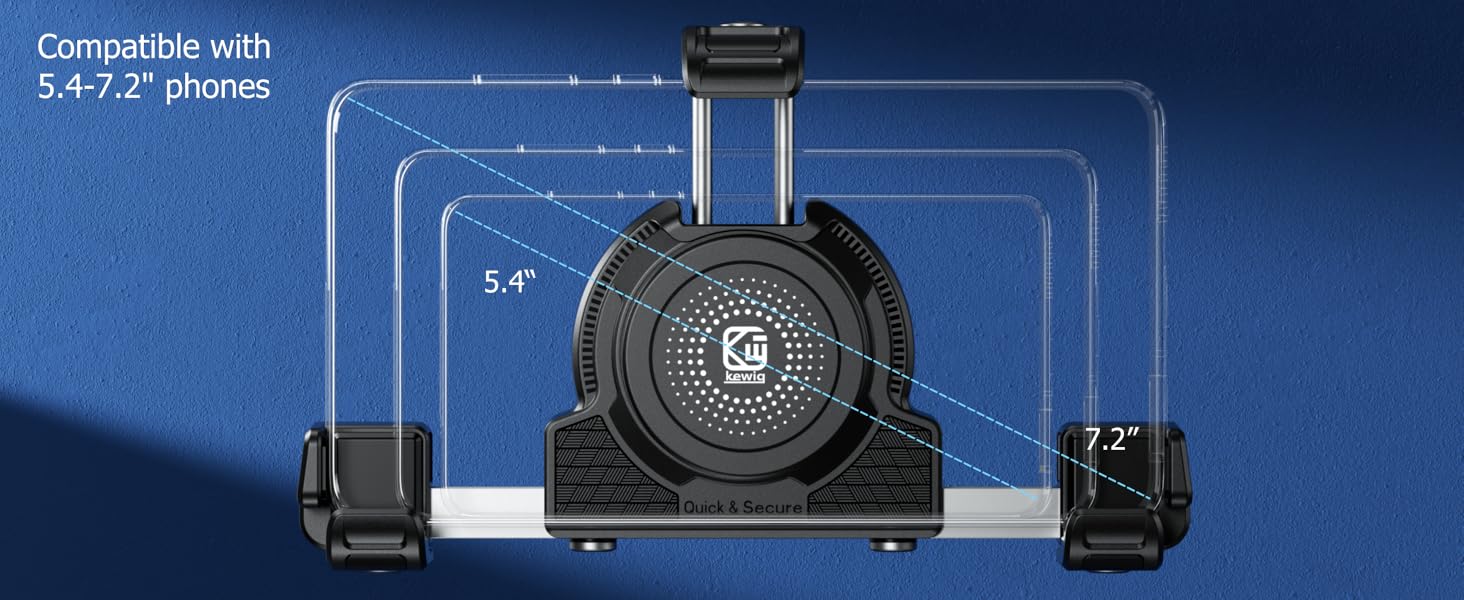
Figure 4.1: Step-by-step installation guide for the Kewig Motorcycle Phone Mount.

Figure 4.2: The handlebar mounting base with anti-theft screws and various sizing spacers for different handlebar diameters (0.5", 0.875", 1", 1.125", 1.26").
4.2. Adjusting for Phone Size
The phone mount is compatible with smartphones ranging from 5.4 to 7.2 inches in length, with a width of 2.48 to 3.58 inches (63mm to 91mm) and a maximum thickness of 0.748 inches (19mm).
- Adjusting Thickness: Loosen the screw on the side of the mount. Adjust the telescopic rod to the appropriate thickness for your phone (with or without a case). Tighten the screw to secure the thickness setting.
- Adjusting Width: Loosen the screw on the back of the mount. Stretch or shorten the telescopic rod to match your phone's width. Tighten the screw to secure the width setting.

Figure 4.3: Instructions for adjusting the mount's thickness and width to fit your specific phone model.

Figure 4.4: The mount is designed to accommodate phones with screen sizes from 5.4 to 7.2 inches.
5. Operating Instructions
5.1. Inserting and Removing Your Phone
- Inserting: Gently push your phone into the holder. The spring-loaded side will expand to grip your phone. Once the phone is in place, tighten the high-speed secure knob on the back of the mount to ensure a firm hold.
- Removing: Loosen the high-speed secure knob. Gently pull your phone out of the holder.

Figure 5.1: The mount allows for easy insertion and removal of your smartphone.
5.2. Vibration Dampening Feature
The Kewig Motorcycle Phone Mount incorporates a built-in vibration dampener with soft silicone components. This feature is designed to absorb and reduce vibrations transmitted from the vehicle, protecting your phone and its camera from potential damage during rides on uneven terrain or at high speeds.
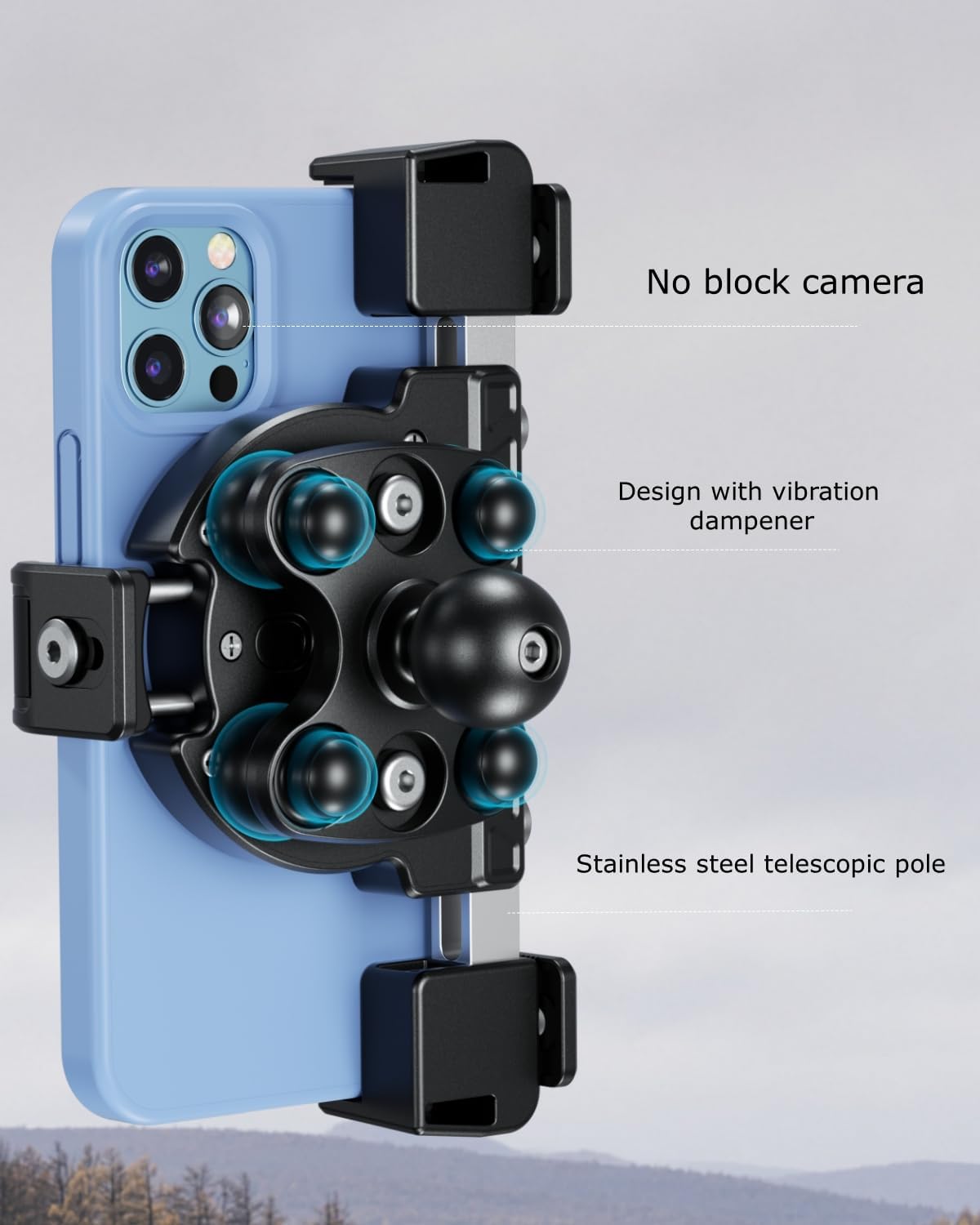
Figure 5.2: The mount's design includes a vibration dampener and ensures the camera remains unobstructed.
5.3. Non-Blocking Camera Design
The mount is engineered to ensure that your phone's camera remains unobstructed. This allows for photo and video recording during your rides without interference from the mount itself.
6. Maintenance
- Cleaning: Wipe the mount with a soft, damp cloth to remove dust and dirt. Avoid using harsh chemicals or abrasive cleaners.
- Inspection: Periodically check all screws and connections to ensure they are tight. Inspect the silicone and rubber components for any signs of wear, cracking, or degradation.
- Storage: When not in use for extended periods, store the mount in a clean, dry place away from direct sunlight and extreme temperatures.
7. Troubleshooting
- Phone feels loose: Ensure the high-speed secure knob on the back of the mount is fully tightened. Re-check the width and thickness adjustments to ensure they match your phone's dimensions.
- Mount is unstable on handlebar: Verify that the correct sizing spacers were used for your handlebar diameter. Ensure all screws on the handlebar mounting base and double socket arm are securely tightened with the provided wrench.
- Difficulty inserting/removing phone: Ensure the width and thickness adjustments are set correctly for your phone. Do not force the phone into the mount.
8. Specifications
| Brand | Kewig |
| Model Number | 9c2f69f4-6657-4ce4-9b1e-100ca59a99e1 |
| Compatible Devices | Smartphones |
| Compatible Phone Sizes | Length: 5.15" (131 mm) to 7.36" (187 mm) Width: 2.48" (63 mm) to 3.58" (91 mm) Thickness: Max 0.748" (19 mm) |
| Mounting Type | Handlebar, Rearview |
| Special Features | Vibration Dampener, High-Speed Secure Knob, Non-Blocking Camera, Adjustable Length & Thickness, Anti-Theft |
| Material | PA66+GF30% high-strength material, 304 stainless steel telescopic rods, aluminum alloy handlebar mounting base |
| Item Weight | 1.28 pounds |
| Color | Black |
9. Warranty and Support
For warranty information, technical support, or any inquiries regarding your Kewig Motorcycle Phone Mount, please refer to the product packaging or contact Kewig customer service directly. Contact details are typically available on the manufacturer's official website or through your point of purchase.


