
MCGOR GLS-C010
MCGOR Under Cabinet Lighting Instruction Manual
Model: GLS-C010
Introduction
Thank you for choosing the MCGOR Under Cabinet Lighting. This 14.7-inch rechargeable motion sensor light is designed to provide convenient and efficient illumination for various indoor spaces such as kitchens, closets, stairs, and hallways. Featuring magnetic installation, dimmable brightness, and a long-lasting rechargeable battery, this light offers a versatile lighting solution.

Image: The MCGOR Under Cabinet Lighting, showing two units and their packaging.
Product Features
- Motion Sensor Mode: Automatically turns on when motion is detected within 120° and 10ft in dark or low-light environments, and turns off after approximately 20 seconds of no motion.
- Always-on Mode: Allows the light to remain continuously on for extended tasks or as a constant light source.
- Dimmable Brightness: Features 5 levels of brightness adjustment to suit different lighting needs, from bright task lighting to a soft night light.
- USB-C Rechargeable Battery: Built-in 2500mAh rechargeable battery, easily charged via a Type-C cable. Eliminates the need for wiring or frequent battery replacement.
- Easy Magnetic Installation: Strong built-in magnets allow direct attachment to ironwork surfaces. Adhesive metal plates are included for installation on non-metallic surfaces.

Image: Illustration of the motion and light sensor design, detecting motion up to 10ft within a 120-degree angle and auto-off after 20 seconds.

Image: Detailed view of the light's control panel, highlighting the ON, OFF, and AUTO modes, brightness adjustment button, PIR sensor, and USB-C charging port.

Image: Visual representation of the 2500mAh rechargeable battery and USB-C charging, indicating battery life in motion sensor and always-on modes.

Image: Depiction of the two installation methods: direct magnetic attachment to metal surfaces and using adhesive metal plates for other surfaces.
What's in the Box
- 2 x Cabinet Lights (14.7 inch)
- 2 x USB-C Charging Cords
- 6 x Adhesive Iron Plates
- 6 x Screws
- 1 x Instruction Manual
Setup and Installation
The MCGOR Under Cabinet Lights offer two convenient installation methods:
- Direct Magnetic Attachment: If the desired installation surface is metallic (e.g., a refrigerator, metal shelf), the light can be directly adsorbed onto it using its built-in strong magnets.
- Adhesive Metal Plates: For non-metallic surfaces (e.g., wood cabinets, walls), use the included adhesive metal plates.
- Clean the surface where you intend to install the light to ensure it is dry and free of dust.
- Peel off the protective film from one side of an adhesive metal plate.
- Attach the adhesive side of the metal plate firmly to the desired surface.
- Align the light with the metal plate and allow its built-in magnets to secure it in place.
The magnetic attachment allows for easy removal of the light for charging or repositioning.
Operating Instructions
The light features a multi-function switch and brightness adjustment button.
Switch Modes:
- ON (Always-on Mode): Slide the switch to the "ON" position for continuous illumination. This mode is suitable for tasks requiring constant light.
- OFF (Turn Off): Slide the switch to the "OFF" position to turn the light off completely.
- AUTO (Motion Sensor Mode): Slide the switch to the "AUTO" position. In this mode, the light will automatically turn on when motion is detected in a dark or low-light environment and turn off after approximately 20 seconds of no motion.
Adjusting Brightness:
The light offers 5 levels of brightness. To adjust the brightness, press the dedicated brightness adjustment button (refer to the control panel image in the Product Features section). Each press will cycle through the available brightness levels.
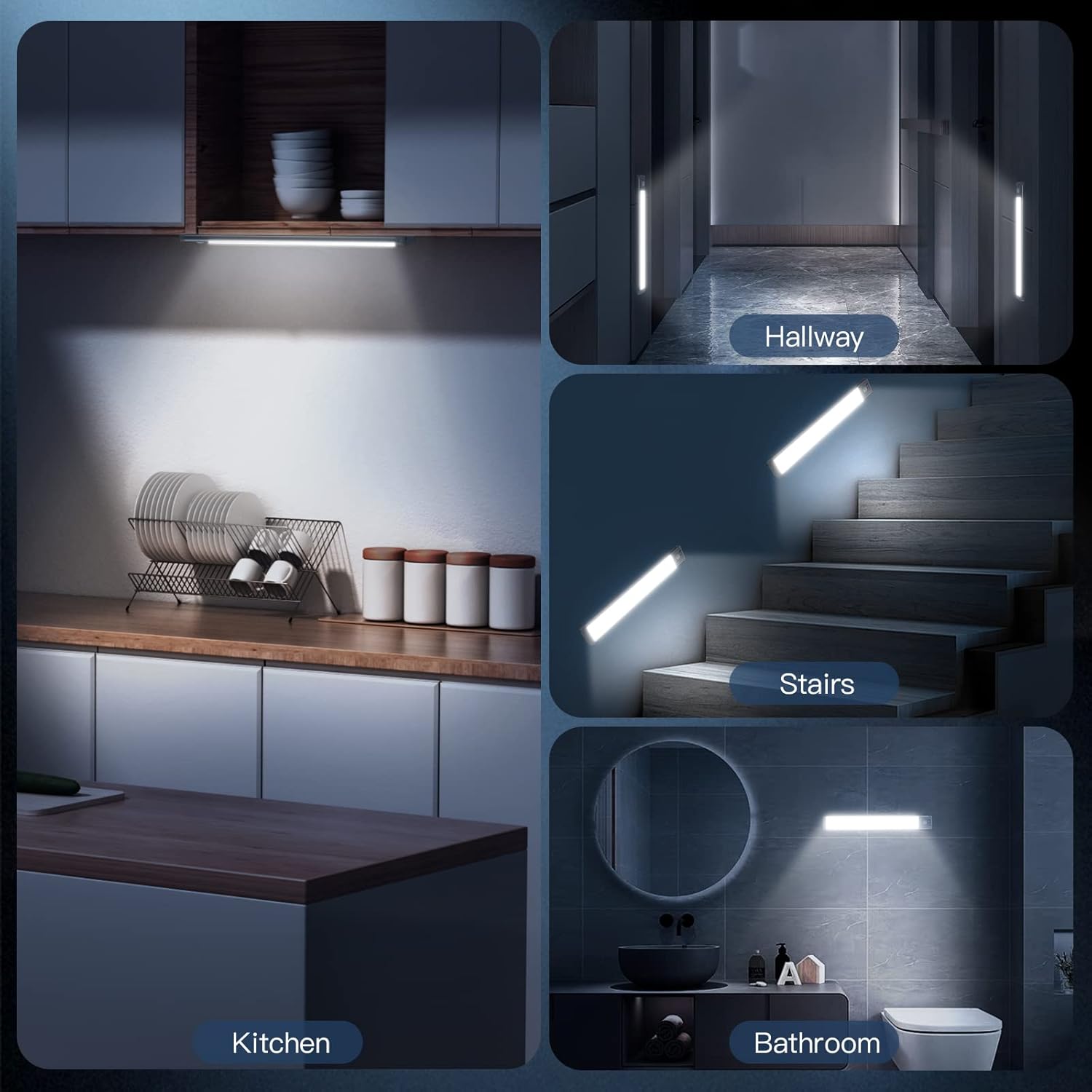
Image: Examples of the MCGOR light in various applications, including kitchen, hallway, stairs, and bathroom.
Maintenance
Charging the Battery:
The light is equipped with a built-in 2500mAh rechargeable battery. When the battery is low, the light's performance may diminish. To charge:
- Carefully detach the light from its installed position (if using magnetic attachment).
- Connect the included USB-C charging cord to the light's USB-C port.
- Connect the other end of the USB-C charging cord to a standard USB wall adapter (not included), power bank, or computer USB port.
- A charging indicator light will illuminate during charging. Once fully charged, the indicator light will change (e.g., from red to green).
A full charge can last up to 7-30 days in Motion Sensor Mode (depending on usage frequency) and approximately 8 hours in Always-on Mode at 100% brightness.
Cleaning:
Wipe the light with a soft, dry cloth. Do not use abrasive cleaners or immerse the light in water.
Troubleshooting
- Light not turning on:
- Ensure the battery is charged. Connect to a power source and check the charging indicator.
- Verify the switch is in the correct position (ON for continuous, AUTO for motion sensing).
- In AUTO mode, ensure the environment is dark enough for the sensor to activate.
- Motion sensor not working effectively:
- Check if the light is in AUTO mode.
- Ensure there are no obstructions blocking the PIR sensor.
- Confirm the ambient light is low enough for the sensor to trigger.
- Light flickering or dim:
- The battery may be low. Recharge the light fully.
- Check the brightness setting and adjust if necessary.
- Adhesive not holding:
- Ensure the surface was clean and dry before application.
- Apply firm pressure for several seconds when attaching the adhesive metal plate.
- Allow sufficient time for the adhesive to bond before mounting the light.
Specifications
| Brand | MCGOR |
| Model Name | GLS-C010 |
| Color | White Light |
| Material | Aluminum, Plastic |
| Product Dimensions | 14.7"L x 1.37"W x 0.57"H |
| Item Weight | 15.04 ounces |
| Power Source | Battery Powered (2500mAh Lithium Polymer) |
| Light Source Type | LED (63 LEDs) |
| Brightness | 180 Lumen |
| Color Temperature | 7000 Kelvin (Cool White) |
| Special Features | Dimmable, Motion Sensor |
| Control Method | Push Button |
| Installation Type | Magnetic Mounting |
| Indoor/Outdoor Usage | Indoor |
Warranty and Support
For any questions, concerns, or support regarding your MCGOR Under Cabinet Lighting, please refer to the contact information provided with your purchase or visit the official MCGOR store on Amazon:
Please retain your proof of purchase for any warranty claims. Specific warranty details may vary and are typically outlined in the product packaging or on the manufacturer's website.
Related Documents - GLS-C010
 |
GCC Spirit GLS Laser Engraver User Manual Comprehensive user manual for the GCC Spirit GLS laser engraver, detailing setup, operation, safety, maintenance, and troubleshooting. Learn to maximize your productivity with this advanced CO2 laser system. |
 |
REDFOX SP 60 GLS 4-Burner Gas Cooking Range Instruction Manual Official instruction manual for the REDFOX SP 60 GLS 4-burner gas cooking range without cabinet. Includes technical data, installation, safety, operation, and maintenance guidelines for professional kitchen use. |
 |
GCC LaserPro Spirit PRO Series User Manual: Setup, Operation, and Maintenance Comprehensive user manual for the GCC LaserPro Spirit PRO Series laser engravers and cutters. Covers setup, installation, operation, safety, maintenance, troubleshooting, and specifications for CO2, Fiber, and Dual models. |
 |
GL LED US Lighting LiteRex GLS-DIM Series Integrated Constant Voltage Driver Built-in Dimmer Specification Technical specifications for the GL LED US Lighting LiteRex GLS-DIM Series, an integrated constant voltage driver with a built-in dimmer. Features include flicker-free dimming, adjustable voltage, and multiple protections. Suitable for LED lighting applications. |
 |
GCC LaserPro Spirit PRO Series User Manual Comprehensive user manual for the GCC LaserPro Spirit PRO Series, covering safety, setup, operation, maintenance, and specifications for CO2, Fiber, and Dual laser models. Includes detailed guides on engraving and cutting techniques, optional accessories, and troubleshooting. |
 |
Gemini GLS Series Speaker User Manual - GLS-550, GLS-880 Comprehensive user manual for the Gemini GLS Series portable speakers (GLS-550, GLS-880), covering setup, operation, features like Bluetooth and TWS, safety precautions, warranty, and technical specifications. |
Ask a question about this manual
Ask about setup, troubleshooting, compatibility, parts, safety, or missing instructions. Manuals+ will review the question and use this page’s manual context to help answer it.