
1. Safety Information
Please read all safety instructions carefully before using this product. Keep this manual for future reference.
- Ensure the inflator is fully charged or connected to a stable power source before use.
- Do not leave the inflator unattended while in operation.
- Avoid over-inflating tires; always refer to the recommended PSI for your specific item.
- The inflation hose may become hot during prolonged use. Handle with care.
- Keep out of reach of children.
- Do not operate in wet conditions or near flammable liquids/gases.
- Use only the provided accessories and attachments.
- If the device malfunctions, discontinue use immediately.
2. Package Contents
Verify that all items are present in the package:
- Tire inflator x 1
- DC power cord x 1
- Type-C Charging Cable x 1
- Inflation Tube x 1
- Storage Bag x 1
- Fuse x 1
- Presta Valve x 1
- Air Nozzle x 2
- Ball Air Nozzle x 1
3. Product Overview
The ZGZUXO Portable Tire Inflator is a versatile device designed for quick and accurate inflation of various items. It features dual power options, smart inflation modes, and emergency functions.
Key Features:
- Fast Inflation: Achieves up to 150 PSI with 34L/Min airflow, inflating car tires (29-36 psi) in approximately 1 minute.
- Dual Power Options: Operates wirelessly with a built-in battery or via a 12V DC car cigarette lighter plug.
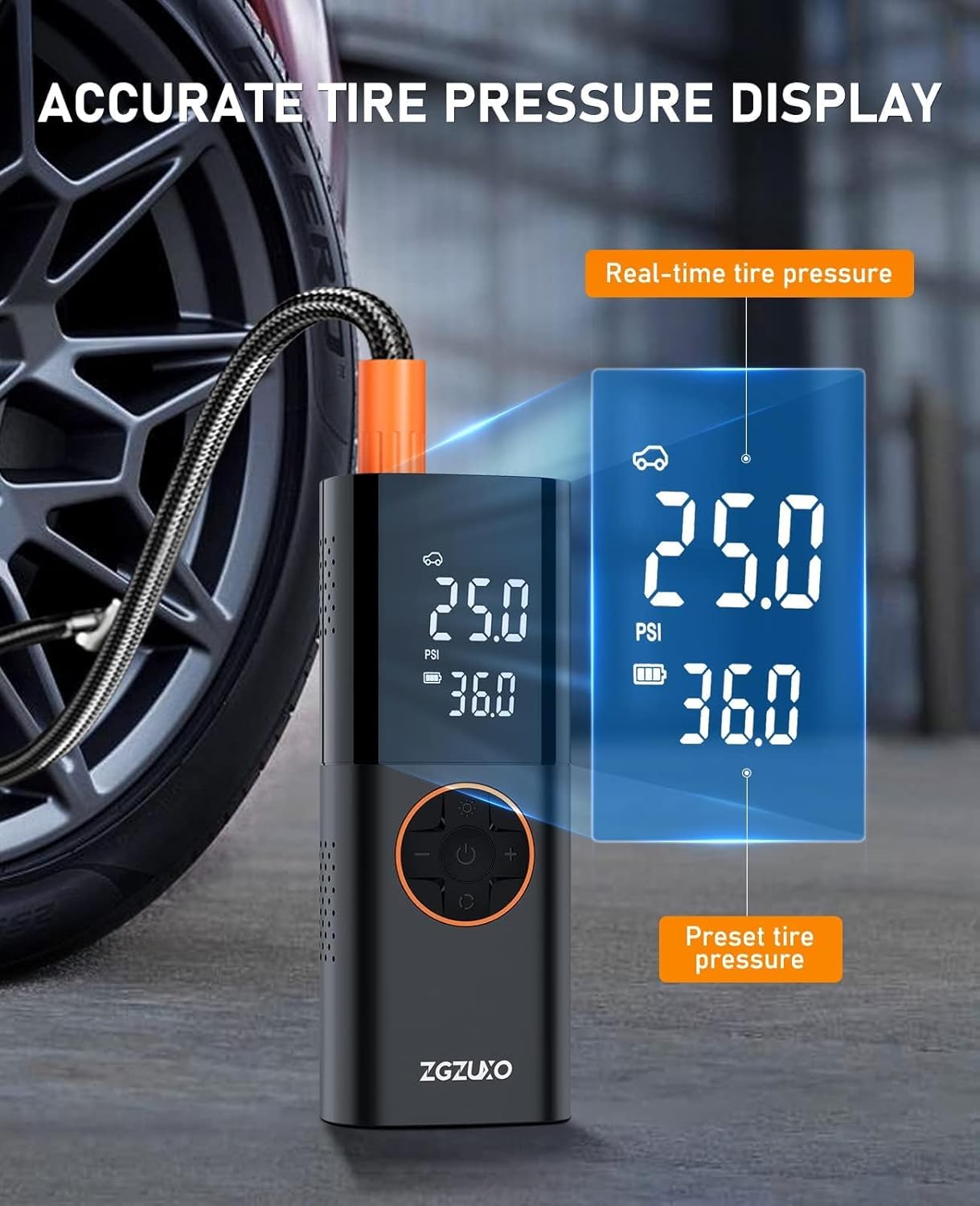
- Accurate LCD Dual Display: Shows both real-time and preset pressure values for precise inflation.
- Auto Shut-Off: Automatically stops inflation once the preset pressure is reached.
- Smart Modes: Pre-set modes for cars, SUVs, bicycles, motorcycles, and balls, with a custom mode option.
- Multifunctional for Emergency: Integrated LED light with Bright, Strobe, and SOS modes, and a USB port for charging external devices.
Component Identification:
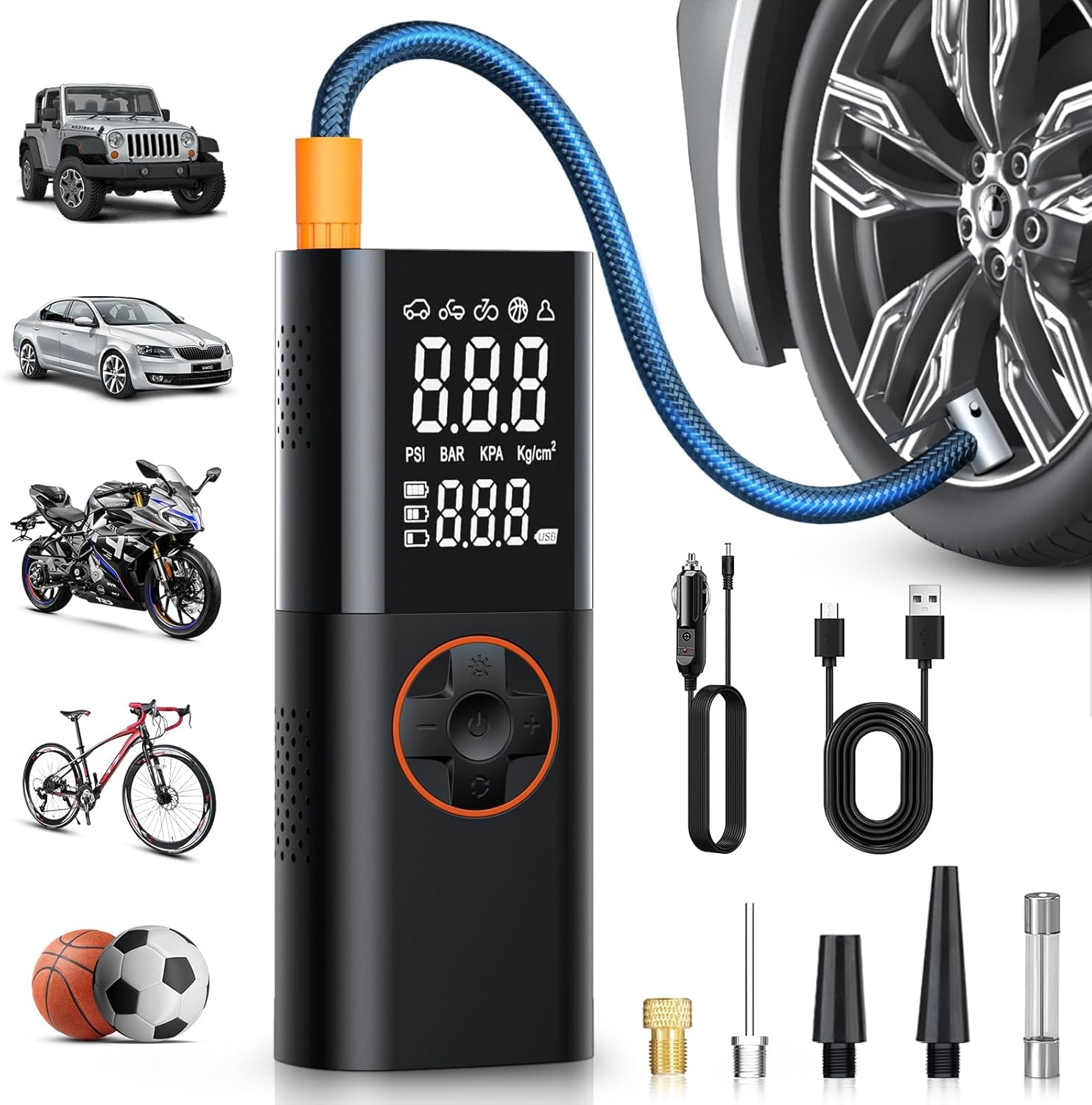
The main unit features an LCD screen, control buttons (power, mode, +/- for pressure adjustment, light), an air hose connection port, a USB-C charging port, a USB-A output port, and a 12V DC power input port.

4. Setup
- Charge the Device: Before first use, fully charge the inflator using the provided Type-C charging cable or 12V DC power cord. The battery level is displayed on the LCD screen.
- Attach the Air Hose: Screw the inflation tube securely into the air outlet port on the top of the inflator.
- Select Appropriate Nozzle: Choose the correct nozzle adapter for the item you intend to inflate (e.g., Presta valve for some bicycles, ball needle for sports balls, standard air nozzle for car tires). Attach it to the free end of the inflation tube.
5. Operating Instructions
Power On/Off:
- Long press the power button to turn the inflator ON or OFF.
Selecting Inflation Mode:
- Short press the 'M' (Mode) button to cycle through the pre-set modes: Car, Motorcycle, Bicycle, Ball, and Custom.
- Each mode has a default preset pressure, which can be adjusted.
Setting Desired Pressure:
- Once a mode is selected, the preset pressure value will blink.
- Use the '+' and '-' buttons to increase or decrease the desired pressure.
- The unit supports PSI, BAR, KPA, and Kg/cm². Long press the 'M' button to switch between pressure units.
Starting Inflation:
- Connect the inflation tube securely to the item's valve stem. The top number on the LCD will show the current pressure.
- Press the power button (short press) to begin inflation. The inflator will automatically stop when the preset pressure is reached.
- To manually stop inflation, press the power button again.

Emergency LED Light:
- Short press the light button to cycle through light modes: Bright, Strobe, and SOS.
- Long press the light button to turn the LED light OFF.

Charging External Devices:
- Connect your device to the USB-A output port using a compatible USB cable. The inflator acts as a power bank.
Demonstration Videos:
Video 1: This video demonstrates the unboxing, features, and basic operation of a portable tire inflator, including mode switching and accessory usage. (Source: Manso CA)
Video 2: This video showcases the CKWUE portable air compressor's features, including its dual display, various inflation modes for different items (bikes, motorcycles, cars, balls), and its emergency light and power bank functions. (Source: CKW-DIRECT)
Video 3: This video highlights the QKMPOM portable air compressor's fast inflation capabilities for various items, its compact size, and its integrated LED light and power bank features. (Source: QKMPOM Direct)
6. Maintenance
- Cleaning: Wipe the device with a soft, dry cloth. Do not use harsh chemicals or abrasive cleaners.
- Storage: Store the inflator and its accessories in the provided storage bag in a cool, dry place away from direct sunlight and extreme temperatures.
- Battery Care: For optimal battery life, charge the device at least once every three months if not in regular use.
7. Troubleshooting
| Problem | Possible Cause | Solution |
|---|---|---|
| Inflator does not turn on. | Low battery or device is off. | Charge the device. Long press the power button to turn on. |
| Inflation is slow or not working. | Hose not securely connected; incorrect nozzle; item already at desired pressure. | Ensure hose and nozzle are tightly connected. Check current pressure on display. |
| Device stops before reaching preset pressure. | Preset pressure is lower than current pressure; auto-shutoff triggered by internal safety. | Adjust preset pressure higher than current. Allow device to cool if overheated. |
| Inaccurate pressure reading. | Hose connection not tight enough. | Ensure the inflation hose is screwed on tightly to both the inflator and the valve stem. |
8. Specifications
- Brand: ZGZUXO
- Model Number: CZK-3691
- Product Dimensions: 9.1 x 8.5 x 20.6 cm
- Item Weight: 780 g
- Batteries: 3 Lithium Ion batteries (included)
- Material: Metal
- Power Source: Corded Electric, Battery Power
- Voltage: 12 Volts
- Wattage: 90 Watts
- Air Flow Capacity: 34 Liters Per Minute
- Maximum Pressure: 150 Pound per Square Inch (PSI)
- Sound Level: 67 Decibels
- Hose Length: 40 Centimeters
9. Warranty and Support
This ZGZUXO product comes with a 1-year warranty for new replacements.
For technical support, warranty claims, or any inquiries, please refer to the contact information provided with your purchase or visit the official ZGZUXO website.


