
Introduction
Thank you for choosing the INFANS 3-in-1 Licensed Lamborghini Baby Push Car. This versatile product is designed to adapt to your child's growth, transforming from a stroller to a walking car, and finally to a ride-on car. This manual provides essential information for safe assembly, operation, and maintenance of your new push car.
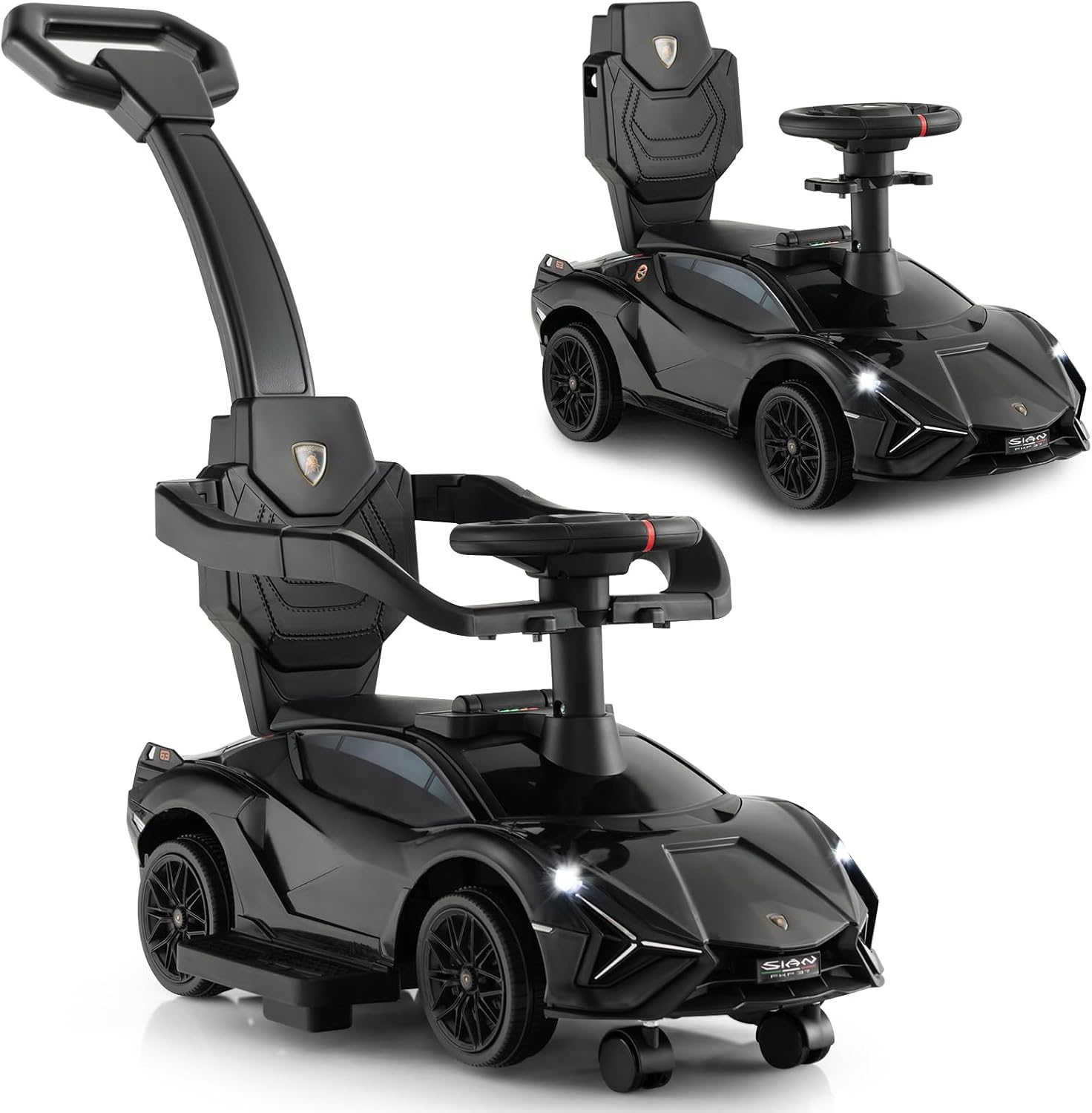
Image: The INFANS 3-in-1 Licensed Lamborghini Baby Push Car in black, showcasing its sleek design.
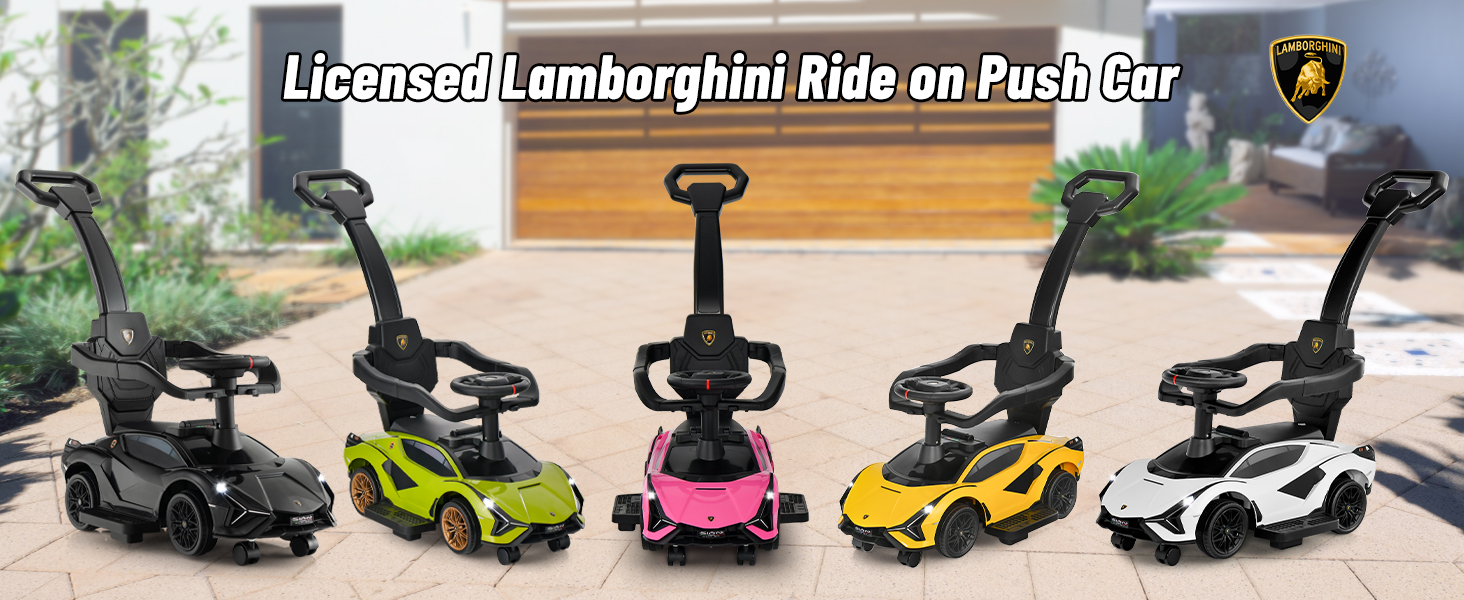
Image: Visual representation of the three modes: Stroller, Walking Car, and Riding On Car, illustrating the product's adaptability.
Safety Information
Your child's safety is paramount. Please adhere to all safety guidelines and ensure proper assembly and use of the product.
- Age and Weight Limit: Suitable for children aged 18 months to 5 years (18-60 months) with a maximum weight capacity of 55 lbs (25 kg).
- Safety Guardrail: The detachable safety guardrail must be securely attached when using the stroller or walking car modes to prevent falls.
- Footrest: Ensure the footrest is properly positioned for your child's comfort and safety, especially in stroller mode.
- Anti-Fall Devices: The car is equipped with anti-fall devices and wear-resistant tires to enhance stability and prevent tipping.
- Parental Supervision: Always supervise your child when they are using the push car.
- Material Safety: Made from non-toxic materials, free from BPA, PVC, Phthalates, Lead, Latex, and Formaldehyde. Complies with US CPSIA and ASTM requirements.
- Battery Safety: Requires 4 x 1.5V AA batteries (not included) for sound effects and lights. Ensure batteries are installed correctly and kept out of reach of children.
Package Contents
Upon opening the package, please verify that all components are present and undamaged:
- Main Ride-on Push Car Body
- Removable Push Handle
- Detachable Safety Guardrail
- Steering Wheel
- Footrest
- Assembly Hardware (screws, washers, etc.)
- Instruction Manual
Assembly Instructions
Assembly is required before first use. Please follow the detailed step-by-step instructions provided in the separate assembly guide included in your package. Ensure all parts are securely fastened.

Image: Detailed view of key removable components: safety bar, foot pedal, and push handle, essential for assembly and mode conversion.
Setup
Battery Installation
- Locate the battery compartment, typically under the seat or on the dashboard.
- Using a screwdriver, open the battery compartment cover.
- Insert 4 x 1.5V AA batteries, ensuring correct polarity (+/-).
- Replace the cover and secure it with the screw.
Attaching Components
Depending on the desired mode, attach or detach the following components:
- Push Handle: Insert the push handle into the designated slot at the rear of the car until it clicks into place. Ensure it is firmly secured for parent control.
- Safety Guardrail: Attach the safety guardrail around the seat for younger children. It can be removed for older children using the ride-on mode.
- Footrest: The footrest can be extended for stroller mode or retracted/removed for walking car and ride-on modes.
Operating Instructions
Modes of Use
- Stroller Mode (18-24 months): Attach the push handle, safety guardrail, and extend the footrest. Parents control the direction and movement using the push handle. The detachable steering wheel allows parents to control the direction while the child holds the car's steering wheel.
- Walking Car Mode (24-36 months): Remove the push handle and safety guardrail. The child can use their feet to propel the car forward while holding onto the steering wheel for balance.
- Ride-on Car Mode (36-60 months): Remove the push handle, safety guardrail, and retract/remove the footrest. The child sits on the car and uses their feet to push themselves along, steering with the functional steering wheel.

Image: A parent guiding a child in the push car using the ergonomic push handle, demonstrating the parent-controlled mode.
Features
- Steering Wheel: The comfortable steering wheel provides a realistic driving experience.
- Sound Effects & Music: Press the music button on the dashboard to activate various sound effects and built-in tunes.
- USB Port: A USB port is available on the dashboard. It primarily functions as a charging port for external devices. Note: Music playback via USB may not be supported on all devices.
- Headlights: The car features functional headlights for added realism.
- Power Display: The control panel includes a power display to indicate battery status.
- Under-Seat Storage: Lift the seat to access a hidden storage compartment for small items like snacks or toys.
- Convenience Hook: A hook is provided to carry small bags or water cups.

Image: Close-up of the car's dashboard, highlighting the power switch, USB port, power display, and music button for interactive play.

Image: The hidden storage space located under the seat, ideal for carrying small toys or essentials.
Maintenance
- Cleaning: Wipe the car with a damp cloth and mild soap. Avoid harsh chemicals or abrasive cleaners.
- Storage: Store the push car in a dry, cool place away from direct sunlight when not in use.
- Battery Care: Remove batteries if the car will not be used for an extended period to prevent leakage.
- Regular Checks: Periodically check all screws and fasteners to ensure they are tight. Inspect wheels and other moving parts for wear and tear.
Troubleshooting
- No Sound/Lights: Check battery installation and ensure batteries are not depleted. Replace if necessary.
- USB Music Not Playing: The USB port is primarily for charging. While some devices may play music, compatibility is not guaranteed. Ensure your device is properly connected and formatted.
- Difficulty Steering: Ensure the detachable control steering wheel is correctly engaged if in parent-control mode. Check for any obstructions around the wheels.
Specifications
| Feature | Detail |
|---|---|
| Model Number | QLS-996 |
| Product Dimensions | 37 x 17 x 33 inches (L x W x H) |
| Item Weight | 11 pounds |
| Recommended Age | 18 months - 5 years (18-60 months) |
| Maximum Weight Capacity | 55 lbs (25 kg) |
| Battery Requirement | 4 x 1.5V AA batteries (not included) |
| Material | Non-toxic, BPA-free, PVC-free, Phthalate-free, Lead-free, Latex-free, Formaldehyde-free |
| Certifications | US CPSIA and ASTM compliant |

Image: Dimensional diagram of the push car, indicating its length, width, and height for reference.
Warranty and Support
For warranty information, product support, or to purchase replacement parts, please refer to the contact information provided on the product packaging or visit the official INFANS website. Keep your purchase receipt for warranty claims.


