
LUME CUBE LC-TLXL
Lume Cube RGB 4' XL Tube Light User Manual
Model: LC-TLXL
1. Introduction
The Lume Cube RGB 4' XL Tube Light is a powerful and versatile lighting tool designed for filmmakers, photographers, and content creators. It offers extensive color control, durable construction, and convenient app integration to enhance your creative projects.
2. What's Included
The Lume Cube RGB 4' XL Tube Light package includes the following items:
- Lume Cube RGB 4' XL Tube Light
- Aluminum Tripod Legs
- Coated Steel Loops & Mounting Bolts (2x)
- AC Power Adapter
- Padded Travel Bag
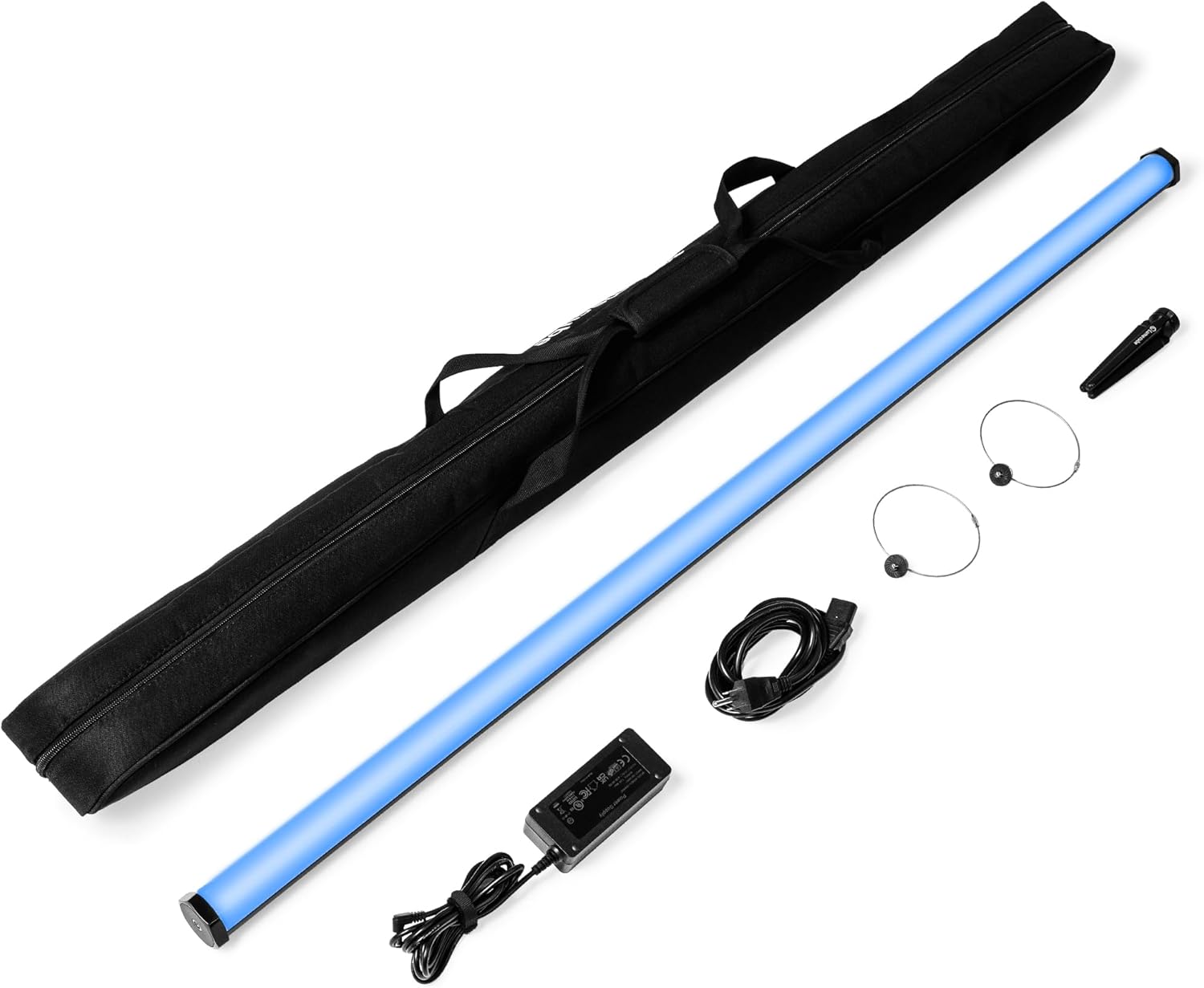
Image: The Lume Cube RGB 4' XL Tube Light with its padded travel bag, aluminum tripod legs, coated steel loops, mounting bolts, and AC power adapter.
Video: An unboxing video demonstrating the contents of the Lume Cube Tube Light package, including the XL model.
3. Setup
- Unpack: Carefully remove all components from the padded travel bag.
- Power On: Locate the power switch on the side of the tube light and slide it to the 'ON' position. The light will illuminate.
- Mounting Options:
- Tripod: Attach the aluminum tripod legs to one of the 1/4" 20 threads located on the ends or along the back of the tube light.
- Hanging: Use the coated steel loops and mounting bolts with the 1/4" 20 threads to hang the light.
- Magnetic Mounting (Mini only, not XL): The Tube Light Mini features magnets on both end caps for easy low-profile mounting to metallic surfaces. (Note: This feature is specific to the Mini model and not the XL).
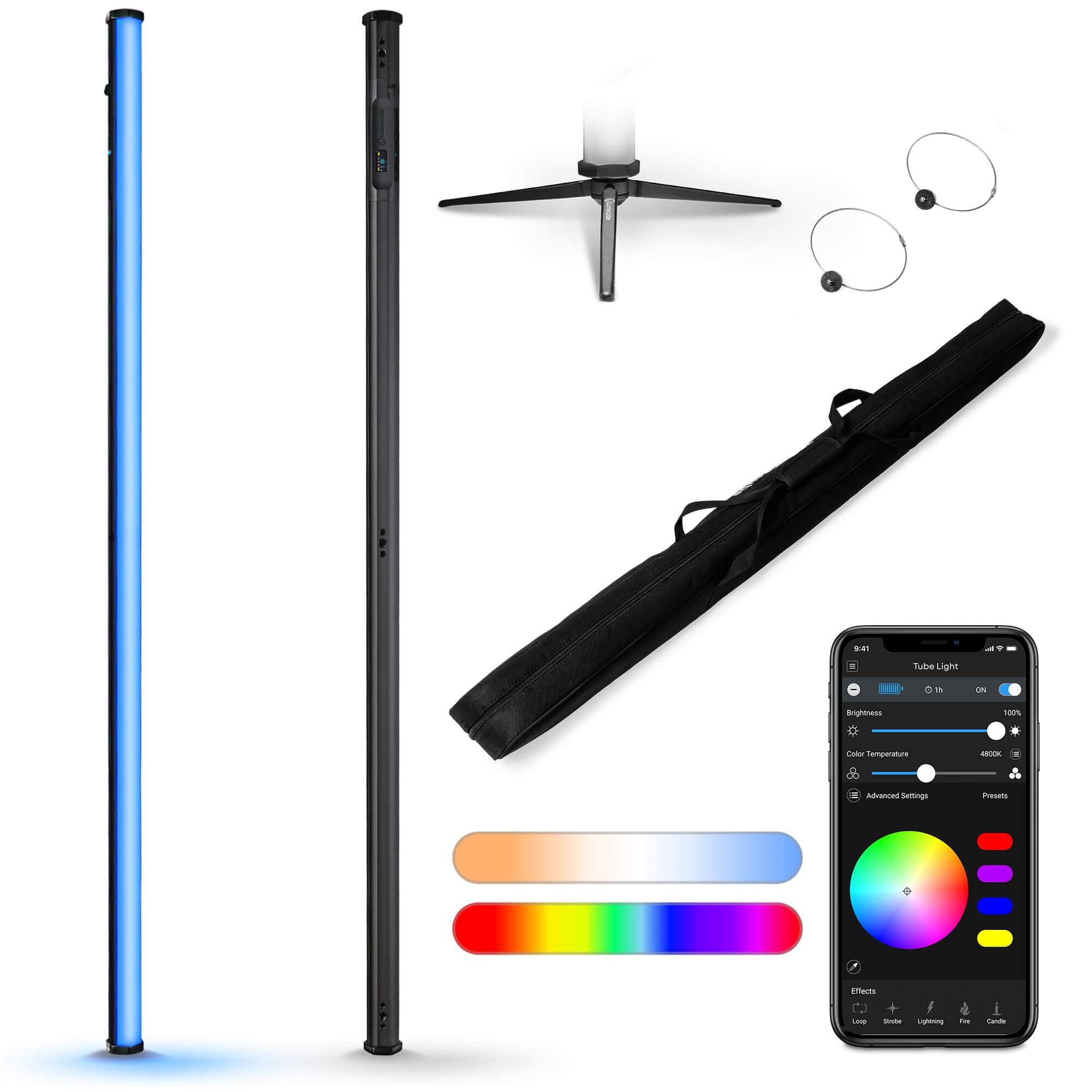
Image: The Lume Cube RGB 4' XL Tube Light, showcasing its design and size.

Image: The Lume Cube RGB 4' XL Tube Light mounted on its included tripod base.
4. Operating Instructions
4.1 On-Device Controls
The Tube Light XL features an intuitive LCD screen and physical controls for direct adjustments.
- On/Off Switch: Slide to power the device.
- Adjustment Dial: Rotate to navigate menus and adjust values.
- Toggle Button (Blue): Press to select options or confirm settings.
- USB-C Port: For charging and acting as a power bank.
- Circular 15V Charge Port: For faster charging of the Tube Light XL.

Image: Close-up of the Lume Cube RGB 4' XL Tube Light's control panel, showing the LCD screen, adjustment dial, mode button, power button, and USB-C charge port.
4.2 LCD Screen Navigation
The LCD screen displays current settings and battery life. Use the adjustment dial to scroll through modes (CCT, HSL, FX) and the blue toggle button to enter a mode and select parameters.
- CCT Mode (Correlated Color Temperature): Adjust brightness (0-100%), color temperature (2700K-7500K), and green/magenta tint for precise white light.
- HSL Mode (Hue, Saturation, Luminosity): Control brightness (0-100%), hue (full RGB spectrum up to 360 colors), and saturation (color intensity 0-100%).
- FX Mode (Special Effects): Select from seven pre-programmed effects (Strobe, Color Loop, Lightning, Fire, Candle, Siren, TV Flicker) and adjust their brightness and speed (1-10 Hz).
- SET Menu: Toggle Bluetooth functionality on or off.
- Battery Indicator: Displays remaining battery life and estimated runtime at current brightness.
4.3 Bluetooth App Control
For advanced control and features, use the Lume Control app.
- Download App: Download the "Lume Control" app from your device's app store.
- Enable Bluetooth: On your Tube Light XL, navigate to the SET menu and ensure Bluetooth is 'ON'.
- Pair Device: Open the Lume Control app, go to "Bluetooth Pairing," and select your Tube Light XL from the available devices.
- Control: Once connected, you can adjust brightness, color temperature, hue, saturation, and effects directly from your phone. The app also features a color picker to match colors from objects in your scene.
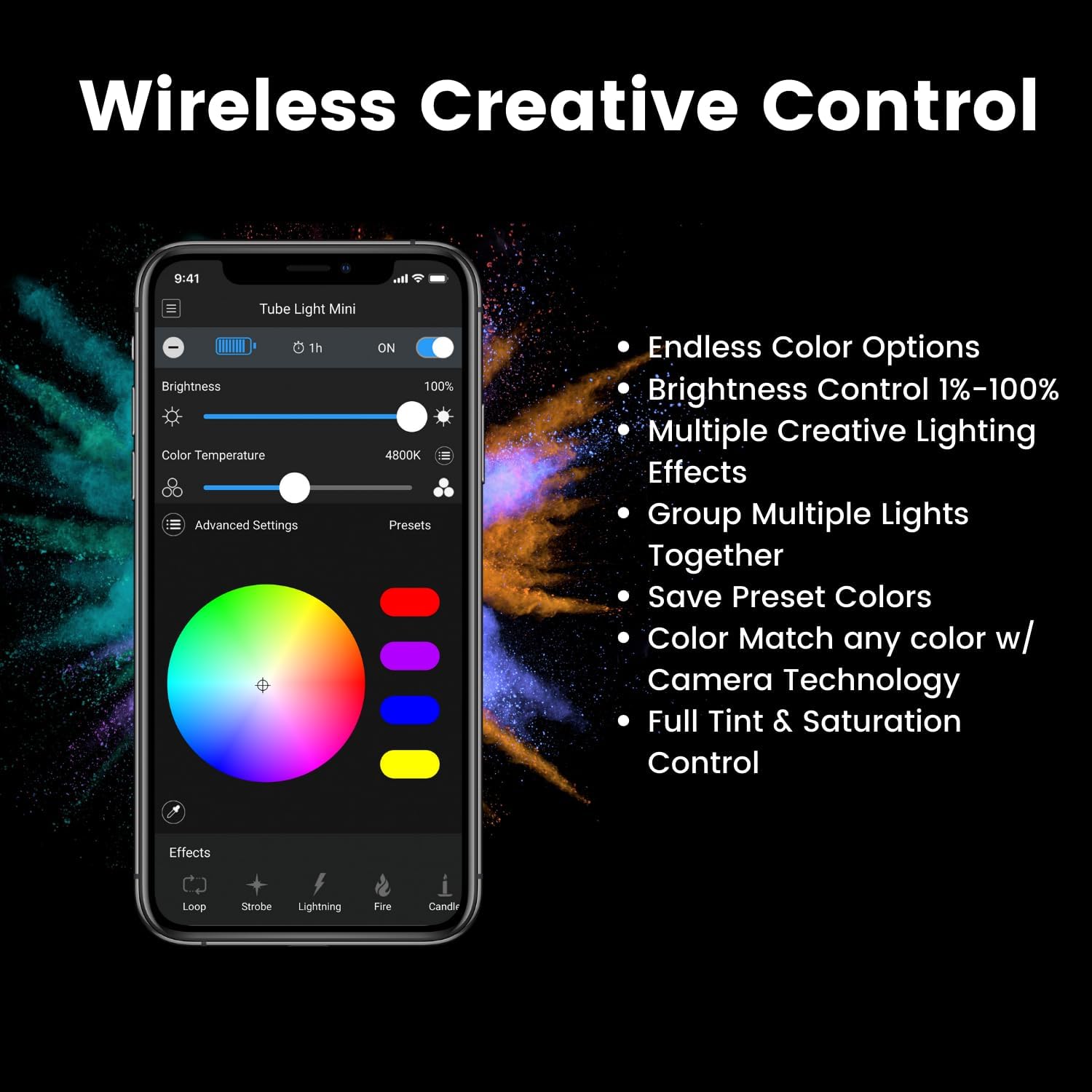
Image: A smartphone displaying the Lume Control app interface, showing color and brightness controls for the Lume Cube Tube Light.
Video: An overview of the Lume Cube 4ft Tube Light, demonstrating its features and app control.
5. Maintenance
- Cleaning: Use a soft, dry cloth to clean the exterior of the tube light. Avoid abrasive cleaners or solvents.
- Storage: Store the tube light in its padded travel bag when not in use to protect it from dust and damage.
- Battery Care: For optimal battery longevity, avoid fully discharging the battery frequently. Charge the device regularly, even during periods of non-use.
6. Troubleshooting
| Issue | Possible Cause | Solution |
|---|---|---|
| Light does not turn on | Battery is depleted; Power switch is off. | Charge the device using the AC power adapter or USB-C cable. Ensure the power switch is in the 'ON' position. |
| Cannot connect via Bluetooth app | Bluetooth is off on the light; App is not updated; Device is out of range. | Ensure Bluetooth is 'ON' in the light's SET menu. Update the Lume Control app. Move closer to the light. |
| Light output is dim | Brightness setting is low; Battery is low. | Increase brightness via on-device controls or the app. Charge the device. |
7. Specifications
- Model: LC-TLXL
- Brand: LUME CUBE
- Battery Life: 192 minutes (at full brightness)
- Connectivity: Bluetooth
- Hardware Interface: Bluetooth
- UPC: 810019501456
- Flash Modes: Adjustable brightness (0-100%), seven pre-programmed special effects with 10-speed settings, controlled via Bluetooth app.
- Water Resistance Level: Water Resistant
- Manufacturer Part Number: LC-TLXL
- Unit Count: 1.0 Count
- CRI Rating: 97+
- Lumen Output: 3400 lumens
8. Warranty & Support
The Lume Cube RGB 4' XL Tube Light comes with a 1 Year Manufacturer's Warranty.
For further assistance, technical support, or warranty claims, please visit the official LUME CUBE Store or contact their customer service directly.
LUME CUBE Store: Visit Store
Related documentsLC-TLXL


Ask a question about this manual
Ask about setup, troubleshooting, compatibility, parts, safety, or missing instructions. Manuals+ will review the question and use this page’s manual context to help answer it.