
CUCKOO CWP-A501TW
CUCKOO CWP-A501TW 5-Liter Hot Water Dispenser & Warmer User Manual
Model: CWP-A501TW | Brand: CUCKOO
1. Introduction
Thank you for choosing the CUCKOO CWP-A501TW 5-Liter Hot Water Dispenser & Warmer. This appliance is designed to provide convenient access to hot water at various temperatures for your household or office needs. Please read this manual thoroughly before operation to ensure safe and optimal use of your new appliance.
Key features of your CWP-A501TW include:
- Large 5-Liter Capacity: Reduces the frequency of refilling.
- Multiple Temperature Settings: Offers a range of temperatures from 104°F (40°C) to 185°F (85°C).
- Child-Safety Automated Lock: Enhances safety during operation.
- Chlorine Evaporation Function: Helps to reduce chlorine content in water.
- Durable Construction: Features premium stainless steel with insulating technology.
- Detachable Lid and Built-in Handle: For easy cleaning and relocation.
2. Important Safety Instructions
To prevent personal injury or property damage, always follow basic safety precautions when using electrical appliances. Read all instructions carefully before use.
- Do not immerse the appliance, cord, or plug in water or other liquids.
- Ensure the voltage rating on the appliance matches your local power supply.
- Keep the appliance out of reach of children and pets.
- Always unplug the appliance when not in use, before cleaning, or if a malfunction occurs.
- Do not operate the appliance with a damaged cord or plug. Contact customer support for repairs.
- Place the appliance on a stable, flat, heat-resistant surface, away from edges.
- Do not fill above the maximum fill line or below the minimum fill line.
- Avoid touching hot surfaces. Use handles or knobs. Steam emitted during operation is hot.
- Do not use the appliance for purposes other than heating and dispensing water.
- This appliance is equipped with a child-safety lock. Always engage the lock when not actively dispensing water, especially in households with children.
3. Package Contents
Verify that all items are present in the packaging:
- CUCKOO CWP-A501TW Hot Water Dispenser & Warmer Unit
- Detachable Power Cord
- User Manual (this document)
4. Product Overview
Familiarize yourself with the components of your hot water dispenser.

Figure 4.1: Front view of the CUCKOO CWP-A501TW Hot Water Dispenser, showing the water level indicator and dispenser spout.

Figure 4.2: Interior view highlighting the stainless steel insulation of the water tank.
Components:
- Control Panel: Located on the top, with buttons for ON/OFF, temperature settings, Keep Warm, Dispense, Boil/Cancel, and Unlock.
- Water Level Indicator: A clear window on the front to monitor water volume.
- Dispenser Spout: Where hot water is dispensed.
- Lid: Removable for filling and cleaning.
- Handle: Integrated into the design for easy transport.
- Power Cord Port: Located at the rear of the unit.
5. Setup
5.1 Initial Cleaning
- Remove all packaging materials and labels from the appliance.
- Wash the interior of the water tank and the detachable lid with warm, soapy water. Rinse thoroughly.
- Wipe the exterior of the appliance with a damp cloth. Do not use abrasive cleaners.
- Ensure all parts are dry before proceeding.
5.2 Filling the Water Tank
- Open the lid of the dispenser.
- Fill the water tank with fresh, clean water. Do not exceed the 'MAX' fill line (5L) and ensure it is above the 'MIN' fill line.
- Close the lid securely.

Figure 5.1: Water level indicator showing the 5-liter capacity.
5.3 Power Connection
- Place the dispenser on a stable, flat, and dry surface.
- Connect the detachable power cord to the power port on the back of the appliance.
- Plug the other end of the power cord into a grounded electrical outlet.
6. Operating Modes
The CWP-A501TW offers several modes for heating and dispensing water.

Figure 6.1: Close-up of the control panel showing various temperature settings and function buttons.
6.1 Power On/Off
- Press the ON/OFF button to turn the appliance on or off.
- When turned on, the appliance will typically begin boiling water to the highest temperature setting or the last used setting.
6.2 Temperature Selection
You can select from 7 different temperature settings:
- 104°F (40°C)
- 113°F (45°C)
- 131°F (55°C)
- 149°F (65°C)
- 167°F (75°C)
- 185°F (85°C)
- Boil (for 212°F / 100°C)
Press the desired temperature button on the control panel. The appliance will heat the water to the selected temperature and maintain it.
6.3 Dispensing Water
- Ensure the water is at the desired temperature.
- Press the UNLOCK button to deactivate the child-safety lock.
- Press the DISPENSE button to release water. Release the button to stop dispensing.

Figure 6.2: Illustrates pressing the UNLOCK button to enable dispensing.

Figure 6.3: Illustrates pressing the DISPENSE button to release hot water.
6.4 Child-Safety Lock
The appliance features an automatic child-safety lock. After a period of inactivity, the dispense function will lock. You must press the UNLOCK button before pressing DISPENSE.

Figure 6.4: The child-safe lock feature prevents accidental dispensing.
6.5 Chlorine Evaporation Function
This function helps to reduce chlorine substances from the water. When the appliance boils water, it may engage a longer boiling cycle to facilitate chlorine evaporation.
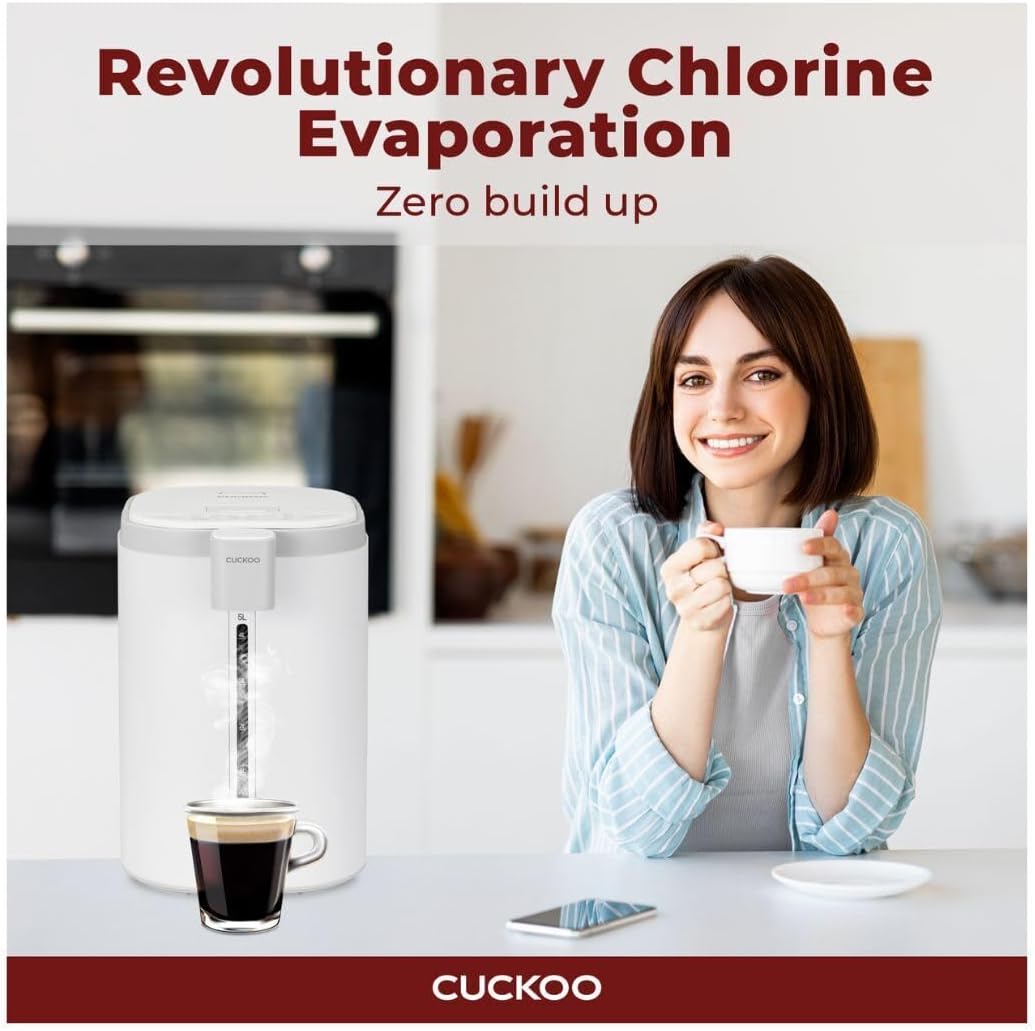
Figure 6.5: The appliance actively evaporates chlorine during the boiling process.
7. Maintenance
Regular cleaning and maintenance will ensure the longevity and optimal performance of your hot water dispenser.
7.1 Daily Cleaning
- Unplug the appliance and allow it to cool completely.
- Wipe the exterior with a soft, damp cloth.
- Empty any remaining water from the tank.
7.2 Interior Cleaning and Descaling
The detachable lid facilitates thorough cleaning of the interior.

Figure 7.1: The detachable lid allows for easy access to the interior for cleaning.
- Unplug the appliance and ensure it is cool.
- Remove the detachable lid.
- Clean the interior of the water tank with a soft sponge and mild dish soap. Rinse thoroughly to remove all soap residue.
- For descaling (removing mineral deposits), fill the tank with a solution of water and white vinegar (1:1 ratio) or a commercial descaling agent according to its instructions.
- Allow the solution to sit for several hours or overnight.
- Drain the solution and rinse the tank multiple times with fresh water to remove any vinegar smell or descaling agent residue.
- Ensure all parts are dry before reassembling and storing or using the appliance.
8. Troubleshooting
Refer to this section for common issues and their solutions.
| Problem | Possible Cause | Solution |
|---|---|---|
| Appliance does not turn on. | No power supply. | Check if the power cord is securely plugged into both the appliance and the wall outlet. Test the outlet with another device. |
| Water is not heating. | Heating element malfunction or insufficient water. | Ensure water level is above the 'MIN' line. If problem persists, contact customer support. |
| Water dispensing is difficult or slow. | Child-safety lock engaged or spout blockage. | Press the UNLOCK button before dispensing. Check the dispenser spout for mineral buildup and clean if necessary. |
| Buttons are unresponsive or require multiple presses. | Button sensitivity or residue on control panel. | Ensure fingers are clean and dry. Apply firm, direct pressure. Clean the control panel surface. |
| Appliance automatically turns off after a few days. | Auto-shutoff safety feature. | This is a normal safety feature. Turn the appliance back on if needed. |
| Unusual odor or taste in water. | New appliance odor or mineral buildup. | Perform initial cleaning and several boiling cycles with fresh water. Descale the unit if mineral buildup is suspected. |
9. Specifications
| Feature | Detail |
|---|---|
| Model Number | CWP-A501TW |
| Brand | CUCKOO |
| Color | White |
| Material | Stainless Steel |
| Capacity | 5 Liters |
| Product Dimensions (D x W x H) | 8.5" x 10.4" x 12.2" |
| Item Weight | 7.9 pounds (approximately 3.58 kg) |
| Wattage | 1500 watts |
| Power Source | Corded Electric |
| Installation Type | Countertop |
| Temperature Settings | 7 (104°F to 185°F, plus Boil) |
| Lower Temperature Rating | 104 Degrees Fahrenheit (40°C) |
| Upper Temperature Rating | 185 Degrees Fahrenheit (85°C) |
10. Warranty and Support
10.1 Warranty Information
CUCKOO products are designed and manufactured to high-quality standards. While specific warranty details are not provided in this manual, please refer to the warranty card included with your purchase or visit the official CUCKOO website for comprehensive warranty terms and conditions. Keep your proof of purchase for warranty claims.
10.2 Customer Support
If you have any questions, require assistance, or encounter issues not covered in this manual, please contact CUCKOO customer support. Contact information can typically be found on the official CUCKOO website or on the product packaging.
For the latest information and support, please visit: www.cuckoo.com
Related documentsCWP-A501TW


Ask a question about this manual
Ask about setup, troubleshooting, compatibility, parts, safety, or missing instructions. Manuals+ will review the question and use this page’s manual context to help answer it.