
1. Introduction
Thank you for purchasing the BlitzWolf BW-V5 LED Projector. This manual provides detailed instructions for the setup, operation, and maintenance of your projector. Please read this manual thoroughly before using the product to ensure proper operation and to extend its lifespan.
The BlitzWolf BW-V5 is a portable LED projector featuring a physical 1080P resolution, 9000 lumens brightness, and Bluetooth 5.0 connectivity, designed for home theater and entertainment use. It is compatible with various devices including TV sticks, smartphones, and supports HDMI, USB, and AV inputs.
2. Safety Information
- Do not look directly into the projector lens when the lamp is on.
- Ensure proper ventilation around the projector to prevent overheating. Do not block ventilation openings.
- Use only the power adapter supplied with the projector.
- Do not expose the projector to rain or moisture to avoid electric shock or fire.
- Avoid placing the projector on unstable surfaces.
- Do not attempt to disassemble or repair the projector yourself. Contact qualified service personnel for assistance.
- Keep the projector away from direct sunlight, heat sources, and extreme temperatures.
3. Package Contents
Please check that all the following items are included in your package:
- BlitzWolf BW-V5 LED Projector
- Remote Control
- Power Cable
- HDMI Cable (may vary by region/package)
- AV Cable (may vary by region/package)
- User Manual (this document)
4. Product Overview
4.1 Projector Components
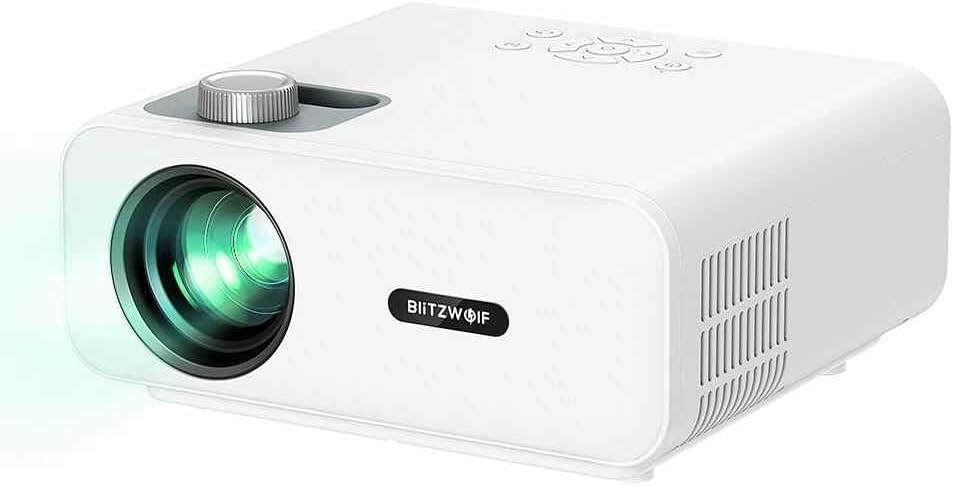
Figure 4.1: Front-side view of the BlitzWolf BW-V5 LED Projector, showing the lens, focus knob, and control panel on top.
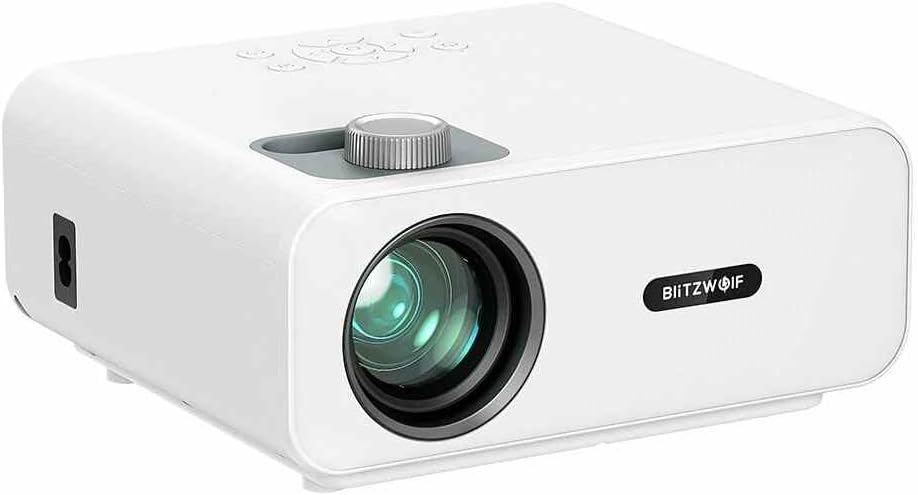
Figure 4.2: Front view of the BlitzWolf BW-V5 LED Projector, highlighting the projection lens and the BlitzWolf logo.
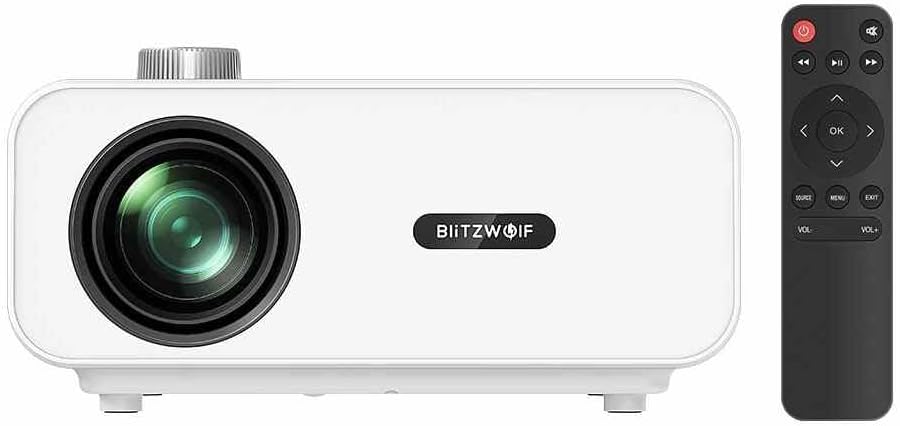
Figure 4.3: Front view of the BlitzWolf BW-V5 LED Projector alongside its remote control, illustrating the compact design of both units.

Figure 4.4: Rear view of the BlitzWolf BW-V5 LED Projector, showcasing the various input/output ports including HDMI, USB, AV, and headphone jack.
The projector features a manual focus knob, an intuitive control panel on the top, and multiple connectivity options on the rear panel. The included remote control allows for convenient operation from a distance.
4.2 Control Panel and Remote Control
The control panel on top of the projector includes buttons for power, navigation (up, down, left, right, OK), source selection, menu, and volume control. The remote control mirrors these functions and provides additional shortcuts for ease of use.
5. Setup
5.1 Placement
Place the projector on a stable, flat surface. For optimal viewing, position the projector perpendicular to the projection screen or wall. The recommended projection distance ranges from 1.5 to 4.8 meters, yielding a screen size of 50 to 170 inches.
- 50" screen: approx. 1.5 meters (4.9 feet)
- 100" screen: approx. 3.0 meters (9.8 feet)
- 170" screen: approx. 4.8 meters (15.7 feet)
5.2 Connecting to Power
- Connect the power cable to the projector's power input port.
- Plug the other end of the power cable into a standard AC 110-240V power outlet.
- The power indicator light on the projector will illuminate.
5.3 Connecting External Devices
The BW-V5 projector supports multiple input sources:
- HDMI: Connect a TV stick, laptop, game console, or Blu-ray player using an HDMI cable. The projector has multiple HDMI ports.
- USB: Insert a USB flash drive to play media files (video, audio, images).
- AV: Use the AV port for older devices like DVD players or set-top boxes.
- Headphone/Audio Out: Connect external speakers or headphones for enhanced audio.
6. Operating Instructions
6.1 Power On/Off
- Power On: Press the power button on the projector or the remote control. The projector will start up and display the main interface.
- Power Off: Press the power button again. A confirmation message may appear; select "Yes" to shut down.
6.2 Input Source Selection
After powering on, press the "Source" button on the projector or remote control to cycle through available input sources (HDMI1, HDMI2, USB, AV). Select the desired input source corresponding to your connected device.
6.3 Focus Adjustment
Rotate the focus knob located near the lens until the projected image appears clear and sharp. This adjustment is manual and may need to be fine-tuned based on projection distance.
6.4 Keystone Correction
If the projected image appears trapezoidal (wider at the top or bottom), use the optical keystone correction feature. The projector supports ±15° trapezoidal correction. Adjust the keystone ring or use the menu options to square the image.
6.5 Bluetooth Connectivity
The BW-V5 supports Bluetooth 5.0 for connecting external audio devices like Bluetooth speakers or headphones. Navigate to the Bluetooth settings in the projector's menu, enable Bluetooth, and pair with your desired device.
6.6 Media Playback (USB)
When a USB drive is inserted, the projector's interface will typically prompt you to select the media type (Video, Music, Photo). Navigate through your files using the remote control and press "OK" to play.
- Supported Video Formats: MPEG1/MPEG2/MPEG4/H.263/H.264/AVS/VC1/MJPEG/RV30/RV40/HEVC
- Supported Audio Formats: MPEG1/MPEG2/LPCM/MP3/WMA2/AAC/WAV
- Supported Image Formats: JPEG/PNG/BMP
7. Maintenance
7.1 Cleaning the Projector
- Lens: Use a soft, lint-free cloth specifically designed for optical lenses. Do not use abrasive cleaners or excessive force.
- Body: Wipe the projector's exterior with a soft, dry cloth. For stubborn marks, a slightly damp cloth can be used, followed by a dry wipe.
- Ventilation Ports: Periodically clean the ventilation ports with a soft brush or compressed air to prevent dust buildup, which can affect cooling performance.
7.2 Lamp Life
The LED light source in the BW-V5 projector has a long work life of approximately 50,000 hours. This means the lamp is designed to last for many years under normal usage conditions, reducing the need for frequent replacements.
8. Troubleshooting
| Problem | Possible Cause | Solution |
|---|---|---|
| No image projected | Power cable disconnected; Incorrect input source; Lens cap on. | Check power connection; Select correct input source; Remove lens cap. |
| Image is blurry | Out of focus; Incorrect projection distance. | Adjust the focus knob; Adjust projection distance. |
| Image is trapezoidal | Projector not perpendicular to screen. | Adjust keystone correction; Reposition projector. |
| No sound | Volume too low; Muted; External audio device not connected or selected. | Increase volume; Unmute; Check audio cable connection or Bluetooth pairing. |
| Remote control not working | Batteries low/dead; Obstruction between remote and projector. | Replace batteries; Ensure clear line of sight to IR receiver. |
9. Specifications
| Feature | Specification |
|---|---|
| Brand | BlitzWolf |
| Model | BW-V5 |
| Display Technique | LCD |
| Native Resolution | 1920x1080P (Physical 1080P) |
| Aspect Ratio | 16:9 |
| Bulb Luminance | 9000 LM |
| Light Work Life | 50000 hours |
| FOFO Contrast | 1000:1 |
| Throw Ratio | 1.35 |
| Projector Size | 50" - 170" |
| Throw Distance | 1.5 - 4.8 M |
| Focusing Way | Manual focus |
| Optical Keystone Correction | ±15° trapezoidal |
| Connectivity Technology | Bluetooth 5.0, HDMI, USB, AV |
| Interfaces | AV, Headphone, HDMI (x2), USB (x2) |
| Overall Operating Power Consumption | 75W ±5W |
| Standby Power Consumption | 1W |
| Working Voltage | AC 110-240V |
| Net Weight | 1.6 KG (approx. 3.52 pounds) |
| Overall Dimension | 220*190.5*93mm |
10. Warranty and Support
This product comes with a standard manufacturer's warranty. Please refer to the warranty card included in your package for specific terms and conditions. For technical support, troubleshooting assistance, or warranty claims, please contact the retailer or manufacturer's customer service. Keep your purchase receipt as proof of purchase.
For the latest information and support, please visit the official BlitzWolf website or contact their customer service channels.


