
Introduction
Thank you for choosing the Axtel PRO BT Wireless Headset. This manual provides detailed instructions for setting up, operating, and maintaining your headset to ensure optimal performance and a seamless communication experience. The Axtel PRO BT is designed for professional use, offering advanced features like Bluetooth 5.1, active noise cancellation, and dual device connectivity.
Product Overview
Headset Components
The Axtel PRO BT headset features a comfortable over-ear design with 40mm speakers and an adjustable microphone boom. It includes intuitive control buttons for easy management of calls and audio playback.

Image: Front view of the Axtel PRO BT Wireless Headset, showcasing the over-ear design and microphone boom.
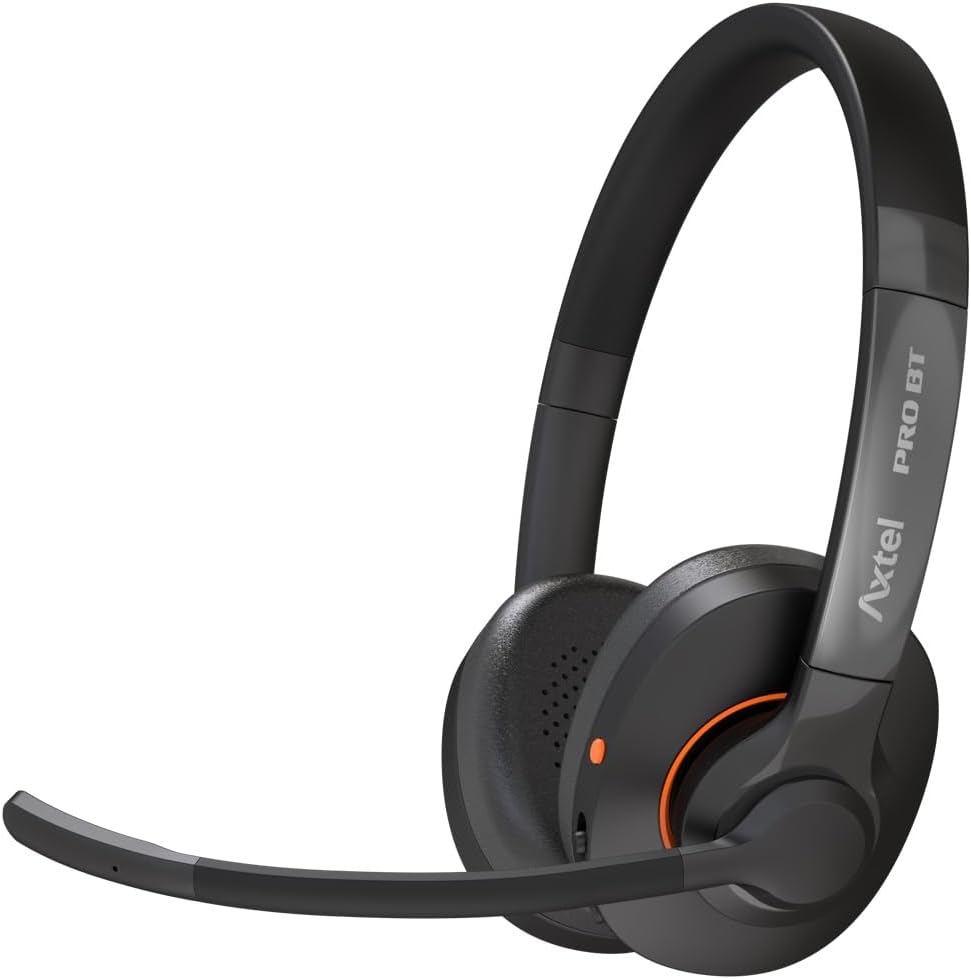
Image: Side view of the Axtel PRO BT Wireless Headset, showing the earcups and headband.

Image: Side view of the Axtel PRO BT Wireless Headset with the microphone boom extended forward.
Control Buttons
The headset features three intuitive control buttons for managing various functions:

Image: Diagram illustrating the location and function of the three control buttons on the Axtel PRO BT headset.
- Hook / Teams Button: Used for answering, ending, and rejecting calls.
- Multifunction Button: Controls music playback (play/stop), skips tracks, returns to previous tracks, and adjusts volume.
- Power & Mute Button: Turns the headset on/off, mutes the microphone, and initiates pairing with new devices.
Setup
Charging the Headset
Before initial use, fully charge your Axtel PRO BT headset. Connect the headset to a USB power source using the provided USB-C cable. A full charge takes approximately 90 minutes. A 5-minute charge provides up to 1.5 hours of talk time.
Pairing with Devices
The Axtel PRO BT supports Bluetooth 5.1 for wireless connection and includes a PRO BT dongle for devices without built-in Bluetooth.
Bluetooth Pairing (Direct)
- Ensure the headset is turned off.
- Press and hold the Power & Mute Button until the LED indicator flashes blue and red, indicating pairing mode.
- On your device (PC, Mac, Mobile), enable Bluetooth and search for available devices.
- Select "Axtel PRO BT" from the list of found devices.
- Once connected, the LED indicator will turn solid blue.
Dongle Pairing (USB)
- Plug the PRO BT USB dongle into an available USB port on your computer.
- Turn on the Axtel PRO BT headset.
- The headset will automatically connect to the dongle. The LED on both the headset and dongle will turn solid blue once connected.
Operating Instructions
Power On/Off
- To Power On: Press and hold the Power & Mute Button for 2 seconds.
- To Power Off: Press and hold the Power & Mute Button for 3 seconds.
Call Management
- Answer Call: Press the Hook / Teams Button once.
- End Call: Press the Hook / Teams Button once during a call.
- Reject Call: Press and hold the Hook / Teams Button for 2 seconds.
- Mute/Unmute Microphone: Press the Power & Mute Button once during a call.
Audio Playback
- Play/Pause: Press the Multifunction Button once.
- Next Track: Double-press the Multifunction Button.
- Previous Track: Triple-press the Multifunction Button.
- Volume Up: Rotate the Multifunction Button clockwise.
- Volume Down: Rotate the Multifunction Button counter-clockwise.
Dual Connectivity
The Axtel PRO BT supports connecting to two devices simultaneously, allowing seamless switching between them. For example, you can be connected to your computer via the dongle and your mobile phone via Bluetooth.
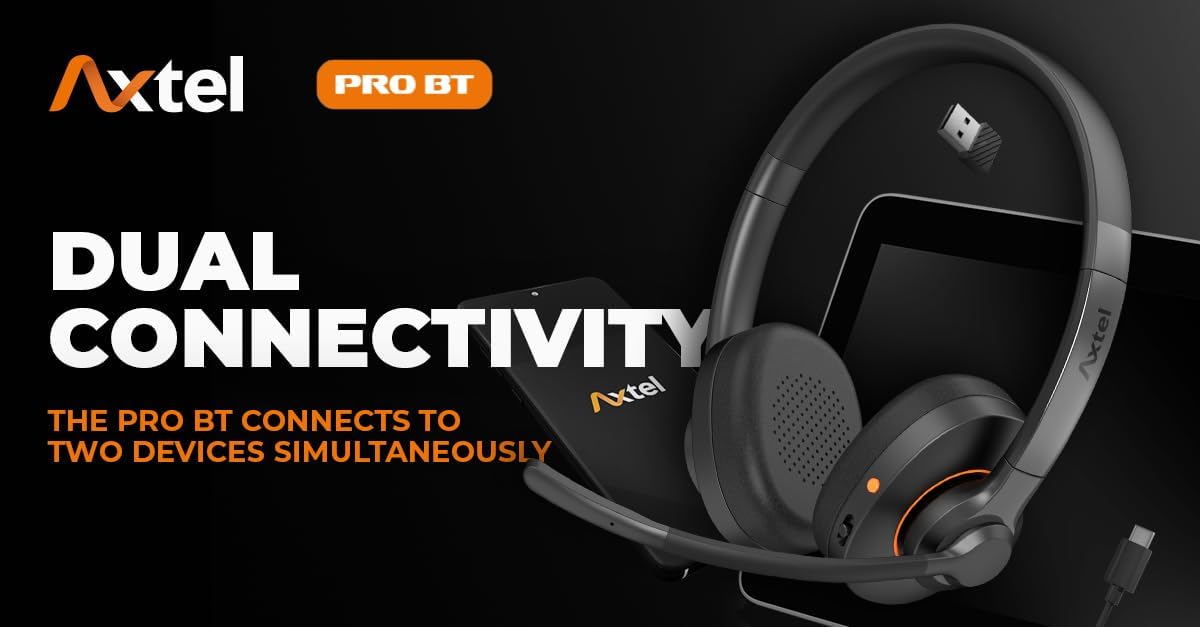
Image: Graphic illustrating the dual connectivity feature of the Axtel PRO BT, showing connection to both a laptop and a smartphone.
When a call comes in on one device while you are active on the other, the headset will automatically switch to the incoming call. You can also manually switch between active audio sources by pausing audio on one device and starting it on the other.
UC Application Integration
The Axtel PRO BT seamlessly integrates with popular Unified Communications (UC) applications such as Microsoft Teams, Zoom, and others. This ensures smooth communication and collaboration with full call control functionality directly from the headset.
Maintenance
To ensure the longevity and optimal performance of your Axtel PRO BT headset, follow these maintenance guidelines:
- Cleaning: Use a soft, dry cloth to clean the headset. Do not use abrasive cleaners or solvents.
- Storage: Store the headset in a cool, dry place away from direct sunlight and extreme temperatures.
- Battery Care: Avoid fully discharging the battery frequently. Charge the headset regularly, even if not in use for extended periods, to maintain battery health.
- Avoid Moisture: Do not expose the headset to water or excessive moisture.
Troubleshooting
If you encounter issues with your Axtel PRO BT headset, refer to the following common solutions:
| Problem | Possible Solution |
|---|---|
| Headset does not power on. | Ensure the battery is charged. Connect to a power source and try again. |
| Cannot pair with a device. | Ensure the headset is in pairing mode (flashing blue/red LED). Check if Bluetooth is enabled on your device. Try restarting both the headset and the device. |
| No audio or poor audio quality. | Check volume levels on both the headset and the connected device. Ensure the headset is selected as the audio output device. Move closer to the connected device to improve signal strength (up to 100ft range). |
| Microphone not working. | Ensure the microphone is not muted. Check microphone settings on your connected device and UC application. |
| Dual connectivity issues. | Ensure both devices are properly paired. Pause audio on one device before attempting to play on the other. |
Specifications
- Brand: Axtel
- Model Name: PRO BT
- Color: Black
- Headphone Form Factor: Over-Ear
- Headphones Placement: Over Ear
- Connectivity Technology: Wireless
- Wireless Communication Technology: Bluetooth 5.1
- Headphone Jack: USB
- Noise Control: Active Noise Cancellation (ANC) with dual microphones
- Frequency Response: 5100 MHz (Note: This value is unusual for frequency response and may indicate a typo in the source data. Typical frequency response is a range, e.g., 20Hz-20kHz.)
- Talk Time: Up to 30 hours
- Music Playback Time: Up to 45 hours
- Standby Time: Up to 20 days
- Charging Time: Approximately 90 minutes for full charge; 5 minutes for 1.5 hours talk time.
- Operating Range: Up to 100 feet (30 meters)
- Speaker Size: 40mm
Warranty Information
The Axtel PRO BT Wireless Headset comes with a standard manufacturer's warranty. Please refer to the warranty card included in your product packaging or visit the official Axtel website for detailed warranty terms and conditions. Keep your proof of purchase for warranty claims.
Support
For further assistance, technical support, or to inquire about replacement parts, please contact Axtel customer service. Contact information can typically be found on the Axtel website or in the product packaging.
Website: www.axtelheadsets.com (Example link, please verify official website)