
Introduction
Thank you for choosing the Portronics Harmonics Twins S8 True Wireless Earbuds. These earbuds are designed to provide a superior audio experience with advanced features such as Bluetooth 5.3 connectivity, long battery life, and intuitive touch controls. This manual will guide you through the setup, operation, and maintenance of your new earbuds.
What's in the Box
- 2 x TWS Earbuds (Left and Right)
- 1 x Charging Case
- 1 x USB Type-C Charging Cable
- 1 x User Documentation
Product Overview

The image displays the Portronics Harmonics Twins S8 earbuds resting inside their charging case. The case features a digital LED display indicating the battery percentage, and a Type-C charging port is visible.
The Harmonics Twins S8 earbuds feature a compact design with a charging case that includes a digital display for battery status. They are equipped with 13mm dynamic drivers for clear audio and utilize Bluetooth 5.3 for stable connections.
Setup
1. Charging the Earbuds and Case
Before first use, fully charge the earbuds and the charging case. The case features a digital display to show the battery level of both the earbuds and the case itself.
- Place the earbuds into the charging case. Ensure they are correctly seated to initiate charging.
- Connect the provided USB Type-C charging cable to the charging port on the case and plug the other end into a compatible USB power source.
- The digital display on the case will show the charging status. A full charge typically takes approximately 1-2 hours.

The charging case is depicted with a Type-C charging cable inserted, emphasizing the rapid charging capability and the Type-C port.
2. Pairing with a Device
The earbuds utilize Bluetooth 5.3 for a stable and efficient connection, supporting instant auto-pairing with Android, iOS, and Windows devices.
- Open the charging case. The earbuds will automatically enter pairing mode.
- On your device (smartphone, tablet, laptop), enable Bluetooth and search for available devices.
- Select "Harmonics Twins S8" from the list of discovered devices.
- Once connected, your device will confirm the pairing, and the earbuds are ready for use.

This image shows a smartphone screen with the Bluetooth settings open, indicating that the 'Harmonics Twins S8' earbuds are successfully connected and active, with their battery level displayed.
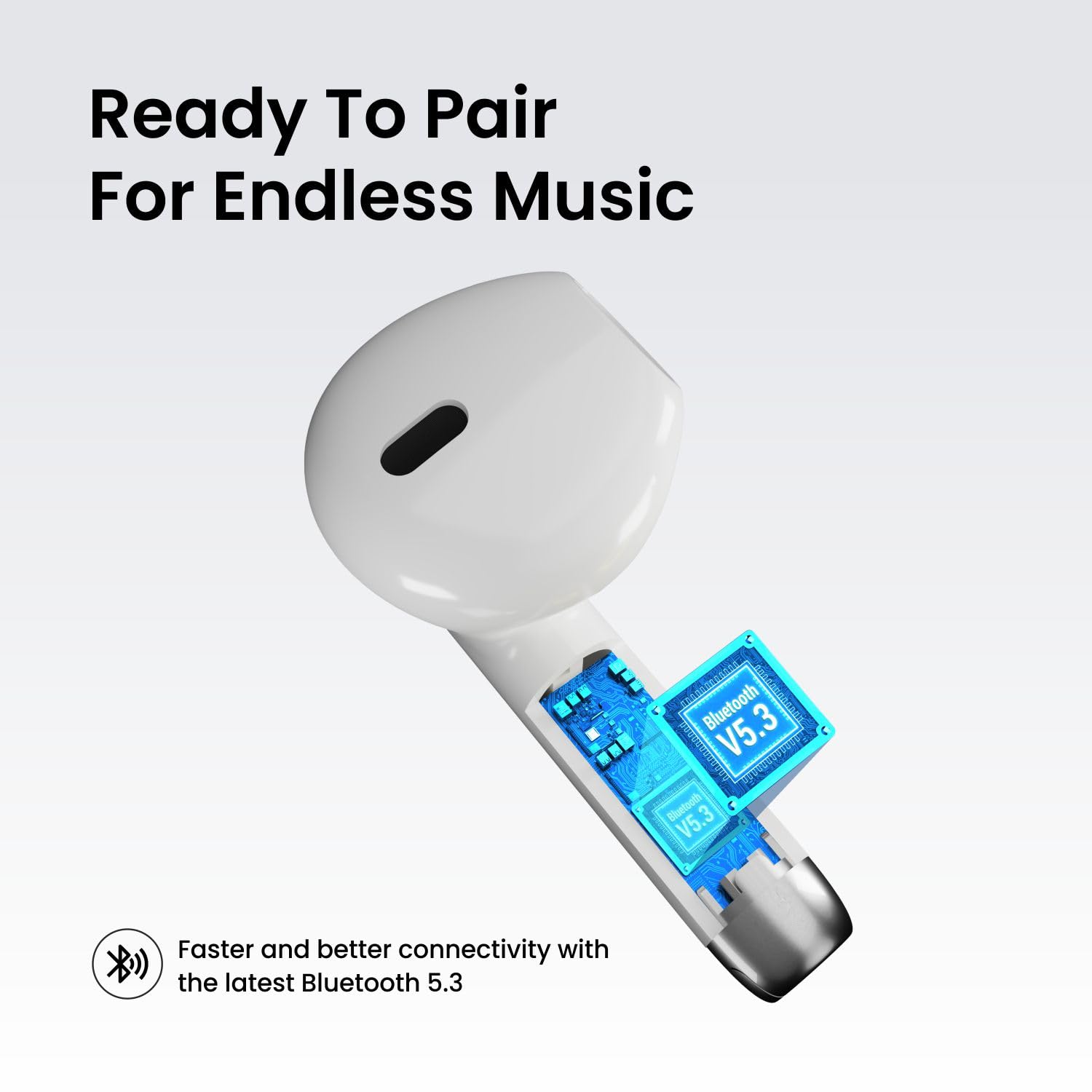
A detailed internal view of one earbud, illustrating the integrated Bluetooth V5.3 chip, which ensures stable and efficient wireless connectivity.
Operation
1. Touch Controls
The Harmonics Twins S8 earbuds feature intuitive touch controls for managing music and calls. Specific functions may vary slightly depending on your device and application.
- Play/Pause: Single tap on either earbud.
- Next Track: Double tap on the right earbud.
- Previous Track: Double tap on the left earbud.
- Answer/End Call: Single tap on either earbud during an incoming call.
- Reject Call: Press and hold either earbud for 2 seconds during an incoming call.
- Volume Up: Triple tap on the right earbud.
- Volume Down: Triple tap on the left earbud.

A user is shown gently touching the side of an earbud, illustrating the multi-function touch control feature for managing calls and music playback.
2. Voice Assistant
Activate your device's voice assistant (e.g., Siri, Google Assistant) by pressing and holding either earbud for 3 seconds. This allows for hands-free control of your device.
Maintenance
1. Water Resistance (IPX4)
The Harmonics Twins S8 earbuds are rated IPX4, meaning they are resistant to splashes and sweat. This makes them suitable for workouts and outdoor activities. However, they are not designed for submersion in water or exposure to heavy rain.
- Avoid exposing the earbuds to high-pressure water streams.
- Do not wear them while swimming or showering.
- If they get wet, wipe them dry with a soft, clean cloth before placing them back in the charging case.

The image shows the earbuds with water droplets, signifying their IPX4 water-resistant rating, making them suitable for workouts and outdoor activities.
2. Cleaning and Storage
- Regularly clean the earbuds and charging case with a soft, dry, lint-free cloth.
- Avoid using abrasive materials, solvents, or chemical cleaners.
- Store the earbuds in their charging case when not in use to protect them from dust and damage.
- Keep the product away from extreme temperatures and direct sunlight.
Troubleshooting
If you encounter any issues with your Harmonics Twins S8 earbuds, refer to the following common solutions:
| Problem | Solution |
|---|---|
| Earbuds not pairing |
|
| No sound or low volume |
|
| One earbud not working |
|
| Charging issues |
|
Specifications
| Feature | Detail |
|---|---|
| Model Name | Harmonics Twins S8 |
| Model Number | POR-1980 |
| Bluetooth Version | 5.3 |
| Ear Placement | In Ear |
| Driver Size | 13 mm Dynamic Drivers |
| Impedance | 4 Ohms |
| Frequency Range | 20Hz - 20KHz |
| Battery Life (Playtime) | Up to 30 Hours (with charging case) |
| Charging Port | Type-C |
| Water Resistance | IPX4 (Splash and Sweat Resistant) |
| Control Type | Touch Control, Voice Control |
| Compatible Devices | Smartphones, Tablets, Laptops, Desktops, Smart Speakers |
| Material | Plastic |
| Item Weight | 30 Grams |
Warranty and Support
Your Portronics Harmonics Twins S8 earbuds come with a 1-Year Manufacturing Warranty from the date of purchase. This warranty covers manufacturing defects.
For any assistance, support, or warranty claims, please contact Portronics customer service:
- Phone/WhatsApp: 9555-245-245
- Email/Support Portal: https://support.portronics.com
- Operating Hours: 10 AM - 6 PM (IST)
Portronics offers dedicated human support, easy pickup, and quick exchange services for eligible issues.

This graphic provides information on Portronics' Port-Care service, detailing the 1-year warranty, dedicated human support, and contact numbers for assistance.

