1. Introduction
Thank you for purchasing the Ledvion Osram 100W LED Outdoor Floodlight. This professional-grade floodlight is designed to provide powerful and efficient illumination for various outdoor applications, including gardens, patios, and security lighting. Featuring high-quality Osram LED chips, a robust IP65 waterproof design, and an integrated PIR motion sensor, this product offers reliability and performance. Please read this manual carefully before installation and use to ensure proper operation and safety.
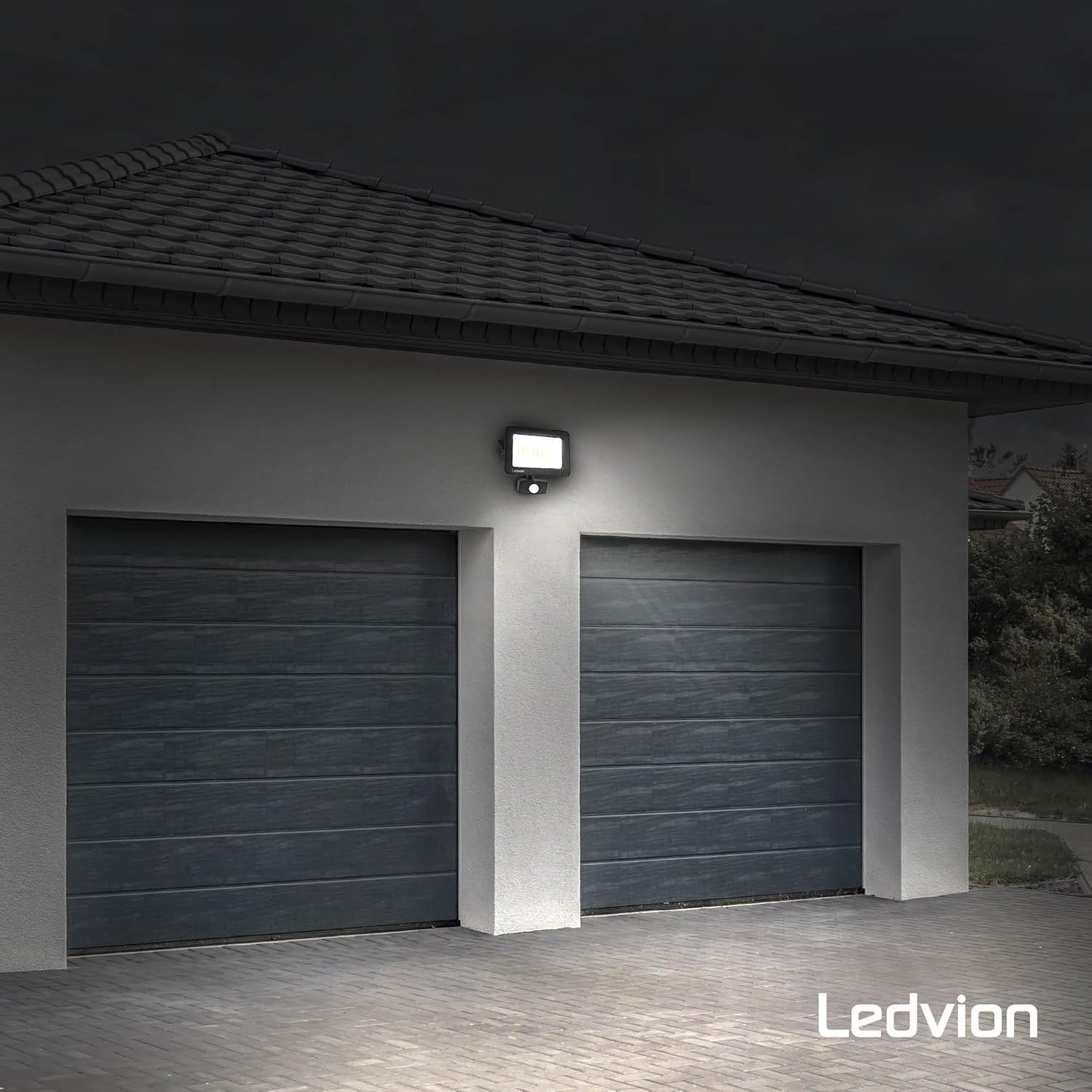
Image 1.1: Ledvion Osram 100W LED Outdoor Floodlight providing illumination for a garage area.
2. Safety Instructions
- Electrical Safety: Installation must be performed by a qualified electrician in accordance with all local and national electrical codes. Ensure the power supply is disconnected before installation or maintenance.
- Voltage: This floodlight operates on 230 Volts. Verify your power supply matches this requirement.
- Grounding: Ensure the floodlight is properly grounded to prevent electrical shock.
- Temperature: Do not operate the floodlight outside its specified temperature range of -20°C to 50°C.
- Water Protection: The floodlight is IP65 rated for outdoor use, meaning it is protected against dust and low-pressure water jets. The included IP68 connector provides superior waterproof connection.
- Heat: The floodlight generates heat during operation. Do not cover the unit or install it in enclosed spaces without adequate ventilation.
- Light Source: Do not stare directly into the LED light source when it is active, as this may cause eye damage.
- Damage: Do not use the floodlight if the housing, glass, or cable is damaged. Contact customer support for assistance.
3. Package Contents
Please check the package for the following items:
- Ledvion Osram 100W LED Outdoor Floodlight with integrated PIR sensor
- Mounting bracket (pre-attached or separate)
- IP68 Waterproof Connector
- User Manual (this document)
If any items are missing or damaged, please contact Ledvion customer support.

Image 3.1: The included IP68 waterproof connector for secure electrical connections.
4. Product Specifications
| Feature | Specification |
|---|---|
| Model Number | LV50031 |
| Brand | Ledvion |
| Wattage | 100 Watts |
| Light Source Type | LED (Osram Chips) |
| Color Temperature | 6500 K (Daylight) |
| Brightness | 12000 Lumens (Note: Some documentation may state 8500 Lumens) |
| Voltage | 230 Volts |
| IP Rating | IP65 (Floodlight), IP68 (Connector) |
| IK Rating | IK07 (Tempered Safety Glass) |
| Operating Temperature | -20°C to 50°C |
| Lifespan | >60,000 hours |
| Motion Sensor | PIR (Passive InfraRed) |
| Sensor Detection Range | 2 to 10 meters |
| Sensor Angle | 100° |
| Dimensions (L x W x H) | 27 x 8 x 25 cm (approx. 10.63 x 3.15 x 9.84 inches) |
| Item Weight | 890 Grams (approx. 1.96 pounds) |

Image 4.1: High-quality floodlight with 6500K daylight color temperature and 12000 lumen output.

Image 4.2: Osram LED chips and the thermal heat dissipation system ensuring long product life.
5. Installation and Setup
5.1 Mounting the Floodlight
- Choose Location: Select a suitable outdoor location for mounting, ensuring it is a stable surface capable of supporting the floodlight's weight. Consider the desired light coverage and motion sensor detection area.
- Mark Drilling Points: Use the movable mounting bracket as a template to mark the drilling points on the wall or mounting surface.
- Drill Holes: Drill appropriate holes for your mounting screws (not included).
- Secure Bracket: Attach the mounting bracket securely to the surface using suitable screws and anchors.
- Adjust Angle: The movable bracket allows you to adjust the floodlight's angle after mounting to direct the light as needed.
5.2 Electrical Connection
WARNING: Ensure the main power supply is turned OFF at the circuit breaker before making any electrical connections.
- Prepare Cables: Strip the insulation from your main power cable and the floodlight's cable, exposing the live, neutral, and ground wires.
- Use IP68 Connector: Utilize the provided IP68 waterproof connector for a secure and watertight connection. Open the connector and insert the wires from both cables into the corresponding terminals (Live to Live, Neutral to Neutral, Ground to Ground).
- Tighten Connector: Securely tighten the connector caps to ensure a waterproof seal. This connector is suitable for cables up to 1.5mm².
- Restore Power: Once all connections are secure and insulated, restore power at the circuit breaker.
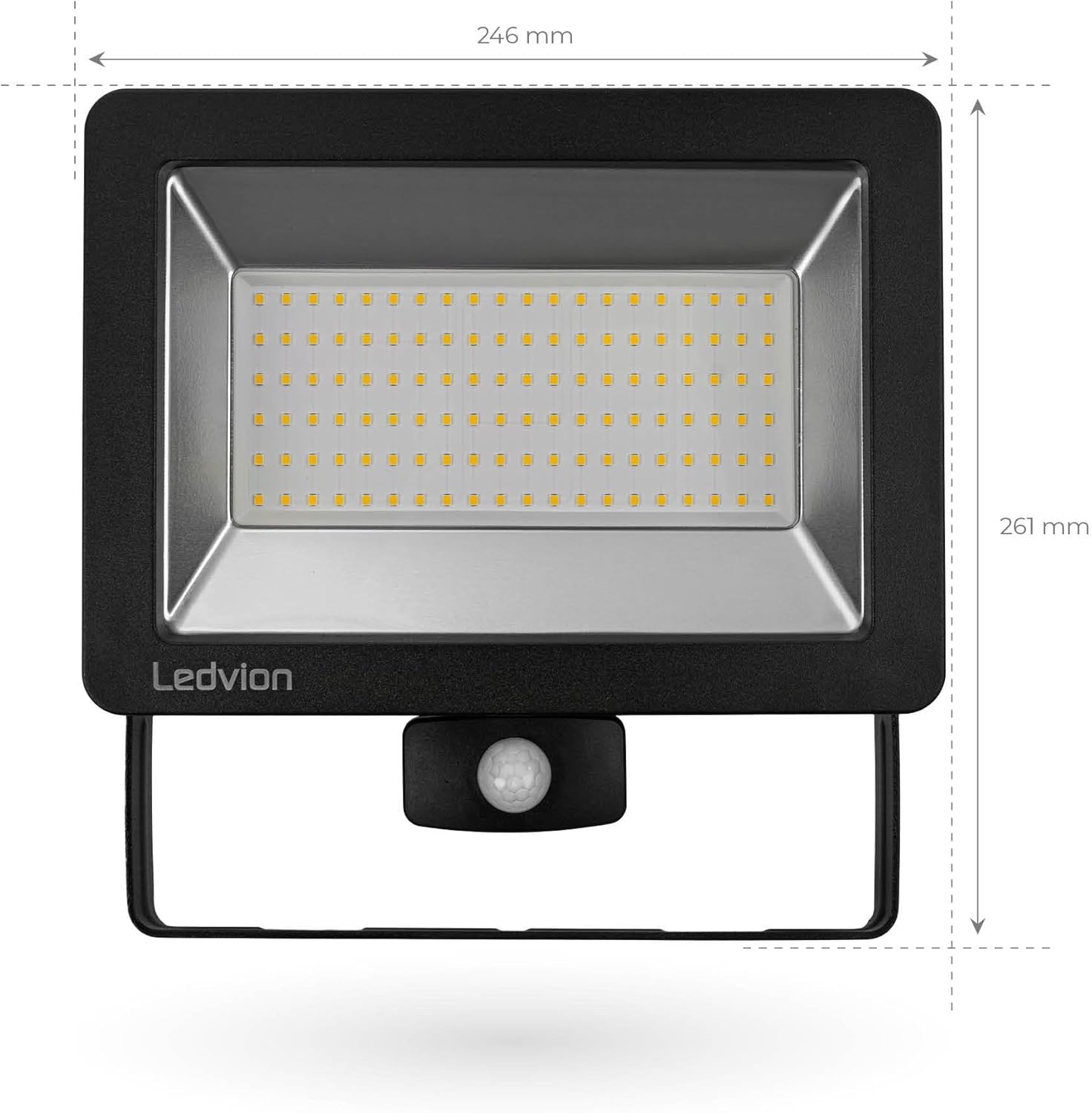
Image 5.1: Front view dimensions of the floodlight (246mm width, 261mm height).

Image 5.2: Side view dimensions of the floodlight (75mm depth, 150mm bracket width).
6. Operating Instructions
6.1 Powering On/Off
Once installed and wired correctly, the floodlight will activate when power is supplied. The integrated PIR motion sensor will then control its operation.
6.2 Motion Sensor Operation
The Ledvion floodlight features an adjustable PIR (Passive InfraRed) motion sensor. This sensor detects heat signatures from moving objects within its detection zone.
- Detection Range: The sensor has a detection range of 2 to 10 meters, which can be adjusted.
- Detection Angle: The sensor covers an angle of 100°.
- Adjustments: The sensor unit typically has adjustable knobs for sensitivity (SENS), time duration (TIME), and lux level (LUX). Refer to the markings on your specific sensor for precise adjustments.
- SENS: Adjusts the detection sensitivity to motion.
- TIME: Sets how long the light stays on after motion is detected.
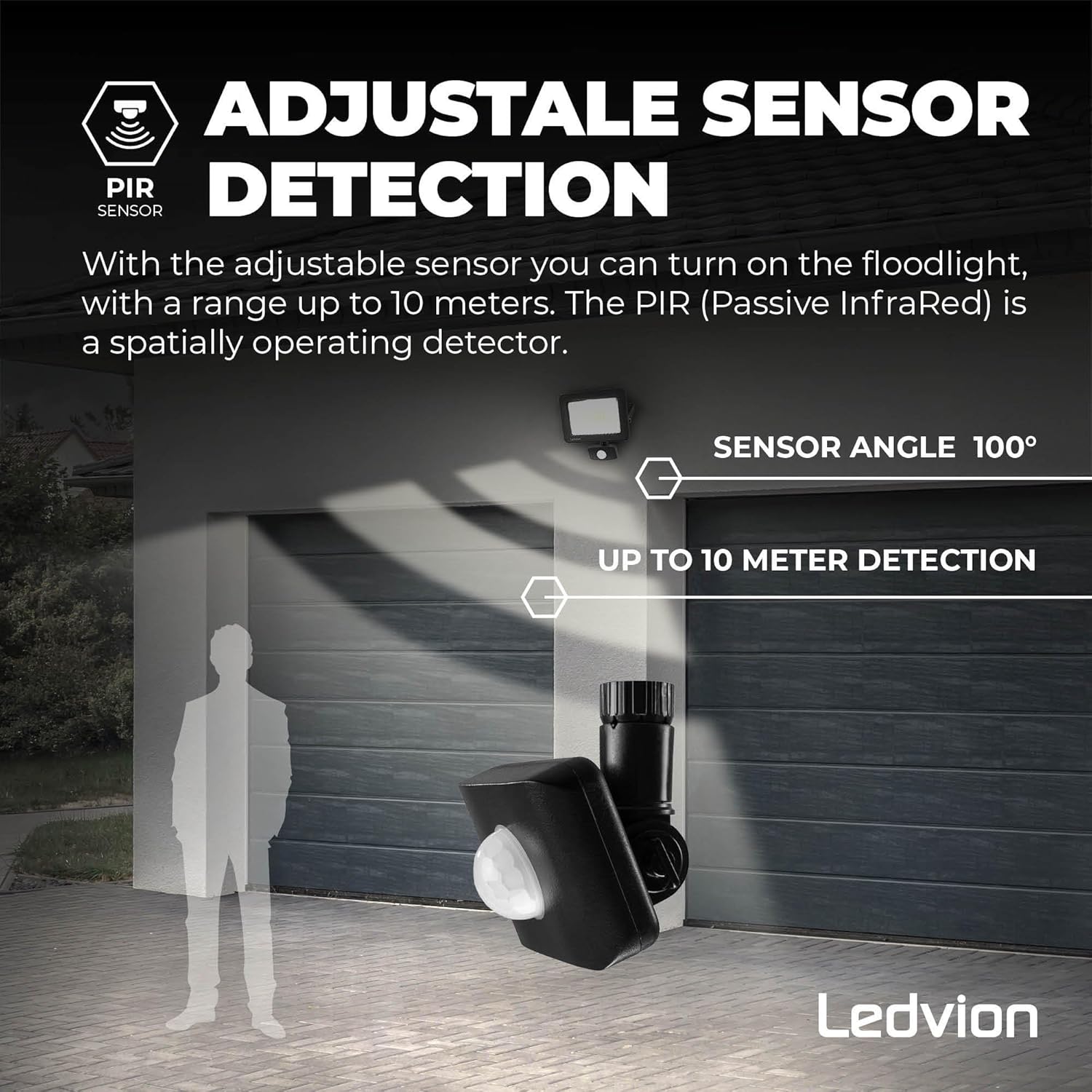
Image 6.1: Adjustable PIR sensor with up to 10-meter detection range and 100° angle.
7. Maintenance
The Ledvion Osram LED Floodlight is designed for minimal maintenance. However, regular checks can ensure optimal performance and longevity.
- Cleaning: Periodically clean the floodlight's glass and housing with a soft, damp cloth. Do not use abrasive cleaners or solvents. Ensure the power is off before cleaning.
- Inspect Connections: Annually inspect all electrical connections, especially the IP68 connector, for any signs of wear, corrosion, or loose wiring.
- Check Mounting: Verify that the floodlight remains securely mounted and that the bracket is not loose.
- Sensor Area: Keep the motion sensor lens clear of obstructions (e.g., dirt, spiderwebs, foliage) to ensure accurate detection.
8. Troubleshooting
If you encounter issues with your Ledvion floodlight, refer to the following common problems and solutions:
| Problem | Possible Cause | Solution |
|---|---|---|
| Light does not turn on. | No power supply. Loose wiring connection. Sensor settings incorrect. Faulty unit. | Check circuit breaker and power source. Verify all electrical connections are secure (ensure power is off first). Adjust LUX setting to ensure it activates in current light conditions. Check TIME and SENS settings. Contact customer support if all else fails. |
| Light stays on continuously. | Continuous motion detected. Sensor settings incorrect. Sensor malfunction. | Ensure no constant movement in the detection zone. Adjust TIME setting to a shorter duration. Adjust SENS to reduce false triggers. If problem persists, contact customer support. |
| Light turns on/off randomly. | Interference with sensor. Sensor sensitivity too high. | Ensure no objects (e.g., tree branches, pets) are moving in the detection zone. Reduce SENS setting on the motion sensor. |
| Light is dim or flickers. | Low voltage. Loose connection. Unit malfunction. | Verify stable 230V power supply. Check all wiring connections. Contact customer support. |
9. Warranty and Support
9.1 Warranty Information
The Ledvion Osram 100W LED Outdoor Floodlight (Model LV50031) is backed by a 5-year warranty from the date of purchase. This warranty covers defects in materials and workmanship under normal use. It does not cover damage caused by improper installation, misuse, accidents, unauthorized repairs, or acts of nature.
Please retain your proof of purchase for warranty claims.
9.2 Customer Support
For technical assistance, warranty claims, or any questions regarding your Ledvion product, please contact your retailer or visit the official Ledvion website for support contact information.
Online Resources: For additional product information and energy efficiency details, you may refer to the EPREL database using the QR code found on the product packaging or by visiting https://eprel.ec.europa.eu/qr/758943.


