
Introduction
This manual provides essential instructions for the safe operation, maintenance, and troubleshooting of your Tefal X-plorer Series 75 S Robot Smart Vacuum Cleaner with Mop. Please read this manual thoroughly before using the appliance and retain it for future reference.
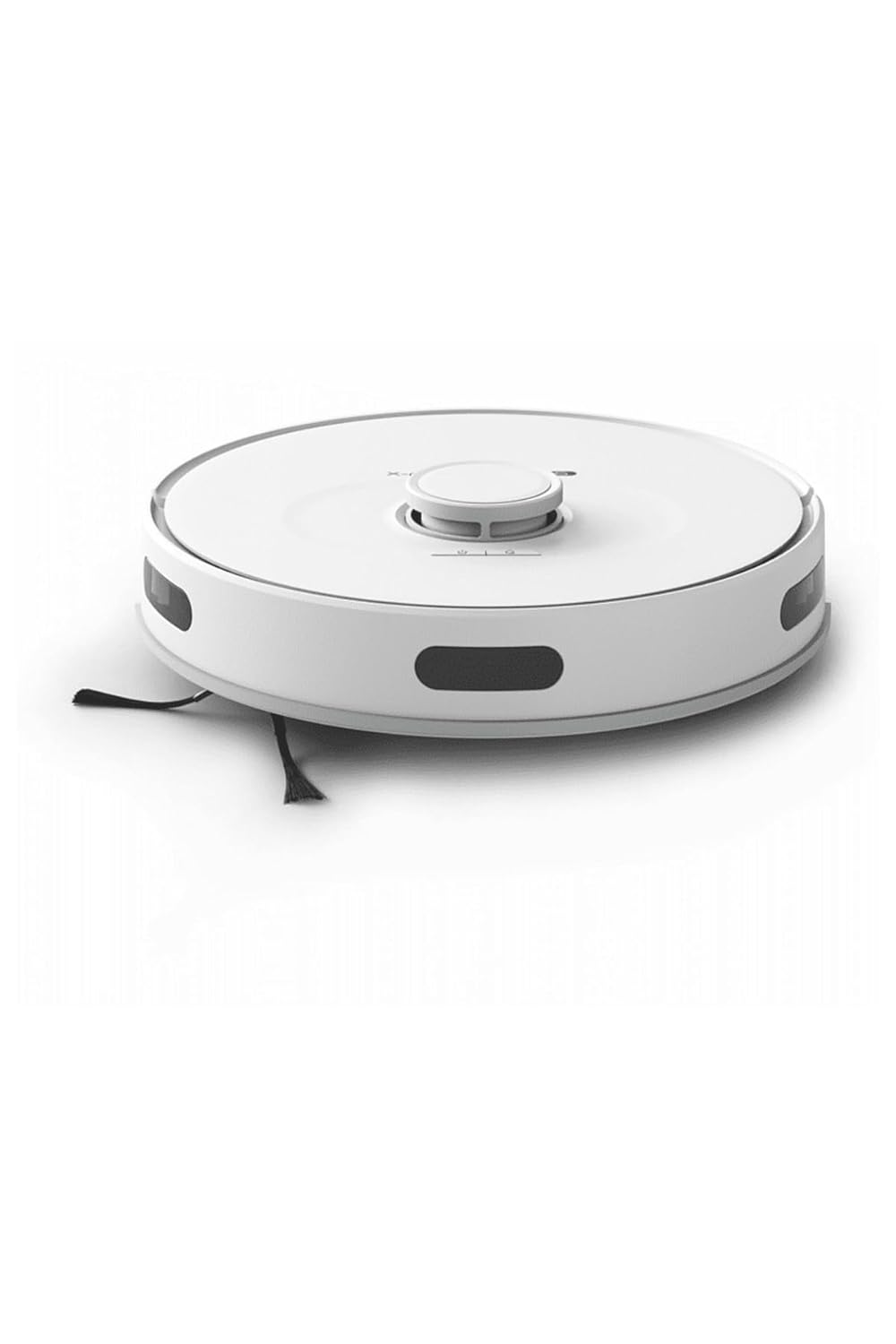
Image: The Tefal X-plorer Series 75 S Robot Smart Vacuum Cleaner, showcasing its sleek, round design in white. This is the main unit responsible for vacuuming and mopping your floors.
Important Safety Instructions
- Ensure the appliance is used only indoors and on dry surfaces.
- Do not allow children to operate the vacuum cleaner. Supervise children and pets when the appliance is in use.
- Keep hair, loose clothing, fingers, and all parts of the body away from openings and moving parts.
- Do not pick up flammable or combustible materials, or anything that is burning or smoking.
- Use only as described in this manual. Use only manufacturer's recommended attachments.
- Do not use with a damaged cord or plug. If the appliance is not working as it should, has been dropped, damaged, left outdoors, or dropped into water, return it to a service center.
- Unplug from outlet when not in use and before cleaning or servicing.
- Do not pull or carry by cord, use cord as a handle, close a door on cord, or pull cord around sharp edges or corners. Keep cord away from heated surfaces.
- Do not handle plug or appliance with wet hands.
Product Components
Familiarize yourself with the main components of your robot vacuum cleaner.

Image: Overview of the Tefal X-plorer Series 75 S Robot Vacuum Cleaner and its accessories, including the main robot unit, the charging dock, and various mop pads for different cleaning needs.
- Robot Vacuum Unit: Main cleaning device with sensors, brushes, and dust container.
- Charging Base: Docking station for automatic recharging.
- Power Adapter: Connects the charging base to a power outlet.
- Side Brushes: Two brushes to sweep debris into the main brush path.
- Main Brush: Central rotating brush for deep cleaning.
- Dust Container: Removable bin for collecting dust and debris.
- Filter: Standard filter located within the dust container.
- Mop Pads: Various pads for wet cleaning (2 Pcs Mop Standard included).
- Remote Control: For manual control and settings adjustment.
Setup Guide
1. Unpacking and Initial Placement
- Carefully remove all components from the packaging. Retain packaging for future transport or storage.
- Place the charging base against a wall in an open area, ensuring there are no obstacles within 1 meter (3 feet) to the sides and 1.5 meters (5 feet) in front of the base.
- Connect the power adapter to the charging base and plug it into a wall outlet. Ensure the power cord is neatly tucked away to prevent the robot from tangling.
2. Charging the Robot
Before first use, fully charge the robot vacuum cleaner.

Image: The robot vacuum cleaner approaching its charging base, with a visual indicator showing the battery charging status. The robot automatically returns to this base when its battery is low.
- Place the robot onto the charging base, ensuring the charging contacts align.
- The charge indicator light on the robot will illuminate. A full charge takes approximately 4 hours.
- The robot is ready for use once fully charged.
3. App Connection (Optional but Recommended)
For full functionality, including smart mapping and scheduling, download the Tefal X-plorer app.

Image: The Tefal X-plorer Series 75 S robot vacuum cleaner positioned next to a smartphone screen showing the companion mobile application. The app interface displays cleaning modes and room mapping features, highlighting the smart capabilities of the device.
- Download the "Tefal X-plorer" app from your smartphone's app store.
- Follow the in-app instructions to create an account and connect your robot vacuum cleaner to your home Wi-Fi network.
- The app allows for remote control, scheduling, cleaning mode selection, and viewing cleaning maps.
Operating Instructions
1. Starting a Cleaning Cycle
- Manual Start: Press the power button on the robot or the "Clean" button on the remote control. The robot will begin a systematic cleaning cycle.
- App Start: Open the Tefal X-plorer app and select your desired cleaning mode (e.g., Auto, Spot, Edge) and press "Start".
- The robot will automatically return to its charging base when the battery is low or when the cleaning cycle is complete.
2. Using the Mop Function
The X-plorer Series 75 S includes a mop function for wet cleaning hard floors.
- Fill the water tank (if separate) or attach the mop pad to the designated mop module.
- Dampen the mop pad with water and attach it securely to the robot.
- Select the mop mode via the app or remote control. The robot will then vacuum and mop simultaneously.
- Remove the mop pad after each use and clean it thoroughly.
3. Scheduling Cleanings
Use the Tefal X-plorer app to set up recurring cleaning schedules.
- Navigate to the "Schedule" section in the app.
- Set desired cleaning times and days.
- The robot will automatically start cleaning at the scheduled times.
Maintenance
Regular maintenance ensures optimal performance and extends the lifespan of your robot vacuum cleaner.
1. Emptying the Dust Container
- It is recommended to empty the 0.4 L dust container after each cleaning cycle.
- Press the release button to remove the dust container from the robot.
- Open the dust container and discard debris into a waste bin.
2. Cleaning the Filter
- Remove the filter from the dust container.
- Tap the filter gently to remove dust. Do not wash the standard filter with water unless specified as washable.
- Replace the filter regularly (refer to app for filter change indicator or general recommendation).
3. Cleaning Brushes and Wheels
- Turn the robot over.
- Remove the side brushes and main brush. Use a cleaning tool (often included) to remove hair and debris.
- Clean the wheels and their housings to ensure smooth movement.
4. Cleaning Sensors
- Wipe the cliff sensors (located on the bottom) and bumper sensors with a clean, dry cloth.
- Clean the charging contacts on both the robot and the charging base.
5. Mop Pad Care
- After each mopping session, remove the mop pad.
- Wash the mop pad by hand or machine wash according to fabric care instructions. Allow it to air dry completely before reattaching.
Troubleshooting
Refer to this section for common issues and their solutions.
| Problem | Possible Cause | Solution |
|---|---|---|
| Robot does not start or respond. | Low battery; Power button not pressed; Robot stuck. | Charge the robot; Press power button firmly; Clear obstacles. |
| Robot does not charge. | Charging contacts dirty; Charging base unplugged; Robot not aligned. | Clean charging contacts; Ensure base is plugged in; Manually place robot on base. |
| Poor cleaning performance. | Dust container full; Filter clogged; Brushes tangled. | Empty dust container; Clean or replace filter; Clean main and side brushes. |
| Robot gets stuck frequently. | Obstacles in path; Loose cables; Uneven surfaces. | Clear floor of small objects; Secure loose cables; Use virtual barriers if available. |
| Mop function not working. | Water tank empty; Mop pad not attached correctly; Mop mode not selected. | Fill water tank; Reattach mop pad; Select mop mode in app/remote. |
Specifications
Key technical specifications for the Tefal X-plorer Series 75 S Robot Smart Vacuum Cleaner.

Image: A side profile view of the Tefal X-plorer Series 75 S Robot Vacuum Cleaner, illustrating its compact dimensions. The image highlights a width of 34.2 cm and a height of 9.5 cm, providing a clear understanding of its physical size.
| Feature | Detail |
|---|---|
| Model Name | RG8577 |
| Dust Container Capacity | 0.4 L |
| App Compatible | Yes |
| Charging Base | Yes (Auto-Docking) |
| Wi-Fi Connectivity | Yes |
| Mop Function | Yes (Wet/Dry) |
| Battery Type | Lithium-ion |
| Charging Time | 4 hours |
| Maximum Battery Time | 240 Minutes |
| Noise Level | 65 dB |
| Maximum Power | 2700 Pa |
| Filter Type | Standard |
| Height | 9.5 cm |
| Width | 34.2 cm |
| Depth | 35.0 cm |
| Weight | 4.3 kg |
| Included Components | Robot Vacuum, Charging Base, Remote Control, 2 Pcs Mop Standard |
Warranty and Support
The Tefal X-plorer Series 75 S Robot Smart Vacuum Cleaner comes with a manufacturer's warranty.
- Warranty Period: 2 Year Official Distributor Warranty.
- Claiming Warranty: In case of a defect or malfunction during the warranty period, please contact the official Tefal service center or your retailer with proof of purchase.
- Customer Support: For technical assistance, spare parts, or service inquiries, please refer to the contact information provided on the official Tefal website or your product packaging.
Please note that the warranty may not cover damage caused by improper use, neglect, or unauthorized repairs.


