
1. Introduction
This manual provides essential information for the safe and efficient operation, maintenance, and troubleshooting of your smartGyro K2 PRO Black electric scooter. Please read this manual thoroughly before using the scooter to ensure proper handling and to maximize its lifespan.
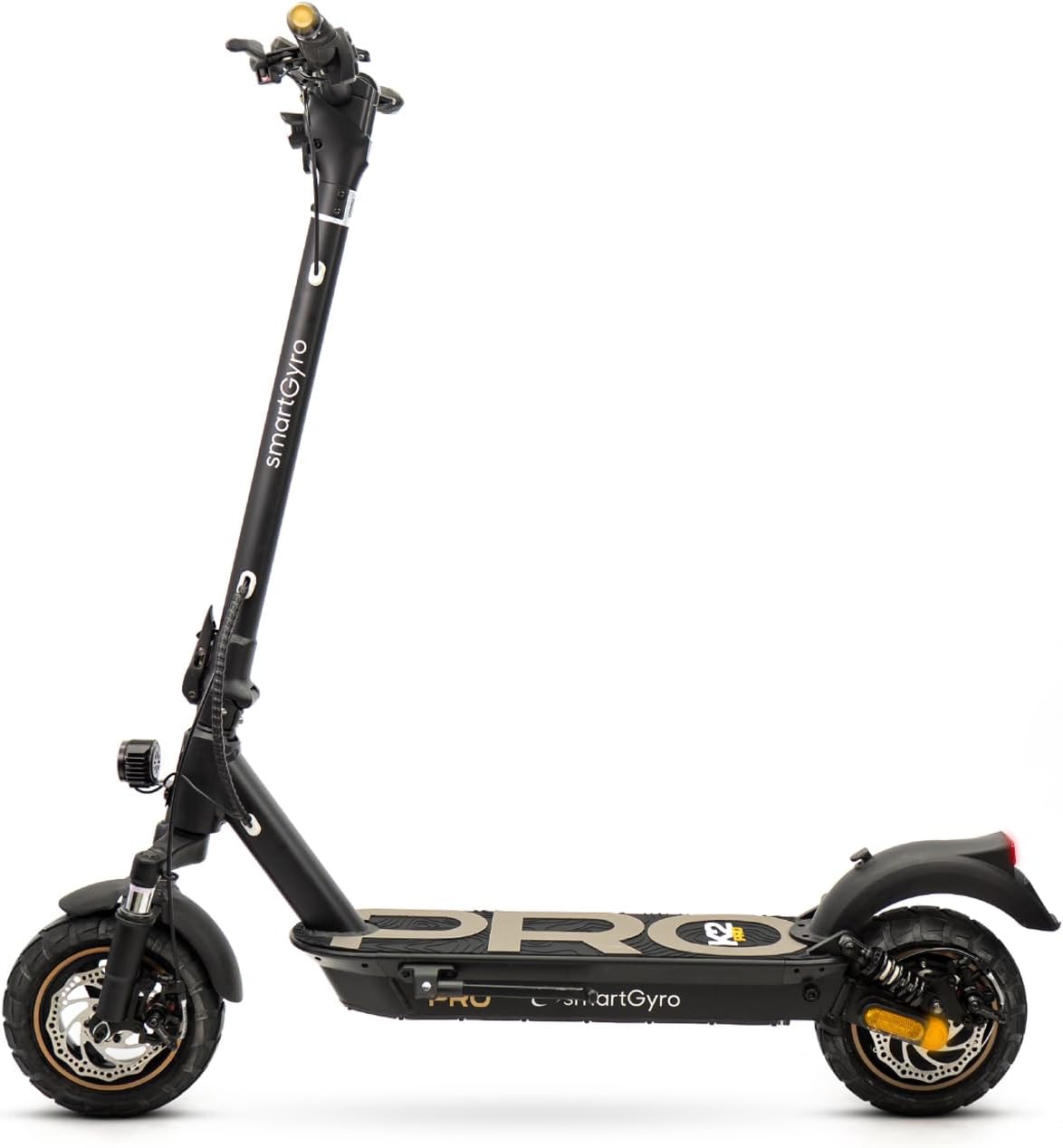
Figure 1: smartGyro K2 PRO Black Electric Scooter
2. Safety Instructions
Your smartGyro K2 PRO Black is a powerful electric scooter. Always prioritize safety during operation. Adhere to local regulations and wear appropriate safety gear, including a helmet and protective pads.
- Always wear a helmet and other protective gear (knee pads, elbow pads).
- Ensure the scooter is fully charged and all components are secure before each ride.
- Familiarize yourself with local traffic laws and regulations for electric scooters.
- Avoid riding in adverse weather conditions (heavy rain, snow, ice).
- Do not exceed the maximum load capacity of 110 kg.
- Maintain a safe speed and distance from other vehicles and pedestrians.
3. Setup and Initial Preparation
3.1 Unfolding the Scooter
The smartGyro K2 PRO Black features a 2.0 generation folding system for easy transport and storage. To unfold:
- Place the scooter on a flat surface.
- Release the folding mechanism latch located on the stem.
- Carefully raise the handlebar stem until it locks securely into place. Ensure the locking mechanism is fully engaged.

Figure 2: Scooter dimensions and folding mechanism
3.2 Charging the Battery
Before first use, fully charge the scooter's battery. The lithium battery has a capacity of 15,000 mAh, providing an autonomy of approximately 60 km.
- Locate the charging port on the scooter.
- Connect the charger to the charging port, then plug it into a power outlet.
- The indicator light on the charger will show the charging status.
- Once fully charged, disconnect the charger.
The battery incorporates OSP technology with a triple security system and BMS for enhanced safety and longevity.
4. Operating the Scooter
4.1 Power On/Off and Display
The smartGyro K2 PRO Black features a multifunction front display providing essential ride information.

Figure 3: Multifunction Display
- Power On: Press and hold the power button on the display.
- Power Off: Press and hold the power button until the display turns off.
- The display shows partial and total mileage, current gear, and speed.
4.2 Riding Modes
Select from 4 driving modes directly from the display: Walk, Eco, Comfort, and Sport. Choose the mode that best suits your riding environment and desired performance.
4.3 Braking System
The scooter is equipped with a triple braking system for optimal safety and control:
- Front disc brake
- Rear disc brake
- Regenerative braking: Converts braking energy into electricity to recharge the battery, extending autonomy.

Figure 4: Triple Braking System
4.4 Lighting System
For enhanced visibility and safety, the scooter includes a comprehensive lighting system:
- Double high-luminosity front light.
- Rear brake light.
- Position lights.
- Turn signals integrated into the handlebars.
4.5 SmartGyro App Connectivity
Connect your scooter to the smartGyro mobile application for additional features:
- Remote locking/unlocking of the scooter.
- Access to ride information (distance, battery status).
- Customization of settings.

Figure 5: SmartGyro App Interface
5. Key Features
5.1 Powerful Motor
The smartGyro K2 PRO Black is equipped with a 48V Brushless motor, offering a nominal power of 900W and a maximum power of 1000W. This motor provides strong performance, capable of ascending inclines with a high degree of gradient.
5.2 Advanced Suspension System
Experience a smooth ride with the scooter's front and rear long-travel suspensions. These are designed to absorb shocks and vibrations, making it ideal for both urban environments and off-road terrains.

Figure 6: Dual Suspension System
5.3 Durable Wheels
The scooter features 10-inch Tubeless pneumatic wheels. These robust and stable wheels are designed for various terrains, providing excellent traction on both smooth and uneven surfaces.
5.4 DGT Certification
The smartGyro K2 PRO Black holds a VMP (Personal Mobility Vehicle) certificate, ensuring compliance with current legislation for safe mobility.
6. Maintenance
Regular maintenance is crucial for the longevity and performance of your electric scooter.
- Tire Pressure: Regularly check and maintain the recommended tire pressure for optimal performance and safety.
- Brake Inspection: Periodically inspect the disc brakes for wear and tear. Adjust or replace brake pads as needed.
- Cleaning: Clean the scooter with a damp cloth. Avoid using high-pressure water jets directly on electronic components.
- Battery Care: Store the scooter in a cool, dry place. If storing for extended periods, ensure the battery is charged to about 50-70% and recharge it every few months.
- Folding Mechanism: Keep the folding mechanism clean and lubricated to ensure smooth operation.
7. Troubleshooting
If you encounter any issues with your smartGyro K2 PRO Black, refer to the following common troubleshooting tips:
| Problem | Possible Cause | Solution |
|---|---|---|
| Scooter does not power on | Low battery; loose connections | Charge the battery; check all cable connections. |
| Reduced range/autonomy | Under-inflated tires; heavy load; riding uphill frequently | Check tire pressure; reduce load; use Eco mode. |
| Brakes feel weak | Worn brake pads; loose brake cable | Inspect and replace brake pads; adjust brake cable tension. |
| Unusual noises | Loose components; debris in wheels/brakes | Tighten all screws; clean wheels and brake area. |
For issues not listed here or if solutions do not resolve the problem, please contact smartGyro customer support or an authorized service center.
8. Technical Specifications
| Feature | Specification |
|---|---|
| Brand | SMARTGYRO |
| Model Number | K2 PRO Black |
| Motor Power (Nominal) | 900W |
| Motor Power (Maximum) | 1000W, 48V |
| Battery Capacity | 15,000 mAh Lithium |
| Max Autonomy | Approx. 60 km |
| Braking System | Front Disc, Rear Disc, Regenerative |
| Wheels | 10-inch Tubeless Pneumatic |
| Suspension | Front and Rear Long-Travel |
| Display | Multifunction Digital Display |
| Lights | Double Front, Rear Brake, Position, Handlebar Turn Signals |
| Folding Mechanism | 2.0 Generation Secure Folding System |
| Connectivity | SmartGyro Mobile App (Remote Lock, Info) |
| Certification | DGT VMP Certified |
| Dimensions (Unfolded) | 126 x 62.5 x 125 cm |
| Weight | 20 kg |
| Max Load Capacity | 110 kg |
| Frame Material | Steel Alloy |
9. Product Videos
Video 1: Overview of smartGyro K2 PRO Black features, including power, autonomy, and suspension.
Video 2: Demonstration of the smartGyro K2 PRO Black's design, braking system, and DGT certification.
10. Warranty and Support
smartGyro offers comprehensive support for its products. Your smartGyro K2 PRO Black comes with a circulation certificate redeemable online. For any service needs, smartGyro provides an extensive network of authorized workshops throughout Spain, ensuring quick and direct after-sales service.
Please refer to the official smartGyro website or your purchase documentation for specific warranty terms and conditions.


