
1. Introduction
Thank you for choosing the KEESON 7 Color Face Massager. This portable electric facial tool is designed to provide a comprehensive facial massage experience, incorporating vibration and gentle heat to enhance skin vitality. Its ergonomic design and intelligent features make it a convenient addition to your skincare routine. Please read this manual thoroughly before use to ensure proper operation and maintenance.
Key features include:
- Massage Function: Features vibration and heating (45±5°C) for a soothing experience.
- Smart Touch & Rechargeable: Equipped with an intelligent sensor switch that activates upon skin contact.
- Convenient & Ergonomic Design: Lightweight, portable, and features a 160° curved massage head for optimal contouring.
- Safety Features: Includes overheating protection for safe and reliable operation.
2. Safety Information
To ensure safe operation and prevent damage to the device or injury, please observe the following safety precautions:
- Do not immerse the device in water or any other liquid.
- Keep out of reach of children.
- Do not use on broken, irritated, or infected skin.
- If you experience any discomfort or adverse reactions, discontinue use immediately.
- The device includes overheating protection; however, if the device feels excessively hot, turn it off and allow it to cool before resuming use.
- Statements regarding dietary supplements have not been evaluated by the FDA and are not intended to diagnose, treat, cure, or prevent any disease or health condition. This device is for cosmetic use only.
3. Product Overview

Figure 3.1: The KEESON 7 Color Face Massager and its retail packaging, showcasing the device's sleek design and the various features listed on the box.
The KEESON 7 Color Face Massager is a compact and ergonomically designed device. It features a unique 160° curved massage head that adapts to the contours of your face and neck. The main body houses the intelligent sensor switch and power button, along with indicators for different modes and colors.

Figure 3.2: An illustration highlighting the advanced technology within the massager, including features like overheating prevention, short circuit protection, and powerful massage effect.
4. Setup and Charging
Before first use, ensure the device is fully charged.
- Locate the USB charging port on the device.
- Connect the provided USB cable to the device and a suitable USB power adapter (not included).
- Charge the device for approximately 3 hours for a full charge. The indicator light will change to show charging status.

Figure 4.1: The device is designed for a longer service life with enhanced battery technology, ensuring reliable and trouble-free charging.
5. Operating Instructions
Follow these steps to use your KEESON 7 Color Face Massager:
- Preparation: Ensure your face and the massage head are clean. You may apply your preferred skincare product (serum, cream) to your skin before use.
- Power On: Press and hold the power button to turn on the device.
- Activate Massage: The device is equipped with an intelligent sensor switch. The vibration and heating functions will activate automatically when the massage head makes contact with your skin.
- Select Mode/Color: Briefly press the power button to cycle through the available modes and 7 color light settings. Each color corresponds to a specific mode or benefit (refer to product packaging for specific color benefits if available).
- Application: Gently glide the massage head across your face and neck, following the contours. Use upward and outward motions. The 160° curved design is ideal for reaching all areas.
- Automatic Shut-off: The device is designed to automatically turn off after 1 minute of inactivity to conserve battery and ensure safety.
- Power Off: Press and hold the power button to turn off the device manually after use.
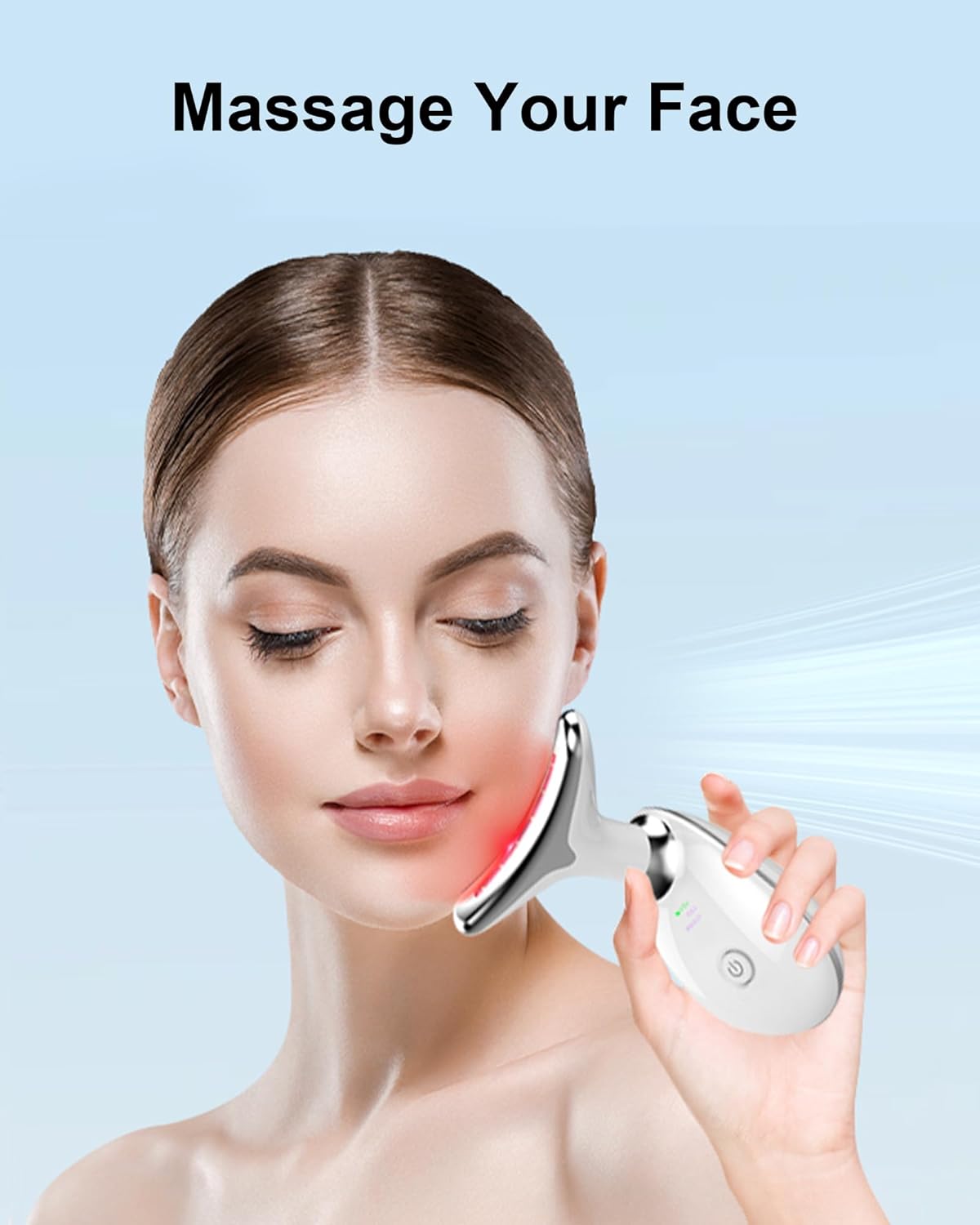
Figure 5.1: Demonstrating the proper use of the KEESON Face Massager on the facial area, highlighting its ergonomic design for comfortable application.
6. Maintenance
Proper maintenance will extend the life of your device.
- Cleaning: After each use, wipe the massage head with a soft, damp cloth. Do not use abrasive cleaners or immerse the device in water.
- Storage: Store the device in a cool, dry place, away from direct sunlight and extreme temperatures.
- Battery Care: To maintain battery health, charge the device regularly, even if not in frequent use.
7. Troubleshooting
If you encounter any issues with your KEESON Face Massager, please refer to the following table:
| Problem | Possible Cause | Solution |
|---|---|---|
| Device does not turn on. | Low battery or not charged. | Charge the device for 3 hours. Ensure the USB cable is properly connected. |
| Vibration/Heat not activating. | Massage head not in contact with skin. | Ensure the massage head is firmly touching your skin to activate the intelligent sensor switch. |
| Device turns off unexpectedly. | Automatic shut-off feature (1 minute inactivity). | This is normal operation. Re-engage the device by touching it to your skin or pressing the power button. |
| Device feels too hot. | Prolonged use or environmental factors. | Discontinue use and allow the device to cool down. The device has overheating protection. |
If the problem persists after trying these solutions, please contact customer support.
8. Specifications
- Model Number: ES-1081
- Dimensions: 6.3 x 5.24 x 2.24 inches
- Weight: 0.27 Kilograms (approx. 9.52 ounces)
- Battery: 1 Lithium Ion battery (included)
- Charging Time: Approximately 3 hours
- Heat Temperature: 45±5°C
- Material: Plastic
- Color: White
- Manufacturer: KeesonDirect
9. Warranty and Support
Your KEESON 7 Color Face Massager comes with a 12-month warranty from the date of purchase.
For any product inquiries, technical support, or warranty claims, please contact our customer service team. We offer 24/7 service to assist you.
Contact Information:
- Email: support@keeson.com
- Website: www.keeson.com
Please retain your proof of purchase for warranty purposes.