
V Vesta Precision NSV500
Vesta Precision Sous Vide Machine NSV500 8.6L Instruction Manual
Model: NSV500
1. Introduction
The Vesta Precision NSV500 is an innovative all-in-one sous vide cooker designed for marinating, sous vide cooking, and searing. This appliance features a waterless and bagless design, a built-in food probe for precise temperature control, and app connectivity for remote monitoring and access to recipes. With an 8.6L capacity, it offers a convenient and efficient way to achieve perfectly cooked meals.
2. Important Safety Information
Please read all instructions carefully before using the Vesta Precision NSV500.
- Always ensure the appliance is placed on a stable, heat-resistant surface.
- Do not immerse the main unit in water or other liquids. The cooking tray is removable for cleaning.
- Keep hands and utensils away from hot surfaces during operation, especially during searing.
- Ensure proper ventilation when using the searing function.
- Unplug the appliance from the power outlet when not in use and before cleaning.
- Do not operate the appliance with a damaged cord or plug. Contact customer support for assistance.
- This appliance is for household use only.
- Children should be supervised to ensure they do not play with the appliance.
3. Product Components
The Vesta Precision NSV500 includes the main sous vide unit and a removable cooking tray.
- Main Unit with Control Panel
- Removable Cooking Tray (8.6L capacity)
- Built-in Food Probe
- Lid
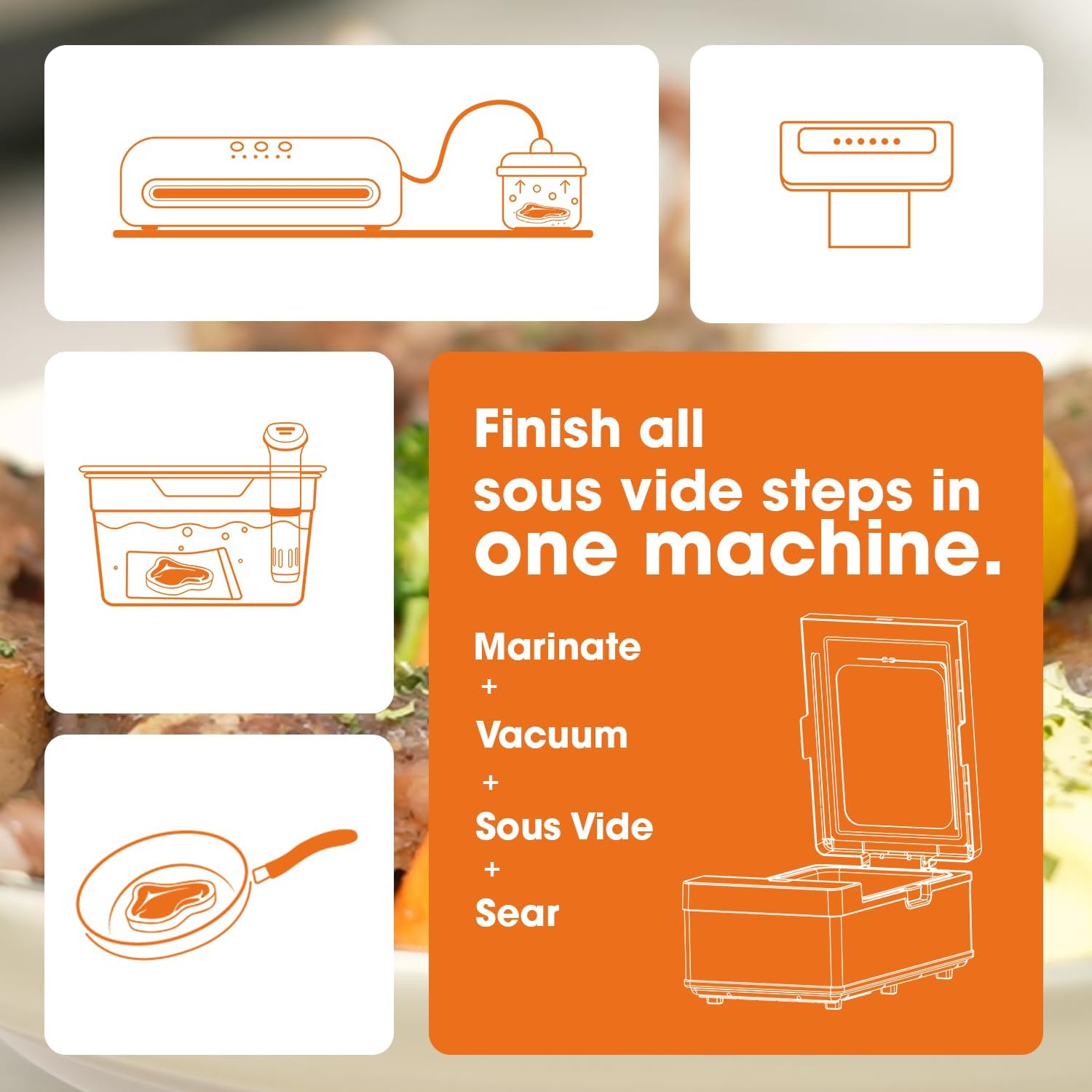
Figure 3.1: All-in-one functionality of the Vesta Precision NSV500.
4. Setup
- Unpacking: Carefully remove the appliance and all accessories from the packaging. Retain packaging for future storage or transport.
- Placement: Place the unit on a flat, stable, and heat-resistant surface, ensuring adequate clearance around the appliance for ventilation.
- Initial Cleaning: Before first use, wash the removable cooking tray with warm, soapy water. Rinse thoroughly and dry completely. Wipe the exterior of the main unit with a damp cloth.
- Power Connection: Plug the power cord into a grounded electrical outlet. The appliance is rated for 120 Volts.
- App Connection (Optional): Download the companion app from your device's app store. Follow the in-app instructions to connect your NSV500 to your Wi-Fi network for remote control and monitoring.
5. Operating Instructions
5.1 General Operation
The Vesta Precision NSV500 simplifies the sous vide process by integrating marinating, cooking, and searing into one unit, without the need for water baths or vacuum bags.

Figure 5.1: The NSV500 requires no water or bags for sous vide cooking.
5.2 Using the Built-in Food Probe
The built-in food probe provides real-time internal temperature monitoring, ensuring precise cooking results.
- Probe Insertion: Insert the food probe into the thickest part of the food, avoiding bone or gristle. For multiple layers of food, insert the probe into the middle layer.
- Temperature Control: The appliance will use the probe's reading to maintain the target internal temperature of your food.

Figure 5.2: Proper insertion of the built-in food probe for accurate temperature readings.

Figure 5.3: Guide for probe insertion based on food thickness.
5.3 Sous Vide Cooking
The NSV500 creates a vacuum environment within the cooking tray before heating, ensuring even cooking and moisture retention.
- Prepare Food: Place your food, seasoned as desired, directly into the cooking tray. Insert the food probe.
- Close Lid: Securely close the lid. The appliance will initiate the vacuum process.
- Set Temperature and Time: Use the control panel or the mobile app to set your desired sous vide temperature (68-203°F / 20-95°C) and cooking time.
- Start Cooking: Press the start button. The appliance will heat the food to the target temperature and maintain it for the set duration.

Figure 5.4: Food prepared for waterless sous vide cooking.

Figure 5.5: Vacuum is created before heating to ensure even cooking.

Figure 5.6: Food is isolated in a vacuum during sous vide cooking.

Figure 5.7: The 8.6L cooking tray can accommodate up to 12 sirloin steaks.
5.4 Searing Function
After sous vide cooking, the NSV500 can sear your food directly in the same tray, creating a perfect crust.
- Activate Sear Mode: Once sous vide cooking is complete, select the searing function on the control panel or app. The appliance will heat to searing temperatures (302-410°F / 150-210°C).
- Sear Food: Place the cooked food directly onto the hot surface of the cooking tray. Sear for a short duration (typically under 30 seconds per side) to achieve desired browning.

Figure 5.8: Searing food directly in the NSV500 cooking tray.
5.5 App Control and Recipes
The Vesta Precision app allows for convenient remote control and access to a library of recipes.
- Remote Monitoring: Monitor cooking progress and internal food temperature from anywhere via Wi-Fi.
- Program Adjustment: Start, pause, and adjust cooking programs directly from your smartphone.
- Recipe Library: Access a variety of smart recipes tailored for the NSV500.

Figure 5.9: The Vesta Precision app provides comprehensive control and recipe access.
6. Maintenance and Cleaning
Regular cleaning ensures the longevity and optimal performance of your Vesta Precision NSV500.
- Unplug: Always unplug the appliance and allow it to cool completely before cleaning.
- Removable Tray: The 8.6L cooking tray is fully removable and dishwasher-safe for easy cleaning. Alternatively, wash with warm, soapy water and rinse thoroughly.
- Main Unit: Wipe the exterior of the main unit with a damp cloth. Do not use abrasive cleaners or immerse the main unit in water.
- Food Probe: Wipe the food probe clean with a damp cloth after each use.
- Storage: Store the appliance in a clean, dry place when not in use.

Figure 6.1: The vacuum is released when cooking is complete, allowing for easy removal of food.
7. Troubleshooting
If you encounter issues with your Vesta Precision NSV500, refer to the following common problems and solutions.
| Problem | Possible Cause | Solution |
|---|---|---|
| App not connecting to device. | Incorrect Wi-Fi password, device out of range, or app not updated. | Ensure correct Wi-Fi credentials. Move device closer to router. Update app to the latest version. Restart both device and app. |
| Temperature not reaching target. | Lid not properly sealed, too much food, or probe not inserted correctly. | Check lid seal. Reduce food quantity if exceeding capacity. Re-insert probe into the thickest part of the food. |
| Food not searing properly. | Searing temperature not reached, or food surface is too wet. | Allow the unit to fully preheat in sear mode. Pat food dry before searing for a better crust. |
| Vacuum not forming. | Lid not properly closed or seal is obstructed. | Ensure the lid is securely closed and the sealing gasket is clean and free of debris. |
For further assistance, please contact Vesta Precision customer support.
8. Specifications
| Feature | Detail |
|---|---|
| Model Number | NSV500 |
| Capacity | 8.6 Liters |
| Wattage | 1500 watts |
| Voltage | 120 Volts |
| Product Dimensions (D x W x H) | 231"D x 11.6"W x 13.5"H |
| Item Weight | 30.6 Pounds |
| Control Method | App, Touch |
| Sous Vide Temperature Range | 68-203°F (20-95°C) |
| Searing Temperature Range | 302-410°F (150-210°C) |
| Included Components | Sous Vide Machine *1 |
9. Warranty and Support
The Vesta Precision NSV500 is designed and supported in the USA. For any questions, concerns, or warranty claims, please contact Vesta Precision customer support.
Contact information can typically be found on the official Vesta Precision website or through your purchase documentation.
10. Product Video
Watch the official product video for a brief introduction to the Vesta Precision NSV500 Sous Vide Cooker.
Video 10.1: Bagless and Waterless Sous Vide Cooker NSV500 brief intro. This video demonstrates the key features and benefits of the Vesta Precision NSV500, including its waterless and bagless operation, built-in probe, and searing capabilities.
Related documentsNSV500


Ask a question about this manual
Ask about setup, troubleshooting, compatibility, parts, safety, or missing instructions. Manuals+ will review the question and use this page’s manual context to help answer it.