
Important Safety Information
Please read all instructions carefully before using the device. Keep this manual for future reference.
- Do not expose the device to water or moisture.
- Avoid extreme temperatures.
- Do not disassemble or attempt to repair the device yourself.
- Use only the provided or approved charging cables.
- Keep out of reach of small children.
Package Contents
Verify that all items are present in your package:
- 1 x BONAOK MI036ALB Karaoke Speaker
- 1 x Wireless Microphone
- 1 x USB Charging Cable
- 1 x User Manual

Image: The package contents, showing the portable karaoke speaker, a wireless microphone, two USB charging cables, and the user manual.
Product Overview
Familiarize yourself with the main components and features of your BONAOK MI036ALB karaoke system.

Image: A clear view of the BONAOK MI036ALB portable karaoke speaker with its handle and the accompanying wireless microphone.
Key Features:
- Superior Sound Quality: Equipped with a powerful audio driver and advanced digital signal processor for clear sound and reduced microphone feedback.
- Bluetooth 5.0 Connectivity: Fast and stable wireless connection up to 30 feet.
- Adjustable Audio Effects: Separate controls for human voice, echo, and music volume.
- Magic Voice Effects: Four distinct voice changing options.
- Voice Removal Function: Sing along to your favorite tracks by removing original vocals.
- LED Lights: Dynamic LED lights synchronize with music rhythm.
- Multiple Playback Options: Supports Bluetooth, TF (Micro SD) card, and USB.
- Portable Design: Compact and lightweight for easy transport.
- Long Battery Life: Approximately 5-6 hours playing time, 2-3 hours charging time.
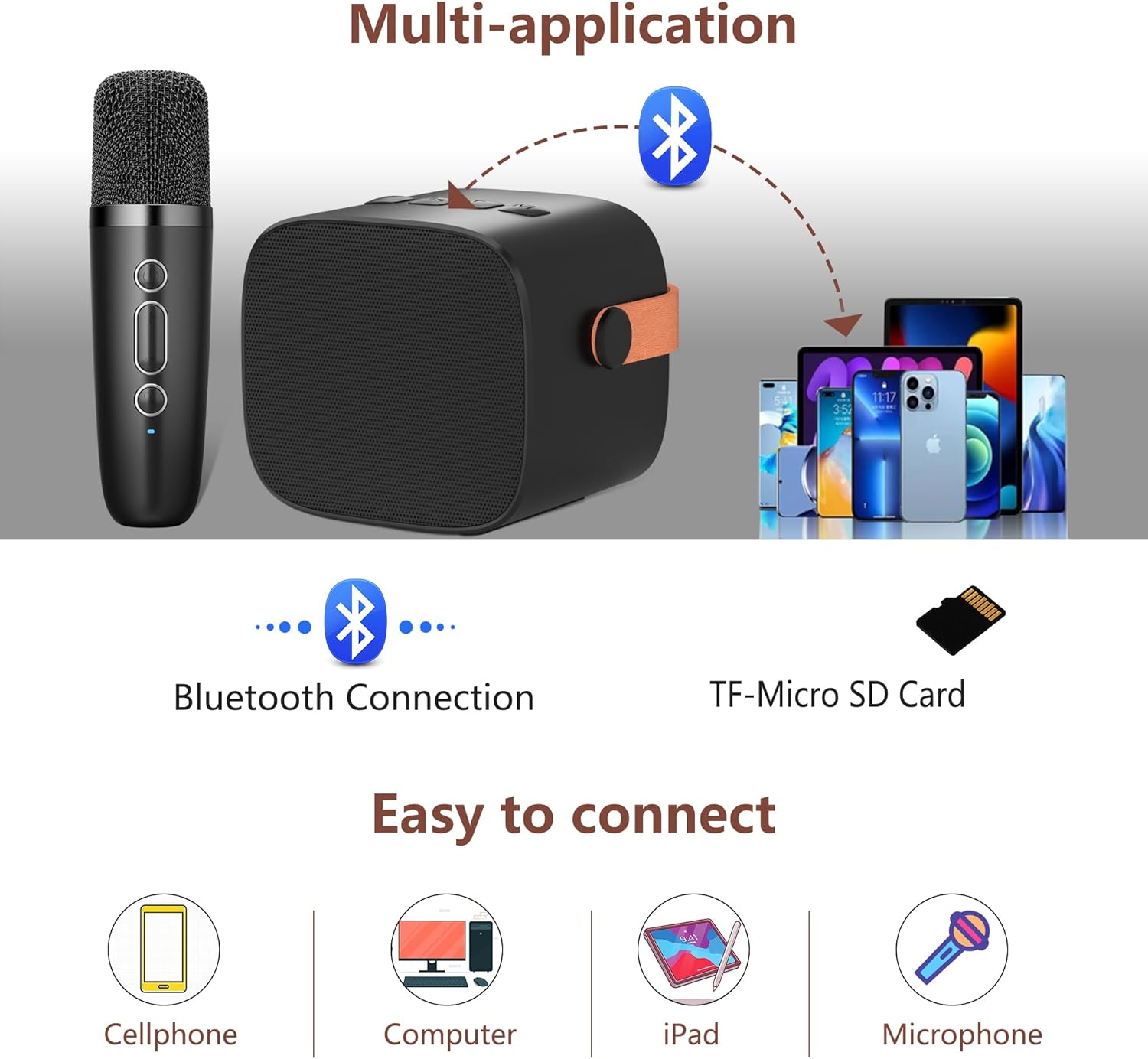
Image: The karaoke speaker displaying its colorful LED lights and the microphone, with icons indicating 5-6 hours of playing time and 2-3 hours of charging time.
Setup
1. Charging the Device
Before first use, fully charge the karaoke speaker and microphone using the provided USB cable.
- Connect the USB charging cable to the charging port on the speaker and a compatible USB power adapter (not included).
- Connect the USB charging cable to the charging port on the microphone and a compatible USB power adapter.
- The charging indicator will show the charging status. Once fully charged, the indicator may change or turn off.
2. Power On/Off
- Microphone: Press and hold the "ON/OFF" button on the microphone for 2-3 seconds to power it on or off.
- Speaker: Locate the power button on the speaker and press and hold it to power on or off.
The microphone and speaker will automatically connect to each other when both are powered on and within range.
Operating Instructions
1. Bluetooth Connection
To connect the karaoke system to your device (e.g., smartphone, tablet, computer):
- Ensure the karaoke speaker is powered on.
- Enable Bluetooth on your device.
- Search for available Bluetooth devices and select "K1" (or similar name) from the list.
- Once connected, you will hear a confirmation sound, and you can play music through the speaker.

Image: A visual representation of connecting the karaoke speaker via Bluetooth to a smartphone, showing the device name "K1" in the Bluetooth settings.
2. Adjusting Microphone Volume
To control the microphone's output volume:
- Briefly press the '+' button on the microphone to increase the volume.
- Briefly press the '-' button on the microphone to decrease the volume.
- There are 5 microphone volume levels. A "du du" sound indicates when the maximum or minimum volume is reached.
3. Adjusting Echo Level
To add or reduce echo effect to your voice:
- Long press the '+' button on the microphone for 2-3 seconds to increase the echo volume.
- Long press the '-' button on the microphone for 2-3 seconds to decrease the echo volume.
- There are 5 echo levels. The default echo setting is 0. Adjust to a suitable value for a better singing effect.
4. Magic Voice Effects
To change your voice with special effects:
- Briefly press the dedicated magic voice button (often labeled with an icon) on the microphone to cycle through 4 types of magic voices.

Image: An illustration showing the microphone and various voice change effects: Original Vocals, Monster Voice, Female Voice, Baby Voice, and Male Voice.
5. Voice Removal Function
To remove vocals from music tracks for karaoke:
- Long press the magic voice button (or a designated button) for 2-3 seconds to remove or restore music vocals.
- Note: Some music tracks, especially from iOS devices, may not fully support this feature.
6. TF Card Playback
To play music directly from a TF (Micro SD) card:
- Insert a TF card with MP3 songs into the designated slot on the speaker.
- The speaker will automatically detect and begin playing music from the card.
- Use the speaker's controls to navigate tracks and adjust volume.

Image: The karaoke speaker illustrating its various connectivity options, including Bluetooth and a TF-Micro SD Card slot, along with compatible devices like cellphones, computers, and iPads.
7. Using as a Standalone Speaker
The speaker can be used independently without the microphone for music playback via Bluetooth, TF card, or USB connection.
Maintenance
- Cleaning: Wipe the device with a soft, dry cloth. Do not use abrasive cleaners or solvents.
- Storage: Store the device in a cool, dry place away from direct sunlight when not in use for extended periods.
- Battery Care: To prolong battery life, charge the device regularly, even if not used frequently. Avoid fully discharging the battery for long periods.
Troubleshooting
| Problem | Possible Cause | Solution |
|---|---|---|
| Device does not power on. | Low battery. | Charge the device fully. |
| No sound from speaker. | Volume too low; device not connected; music paused. | Increase volume; ensure Bluetooth is connected; check music playback. |
| Microphone not working. | Microphone not powered on; not paired with speaker; microphone volume too low. | Power on microphone; ensure automatic pairing; increase microphone volume. |
| Bluetooth connection unstable. | Device too far from speaker; interference. | Move device closer to speaker (within 30 feet); avoid obstacles. |
| Voice removal function not working. | Music track not supported. | This feature may not work with all music sources, especially some iOS tracks. |
Specifications
| Feature | Detail |
|---|---|
| Brand | BONAOK |
| Model | MI036ALB |
| Connectivity Technology | Bluetooth 5.0 |
| Media Type Support | Bluetooth, USB, TF (Micro SD) Card |
| Special Features | Portable, Echo Effect, Voice Changer, SD Card Slot, Rechargeable |
| Microphone Form Factor | Handheld |
| Power Source | Battery Powered (Lithium Polymer) |
| Playing Time | Approximately 5-6 hours |
| Charging Time | Approximately 2-3 hours |
| Product Dimensions | 15.7 x 7.2 x 16.2 cm |
| Weight | 510 g |
| Color | Black |
Warranty and Support
For warranty information and customer support, please refer to the contact details provided with your purchase or visit the official BONAOK website.
Note: International products may have separate terms and conditions, and may differ from local products, including fit, age ratings, and language of product, labeling, or instructions.


