
COOLIFE H881 PLUS
COOLIFE 48MP 4K Trail Camera User Manual
Model: H881 PLUS
Introduction
Thank you for choosing the COOLIFE 48MP 4K Trail Camera. This manual provides detailed instructions for setting up, operating, and maintaining your camera to ensure optimal performance and longevity. Please read this manual thoroughly before using the camera.
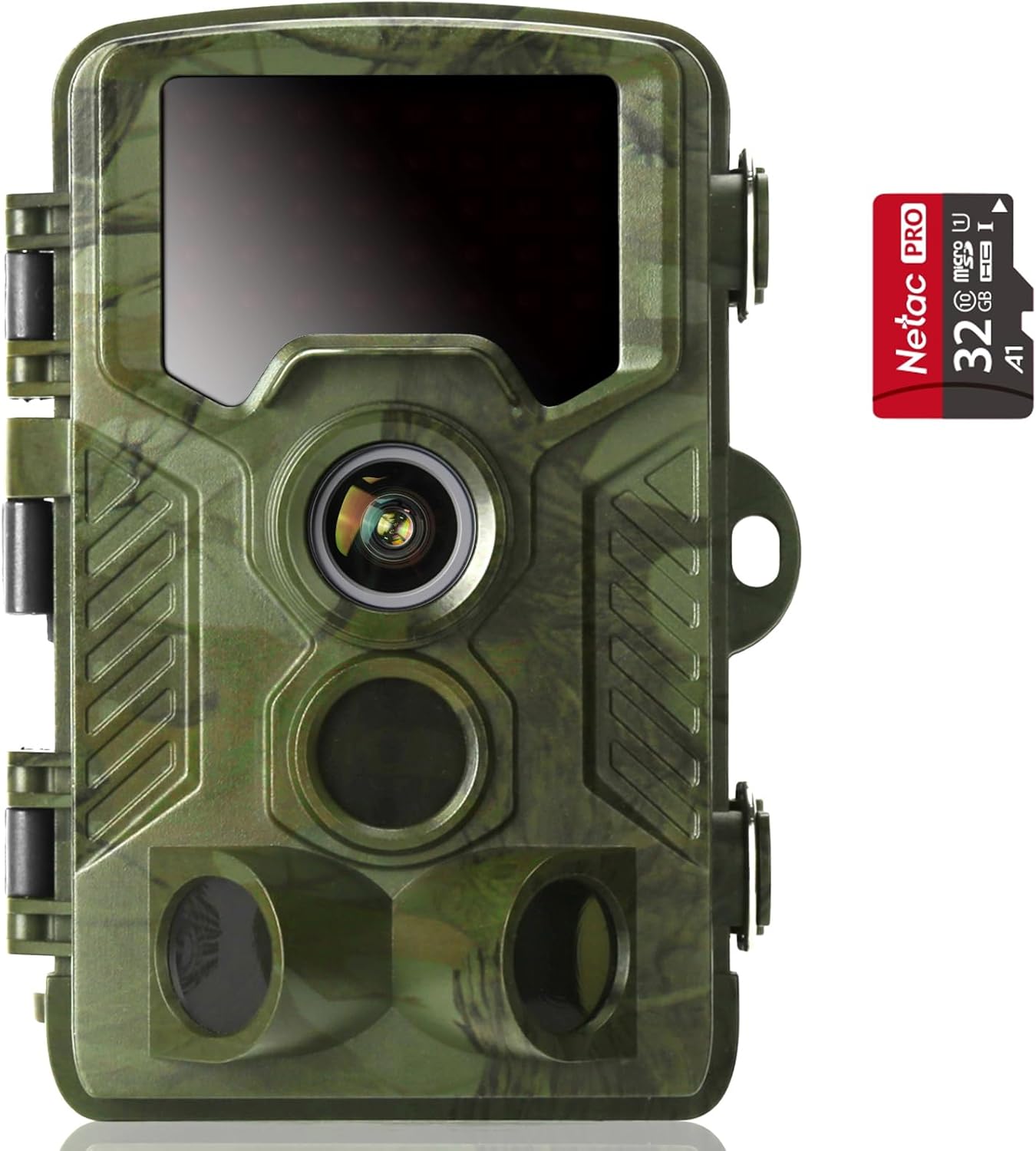
Image: The COOLIFE 48MP 4K Trail Camera, shown with a 32GB Netac Pro SD card, highlighting its compact design and readiness for use.
Package Contents
Ensure all items are present in your package:
- COOLIFE 48MP 4K Trail Camera (H881 PLUS)
- 32GB Micro SD Card
- USB Cable
- AV Cable
- Mounting Strap
- Metal Mounting Bracket
- Screws (3) and Plastic Expansion Tubes (3)
- Hexagonal Wrench
- User Manual
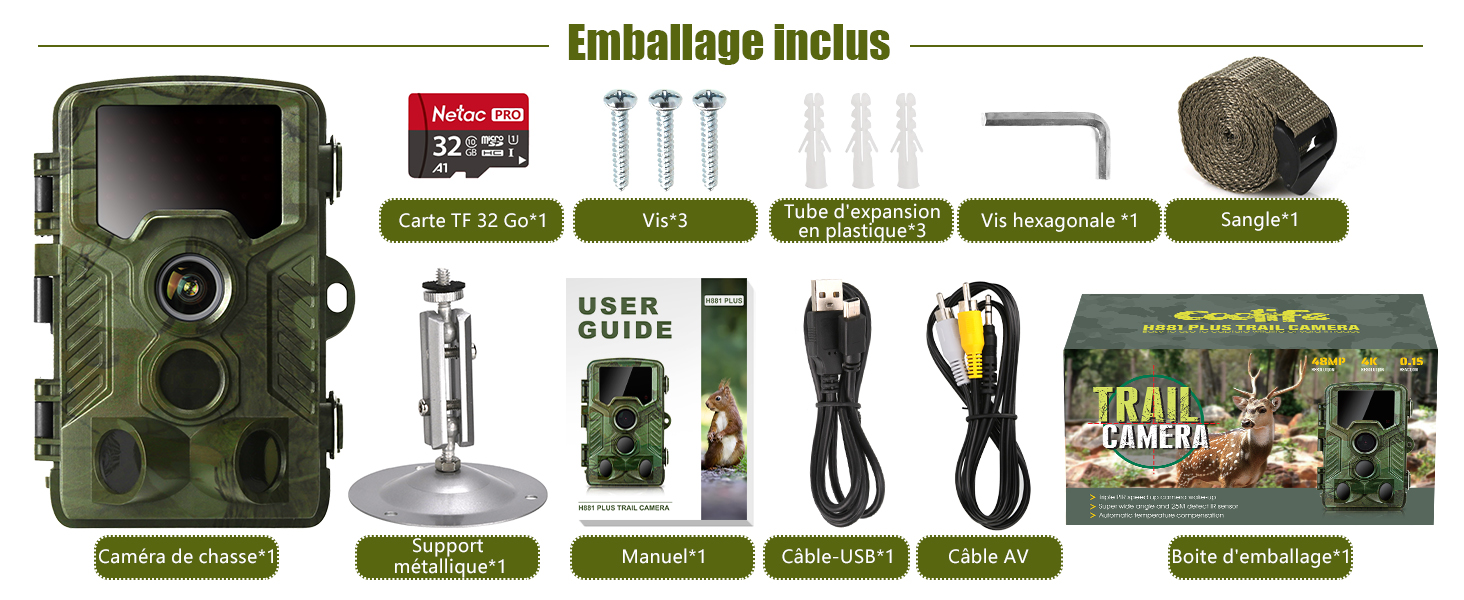
Image: A visual representation of all components included in the COOLIFE H881 PLUS Trail Camera package, such as the camera, SD card, cables, mounting accessories, and user guide.
Setup
1. Battery Installation
The camera requires 8 AA batteries (not included). Open the battery compartment on the bottom of the camera. Insert the batteries according to the polarity indicators (+/-) inside the compartment. Ensure the compartment is securely closed to maintain the IP67 waterproof rating.
2. SD Card Insertion
Insert the provided 32GB Micro SD card into the SD card slot with the gold contacts facing down. Push until it clicks into place. To remove, push the card in again until it springs out. The camera supports Micro SD cards up to 512GB.
3. Initial Power On and Basic Settings
Switch the camera from OFF to SETUP mode. The internal screen will turn on. Use the navigation buttons to set the date, time, language, and format the SD card. Formatting the SD card is crucial for proper camera operation.
4. Mounting the Camera
The camera can be mounted using the included strap or the metal mounting bracket. For optimal detection, mount the camera approximately 1-2 meters (3-6 feet) above the ground, pointing towards the area of interest. Ensure there are no obstacles directly in front of the camera that could trigger false detections.
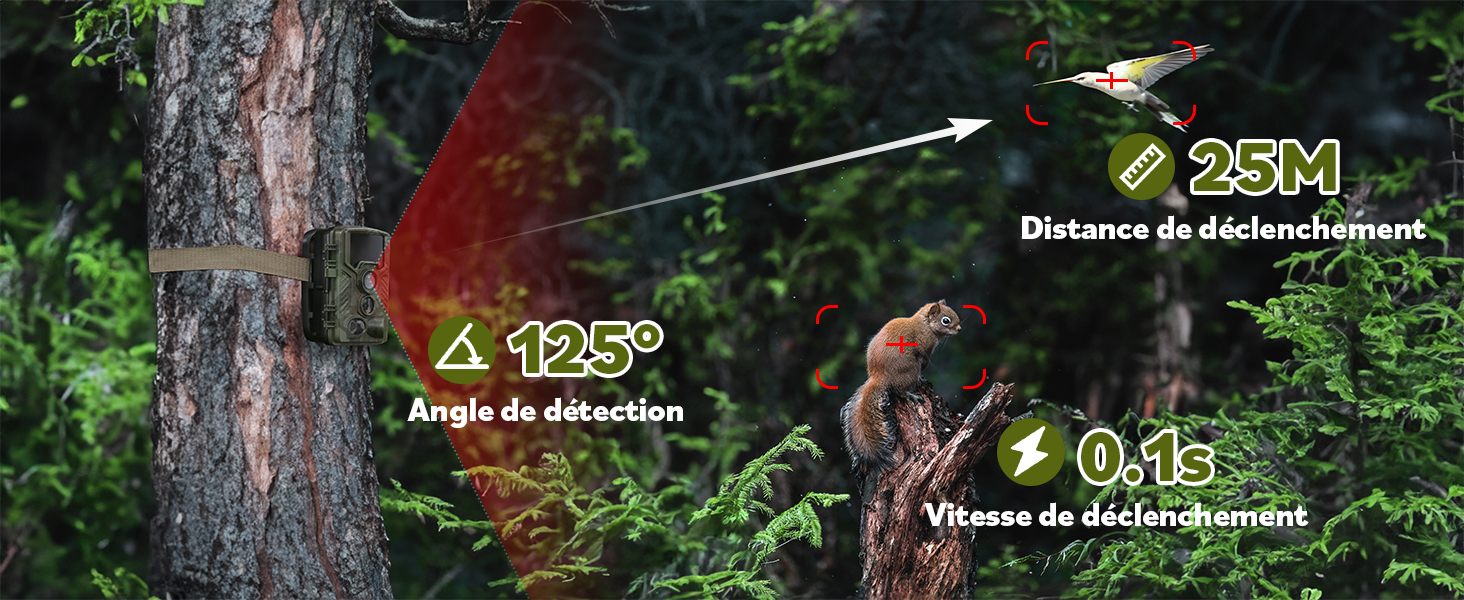
Image: This diagram visually explains the camera's impressive 125° detection angle, its ability to trigger from up to 25 meters away, and its rapid 0.1-second trigger speed, crucial for capturing fast-moving subjects.
Operating the Camera
1. Operating Modes
The camera offers three primary operating modes:
- Photo Mode: Captures still images. You can set the photo resolution up to 48MP and choose burst shot settings (up to 10 photos per trigger).
- Video Mode: Records video clips. Video resolution can be set up to 4K FHD, with clip lengths up to 10 minutes per sequence.
- Photo + Video Mode: Captures a set number of photos followed by a video clip upon detection.

Image: Highlighting the camera's superior image and video capabilities, this image emphasizes its 4K Ultra HD video resolution and 48MP still image quality, ensuring vivid and detailed captures.

Image: A visual comparison demonstrating the significant difference in detail between a 48MP image and a 16MP image, showcasing the superior clarity offered by the higher resolution.
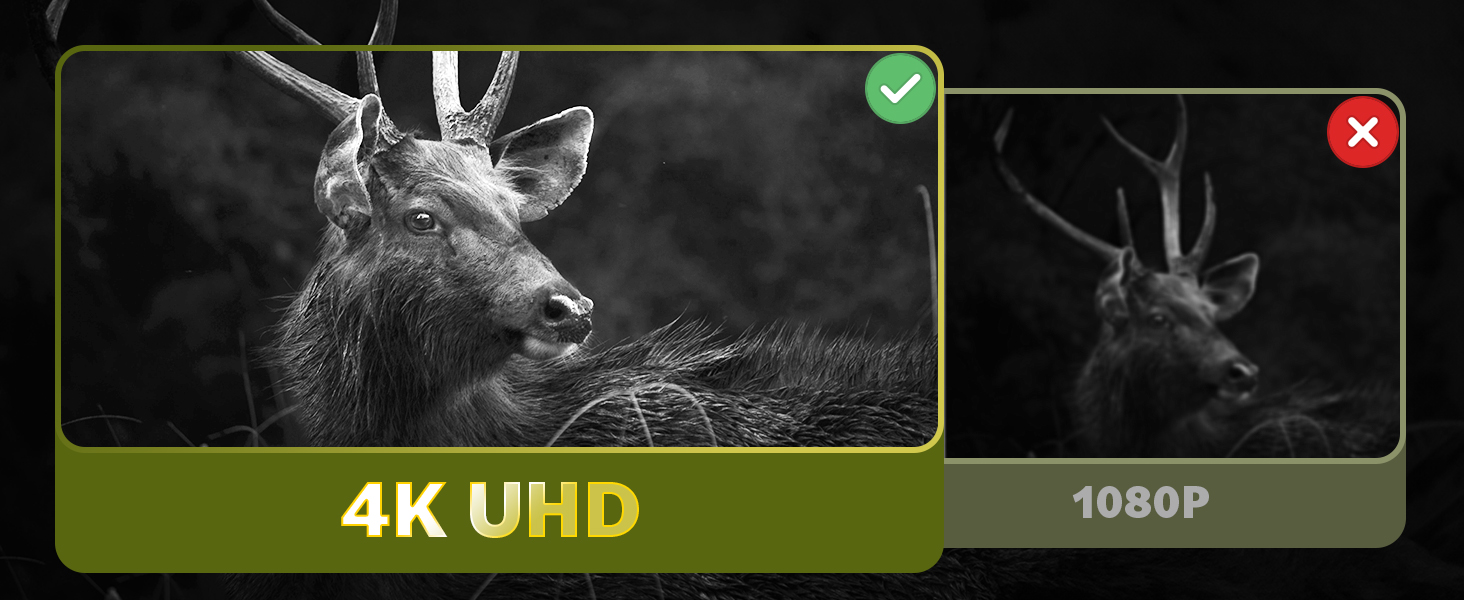
Image: This comparison illustrates the enhanced sharpness and detail of 4K UHD video compared to 1080P, using a deer as an example to highlight the improved visual fidelity.
2. Motion Detection and Trigger Speed
Equipped with 3-zone infrared sensors, the camera boasts an ultra-fast 0.1-second trigger speed, ensuring that no movement is missed. The detection range extends up to 25 meters (82 feet), making it effective for capturing wildlife at a distance.
3. Night Vision Capabilities
The camera features Starlight Night Vision, utilizing infrared technology to capture clear images and videos in low-light or complete darkness without disturbing wildlife. The infrared LEDs are invisible to the human eye and animals.

Image: This image demonstrates the camera's Starlight Night Vision, capturing a clear and detailed view of a fox in a dark, nocturnal environment, highlighting its low-noise and high-resolution capabilities.
4. Stealth Features
Designed for discreet operation, the camera features a camouflage exterior, no visible flash during operation, and silent recording, allowing it to blend seamlessly into its environment and capture natural behavior without disturbance.
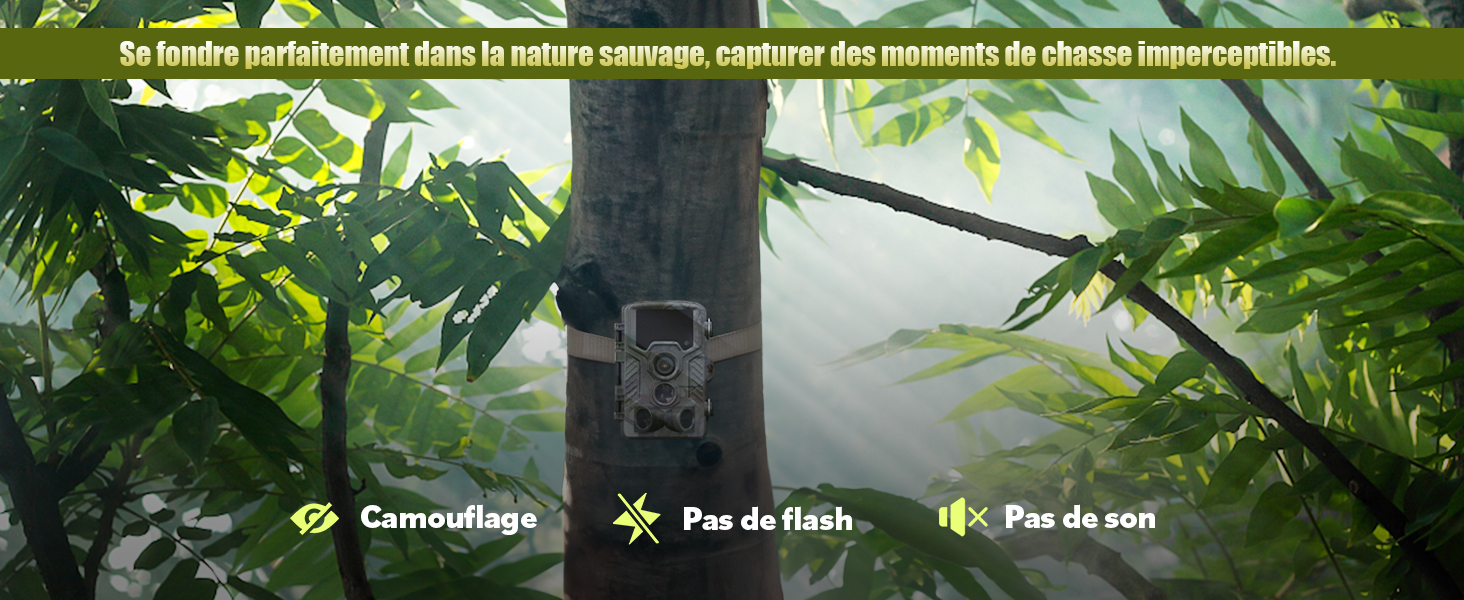
Image: This graphic highlights the camera's key stealth features: effective camouflage to blend with nature, an invisible flash for night recording, and silent operation to avoid startling wildlife.
Maintenance
Regular maintenance ensures the longevity and optimal performance of your COOLIFE Trail Camera.
- Cleaning: Use a soft, dry cloth to clean the camera lens and body. Avoid abrasive cleaners or solvents.
- Battery Replacement: Replace all batteries simultaneously when the low battery indicator appears. Do not mix old and new batteries or different battery types.
- SD Card Management: Regularly back up your captured data and format the SD card in the camera to prevent data corruption and ensure smooth operation.
- Environmental Protection: While the camera is IP67 waterproof, it is recommended to place it in a location that offers some protection from extreme weather conditions if possible, such as under a tree canopy.

Image: This image illustrates the camera's robust IP67 waterproof rating, showing it in a rainy environment, along with icons indicating its dust-proof, high concealment, anti-freeze, and heat-resistant properties.
Troubleshooting
If you encounter issues with your camera, please refer to the following common solutions:
| Problem | Possible Cause / Solution |
|---|---|
| Camera not powering on | Check battery polarity, ensure batteries are fully charged, or replace with new ones. Ensure the mode switch is set to SETUP or ON. |
| Camera not triggering / Missing events | Verify PIR sensitivity settings. Ensure no obstacles are blocking the sensor. Check if the camera is placed too high or too low. Ensure the camera is in ON mode, not SETUP. |
| Poor image/video quality | Clean the camera lens. Check resolution settings (set to 48MP/4K). Ensure sufficient lighting for daytime captures. For night vision, ensure no reflective surfaces are nearby. |
| SD card error | Format the SD card in the camera. Try a different compatible SD card. Ensure the card is inserted correctly. |
| Short battery life | Use high-quality alkaline or rechargeable AA batteries. Reduce video length or photo burst settings. Lower PIR sensitivity if experiencing excessive triggers. |
Specifications
| Feature | Detail |
|---|---|
| Model | H881 PLUS |
| Photo Resolution | Up to 48MP |
| Video Resolution | Up to 4K FHD |
| Sensing Angle | 125 degrees |
| Trigger Speed | 0.1 seconds |
| Night Vision Distance | Up to 25m (82 feet) |
| Waterproof Rating | IP67 |
| Power Source | 8x AA Batteries (not included) |
| Storage | Micro SD card (up to 512GB, 32GB included) |
| Connectivity | Wired (USB, AV) |
| Dimensions | 19.9 x 12.6 x 10.4 cm |
| Weight | 690 grams |
Warranty and Support
The COOLIFE 48MP 4K Trail Camera (Model H881 PLUS) is part of Amazon's official Transparency program, ensuring product authenticity and quality. This product comes with an Amazon guarantee, demonstrating its superior quality and reliability.
For any technical support or warranty claims, please contact COOLIFE customer service through the platform where you purchased the product. Please have your purchase details and product model number (H881 PLUS) ready.

Image: This image illustrates the Amazon Transparency program, confirming the authenticity and quality assurance for the COOLIFE trail camera, as verified through the Amazon app.
Related documentsH881 PLUS


Ask a question about this manual
Ask about setup, troubleshooting, compatibility, parts, safety, or missing instructions. Manuals+ will review the question and use this page’s manual context to help answer it.