
R QIDI TECHNOLOGY X-Smart3
R QIDI TECHNOLOGY X-Smart3 3D Printer User Manual
Model: X-Smart3
1. Introduction
The R QIDI TECHNOLOGY X-Smart3 is a new generation high-speed desktop FDM 3D printer, designed for both beginners and experienced users. It boasts impressive print speeds and advanced features to ensure high-quality and efficient printing.

The R QIDI TECHNOLOGY X-Smart3 3D Printer, a high-speed desktop FDM 3D printer.
2. Setup and First Use
The X-Smart3 printer comes fully assembled and ready for immediate use. Follow these general steps for initial setup:
- Unpacking: Carefully remove the printer and all accessories from the packaging.
- Placement: Place the printer on a stable, level surface with adequate ventilation.
- Power Connection: Ensure the voltage setting is correct (check the unit, typically 115V for US) before plugging in the power cord.
- Initial Power On: Follow the on-screen instructions on the printer's display for the first power-up sequence.
- Firmware Update: It is recommended to update the firmware to the latest version for optimal performance and new features. This may require re-calibrating Z-height and bed leveling.
- Filament Loading: Load the filament according to the printer's instructions.

The printer comes fully assembled and ready to print, featuring auto-leveling, filament alert, and WiFi remote control.

Included accessories: 250g filament, filament spool holder, holder cover, power cord, 0.4mm nozzle cleaning tool, glue stick, scraper, Allen keys (H1.5, H2, H2.5), 7mm spanner, flat head screwdriver, USB 2.0 flash drive, and spare parts kit.
3. Operating Instructions
The X-Smart3 utilizes Klipper firmware and a CoreXY structure for high-performance printing. Key operational features include:
- High-Speed Printing: Achieve print speeds up to 500mm/s with 20000mm/s² acceleration.
- Precise Extrusion: The high-flow direct drive extruder with a 9.5:1 gear ratio ensures consistent and powerful material flow.
- Temperature Control: The nozzle can reach a maximum temperature of 300℃, supporting a wide range of filaments. The heated platform reaches 120℃.
- Auto-Leveling: Features Klipper Adaptive Meshing and Purging for automatic bed leveling, ensuring a perfect first layer.
- Flexible Build Plate: The magnetic HF build plate allows for easy removal of printed models.
- Connectivity: Supports easy WiFi printing and remote console access for convenient operation.

The X-Smart3 printer is capable of hyper-speed printing up to 500mm/s, significantly reducing print times.

The CoreXY structure reduces motion inertia and improves print speed, contributing to quieter operation.

Features a 9.5:1 gear ratio for steadier, stronger, and faster extrusion, with an easily replaceable hot end.

Equipped with auto-leveling for a flawless first layer and a flexible magnetic build plate for easy print removal.
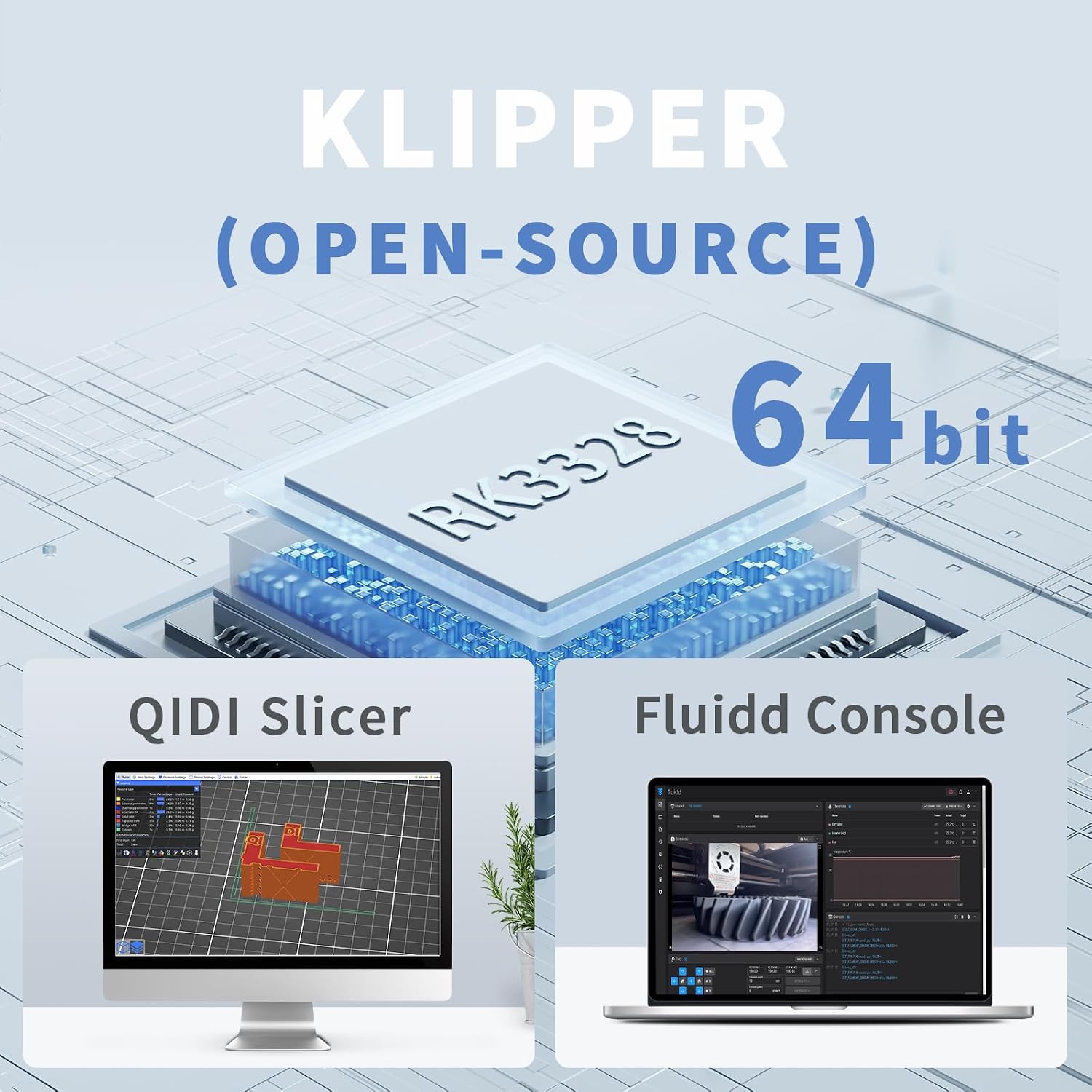
Powered by a 64-bit Klipper (open-source) processor, compatible with QIDI Slicer and Fluidd Console for advanced control.

The X-Smart3 significantly cuts printing time, achieving up to 80% reduction compared to standard printers.
Official Product Videos
This video demonstrates the QIDI X-Smart3 3D printer in action, showcasing its speed and precision by printing a 3D Benchy model in 12 minutes and 30 seconds using QIDI Hyper-Speed ABS filament. It highlights the printer's capabilities with a 300°C temperature, high infill and wall speeds, and 15,000mm/s² acceleration.
4. Maintenance
Regular maintenance ensures the longevity and optimal performance of your X-Smart3 3D printer:
- Cleaning Carbon Fiber Rods: Regularly wipe down the carbon fiber rods with Isopropyl Alcohol (IPA) to remove any residue. Repeat until no residue is visible on the cleaning cloth.
- General Cleaning: As the printer has a fully enclosed structure, it effectively keeps dust out. However, periodically clean the interior and exterior surfaces to maintain cleanliness.
- Nozzle Maintenance: Use the provided 0.4mm nozzle cleaning tool to clear any clogs or debris from the nozzle.
- Firmware Updates: Keep the printer's firmware updated to benefit from performance improvements and bug fixes.
5. Troubleshooting
If you encounter issues with your X-Smart3 printer, consider the following:
- Voltage Setting: Always verify the voltage setting (e.g., 115V) before plugging in the printer, especially after unpacking.
- Z-Height Calibration: Ensure the Z-height is perfectly calibrated. Heat the bed first before performing the bed level routine and Z-height adjustment. The included piece of material can be used to set the Z-height, aiming for slight resistance when moving the tool.
- First Layer Issues: If the first layer appears rounded on the bed, slightly raise the bed closer to the nozzle in 0.01mm increments until a nice flat layer of plastic is observed.
- Firmware-Related Issues: If issues arise after a firmware update, re-run the Z-height and bed leveling routines, including the Resonance routine.
For persistent issues or further assistance, please refer to the official User Manual (PDF) or contact QIDI TECH customer support.
6. Specifications
| Feature | Detail |
|---|---|
| Product Dimensions | 14.25 x 14.57 x 15.63 inches |
| Item Weight | 29 pounds |
| Build Volume | 175 x 180 x 170 mm |
| Printing Speed | Up to 500mm/s |
| Acceleration | 20000mm/s² |
| Nozzle Temperature | Max 300℃ |
| Heated Platform Temperature | 120℃ |
| Processor | 64bit Cortex-A53, 1.5GHz |
| Memory | 8G-EMMC and 1G DDR3 |
| Material Compatibility | Acrylonitrile Butadiene Styrene (ABS), Polylactic Acid (PLA), and most other filaments |
| Connectivity | WiFi Printing, Remote Console |
7. Warranty and Support
QIDI TECH is committed to providing reliable products and excellent customer service:
- Return Policy: The X-Smart3 supports returns within 30 days of purchase.
- Warranty: A 1-year warranty is provided for the product.
- Technical Support: If you have any questions or require technical assistance, please feel free to contact the after-sale team. Responses are typically provided within 12 hours.
- User Manual: For comprehensive details and instructions, please refer to the official User Manual (PDF).
Related documentsX-Smart3

Ask a question about this manual
Ask about setup, troubleshooting, compatibility, parts, safety, or missing instructions. Manuals+ will review the question and use this page’s manual context to help answer it.