
1. Important Safety Information
Before operating the PARKSIDE PRTA 20-Li Cordless Grass Trimmer, please read and understand all safety instructions. Failure to follow these instructions may result in serious injury.
- Always wear appropriate safety equipment, including eye protection and sturdy shoes.
- Keep bystanders at a safe distance from the operating area.
- Do not trim wet or frozen grass to avoid slippery conditions and potential damage to the trimmer.
- Always disconnect the battery and allow the cutting head to stop completely before performing any maintenance, cleaning, or adjustments.
- Never carry the trimmer with the motor running or with the cutting head engaged.
- Ensure the safety switch is functioning correctly before each use.
2. Product Overview
The PARKSIDE PRTA 20-Li is a cordless grass trimmer designed for efficient lawn and garden maintenance. It features a rotating trimmer head, a dual-line system with automatic adjustment, and a distance roller for precise lawn edge trimming.
Key Features:
- Telescopic Guide Rail: Adjustable length (approx. 23 cm) to suit user height.
- Rotating Trimmer Head: Can be set to 0°, 90°, and 180° for versatile trimming.
- Adjustable Cutting Angle: 7-position adjustable cutting angle.
- Protective Guard: Includes a wire blade and a fold-out plant protection bar.
- Soft Grip Handle: Anti-slip soft grip with integrated safety switch.
- Easy Spool Change: Tool-free spool replacement.
- Adjustable Second Handle: Features an integrated spool holder.
- X20V Team Compatibility: Compatible with all batteries in the PARKSIDE X20V Team series.
Included Accessories:
- 2 x Thread Spools (1 pre-assembled, 1 replacement)
- 2 x 2 Ah Batteries
- 1 x Charger

Figure 2.1: Close-up view of the trimmer's handle, showing the safety switch and the battery slot for the X20V Team battery.

Figure 2.2: Detailed view of the trimmer's cutting head, illustrating the spool and protective guard.

Figure 2.3: Illustration of the PARKSIDE X20V Team battery system, highlighting its compatibility across a range of tools.
3. Setup
3.1 Battery Charging and Installation
- Before first use, fully charge the provided 2 Ah batteries using the included charger. Refer to the charger's manual for specific charging instructions.
- Once charged, slide the battery into the battery slot on the trimmer handle until it clicks securely into place. Ensure it is firmly seated.
- To remove the battery, press the release button (if present) and slide the battery out.
3.2 Assembling the Trimmer
- Attach the Protective Guard: Secure the protective guard to the trimmer head using the provided fasteners. Ensure it is stable and correctly positioned to protect against debris.
- Install the Spool: The trimmer comes with one spool pre-assembled. If replacing, ensure the trimmer is off and the battery is removed. Follow the tool-free spool replacement instructions (refer to Section 5.2).
- Adjust the Telescopic Rail: Loosen the locking mechanism on the telescopic rail. Extend or retract the shaft to a comfortable working height. Securely tighten the locking mechanism.
- Adjust the Second Handle: Position the adjustable second handle for optimal balance and comfort. Tighten its locking mechanism.
- Adjust the Trimmer Head Angle: The trimmer head can be rotated to 0°, 90°, or 180° for different trimming tasks. Adjust the cutting angle using the 7-position adjustment mechanism as needed.
4. Operating Instructions
Always ensure the area is clear of obstacles, children, and pets before starting the trimmer.
4.1 Starting and Stopping the Trimmer
- Ensure the battery is fully charged and securely installed.
- Hold the trimmer firmly with both hands, using the main handle and the adjustable second handle.
- To start, press and hold the safety switch, then squeeze the trigger switch. The cutting line will begin to rotate.
- To stop, release the trigger switch. The cutting line will stop rotating.
4.2 General Trimming
- Hold the trimmer at a slight angle to the ground, allowing the cutting line to cut the grass.
- Move the trimmer in a sweeping motion from side to side.
- Avoid hitting hard objects like stones, fences, or concrete, as this can damage the cutting line and the trimmer.
- The dual-line system automatically adjusts the line length during operation.

Figure 4.1: User operating the PARKSIDE PRTA 20-Li trimmer for general grass cutting.

Figure 4.2: The trimmer effectively cutting through thicker grass and weeds.
4.3 Edge Trimming
- For precise lawn edge trimming, rotate the trimmer head to the 90° or 180° position.
- Utilize the integrated distance roller to guide the trimmer along the edge of pavements or flowerbeds, ensuring a clean cut without damaging adjacent surfaces.
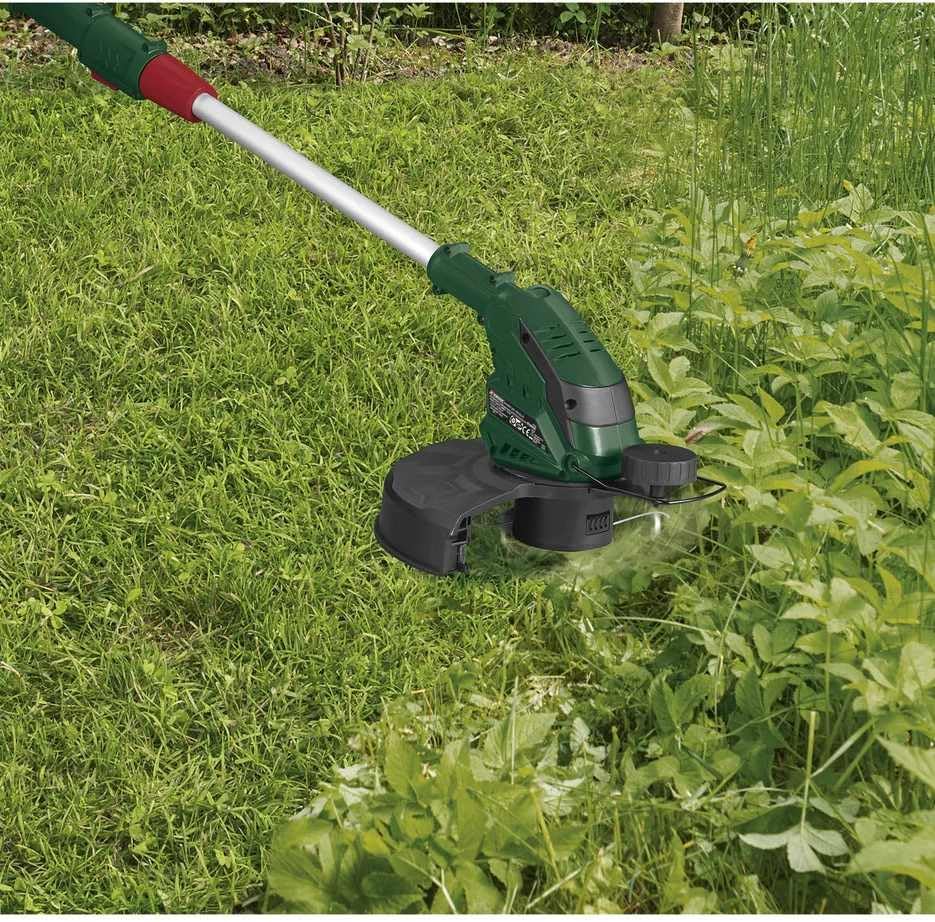
Figure 4.3: Trimmer in edge trimming mode, guided by the distance roller along a paved surface.
5. Maintenance
Regular maintenance ensures the longevity and safe operation of your grass trimmer. Always disconnect the battery before performing any maintenance.
5.1 Cleaning
- After each use, clean the trimmer housing and protective guard with a damp cloth.
- Remove any grass clippings or debris from the cutting head and ventilation slots to prevent overheating.
- Do not use strong detergents or solvents, as these can damage the plastic parts.
5.2 Spool Replacement
- Ensure the trimmer is switched off and the battery is removed.
- Press the tabs on the spool cover and remove it.
- Remove the empty spool.
- Insert a new PARKSIDE replacement spool, ensuring the cutting line is fed through the eyelet on the spool cover.
- Replace the spool cover, ensuring it clicks securely into place.
5.3 Battery Care and Storage
- Store batteries in a cool, dry place, away from direct sunlight and extreme temperatures.
- For long-term storage, charge batteries to approximately 50% capacity.
- Do not store batteries with metal objects that could short-circuit the terminals.
6. Troubleshooting
If you encounter issues with your PARKSIDE PRTA 20-Li grass trimmer, refer to the following common problems and solutions:
| Problem | Possible Cause | Solution |
|---|---|---|
| Trimmer does not start | Battery not charged or improperly installed | Charge battery fully. Ensure battery is securely clicked into place. |
| Safety switch or trigger not engaged correctly | Ensure both the safety switch and trigger are pressed simultaneously. | |
| Cutting line does not extend | Line is tangled or too short | Remove battery, inspect spool for tangles. Replace spool if line is too short. |
| Spool is incorrectly installed | Remove and re-install the spool, ensuring it is seated correctly. | |
| Reduced cutting performance | Dull or worn cutting line | Replace the cutting spool. |
| Grass clippings obstructing the cutting head | Remove battery, clean the cutting head and protective guard. |
If the problem persists after attempting these solutions, please contact customer support.
7. Specifications
| Feature | Specification |
|---|---|
| Model | PRTA 20-Li |
| Brand | Parkside |
| Power Source | Battery (Cordless) |
| Battery Type | X20V Team (2 x 2 Ah included) |
| Cutting Width | 23 cm |
| Speed | 5000 RPM |
| Item Weight | 3.76 kg |
| Product Dimensions (L x W) | 10L x 10B millimeters (Note: This dimension seems to be a generic placeholder and may not reflect the full product size.) |
| Color | Green |
| Manufacturer | Parkside |
8. Warranty and Support
For warranty information, please refer to the documentation provided with your purchase or contact the retailer. Warranty terms and conditions may vary by region and seller.
For technical support, spare parts, or further assistance, please contact Parkside customer service or visit the official Parkside website. Have your product model number (PRTA 20-Li) and purchase details ready when contacting support.


