
Introduction
This manual provides detailed instructions for the assembly, operation, and maintenance of your YITAHOME L Shaped Desk with Power Outlets and LED Lights. Please read this manual thoroughly before assembly and use to ensure proper function and longevity of your product. Keep this manual for future reference.

Figure 1: Overview of the YITAHOME L Shaped Desk, showcasing its design with integrated LED lighting and power outlets.
Safety Information
To prevent injury or damage to the product, adhere to the following safety guidelines:
- Ensure the desk is stable and properly anchored to avoid tipping.
- Do not exceed the maximum weight recommendation of 150 pounds on the desktop.
- Keep all electrical components (power outlets, USB ports, LED lights) away from liquids.
- Do not attempt to modify the electrical components or wiring.
- Assemble the desk on a soft, clean surface to prevent scratches.
- Keep small parts and packaging materials away from children.
Product Features
Your YITAHOME L Shaped Desk is designed with several features to enhance your workspace:
- Integrated Power Outlets and USB Ports: Equipped with 4 standard plug outlets and 2 USB ports, along with a 6.56ft power cord, for convenient charging of electronic devices.
- Multi-Color RGB LED Light Strip: Features an LED light strip that can be controlled via a phone app or remote, offering customizable colors, music sync, and timer functions.
- Spacious Desktop: Provides a generous 66.9"L x 19.7"W surface for computers, laptops, and other office equipment.
- Monitor Stand: An elevated section designed to promote better sitting posture by raising your monitor to an ergonomic height.
- Multifunctional File Drawer: Includes a file drawer with adjustable hanging bars suitable for letter and A4 size documents.
- 3 Cubbies Open Storage Shelves: Ideal for organizing albums, DVDs, books, and file folders, keeping them upright and accessible.
- Sturdy Construction: Crafted from heavy-duty steel and P2 particle boards with a scratch-resistant finish.
- Adjustable Feet Pads: Four adjustable feet pads ensure stability on uneven surfaces and protect your floor from scratches.
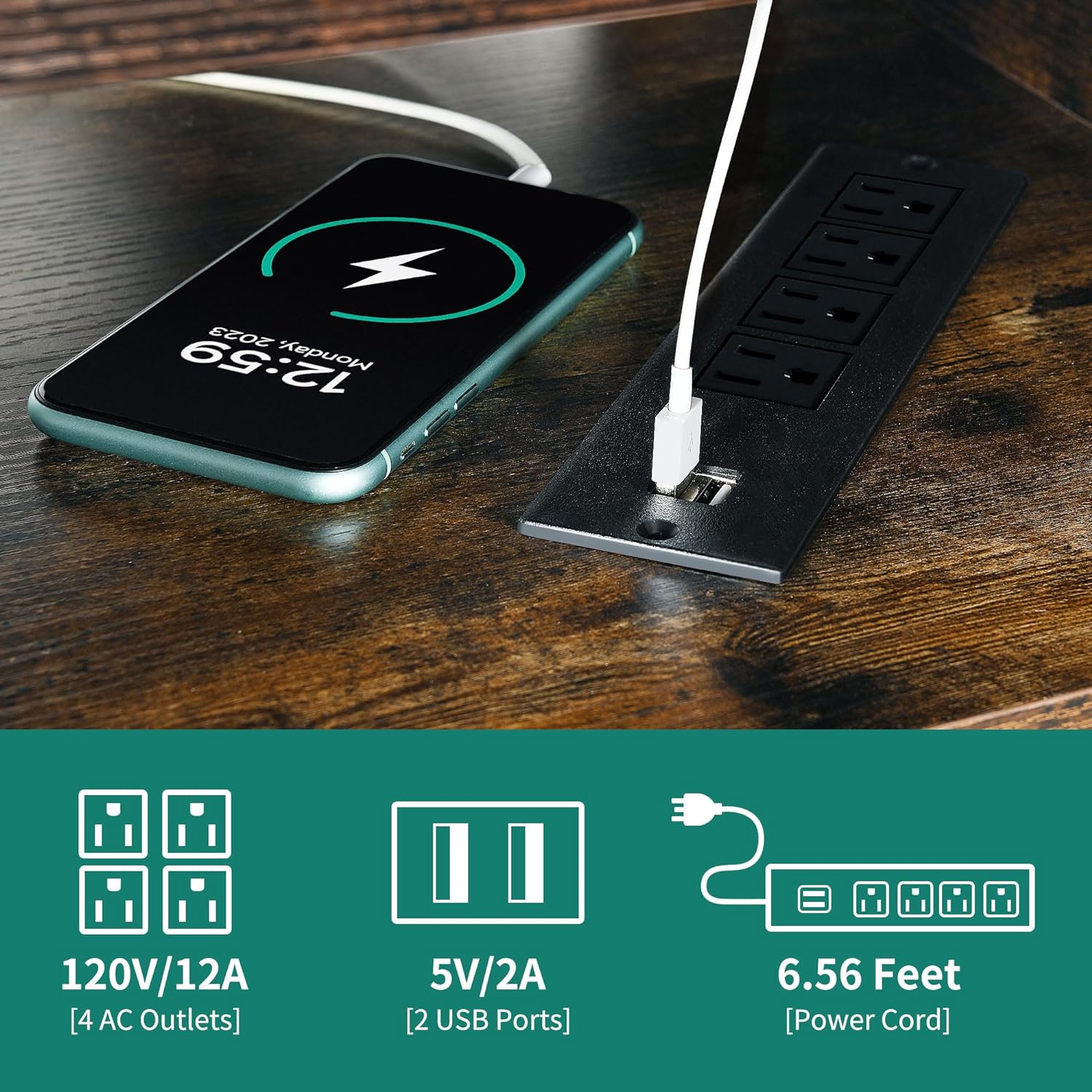
Figure 2: Detail of the built-in power outlets and USB ports for convenient charging.

Figure 3: The desk featuring its multi-color RGB LED light strip, enhancing the ambiance.

Figure 4: The multifunctional file drawer, designed to accommodate letter and A4 size documents.

Figure 5: The monitor stand promotes an ergonomic sitting posture, reducing strain.
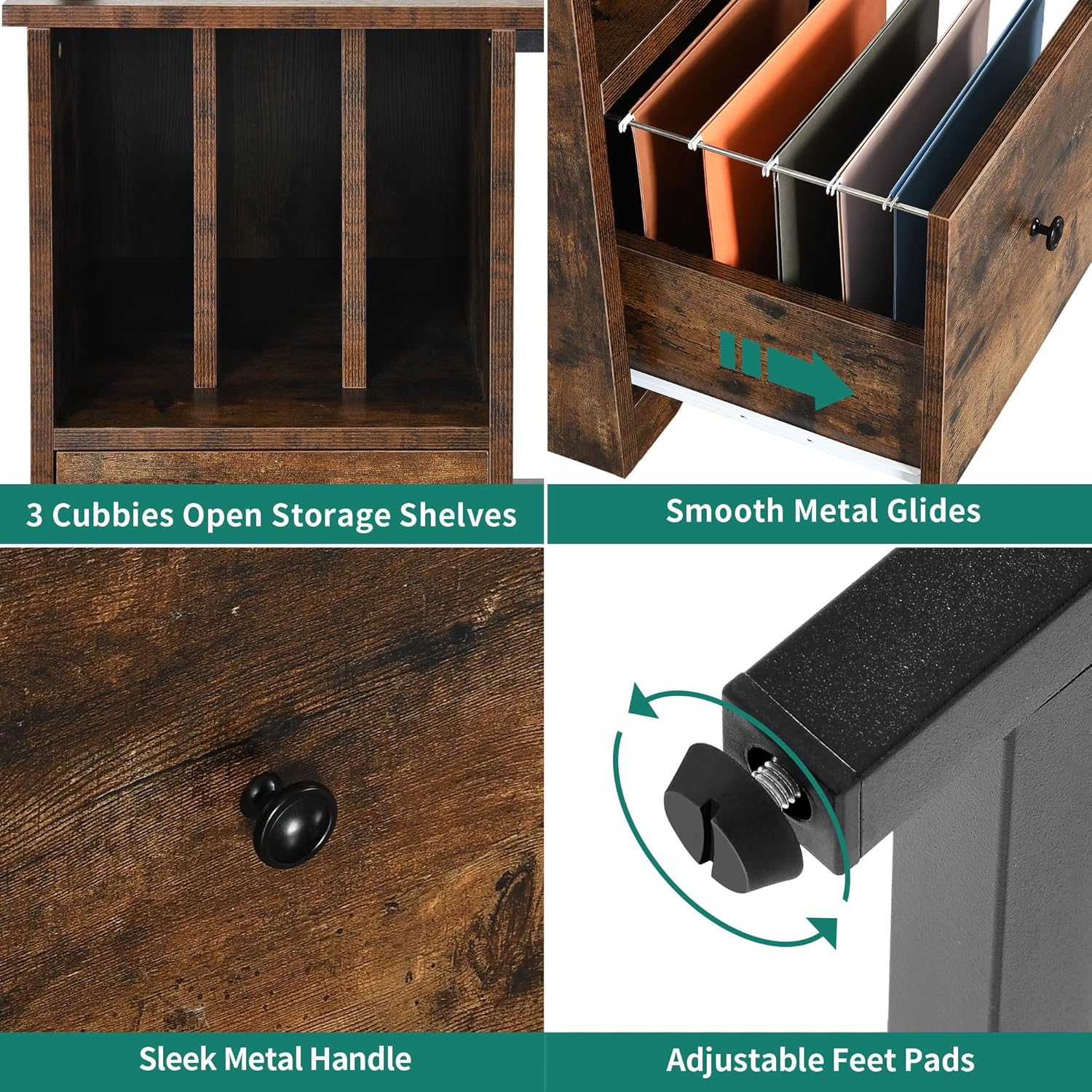
Figure 6: Details of the 3 cubbies, smooth drawer glides, sleek handle, and adjustable feet pads.
Specifications
| Attribute | Detail |
|---|---|
| Brand | YITAHOME |
| Model Number | MAYIH0008864MA |
| Product Dimensions (D x W x H) | 47.2"D x 66.9"W x 35.8"H |
| Color | Rustic Brown |
| Material | Engineered Wood (Top), Metal (Base) |
| Finish Type | Laminated |
| Item Weight | 102.52 Pounds |
| Maximum Weight Recommendation | 150 Pounds |
| Number of Drawers | 1 |
| Number of Shelves | 3 (Open Cubbies) |
| Power Outlets | 4 AC Outlets (120V/12A) |
| USB Ports | 2 USB Ports (5V/2A) |
| Power Cord Length | 6.56 Feet |

Figure 7: Detailed product dimensions for planning your space.
Setup and Assembly
The YITAHOME L Shaped Desk is designed for easy assembly. All necessary tools and a detailed instruction manual are included in the package. It is recommended that two people assemble the desk for optimal ease and safety.
For comprehensive step-by-step assembly instructions, please refer to the official Installation Manual (PDF) provided by YITAHOME. You can access it via this link: YITAHome L Shaped Desk Installation Manual.
Before starting assembly, ensure all parts are present and undamaged. Lay out all components on a soft, clean surface to prevent scratches during the process.
Operating Instructions
Using the Power Outlets and USB Ports
The integrated power strip allows you to conveniently power and charge your devices directly from your desk. Simply plug your devices into the available AC outlets or USB ports. The power cord extends 6.56 feet, providing flexibility for placement near a wall outlet.
Controlling the LED Lights
The multi-color RGB LED light strip can be controlled using either a dedicated remote control or a smartphone application. Refer to the LED light kit's specific instructions for pairing the remote or app. You can customize colors, adjust brightness, select various lighting modes (including music sync), and set timers for automatic on/off functions.
Utilizing Storage Features
- File Drawer: To use the file drawer for hanging files, insert the adjustable hanging bars into the designated slots. Ensure files are properly seated to allow the drawer to open and close smoothly.
- Cubbies: The three open cubbies are designed for vertical storage of items like books, binders, or record albums. Arrange items neatly to maximize space and maintain accessibility.
- Monitor Stand: Place your monitor(s) on the elevated stand to achieve a more ergonomic viewing height. This helps reduce neck and eye strain during prolonged use.
Maintenance
Regular maintenance will help preserve the appearance and functionality of your desk:
- Cleaning: Wipe surfaces with a soft, damp cloth. Avoid harsh chemicals or abrasive cleaners, as they can damage the finish.
- Spills: Immediately wipe up any spills to prevent moisture damage to the particle board.
- Hardware: Periodically check all screws and fasteners to ensure they are tight. Re-tighten if necessary to maintain stability.
- LED Lights: If the LED strip becomes loose, re-secure it using appropriate adhesive or clips. Avoid bending the strip sharply.
- Avoid Direct Sunlight: Prolonged exposure to direct sunlight can cause fading or warping of the desk materials.
Troubleshooting
If you encounter issues with your YITAHOME L Shaped Desk, consider the following common solutions:
- Desk Wobbles: Check that all assembly screws are securely tightened. Adjust the leveling feet pads on the bottom of the desk legs to compensate for uneven flooring.
- Drawer Sticks/Does Not Close Smoothly: Ensure the drawer is correctly aligned on its glides. Check for any obstructions within the drawer or on the glides. Verify that the hanging file bars are not interfering with the drawer mechanism.
- Power Outlets/USB Ports Not Working: Ensure the desk's power cord is securely plugged into a functional wall outlet. Check if the wall outlet itself is receiving power (e.g., by testing with another device). If the power strip has a reset button, press it.
- LED Lights Not Functioning: Verify that the LED light strip is properly connected to its power source and controller. Check the batteries in the remote control, if applicable. Ensure the app is correctly paired and updated.
- Parts Misalignment During Assembly: If parts do not align, carefully review the assembly instructions (PDF manual) to ensure each piece is oriented correctly. Sometimes, a slight adjustment or loosening of previously tightened screws can help align components.
Warranty and Support
Your YITAHOME L Shaped Desk comes with a limited warranty. For specific details regarding warranty coverage, terms, and conditions, please refer to the documentation included with your purchase or contact YITAHOME customer service.
If you require further assistance, have questions about assembly, or need to report a missing/damaged part, please contact YITAHOME customer support. You can typically find contact information on the YITAHOME official website or through the retailer where you purchased the product.
When contacting support, please have your model number (MAYIH0008864MA) and proof of purchase readily available.


