
1. Introduction
Thank you for choosing the AlphaCool Portable Neck Fan. This device is designed to provide personal cooling relief, featuring a bladeless design, long battery life, and multiple speed settings for enhanced comfort. Please read this manual thoroughly before use to ensure proper operation and maintenance.
2. Safety Information
- Do not immerse the device in water or other liquids.
- Keep out of reach of children and pets.
- Do not attempt to disassemble, repair, or modify the device. Contact qualified service personnel if needed.
- Avoid exposing the device to extreme temperatures or direct sunlight for prolonged periods.
- Use only the provided charging cable or a certified equivalent.
- Ensure proper ventilation during charging.
3. Package Contents
- AlphaCool Portable Neck Fan
- USB Charging Cable
- User Manual
4. Product Overview
The AlphaCool Portable Neck Fan is designed for comfortable, hands-free cooling. It features a flexible neckband that adjusts to fit, with air outlets strategically placed to provide 360-degree airflow. The device is bladeless for safety and quiet operation.

Figure 1: AlphaCool Portable Neck Fan, showcasing its ergonomic design.
Key Components:
- Air Outlets: Located along the inner circumference for 360-degree airflow.
- Power/Speed Button: Controls power and fan speed settings.
- Charging Port: USB-C port for recharging the internal battery.
- Indicator Light: Displays charging status and power level.
- Flexible Neckband: Allows for comfortable and secure placement around the neck.
5. Setup
Before first use, it is recommended to fully charge your AlphaCool Portable Neck Fan.
Charging the Device:
- Locate the USB charging port on the device.
- Connect the provided USB charging cable to the fan's charging port.
- Plug the other end of the USB cable into a compatible USB power source (e.g., wall adapter, computer USB port, power bank).
- The indicator light will illuminate during charging. Once fully charged, the light may change color or turn off (refer to specific indicator behavior in the Troubleshooting section if unsure).

Figure 2: Illustration of the internal 5000mAh rechargeable battery.
6. Operating Instructions
Power On/Off and Speed Adjustment:
- To Power On: Press the Power/Speed button once. The fan will start at the lowest speed setting.
- To Adjust Speed: Press the Power/Speed button repeatedly to cycle through the 3 available speed settings (Low → Medium → High).
- To Power Off: After the highest speed setting, pressing the Power/Speed button one more time will turn the fan off. Alternatively, press and hold the Power/Speed button for approximately 2-3 seconds to turn off the device from any speed setting.
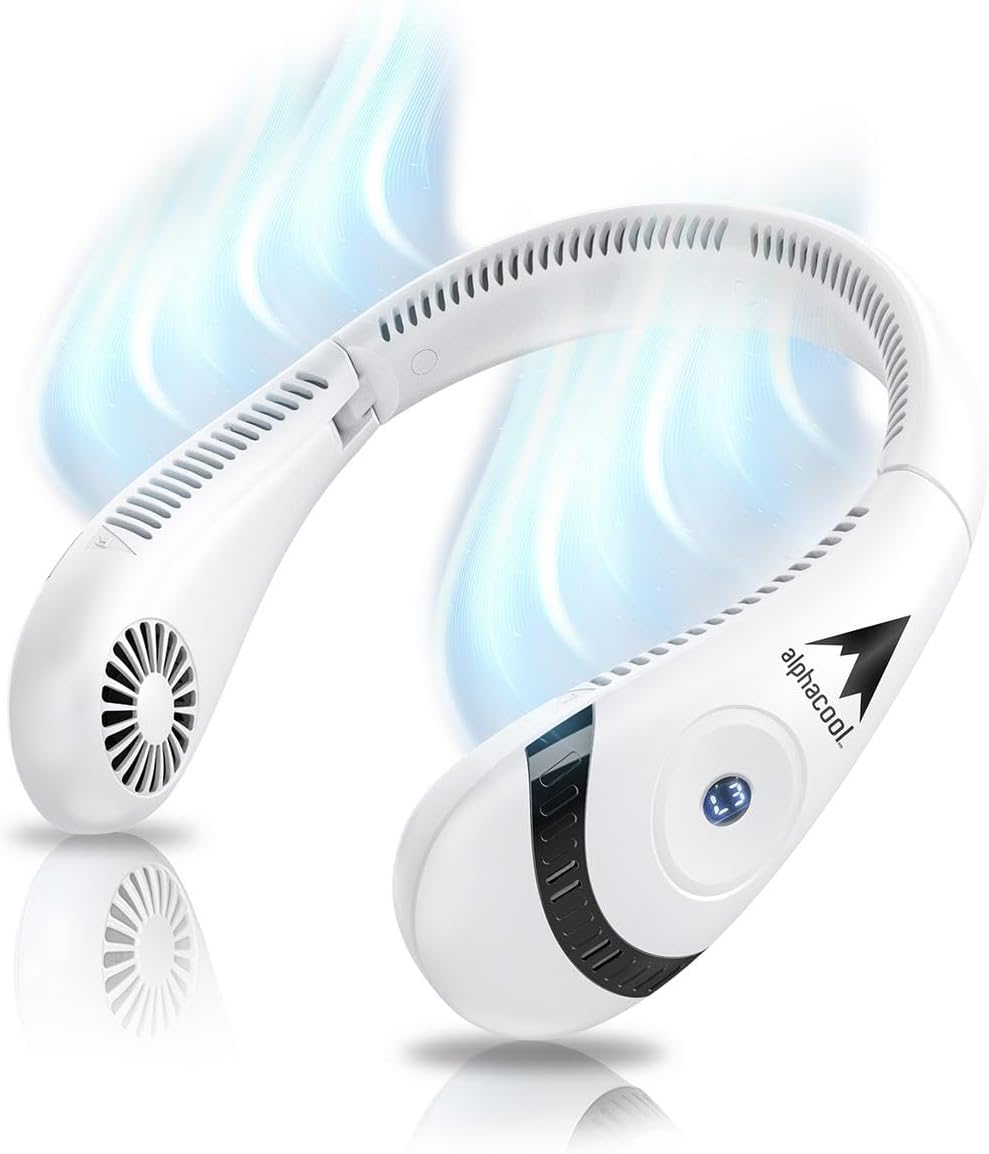
Figure 3: Visual representation of airflow from the neck fan.
Folding for Storage:
The AlphaCool Portable Neck Fan is designed to be foldable for easy storage and transport. Gently fold the two ends of the fan inwards until they meet. This compact design makes it convenient to carry in a bag or backpack.
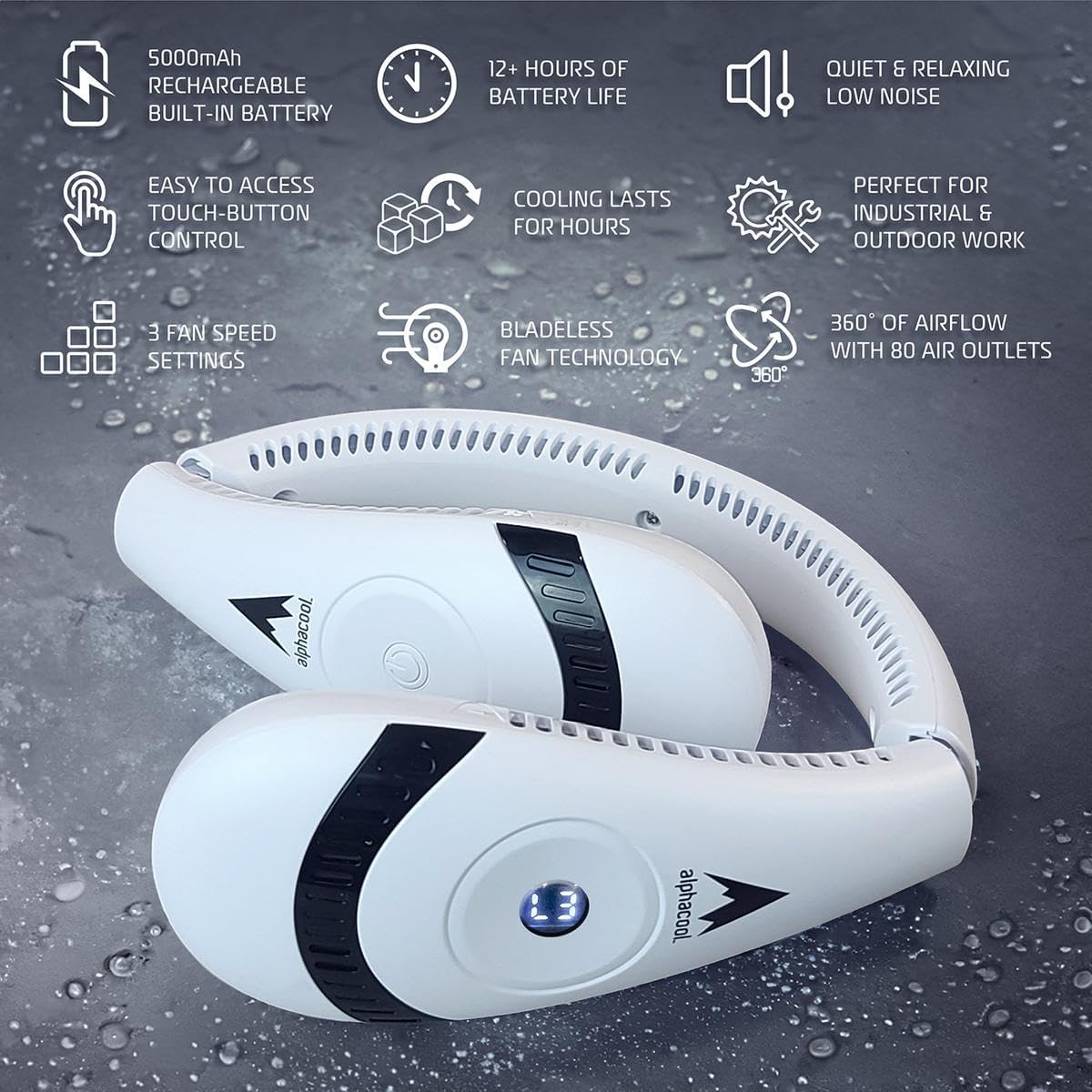
Figure 4: The neck fan in its folded position for storage.
7. Maintenance
Cleaning:
- Ensure the fan is turned off and unplugged before cleaning.
- Wipe the exterior of the fan with a soft, dry cloth.
- Do not use abrasive cleaners, solvents, or harsh chemicals.
- Do not rinse the fan directly under water.
Storage:
- Store the fan in a cool, dry place away from direct sunlight.
- If storing for an extended period, charge the battery to approximately 50% every 3 months to prolong battery life.
8. Troubleshooting
| Problem | Possible Cause | Solution |
|---|---|---|
| Fan does not turn on. | Battery is depleted. | Charge the fan fully using the provided USB cable. |
| Fan does not charge. | Charging cable is faulty or not properly connected. Power source issue. | Ensure the USB cable is securely connected. Try a different USB port or power adapter. |
| Low airflow. | Fan is on a low speed setting. Air outlets are obstructed. | Increase the fan speed. Check and clear any obstructions from the air outlets. |
| Unusual noise during operation. | Internal obstruction or damage. | Turn off the fan immediately. Do not attempt to open or repair. Contact customer support. |
9. Specifications
| Feature | Detail |
|---|---|
| Brand | Alphacool |
| Model Name | AC-BNF-LI-W |
| Color | Black |
| Power Source | Battery Powered |
| Battery Capacity | 5000mAh rechargeable built-in battery |
| Battery Life | Up to 12 hours |
| Fan Design | Wearable Fan (Bladeless) |
| Special Features | Bladeless, Foldable, Lightweight, Portable |
| Airflow | 360° with 80 air outlets |
| Noise Level | Low noise |
| Control Method | Touch |
| Number of Power Levels | 3 |
| Item Weight | 12.6 ounces |
| Product Dimensions | 8.15 x 4.88 x 2.72 inches |