
Woneligo W13 Violette
Woneligo Smartwatch W13 Violette User Manual
Model: W13 Violette
Introduction
This manual provides comprehensive instructions for setting up, operating, maintaining, and troubleshooting your Woneligo Smartwatch W13 Violette. Please read this manual carefully to ensure proper use and to maximize the features of your device.

Image: The Woneligo Smartwatch W13 Violette, featuring a square display and a purple silicone strap.
1. Setup
1.1 Unboxing and Initial Charge
Upon unboxing, locate the magnetic charging cable. It is typically found at the bottom of the watch box. Connect the charging cable to the smartwatch and a compatible USB power source. For first-time use, ensure the device is fully charged. A full charge typically takes a few hours.

Image: The smartwatch on a charging pad, displaying a 100% battery level, illustrating its long battery life.
1.2 App Installation and Pairing
To unlock the full functionality of your smartwatch, you need to install the companion application on your smartphone. The smartwatch supports most Android (6.0+) and iOS (9.0+) phones.
- Scan the QR code provided in the quick start guide or search for the official app in your phone's app store (Google Play Store for Android, Apple App Store for iOS).
- Download and install the application.
- Open the app and follow the on-screen instructions to create an account or log in.
- Enable Bluetooth on your smartphone.
- Within the app, search for your smartwatch (W13 Violette) and initiate the pairing process. Confirm the pairing request on both your phone and the smartwatch.
1.3 Initial Configuration
Once paired, you can customize various settings through the app:
- Watch Faces: Choose from over 100 watch faces or set your favorite photo as a custom watch face.
- Contacts: Add up to 10 frequently used contacts to your smartwatch for quick dialing.
- Ringtone: Customize the incoming call ringtone.
- Notifications: Configure which app notifications you wish to receive on your smartwatch.
- Brightness: Adjust the screen brightness for optimal viewing.
- Alarms: Set alarms for daily routines.
2. Operating Instructions
2.1 Call Management
After connecting your smartwatch to your phone via Bluetooth, you can make and receive calls directly from your wrist. This feature ensures you don't miss important calls, especially during exercise or driving.
- Making Calls: Access your frequently used contacts on the watch to initiate a call.
- Receiving Calls: Answer incoming calls directly from the smartwatch display.
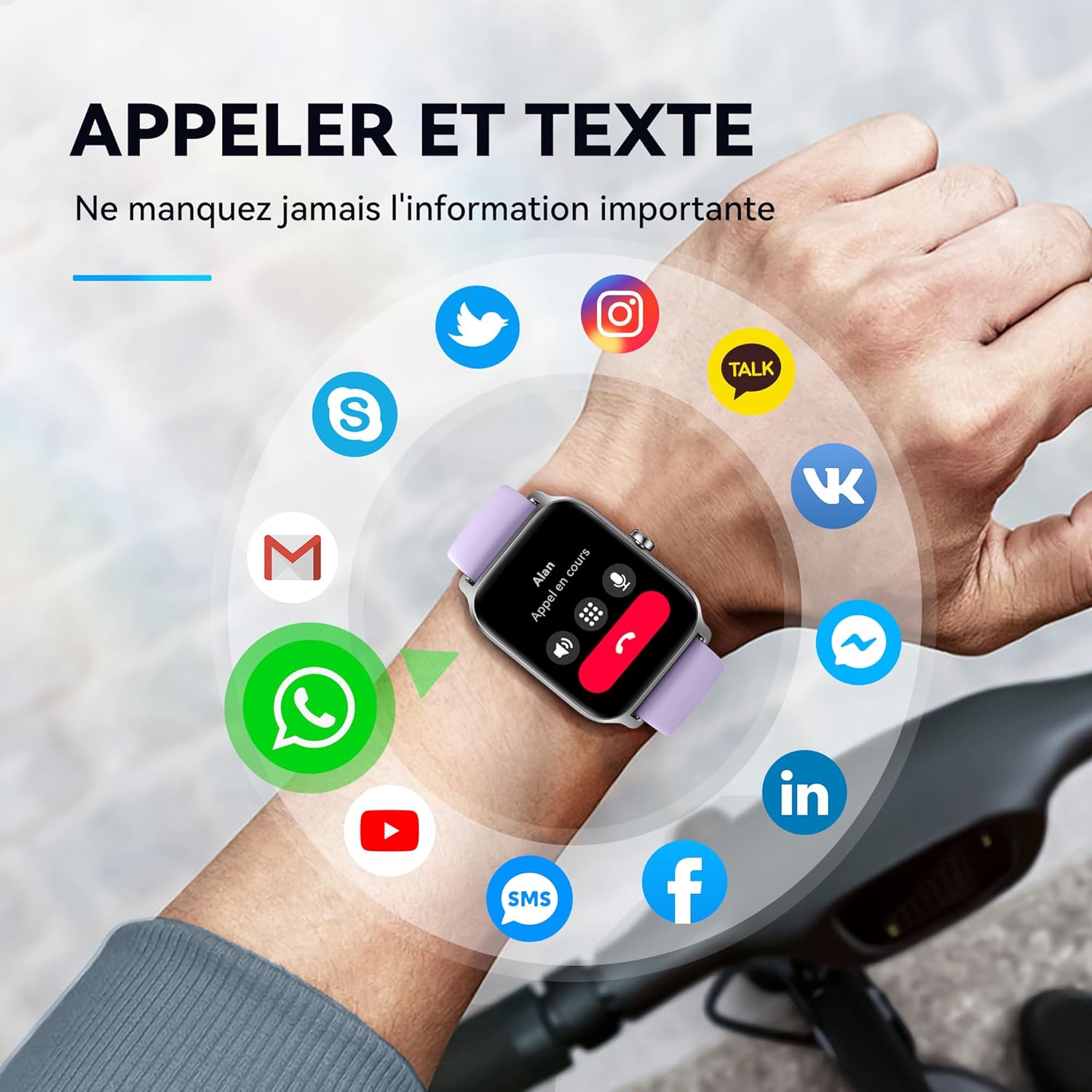
Image: The smartwatch showing an incoming call, surrounded by icons of various messaging and social media applications, highlighting call and text notification features.
2.2 Smart Life Assistant (Alexa Integration)
Your smartwatch features integrated Alexa, allowing you to use voice commands for various tasks and to control compatible smart home devices.
- Activate Alexa on your smartwatch.
- Speak commands such as "Alexa, turn on the light," "Alexa, what's the weather today?" or "Alexa, start running outdoors."

Image: A hand interacting with the smartwatch, which displays 'Listening...' for Alexa commands, with example voice commands shown.
2.3 Health Monitoring
The smartwatch provides 24-hour health monitoring features to help you track your well-being.
- Heart Rate: Real-time heart rate monitoring.
- Blood Oxygen (SpO2): Measures your blood oxygen saturation levels.
- Sleep Monitoring: Tracks your sleep patterns, including deep and light sleep stages.
- Stress Level: Intelligently monitors your current stress levels.

Image: A person exercising with the smartwatch, which displays graphs for heart rate, stress level, and blood oxygen, indicating health tracking capabilities.
2.4 Notifications and Other Features
Stay connected with various notifications and utilize additional smart features.
- Message Notifications: Receive SMS and app notifications (e.g., WhatsApp, Facebook, Instagram). Note: The watch cannot send messages or text back. Bluetooth range is 8-10 meters.
- Music Control: Remotely control music playback on your phone.
- Camera Control: Use the watch as a remote shutter for your phone's camera.
- Weather Forecast: Get real-time weather updates.
- Alarms: Set and manage alarms for your daily routine.
- 100+ Sports Modes: Track various sports activities with dedicated modes.

Image: The smartwatch displaying features like alarm settings, weather forecast, and music control, illustrating its utility for daily routines.
3. Maintenance
3.1 Charging
The smartwatch offers approximately 7 days of daily usage and up to 20 days of standby time. Recharge the device using the provided magnetic charging cable when the battery is low. Ensure the charging contacts on the watch and cable are clean and dry before charging.
3.2 Water Resistance
The smartwatch is IP68 waterproof and features 5ATM water resistance, making it suitable for daily use, including hand washing, rain, and swimming. Avoid hot water, steam, or prolonged submersion in deep water.

Image: A person swimming underwater while wearing the smartwatch, demonstrating its 5ATM water resistance.
3.3 Cleaning
Regularly clean your smartwatch and strap to prevent skin irritation and maintain device hygiene. Use a soft, lint-free cloth. If necessary, dampen the cloth slightly with water. Do not use harsh chemicals or abrasive materials.
4. Troubleshooting
If you encounter issues with your smartwatch, refer to the following common solutions:
- Device not turning on: Ensure the device is fully charged. Connect it to the charger for at least 30 minutes.
- Cannot pair with phone:
- Ensure Bluetooth is enabled on your phone and the smartwatch is discoverable.
- Make sure the smartwatch is within the Bluetooth range (8-10 meters).
- Restart both your phone and the smartwatch.
- Clear Bluetooth cache on your phone (Android) or forget the device and re-pair (iOS).
- Inaccurate health data: Ensure the watch is worn snugly on your wrist, not too tight or too loose. Clean the sensor on the back of the watch.
- Notifications not received:
- Check app notification settings on your phone and within the smartwatch app.
- Ensure the smartwatch is connected via Bluetooth.
- Disable any power-saving modes on your phone that might restrict app background activity.
- Short battery life:
- Reduce screen brightness.
- Limit continuous health monitoring if not needed.
- Turn off unnecessary notifications.
If the problem persists, please contact customer support.
5. Specifications
| Feature | Specification |
|---|---|
| Brand | Woneligo |
| Model Number | W13 Violette |
| Color | Violette |
| Operating System | Android (6.0+), iOS (9.0+) |
| Screen Size | 1.8 Inches |
| Connectivity | Bluetooth |
| Special Features | Time Display, GPS (integrated), Sound Monitoring, Alexa Integration, Heart Rate Monitor, SpO2, Sleep Tracker, Stress Level, Call Management, Message Notifications, Music Control, Camera Control, Weather Forecast, 100+ Sports Modes |
| Battery Composition | Lithium Polymer |
| Rechargeable Battery | Yes |
| Daily Usage Time | Approx. 7 days |
| Standby Time | Up to 20 days |
| Water Resistance | IP68, 5ATM |
| Shape | Square |

Image: A diagram illustrating the dimensions of the smartwatch and its strap, including screen size and strap length.
6. Warranty and Support
Your Woneligo Smartwatch W13 Violette comes with dedicated support to ensure your satisfaction.
- 12-Month Replacement & Lifetime Service: Enjoy a 12-month replacement policy and lifetime service for your device.
- 24/7 Quick Response: Our support team is available 24/7 to provide quick responses to your inquiries and assistance.

Image: An infographic detailing customer support, including 12-month replacement, lifetime service, and 24/7 quick response.
For further assistance or to report an issue, please contact Woneligo customer support through the contact information provided with your product or on the official website.
Ask a question about this manual
Ask about setup, troubleshooting, compatibility, parts, safety, or missing instructions. Manuals+ will review the question and use this page’s manual context to help answer it.